
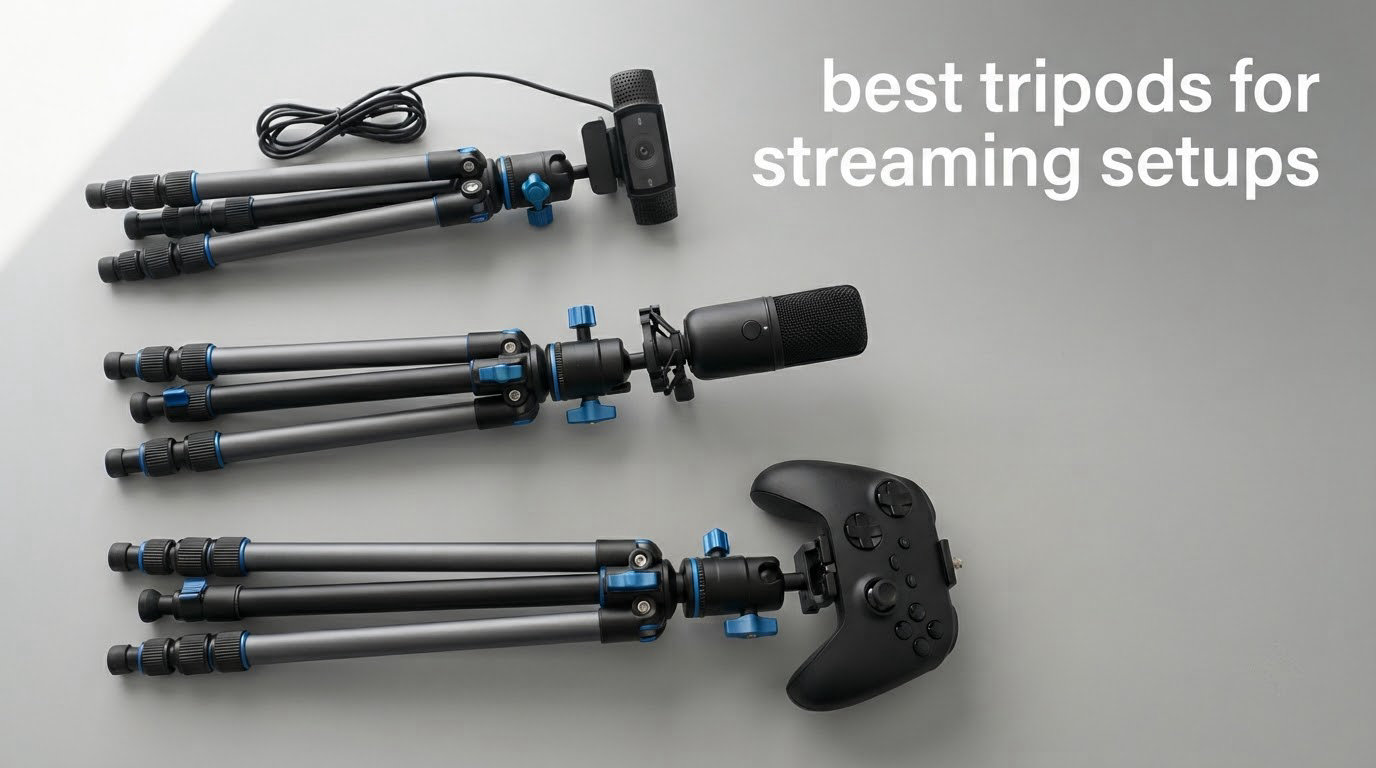
Most tripods are built for a two-second decision: pick a spot, open three legs, take the shot, pack up. A streaming tripod has a completely different job. It has to hold one fixed frame for four hours while you type, gesture and knock your elbow against the desk, then hold that same frame again tomorrow. That is why the best tripods for streaming setups are not the same units photographers reach for, and why the specs that matter to you are load capacity, a head that locks solid, and a footprint that fits between your keyboard and your microphone arm.
We spent several weeks putting these twelve stands through desk streaming setups, overhead craft rigs and mobile walk-and-talk sessions, watching for the three failure modes streamers actually complain about: creep, desk thump, and mounts that need an adapter you do not own. Each pick below was checked against published load ratings, real folded sizes, and what the mount accepts.
A note on scope. This guide covers physical camera support only. Encoding settings, bitrates and scene composition are a separate rabbit hole, and if you are still building the software side, start with our streaming monitor picks and come back here once the frame is locked.
Table of Contents
Top 3 Picks for Streaming Setups in 2026

Amazon Basics 50-Inch Tripod
- Extends to 50 inches
- 3-way tilt and swivel head
- Quick-release plate
- 1.4 lb aluminum build

EUCOS 62-Inch Phone Tripod
- 62-inch extension
- Cold shoe mount
- 12.8 oz build
- Wireless remote to 33 ft

UBeesize Ring Light and Stand
- 12-inch 240 LED ring light
- 62-inch convertible tripod
- Bluetooth remote included
- 5 color modes
What Is the Best Tripod for Streaming?
The best tripod for streaming is a rigid, lockable stand whose load rating comfortably exceeds your camera, phone or webcam plus any mic and light, and whose head stays fixed without creeping for a full session. For most desk streamers that is a 50 to 75 inch aluminum tripod with a 3-way pan-tilt or ball head and a standard 1/4-20 thread. Desk-only creators often do better with a clamp or boom arm than a floor stand.
Best Tripods for Streaming Setups in October
| Product | Specifications | Action |
|---|---|---|
| Amazon Basics 50-Inch Tripod |
|
Check Latest Price |
| UBeesize 12-Inch Ring Light with 62-Inch Stand |
|
Check Latest Price |
 SENSYNE Ring Light with 50-Inch Phone Tripod SENSYNE Ring Light with 50-Inch Phone Tripod |
|
Check Latest Price |
 SENSYNE 62-Inch Phone Tripod and Selfie Stick SENSYNE 62-Inch Phone Tripod and Selfie Stick |
|
Check Latest Price |
| EUCOS 62-Inch Phone Tripod |
|
Check Latest Price |
 Amazon Basics Microphone Boom Arm Stand Amazon Basics Microphone Boom Arm Stand |
|
Check Latest Price |
 XXZU 75-Inch Camera Tripod XXZU 75-Inch Camera Tripod |
|
Check Latest Price |
 Amazon Basics 10-Inch Flexible Tripod Amazon Basics 10-Inch Flexible Tripod |
|
Check Latest Price |
 JOILCAN 74-Inch Tripod JOILCAN 74-Inch Tripod |
|
Check Latest Price |
 VICTIV 74-Inch Camera Tripod VICTIV 74-Inch Camera Tripod |
|
Check Latest Price |
 Pozliv Overhead Clamp Mount with Ring Light Pozliv Overhead Clamp Mount with Ring Light |
|
Check Latest Price |
 K&F CONCEPT 64-Inch Travel Tripod K&F CONCEPT 64-Inch Travel Tripod |
|
Check Latest Price |
1. Amazon Basics 50-Inch Tripod – Best All-Round Desk Stand
Amazon Basics 50-inch Lightweight Portable Camera Tripod Stand with Quick-Release Plate, Adjustable Height, Aluminum, for Travel Photography, Champagne
Max height 50 inch
Min height 42 cm
Load limit 4.4 lb
Weight 1.4 lb
Pros
- Quick-release plate makes camera swaps fast
- Built-in bubble level on the head
- Three-section lever locks hold at multiple heights
- 1.4 lb and folds to 16.9 inches
Cons
- Light feel under a heavy body
- 4.4 lb limit rules out big DSLRs
- Center column crank adds wobble at full height
This is the unit I keep coming back to for a single-camera desk stream. The three-way head locks for tilt and swivel, so once you set your seated eye line you can stop touching it for the rest of the session, and the quick-release plate means swapping a phone for a webcam takes seconds rather than a tool-free teardown.
Owners consistently describe it as unexpectedly capable for its weight class. At 1.4 lb and folding to 3.3 by 2.9 by 16.9 inches, it is the stand we end up carrying to a friend’s place to stream a tabletop game night. The zippered bag that comes in the box is what keeps it from rattling around in a backpack.
The 4.4 lb weight limit is the number to plan around. It is fine for a webcam, a compact camera, a phone, a light or a mic, and it is not fine for a full-frame body with a long lens. We also noticed the pan-and-tilt head can drift when the rig is loaded near that ceiling, so give yourself a margin rather than running right at the limit.
The other recurring note is that the head-level bubble is touchy, which means fine framing takes a little patience. If you are the type who re-aims mid-stream often, a ball head will feel faster. For a locked-off frame, though, this tripod is the easiest of the twelve to leave alone for a whole broadcast.
For a locked-off single camera desk
This is the pick if you have one camera, one fixed angle and no plan to move it. Seated eye line is easy to hit because the 42 cm minimum height gets you below chin level and 50 inches clears a seated head with room to spare. For framing, treat the middle of the lens as your eye line rather than the top of the camera.
It also works as a light or mic stand when a camera is not involved, which is a nice fallback if you also film product footage in the same room.
For heavier rigs or frequent re-framing
Two things will frustrate you: the load ceiling and the drift under load. A body over 4.4 lb plus an accessory is outside what the head can hold indefinitely. If you need more headroom in that same price class, the JOILCAN and VICTIV stands in this list carry noticeably higher ratings.
Re-framing mid-stream is also slower here than on a ball head, because you release two separate locks. If you reposition often, take the extra ten seconds to look at a ball head model instead.
2. UBeesize 12-Inch Ring Light with 62-Inch Stand – Best Built-In Lighting Rig
UBeesize 12″ LED Ring Light with 62″ Tripod Stand, Phone Holder & Remote
Ring light 12 inch, 240 LEDs at 10W
Tripod to 62 inch
Weight 1.2 lb
Power: USB
Pros
- Even diffused light with soft shadows
- Touch panel with 5 color modes and 10 brightness levels
- 62-inch stand converts to a handheld stick
- 360-degree rotatable head
Cons
- Bulky 12-inch head and stand assembly
- 10W output needs a panel for a whole room
- USB power only needs a continuous source
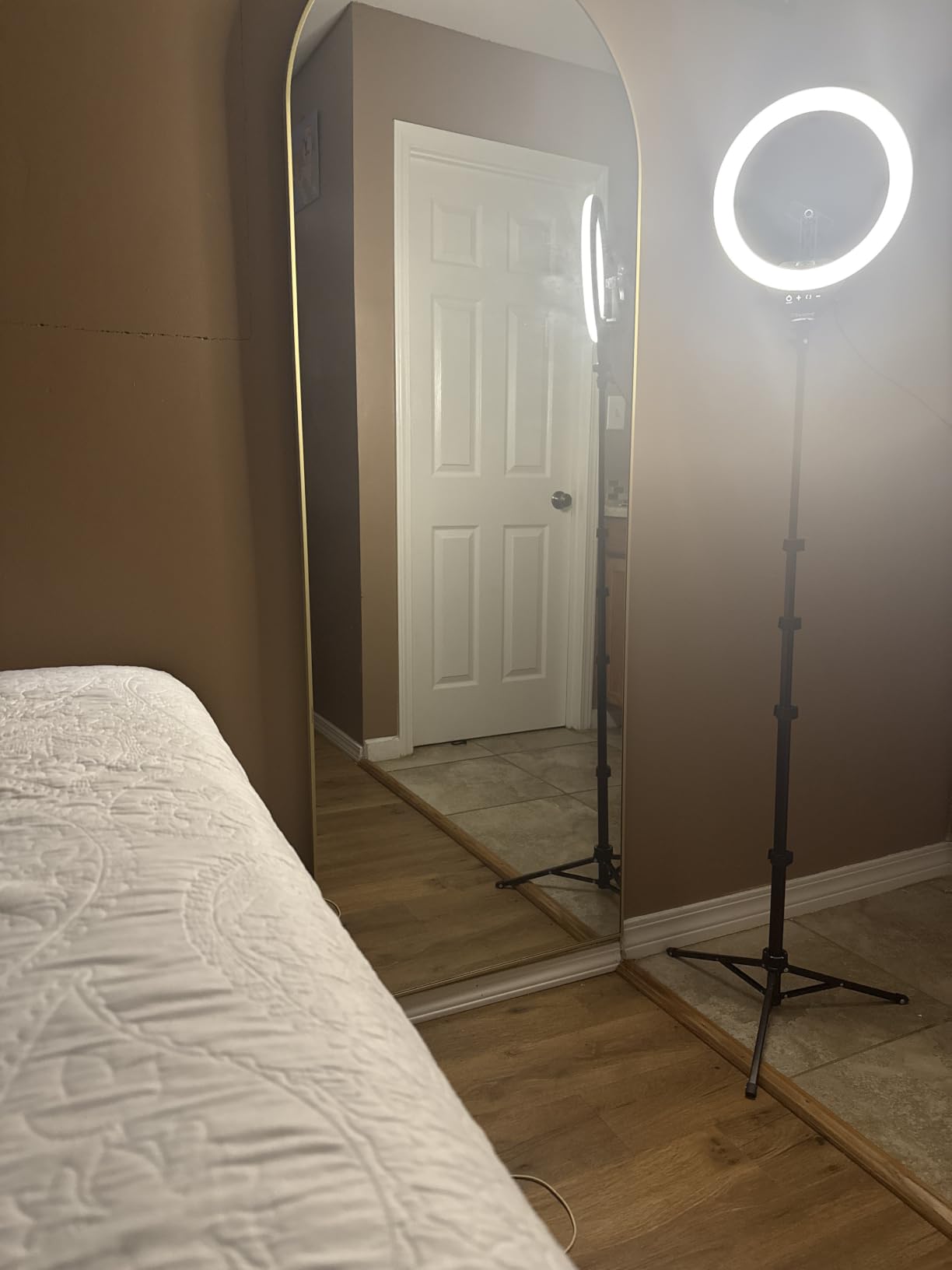
Most first-time streamers underestimate lighting and over-invest in the tripod. This bundle collapses both problems into one object: a 12-inch ring light with 240 LEDs on a 62-inch convertible stand, with the phone holder and Bluetooth remote already in the box.
The 240 LEDs are spread around the ring rather than concentrated in the center, which is why the shadows come out soft and even. Five color modes from 3000K to 6000K and ten brightness levels let you match the room you are actually in instead of guessing.
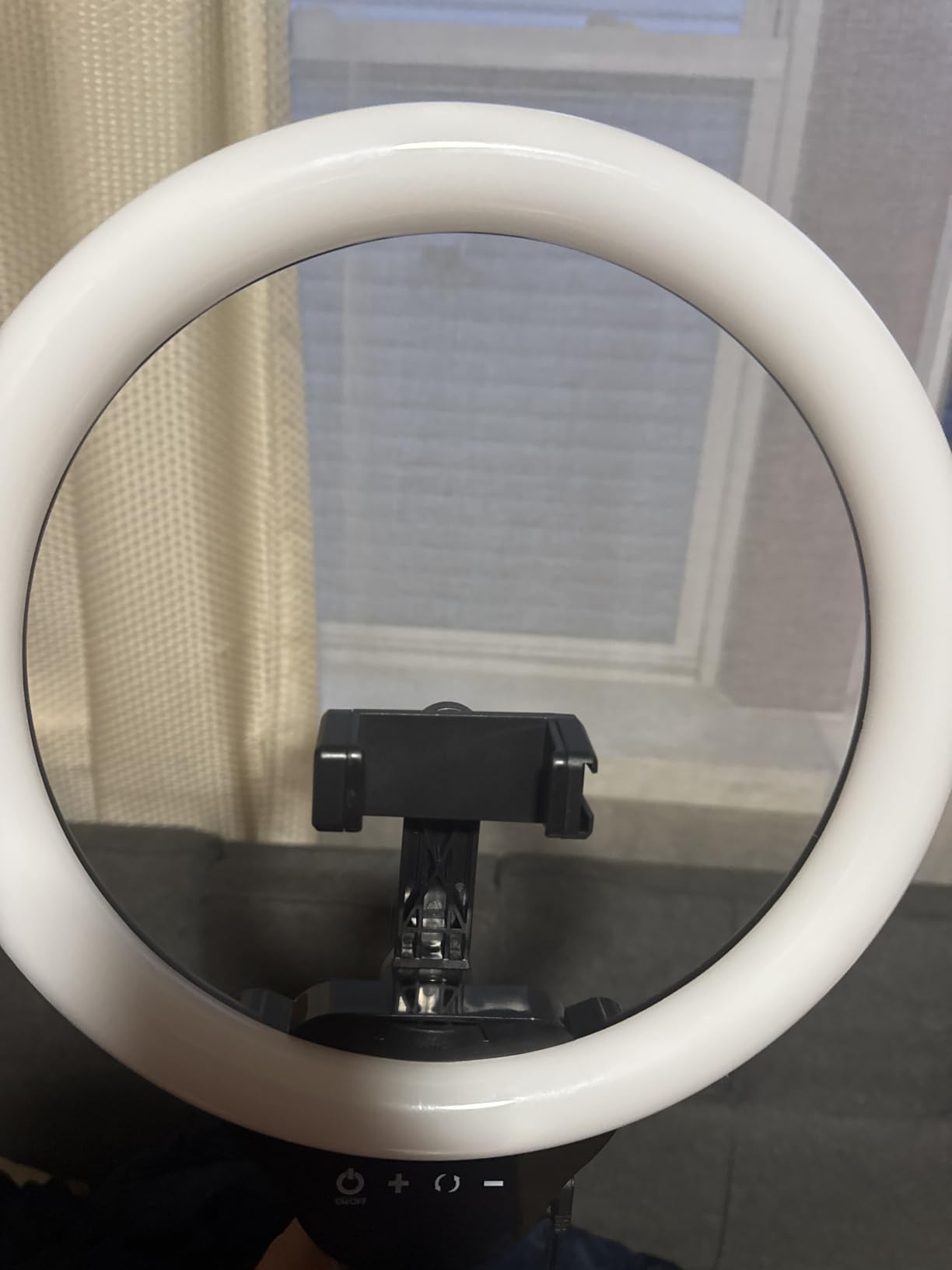
What you gain here is speed of assembly. There is one stand to raise, one light to plug in, and one clamp to close. For a creator who is streaming several nights a week, that simplicity is worth more than a slightly better light.
The trade-off is honest: this is a lighting product with a tripod attached, not a precision tripod. Reviewers point out that the head and stand together are bulky to store, and that 10W will not light a room. If your stream is face-only in a dim space, it is genuinely enough.
For a first streaming rig on a budget
If you are building your first setup, this gets you a lit frame in one purchase instead of three. The 62-inch height clears a seated setup easily and converts to a handheld stick when you want to move away from the desk for a segment.
Because it runs on USB, plug it into a laptop or a wall adapter and you have no power brick to route. Pair it with our phone tripod picks only if you plan to run a separate phone angle, since the clamp here is already included.
For a bright room or a large space
Ten watts is a small number. In a lit office or a room with a window behind you, you will end up adding a panel light anyway, and then you are carrying two light sources. In that case treat this as a portable key light and use it on a smaller set.
The other caution is physical. The 12-inch head is wide, so on a small desk it eats work surface. Plan the footprint before you commit.
3. SENSYNE Ring Light with 50-Inch Phone Tripod – Best Budget Light-and-Stand Combo
SENSYNE Ring Light with Stand, 50″ Phone Tripod with Wireless Remote
Ring light, 3 color modes
Tripod 15.7 to 50 inch
Remote about 30 ft
Power: USB
Pros
- Three color modes and 10 brightness levels
- 50-inch range covers desk and standing framing
- 360-degree rotation for overhead angles
- Wireless remote for solo recording
Cons
- Top-heavy when pointed straight down
- Phone clamp can be small for large phones
- Some units report mount or leg breakage over months
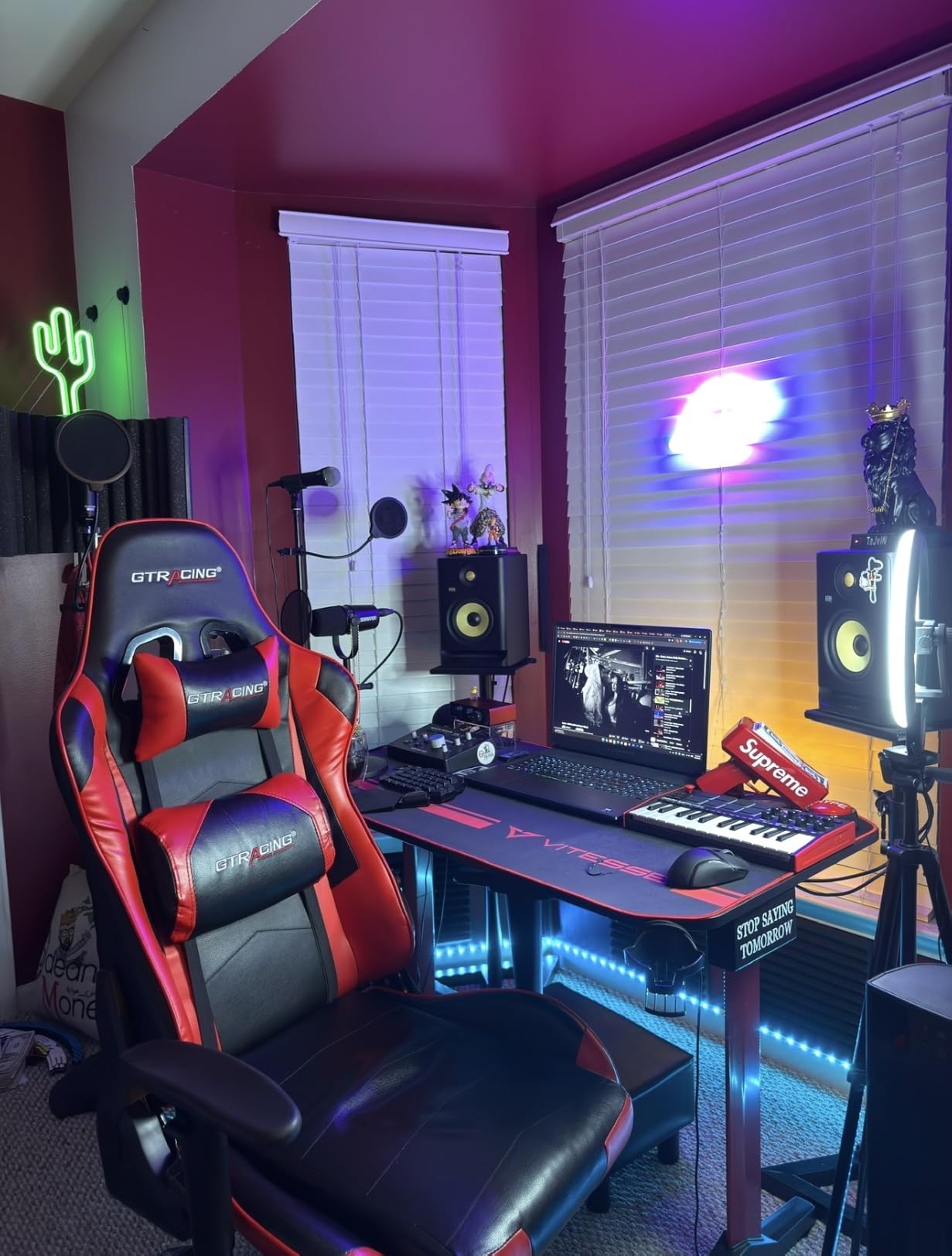
This is the smaller, cheaper sibling of the rig above and it makes more sense if your framing is tighter. The tripod spans 15.7 to 50 inches, which covers a desk stream, a seated show, and a full standing shot without a separate stand.
Color control is the part reviewers care about most. Three modes with ten brightness levels is enough to warm up a cold room or cool down a warm one, and the 360-degree rotation plus flexible phone holder let you tilt the light and the phone independently.
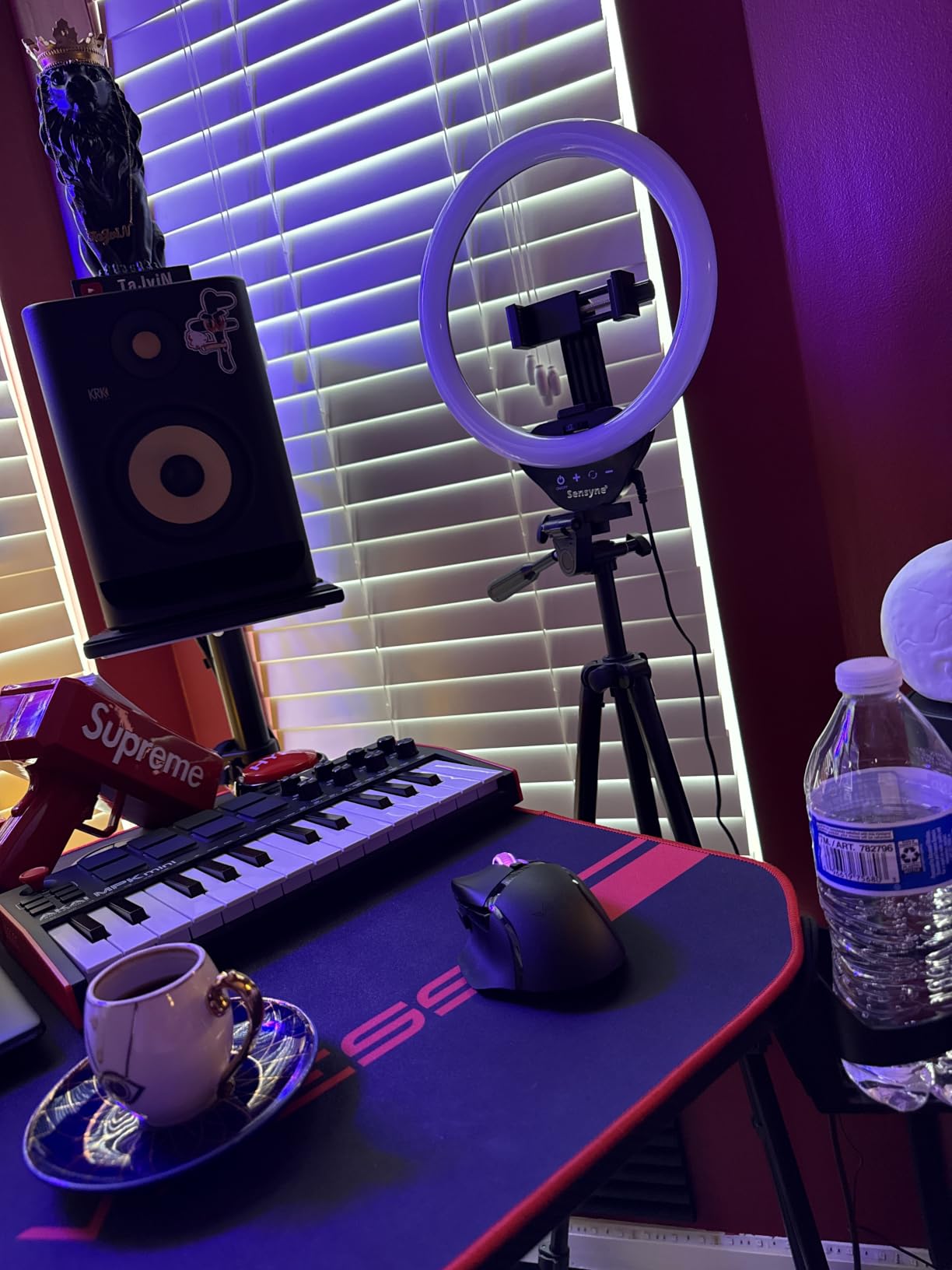
For solo recording, the wireless remote with roughly 30 feet of range means you can start and stop a take without walking back to the desk. For a livestream controlled by software, it is a nice-to-have rather than a necessity.
The honest weakness is the overhead position. Point the whole assembly straight down and it becomes top-heavy; a small bag or a light dummy on the center hook steadies it, but out of the box it wants a counterweight.
For tight desk framing and phone-first streams
Pick this when the phone is your camera. The clamp, the light and the stand are in one box, and the 15.7 inch minimum height suits a desk where a taller stand would block a monitor.
If you want broader phone mounting options, we compare clamp widths and mounts in our phone tripod guide.
For overhead work without a counterweight
Buyers report the arm losing position in the top-down orientation, and a minority report the phone mount or a leg part breaking after several months. For craft or cooking streams where the light is above the work surface, plan on adding ballast before you go live.
Also check your phone width against the clamp. Larger phones with cases can be a tight fit, and forcing it is how mounts crack.
4. SENSYNE 62-Inch Phone Tripod and Selfie Stick – Best Desk-to-Stand Convertible
SENSYNE 62″ Phone Tripod, Extendable Selfie Stick with Wireless Remote
Max height 62 inch
Folds to 5 inch
Load limit 2.2 lb
Weight 650 g
Pros
- Converts from desk tripod to 62-inch stick in seconds
- 360-degree rotating holder for vertical or horizontal
- Universal 1/4-inch screw accepts cameras and webcams
- Folds to 5 inches for travel
Cons
- 2.2 lb limit keeps it to phones and light gear
- Narrow foot base is limited at full extension
- Play in the telescoping sections near max height
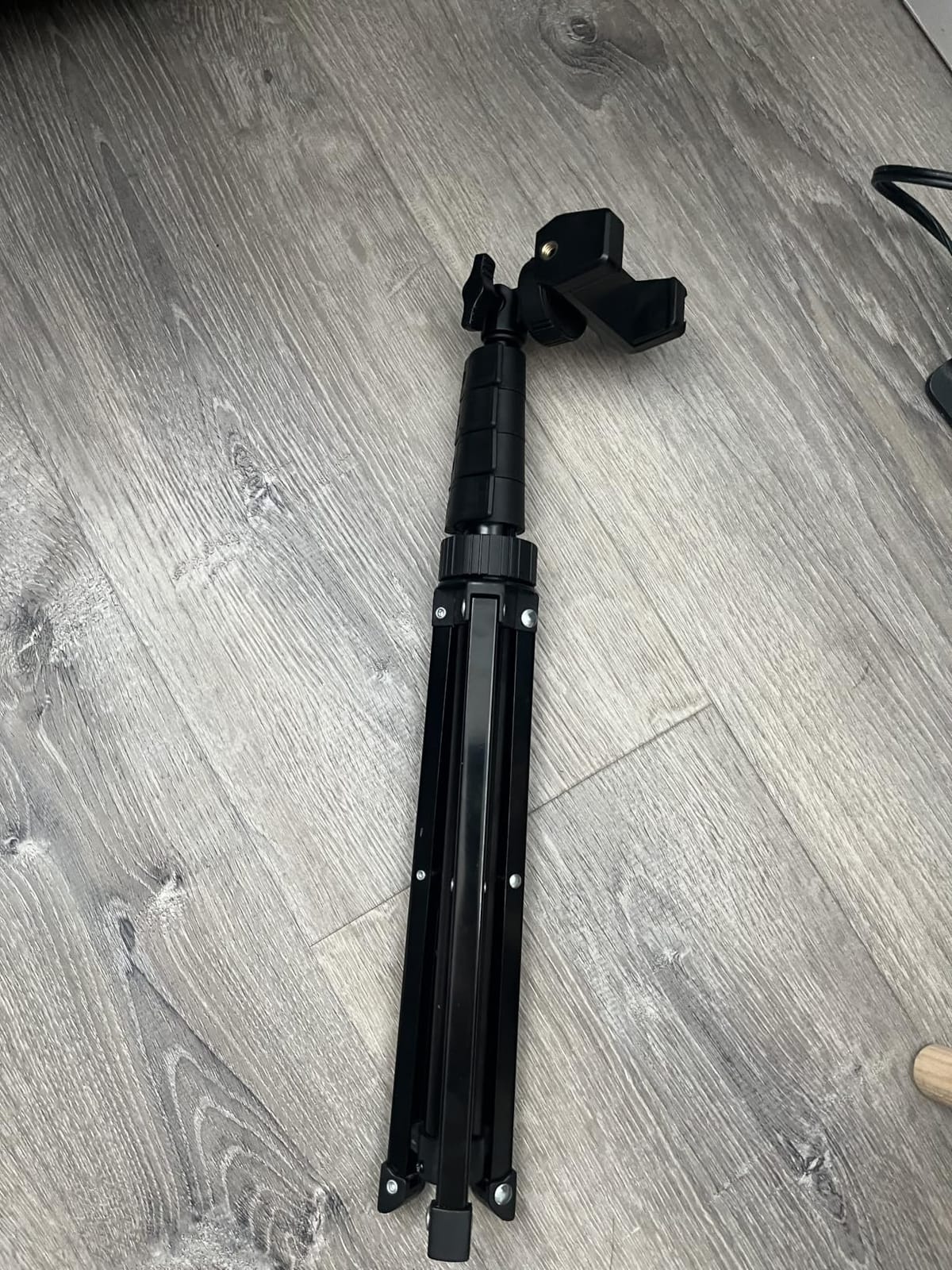
Our go-to recommendation for anyone who moves between a seated desk stream and a standing segment in the same broadcast. The 2-in-1 design collapses into a 62-inch stick in one motion, so the frame can go from desk height to overhead reach without a second piece of gear.
The universal 1/4-inch screw mount is more useful than the phone clamp. It means the same stand can carry a compact camera, an action camera or a webcam, not just a handset, which is what makes it work as a streaming tripod rather than a phone accessory.
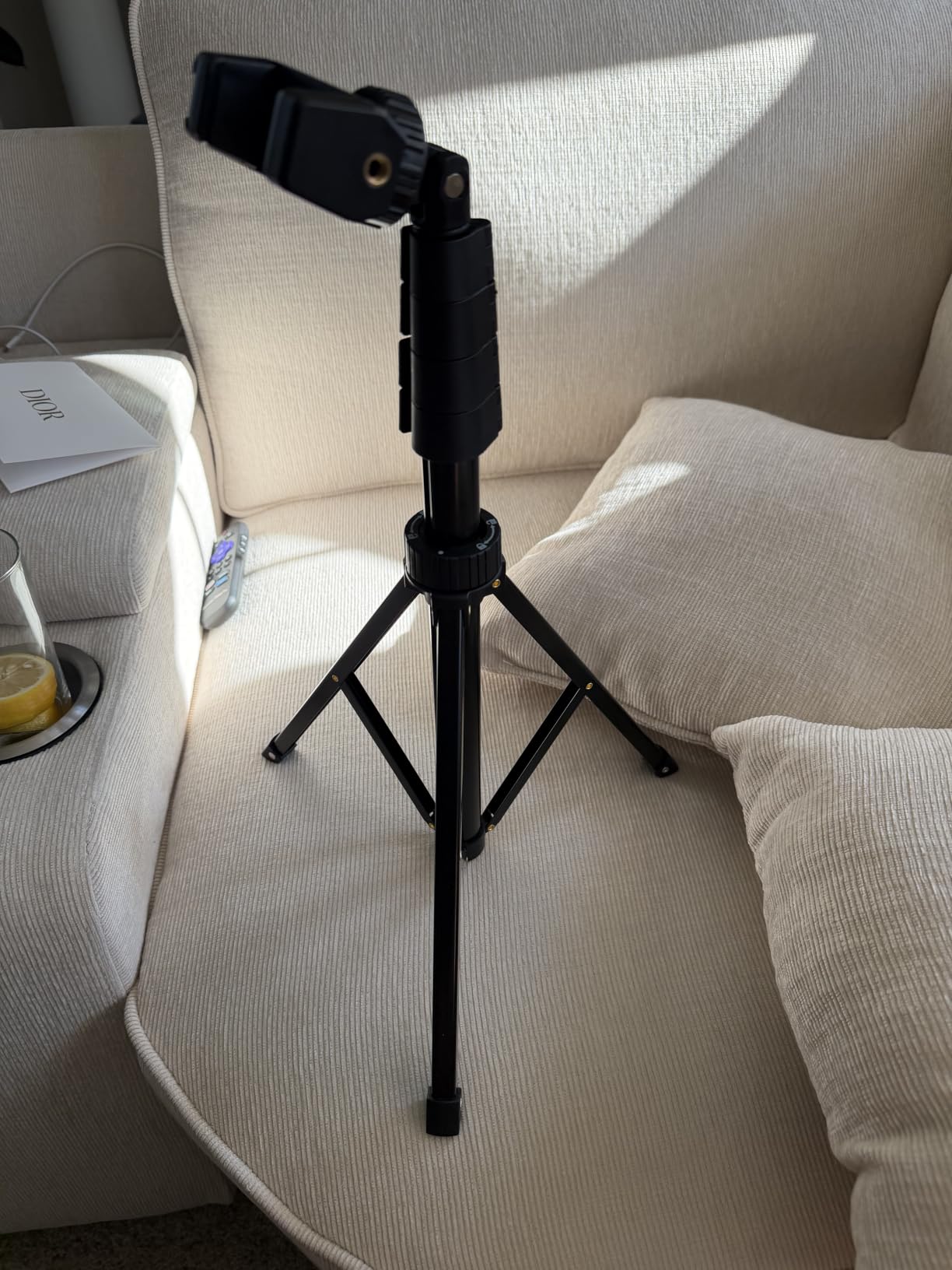
At 650 g and folding to 5 inches, it lives in a bag without thinking about it. Several users describe it as the default stand for video calls and group shots, and that reliability is exactly what you want from a support that has to work every time without inspection.
The 2.2 lb weight limit is the boundary. Fine for a phone, a webcam or a tiny camera with a short lens. Not fine for a mirrorless body with a microphone and light already attached.
For creators who change posture mid-stream
Stand up for a demo, sit back down for discussion, and the stand follows without a rethread. The 360-degree rotating holder covers vertical capture for shorts-style segments and horizontal for the main feed.
It also works as a spare stand on a second desk or a capture-card shelf, which is handy in a dual-camera rig where the main camera gets the big stand.
For anything heavier than a phone
Reviewers consistently flag two limits: the narrow base at full extension, and wobble in the telescoping sections near maximum height. If you hang a camera up high and lean on the desk, you will see it.
Keep the working height below full extension unless you have something to brace the legs, and stay well under 2.2 lb of payload.
5. EUCOS 62-Inch Phone Tripod – Best Lightweight Stand for Mobile Streaming
EUCOS 62″ Phone Tripod, Tripod for iPhone & Selfie Stick with Remote
Max height 62 inch
Weight 12.8 oz
Nylon PA6/6 body
Load limit 2.2 lb
Pros
- Extremely light at 12.8 oz
- Nylon PA6/6 body resists crush and shear
- Built-in cold shoe for a light or mic
- Remote reaches about 33 ft
Cons
- Clamp only fits phones 2.2 to 3.6 inches wide
- 2.2 lb limit is phone-only in practice
- Narrow base limits heavier setups
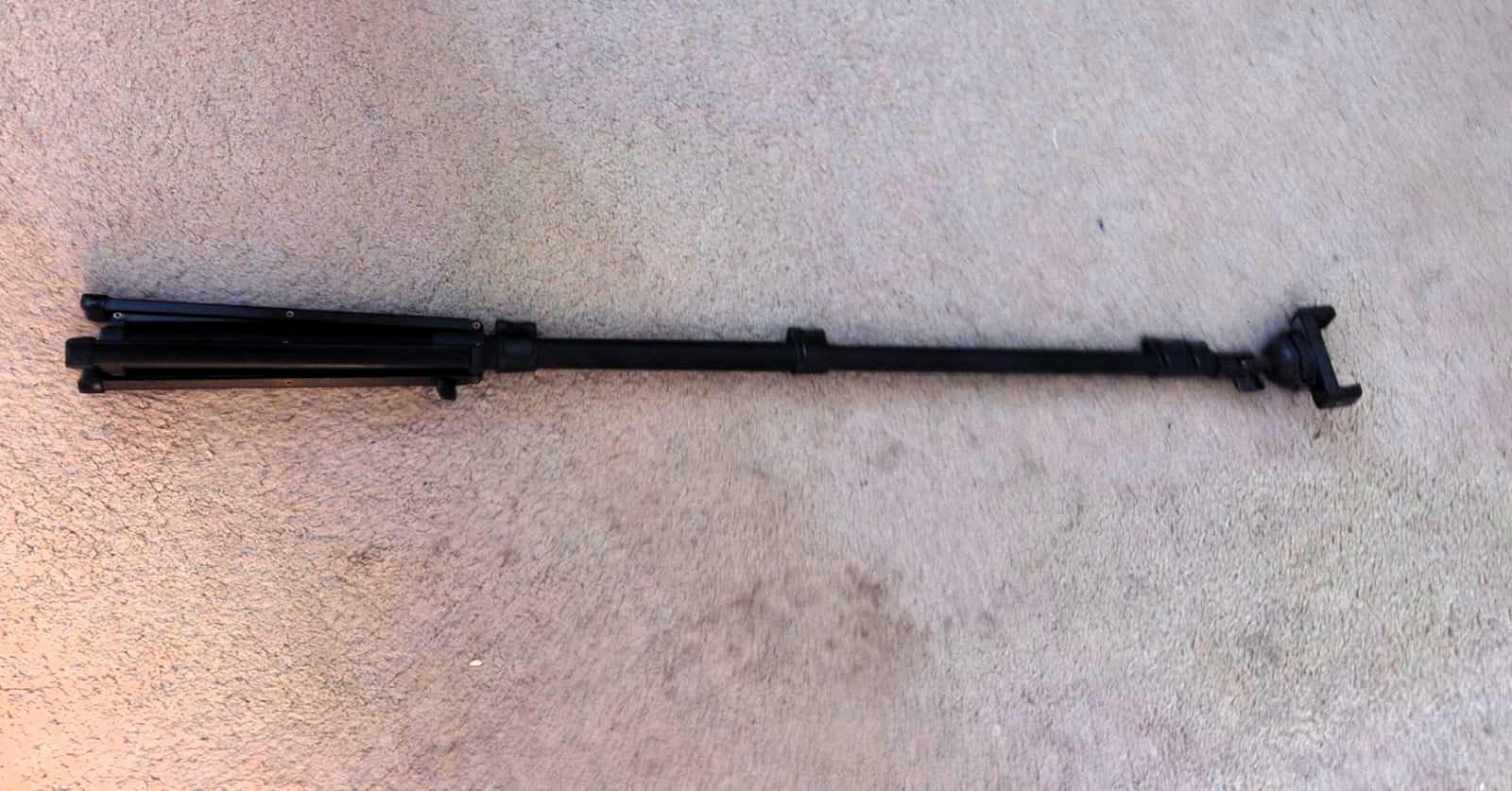
The highest average rating in this group, and the reason is straightforward: it is the only stand here built from an engineered polymer rather than thin aluminum tubing. Modified nylon PA6/6 is tough, and at 12.8 oz you can genuinely carry it in one hand all day.
That combination matters for IRL streaming. When you are walking and talking, weight is the enemy, and a stand that disappears into a jacket pocket changes how many locations you are willing to try.
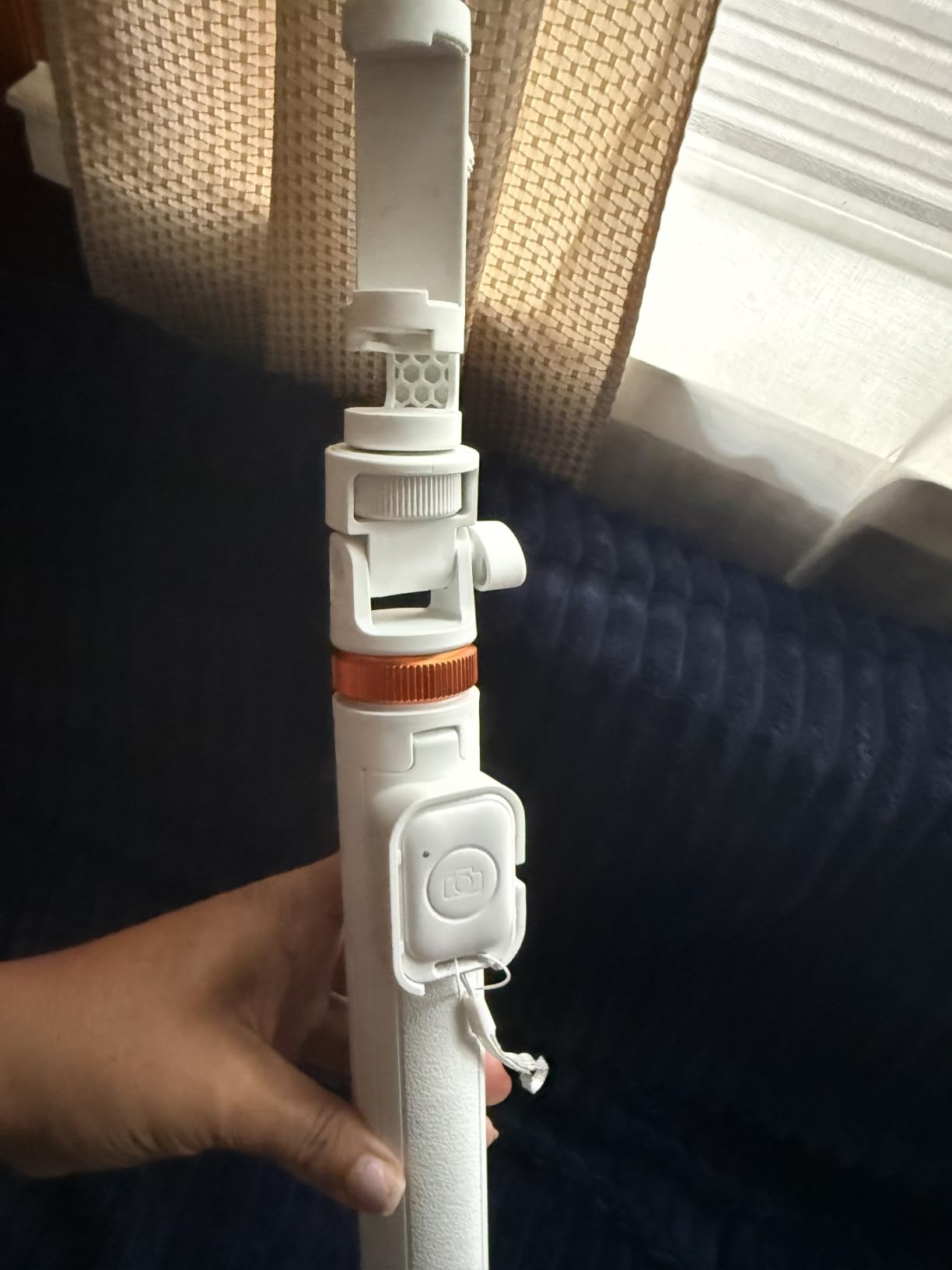
The built-in cold shoe is the feature that separates it from the other phone sticks here. A cold shoe is the standard shoe-mount slot used to attach a shotgun mic or a small light, so your audio can travel on the same stand as the camera instead of needing a second support.
Remote range of about 33 feet means you can start a take from across a room, and the listed lifetime protection coverage is the strongest warranty in this lineup.
For handheld and IRL streaming
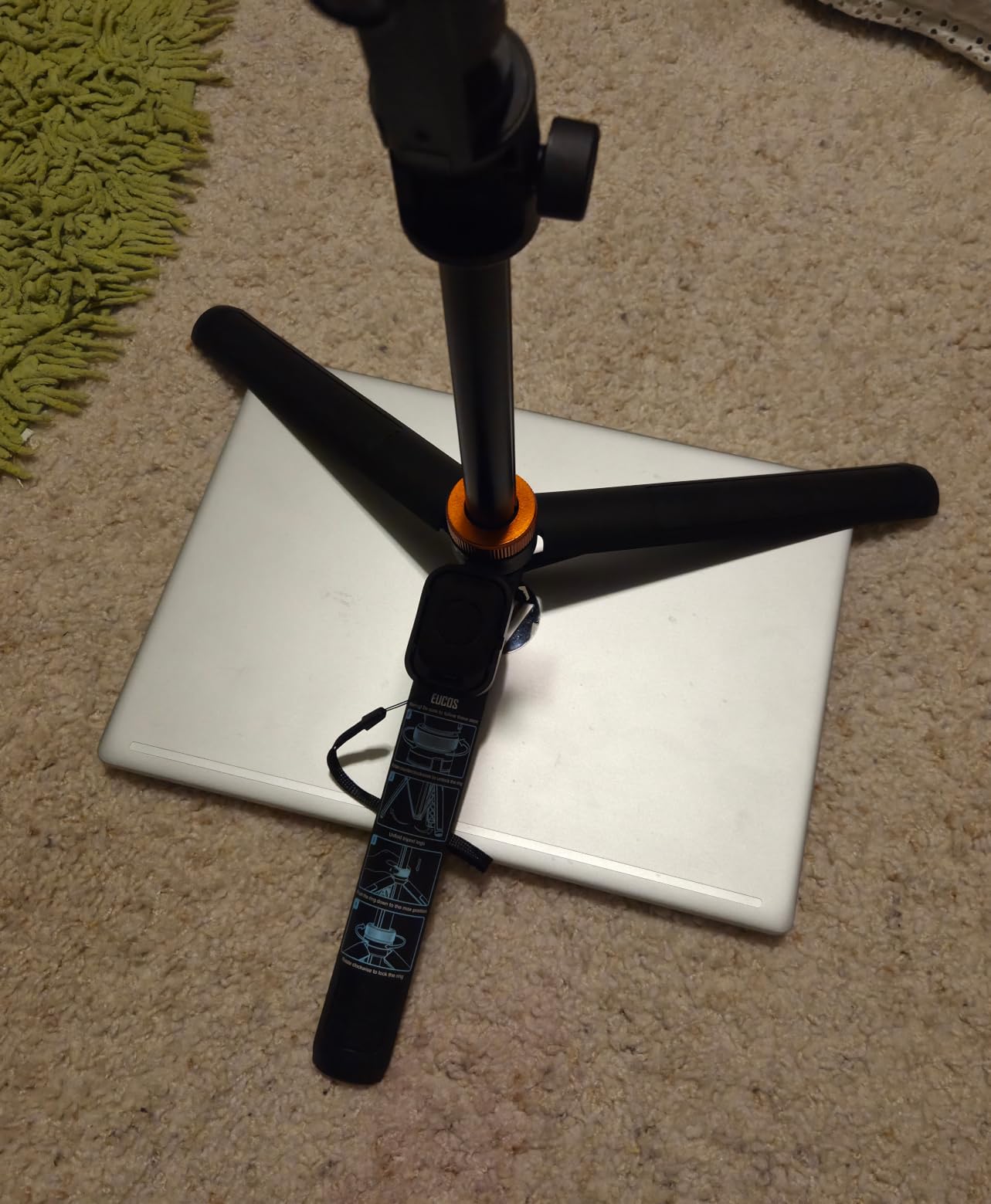
If your stream is not at a desk, this is the one. It extends fast from a compact tripod to 62 inches, the material shrugs off being knocked in a bag, and the weight will not slow you down.
Adding a mic on the cold shoe gives you a proper audio source on the move, which solves the most common IRL complaint about phone streaming.
For large phones and heavier cameras
Measure your phone before buying. The clamp takes devices 2.2 to 3.6 inches wide, and many current large phones exceed that with a case on. Forcing a phone into a clamp that is too narrow is the most common way these mounts break.
The 2.2 lb ceiling also rules out a mirrorless body. If you need that, look at a full-size aluminum stand in this list instead.
6. Amazon Basics Microphone Boom Arm Stand – Best Support for the Audio Side
Amazon Basics Sturdy Portable Microphone Boom Arm Stand, Height Adjustable with Cable Management, Foldable Tripod Base, Up to 85.75″, Black
Max height 85.75 inch
Mic limit 2 lb
Stand weight 3.3 lb
Thread 3/8 inch
Pros
- Boom pivot holds position without sagging
- Cable holder keeps cords routed
- Folds flat and doubles as a straight stand
- Steel construction still moves between rooms
Cons
- Unweighted base tips over easily
- Microphone limited to about 2 lb
- Slight tilt under load
- Clip sold separately
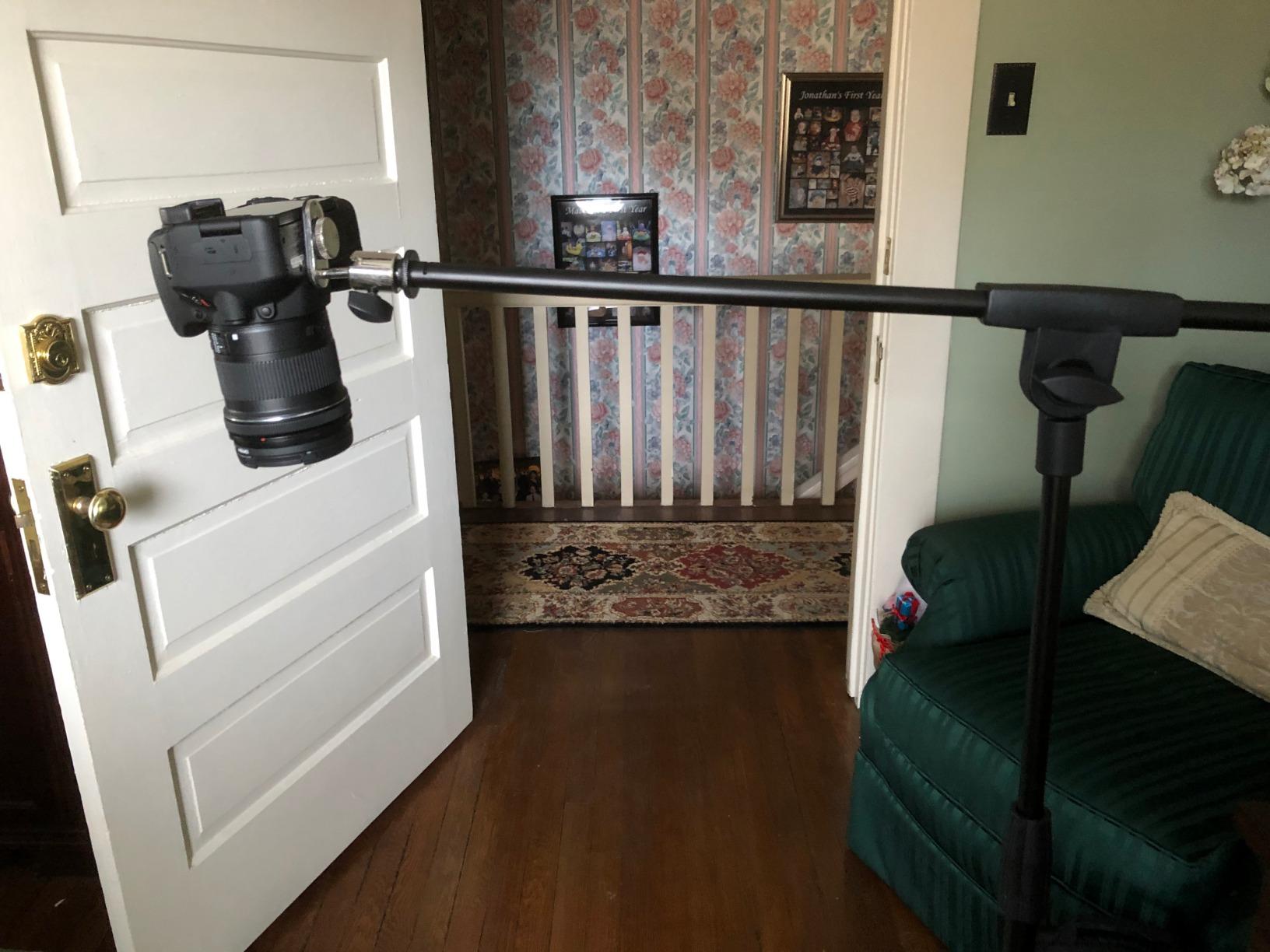
Audio is the part of a stream viewers notice first, and this is the support that fixes it. The boom reaches 85.75 inches, so a mic can sit above the desk and out of frame, which is what removes the plosive thump and the desk-reflected rumble that viewers read as a bad stream.
Reviewers consistently report that the pivot holds once set and survives being transported, and that the cable holder keeps the run from your interface to your PC out of the frame and off the floor.
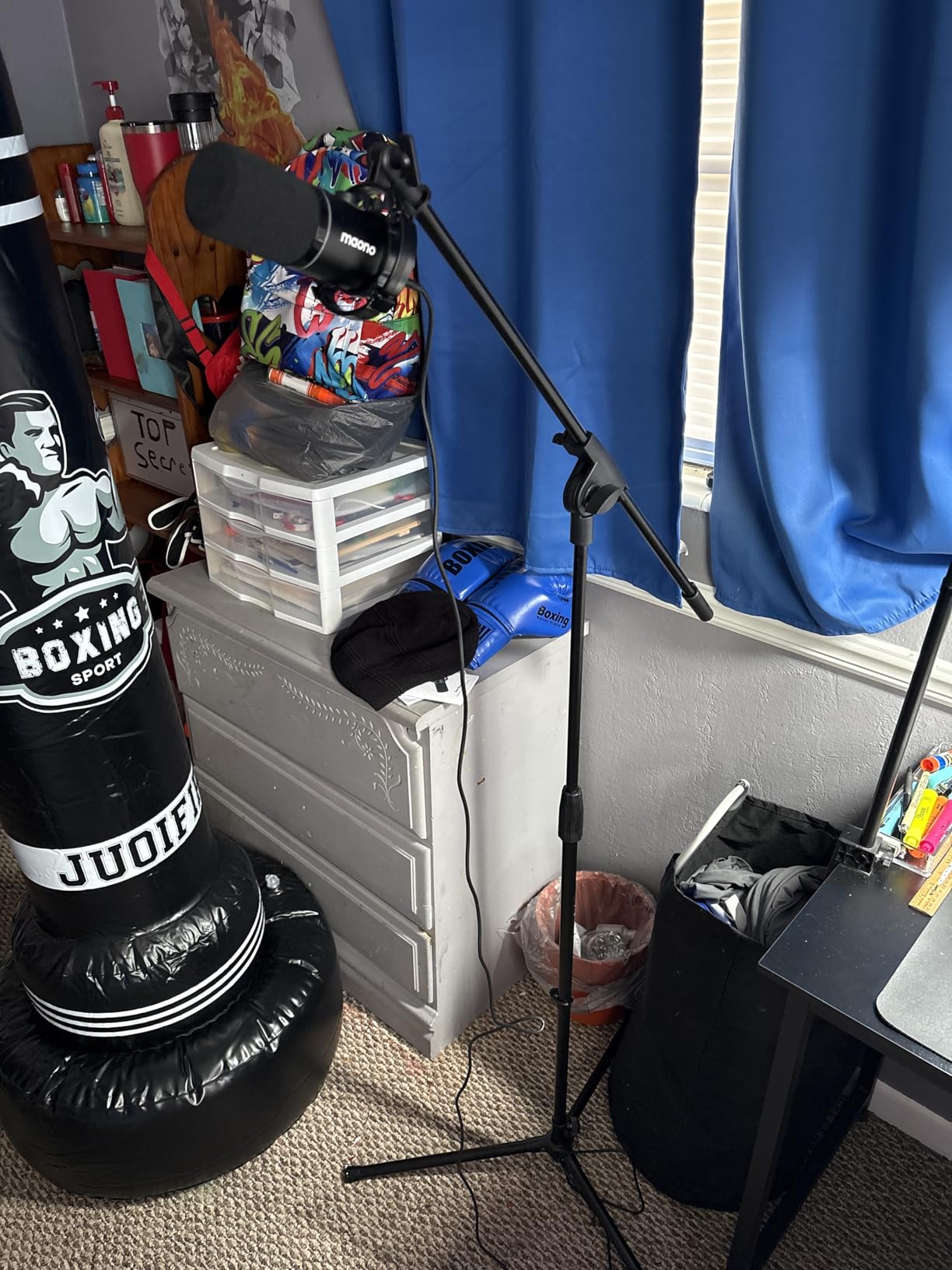
It folds flat, which is the quiet win. When you are not streaming, it becomes a straight mic stand for a podcast table, and when you are, it becomes the desk support that lets your camera stand do one job instead of three.
The steel build is heavier than a plastic stand at 3.3 lb, but that weight works in your favor on a desk where the camera tripod needs every gram of its own.
For clearer stream audio
A mic at 85 inches is out of the speakers’ path and out of your hands, and reviewers note it also holds a sandbag counterweight if you want it heavier. If your audio is currently coming from a laptop or a desk-bound USB mic, this is the single biggest quality jump available.
It pairs naturally with the audio advice in our home office setup guide if you are treating the stream desk as a workspace.
For a desk where nothing should tip
The base is unweighted, and that is the limitation buyers mention most. On a busy desk it can tip when the boom is extended. The fix is simple: add a sandbag or a weight on the base before the first broadcast, and keep the arm closer to vertical than you think you need.
Also note the microphone clip is not included, and the 2 lb limit on the mic itself.
7. XXZU 75-Inch Camera Tripod – Best Stand for Quick Angle Changes
XXZU 75″ Camera Tripod,Aluminum Tripod for Camera Phone/Monopod with Remote
Max height 75 inch
Load 8 kg vertical, 3 kg tilted
Weight 991 g
Ball head
Pros
- 3-in-1 tripod
- monopod and inverted low-angle mode
- Levels on both the ball head and center column
- 360-degree ball head for instant re-framing
Cons
- Load drops to about 3 kg at 45-degree tilt
- Aluminum tubing is light for wind
- Height changes need frequent lock adjustment
This is the pick for creators who re-aim constantly. The 360-degree ball head moves a loaded camera between landscape and portrait in one motion without releasing anything, and unlike a pan-tilt head you can frame the shot from any angle in between.
Two spirit levels, one on the ball head and one on the center column, remove the guesswork from setup. You can level a frame in seconds even on an uneven floor, which matters when you are streaming somewhere other than your own desk.
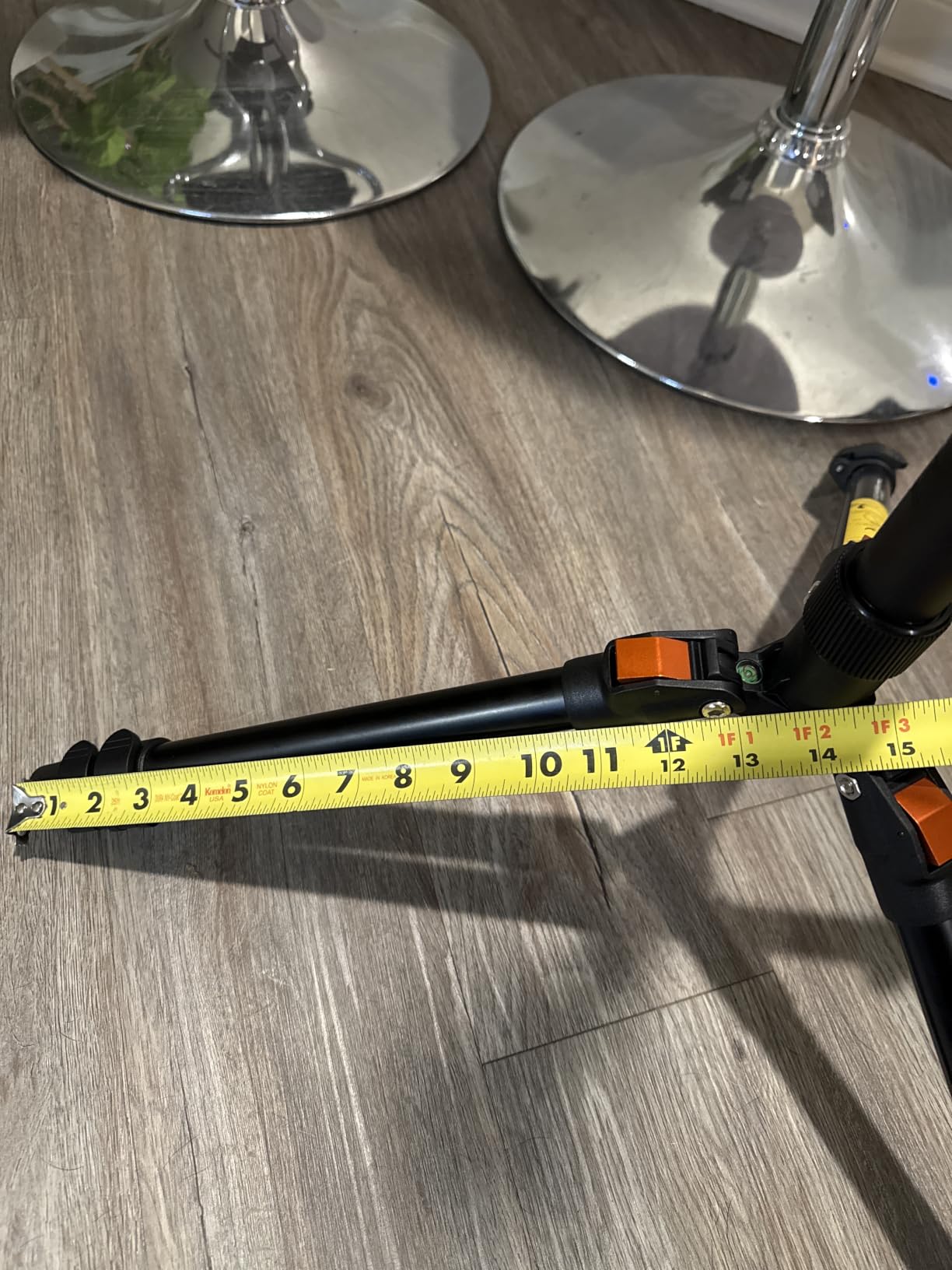
The 3-in-1 detachable center column is genuinely useful in a stream context. Strip one leg pair and you have a monopod at 43.9 inches for a tight follow-cam; invert the column and you have a low-angle rig for a desk-level or floor-level shot.
At 991 g and folding to 14.37 inches, it packs down smaller than the 74-inch units later in this list while still out-reaching them.
For streams with moving angles
Ball head plus monopod mode means one stand covers your wide desk shot, your tight follow-cam, and a low angle on your hands while you unbox something. That is a lot of rig from one piece of aluminum.
The included remote reaches about 10 meters, so you can start and stop without touching the stand and knocking the frame out of place.
For heavy rigs on an angle
Read the two load numbers, not one. The 8 kg rating is vertical; at a 45-degree tilt the rating falls to about 3 kg. If you plan to run a rig out to the side with a heavy lens, budget the tilt figure.
There is also a counterweight hook on the bottom section, and outdoor reviewers rely on it in breezy conditions. At 2.18 lb the aluminum tubing is light, so use the hook rather than assuming it is self-sufficient.
8. Amazon Basics 10-Inch Flexible Tripod – Best Pocket Stand for IRL Streaming
Amazon Basics Portable and Flexible Tripod with Wireless Remote and Smartphone Clamp, 10-inch, Black
Folded 10 x 4 x 4 inch
Load limit 500 g
Weight 0.08 kg
Remote 30 ft
Pros
- Folds to about 10 inches and weighs almost nothing
- Flexible legs wrap bikes
- poles and branches
- Side knob swaps portrait and landscape instantly
- Remote pairs in under a minute
Cons
- Fits phones only up to 3.7 inches wide
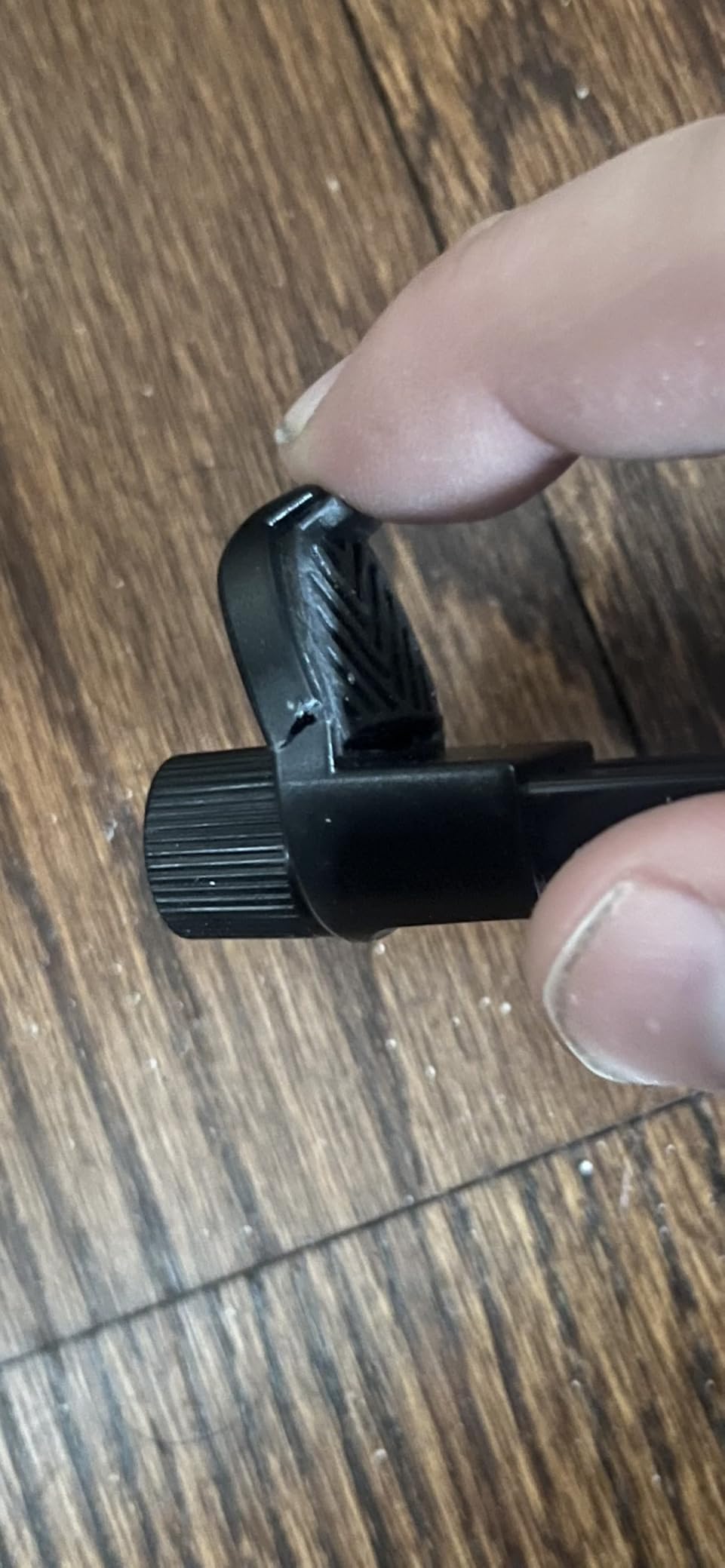
- Leg joints and bottom latch can break with heavy use
- Not a steady base to stand on for a long shoot
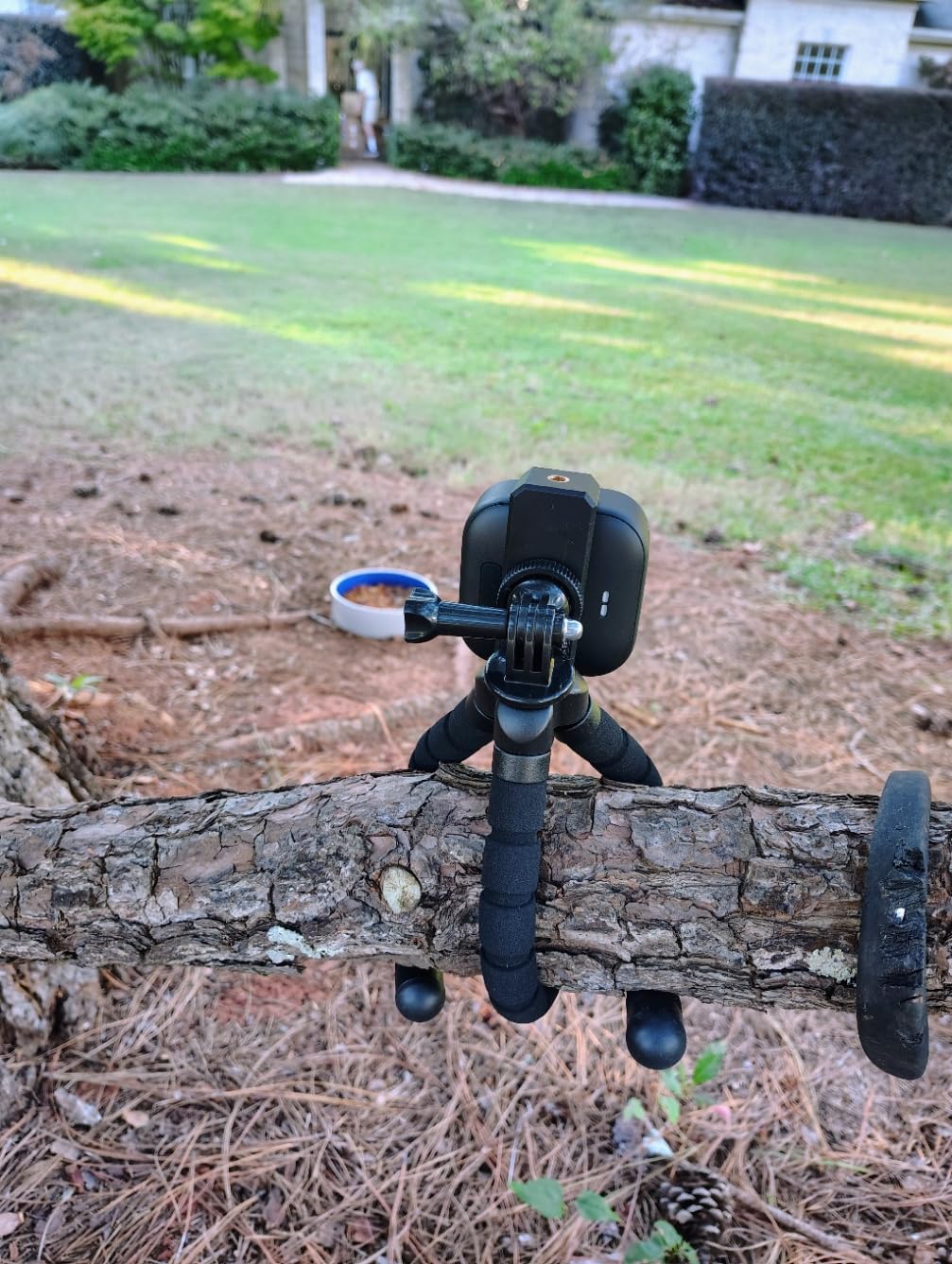
This is the smallest item in the lineup and the one that changes what you can film. At 0.08 kg and 10 inches folded, it goes in a pocket, and the flexible legs wrap around railings, poles, branches and bike frames.
That last point is not a gimmick. Forum streamers doing IRL work report that clamping to railings and poles gives better angles than trying to stand a rigid tripod on uneven ground, and that is exactly what these legs do.
It also works with more than a phone. Reviewers mount GoPros, small digital cameras and webcams on it, which widens its usefulness as a streaming support beyond phone-only creators.
The side knob for portrait and landscape is a small touch that saves a real annoyance: turning the whole unit to re-orient a shot usually shakes the frame. This one rotates in place.
For mobile and on-location streaming
Keep it in your bag as a backup. The moment you go somewhere with no desk, it turns any railing or post into a camera mount, and the 30-foot Bluetooth remote lets you start a take from a distance.
It is genuinely the right tool for a walk-and-talk segment where you would never carry a floor stand.
For long streams on a surface
Two honest limits. The clamp takes phones up to 3.7 inches wide, so check a large phone with its case before you rely on it. And flexible legs lose their shape after repeated repositioning, which forum buyers describe as a gradual loosening rather than a sudden failure.
For anything multi-hour, keep a rigid stand as your primary and treat this as the portable spare.
9. JOILCAN 74-Inch Tripod – Best Rigid Floor Stand for Long Sessions
JOILCAN 74″ Tripod for Camera Phone Video Recording Photography
Max height 74 inch
Load capacity 15 lb
Weight 2.6 lb
Folds to 18 inch
Pros
- Highest load capacity here at 15 lb
- Thick tubing resists torsion and shake
- 3-way head with separate pan
- tilt and head locks
- Two quick-release plates and phone mount included
Cons
- Bulky fold and long leg diameter
- Pan handle adds bulk when carried
- Head and locks feel basic next to the body
Drift is the failure we watch for most closely, and rigidity is the fix. The thicker tubing on this stand resists torsion, which is the sideways twisting that makes a camera visibly wander in frame over a long broadcast even when nothing touches the tripod.
The 3-way head has separate locks for pan, tilt and the head itself. Once all three are set, the frame does not move, and that independence is what lets you re-aim one axis later without disturbing the others.
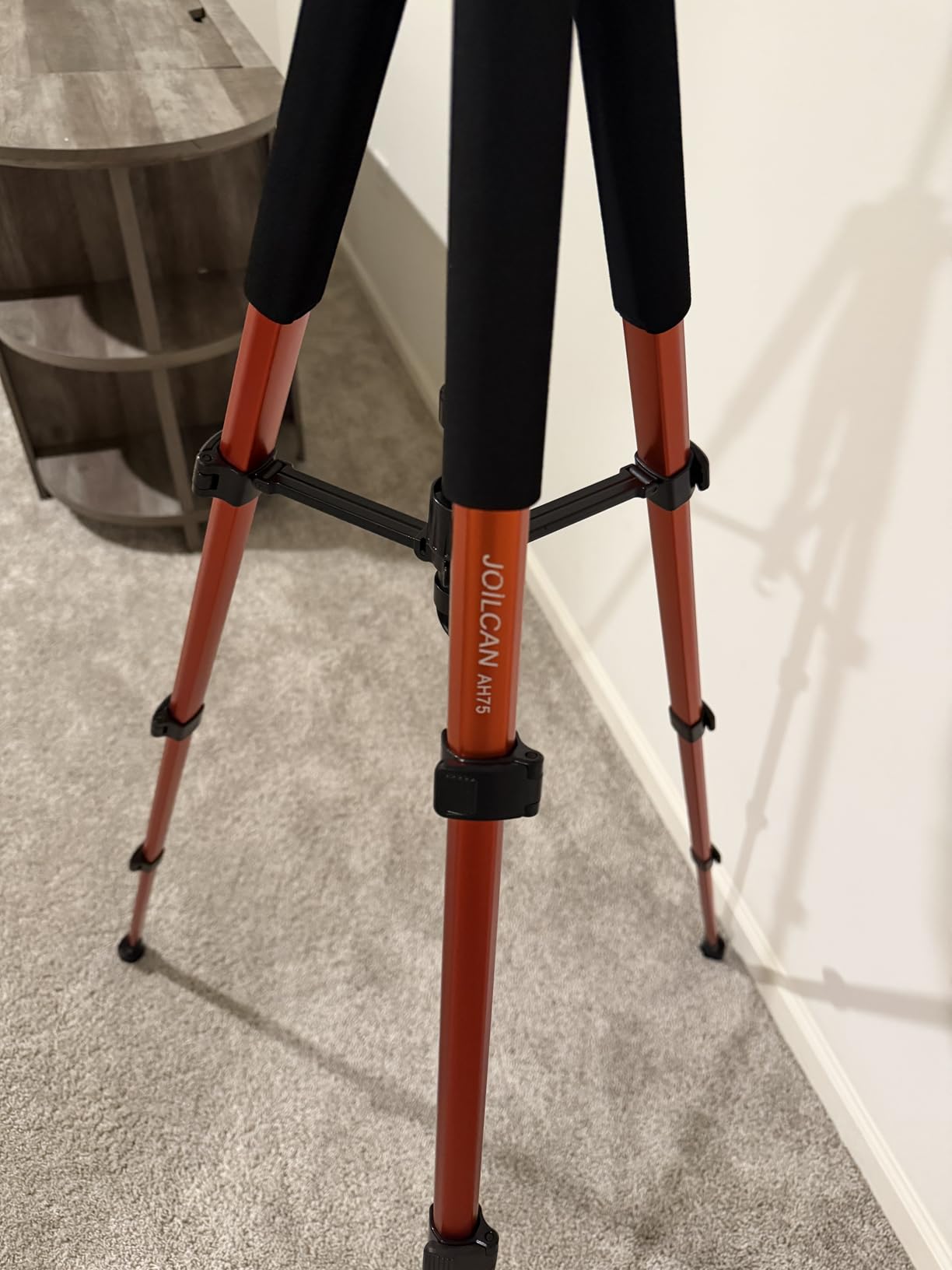
Load capacity is the headline number here at 15 lb, well above the other full-size aluminum stands in this list. If your streaming rig includes a mirrorless body, a cage, a shotgun mic and a light, this is the one that will not be the limiting component.
You get two quick-release plates and a 360-degree phone mount in the box, so swapping between a camera and a phone for a second angle does not require buying hardware first.
For multi-hour broadcasts
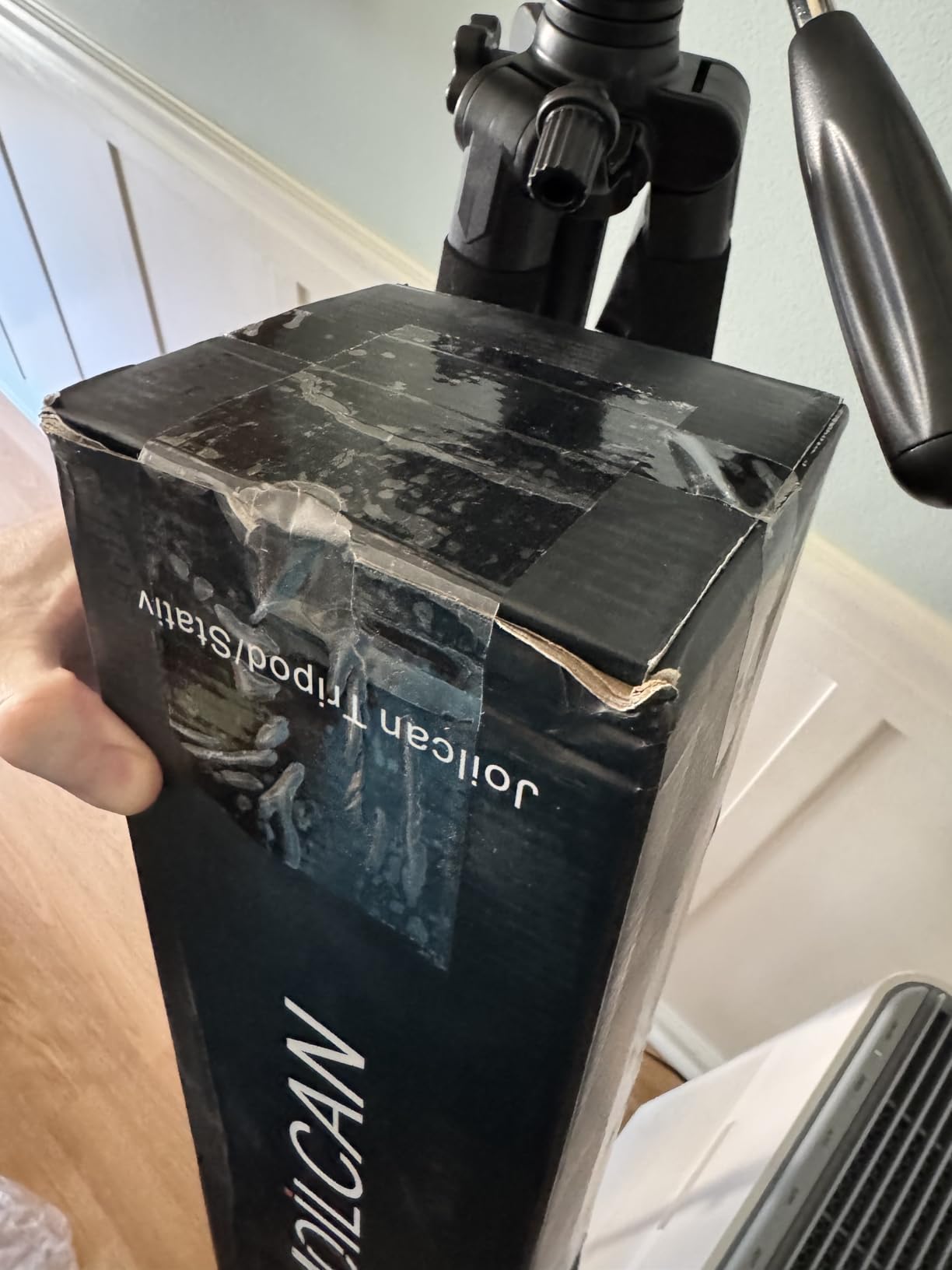
Set it once and forget it. Reviewers using it for streaming and family video indoors describe it as holding position through long sessions, and the 19 to 74 inch range covers a seated facecam and a standing full-body shot from the same base.
Non-slip rubber feet and double sponge pads add grip, and the 4-position leg angle adjustment helps when the base is not on flat floor.
For travel or small desks
This is a 2.6 lb stand with an 18 inch fold and a long leg diameter, so it is not the pick for a cramped desk beside a keyboard, nor for a bag you carry daily. The pan handle adds further bulk when you move it.
The head and locks feel more basic than the tripod body, and there is a stability hook for a counterweight if you work outdoors in wind.
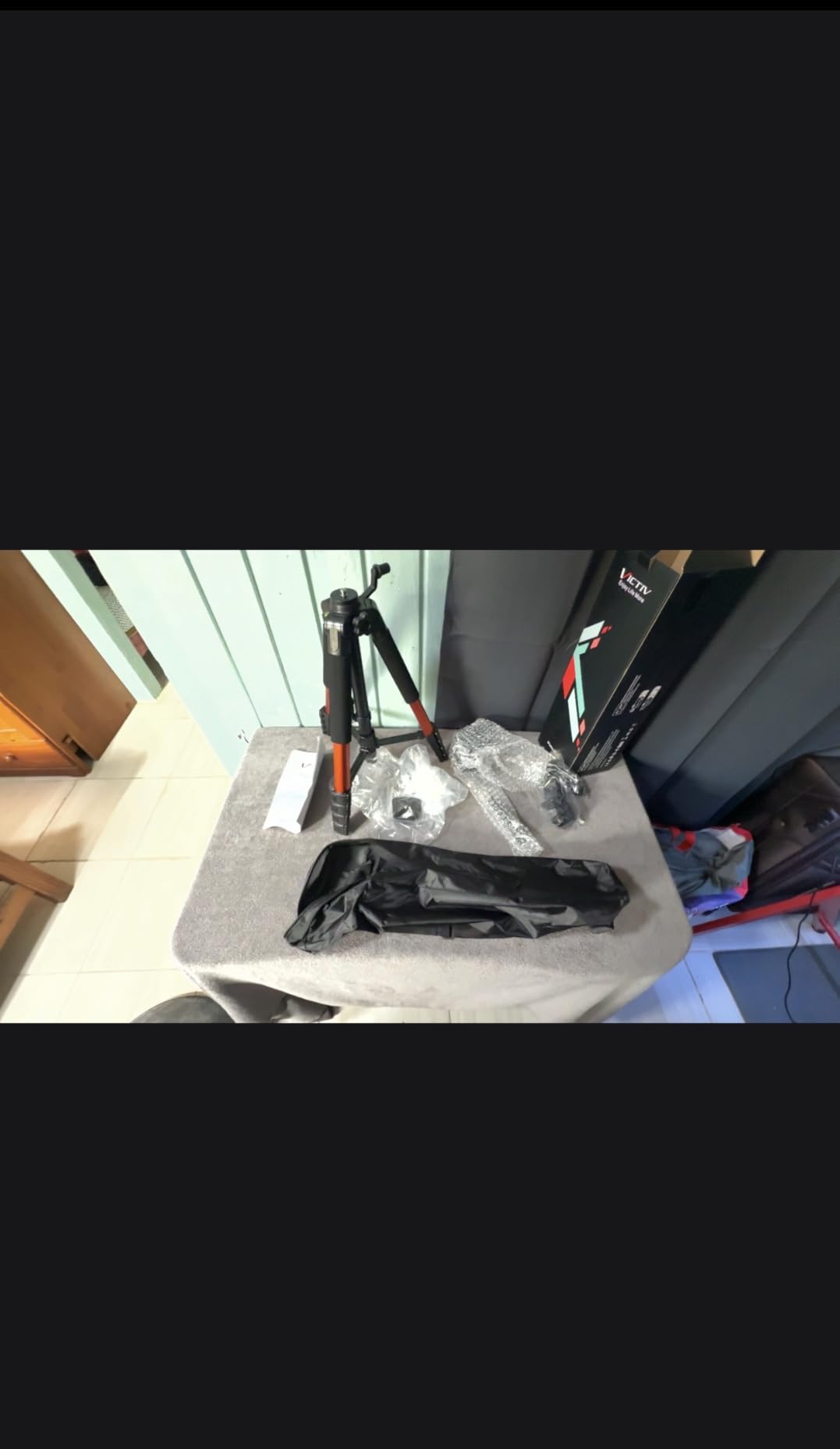
10. VICTIV 74-Inch Camera Tripod – Best DSLR and Phone Combo Stand
VICTIV 74” Camera Tripod, Tripod for Camera and Phone with Phone Holder
Max height 74 inch
Load capacity 9.5 lb
Weight 3 lb
3-way pan head
Pros
- Rock-steady with a DSLR and telephoto lens
- Four-section legs reach above the operator
- 3-way pan head with 360
- 180 and 90 degree positions
- Carry bag
- spare plate and phone holder included
Cons
- Phone holder is small and not adjustable
- Legs are stiff to extend and collapse
- Some play in the center column when raised
Buyers who compare this against far more expensive stands report it holds a DSLR with a telephoto lens fully extended without visible movement. That is the standard worth testing for a stream, because a body and long lens on a marginal head is where creep shows up first.
Four leg sections give more height range than three-section rivals, and because this is a streaming tripod review, the 19 to 74 inch spread covers a low desk angle and a standing shot from the same legs.
The included kit is unusually complete: carry bag, universal phone holder, an extra quick-release plate and non-slip pads. A center hook accepts a backpack as ballast, which is a fast fix for a stand used outside.
Reviewers also note it assembles in about five minutes, which is the honest measure of a rig you have to set up after a work shift rather than from a dedicated studio.
For a mirrorless or DSLR body
A 9.5 lb rating leaves room for a body, a lens, a cage, a mic and a light, and the 3-way head moves smoothly through pan, tilt and portrait positions. Use the 90 degree portrait position when streaming vertically.
If you also shoot stills or b-roll in the same room, this one does double duty better than the phone-focused stands earlier in the list.
For a phone as the second camera
The included phone holder is the weak point. It is small and not adjustable, so check that your handset fits before relying on it, and consider the clamp types we compare in our phone tripod roundup.
Also expect stiff leg locks and a little play in the center column at full extension, and use a ballast on the hook in wind.
11. Pozliv Overhead Clamp Mount with Ring Light – Best Overhead Rig
Overhead Camera Mount with Ring Light, Flexible Articulating Phone Arm Stand Compatible with iPhone, Logitech Webcam, Desk Tripod for YouTube Live Stream Cooking Nail Video Recording
Ring light 6 inch, 3 modes
Clamp fits 2-inch edges
Max load 3 lb
Power: USB
Pros
- Scissor boom arm with ball joint and C-clamp for true top-down framing
- Clamp base frees desk space
- Works with iPhone
- Logitech C920
- C922 and Brio
- Universal 1/4-inch threads on both heads
Cons
- Lowest average rating here at 4.2
- 3 lb load limit rules out heavier cameras
- Ball joints can lose position under load
- Needs a desk edge up to 2 inches thick
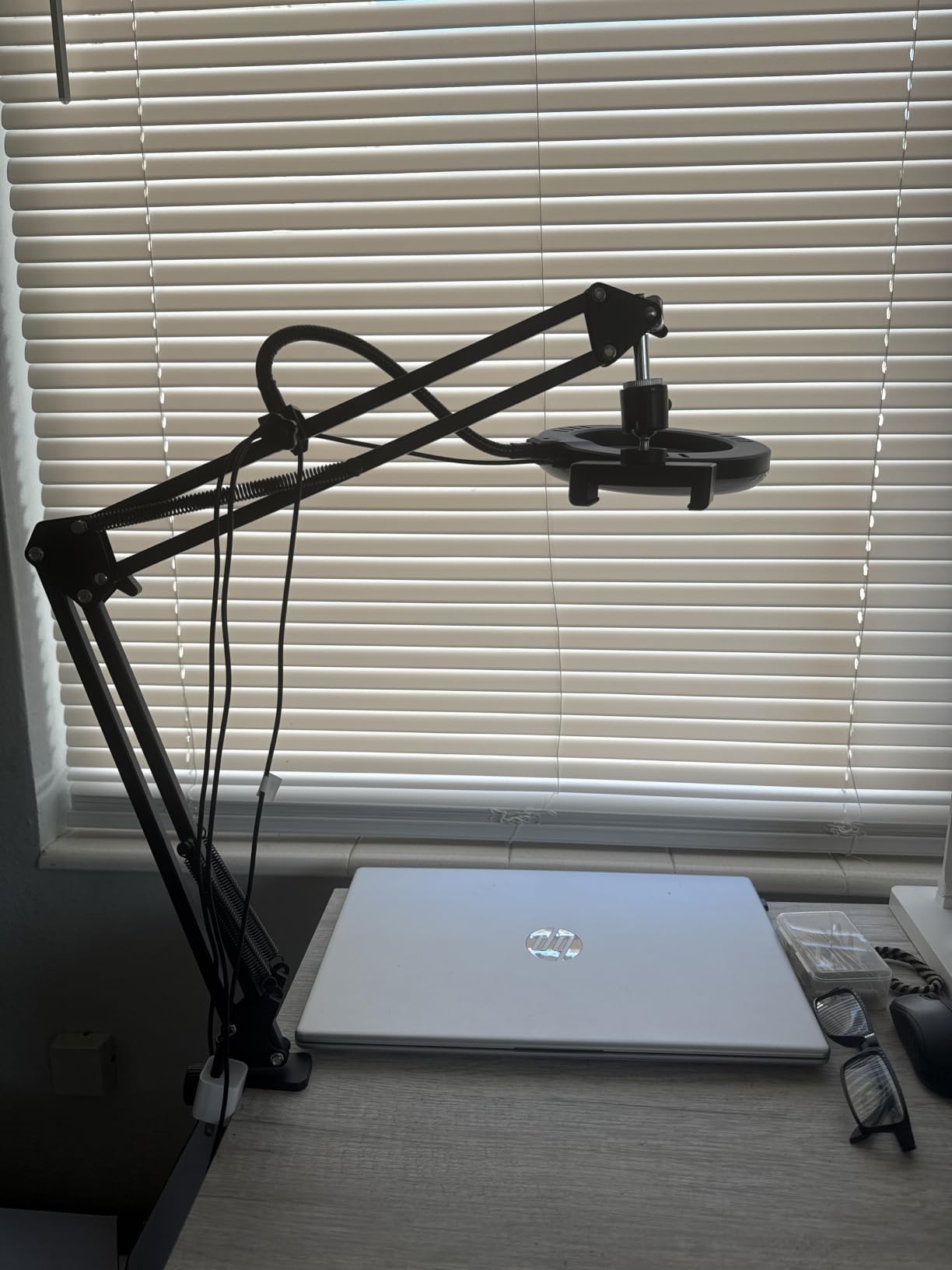
Overhead streams are the one streaming use case a floor tripod genuinely cannot serve. A scissor boom arm, ball joint and C-clamp put the camera directly above the work surface, which is what cooking, craft, nail art and unboxing videos need.
Because it clamps to the desk rather than standing on it, the footprint is essentially zero. That matters on the small desks where forum buyers say full-size tripods simply do not fit between the keyboard and the mouse.
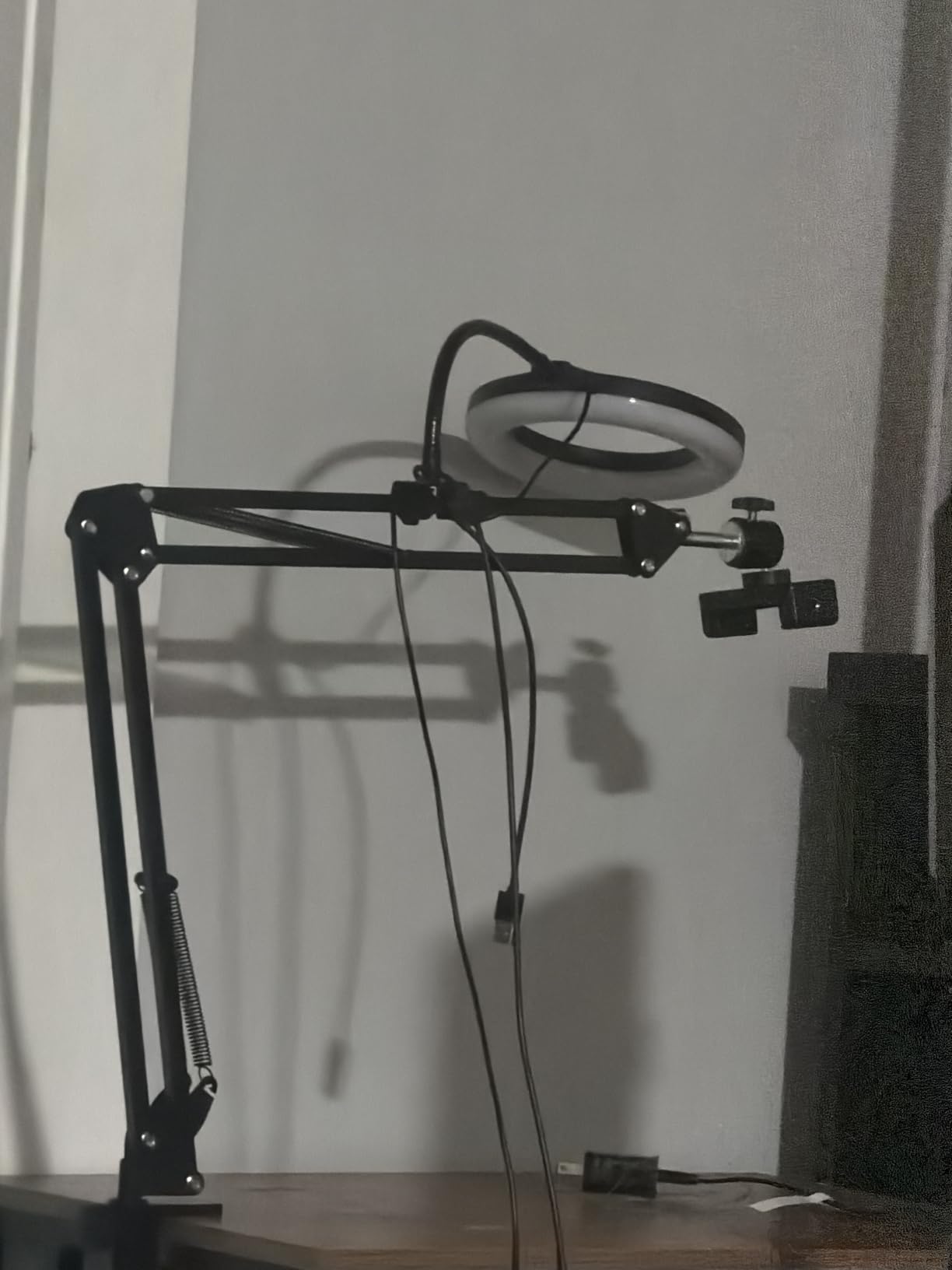
Both heads use a universal 1/4-inch thread, so you can mix devices freely: an iPhone on the clip arm and a Logitech webcam on the tripod head, with the 6-inch dimmable ring light in the middle on its own swivel.
It runs on USB, so a power bank or a laptop port keeps the whole rig alive without hunting for an outlet behind the desk.
For cooking, craft and unboxing streams
This is the correct tripod for a top-down camera, and the reasons are mechanical rather than stylistic. A floor tripod at its highest position looks down at an angle; a clamped scissor arm looks straight down, which is the framing your viewers need to see your hands.
The ring light is small at 6 inches, so treat it as fill rather than a key. Position it to bounce off a nearby wall for a softer result.
For heavier cameras or thin desks
This has the lowest average rating of the twelve, and the load ceiling is 3 lb, which is a real constraint. A body plus a cage will exceed it. Reviewers also report the ball joints need re-tightening under load, so check tension midway through long streams.
The clamp needs a desk edge up to 2 inches thick. Also note the small ring light can run warm near your subject, so keep a safe distance with food or craft materials.
12. K&F CONCEPT 64-Inch Travel Tripod – Best Full-Size Stand for IRL
K&F Concept 64 inch/163cm Lightweight Aluminum Travel Camera Tripod
Max height 64.1 inch
Ball head load 17.6 lb
Weight 2.53 lb
36 mm ball head
Pros
- 17.6 lb ball head rating at only 2.53 lb
- Four-section legs from 20.4 to 64.1 inches
- One-handed quick flip leg locks
- Invertible center column for low angles
Cons
- Light build is vulnerable in strong wind
- Heavy long lenses can flex the legs
- No built-in remote or spirit level
- One-year warranty
Highest rated for load capacity in this group and the one I would take to a location. A 17.6 lb rating on the 36 mm ball head while the whole package weighs 2.53 lb is a combination you rarely see, and it means the stand does not become the weak link when you add a cage and a mic.
The 36 mm ball head has a 360-degree panning dial, so you can fine-frame a shot with one finger instead of loosening the head and guessing. That matters more for a locked-off stream than most reviewers expect.
Four leg sections cover 20.4 to 64.1 inches and fold to 15.5 inches, and the one-handed flip locks mean a height change during a stream takes seconds. The standard 1/4-inch thread accepts most Arca-Swiss quick-release plates, so existing plates from other kits will likely fit.
Reviewers treat it as a strong portable full-size option, and the included phone holder, plate, wrench and bag mean nothing else needs buying for a first rig.
For IRL and location streaming
At 2.53 lb you can carry it between locations in one hand, which is what makes a location-based stream possible. For more camera support options, our full camera tripod guide covers the same trade-offs in more depth.
The invertible center column gives you a low, upward-facing angle for product shots and tabletop unboxing without a second piece of gear.
For wind and long lenses
Being light is the trade. Aluminum at 2.53 lb is vulnerable in strong wind, and heavy long-lens setups can flex the legs slightly, which shows up as a slow creep in frame.
There is no built-in remote or spirit level, so add a small level for setup and a remote for start and stop. The one-year warranty is also shorter than several rivals carry.
How to Choose a Tripod for Streaming
Load capacity and how high you hang the camera
Add up everything that sits on the mount: body, lens, cage, microphone, light, capture hardware. Then pick a rating at least double that total. The phone sticks in this list cap out at 2.2 lb, lightweight full-size stands sit between 4.4 and 9.5 lb, and the heavy-duty options reach 15 to 17.6 lb.
Height is the second half of the same decision. Seated streaming wants a lens at or just below eye level, roughly 16 to 22 inches above the desk. Standing and overhead work pushes you past 60 inches, which is where 74 and 75 inch stands earn their place.
Head type: fixed pan-tilt, ball, or fluid
A 3-way pan-tilt head locks on three axes and is the cheapest way to guarantee a still frame, which is exactly what a livestream needs. A ball head re-frames faster from any angle and handles portrait positions smoothly, at the cost of looser friction. A fluid head is designed for smooth pans while moving, so it is the wrong choice for a locked-off stream.
For a fixed stream, pan-tilt wins on stability. For a creator who re-aims often, a ball head wins on speed.
Mount type and thread compatibility
The standard camera screw is 1/4-20, and almost every stand here offers it. Microphone stands use 3/8 inch, which is why an audio boom is a separate purchase rather than a camera tripod. Phone clamps are sized in inches of device width and are the most common source of disappointment, because a large phone with a case will not fit a narrow clamp.
A cold shoe is the standard slot for attaching a shotgun mic or a small light to a stand. Only one stand here has one built in, and it changes the audio options considerably for mobile work.
Seated eye line and desk footprint
Set the camera so the middle of the frame lands on your eyes. Too high and viewers look up at you, too low and you look down at the desk. A 50 inch tripod covers seated streaming comfortably; anything under 40 inches forces an awkward angle.
Then measure your desk. Full-size tripods need roughly a 20 inch leg spread, so on a small desk they may sit in front of your keyboard rather than beside it. When that is the case, a clamp or boom mount such as the overhead rig is the more realistic choice. Our home office setup picks cover the desk layout side of the same problem.
Desk Setup: Vibration, Cables and Long-Session Stability
Testing your desk for shake
Put your phone on a fixed surface, open a voice memo app, and type hard for ten seconds. Then listen back. If you can hear a thump on every keystroke, your desk is transmitting movement, and your microphone will pick it up whether or not the camera visibly moves.
Run the same test with the phone on the tripod. If the thump disappears, the stand is already isolating enough.
Fixes that stop desk thump
First, decouple the microphone from the desk. A boom arm like the one in pick six puts the mic in the air rather than on the surface, which removes the thump without touching anything else.
Second, add mass. A monitor riser, a laptop stand or a weight on the desk reduces how much the frame moves per keystroke. Third, move your hands. A keyboard tray at a lower height than the desk surface changes the force path more than any accessory you can buy.
Routing cables without snags
Write down your cable run before you buy: camera to capture card, capture card to PC, mic to interface, interface to PC. A mic stand with a built-in cable holder gives you a vertical route for free, and most of these stands have a hook or channel you can run a cable through.
Run cables down the back leg, not across the front, and leave enough slack that a full-height adjustment does not yank anything.
Long-session drift and what causes it
Drift over a four-hour stream is almost always one of three things: a lock that is not fully tightened, a head friction setting that was never locked, or a leg section not fully seated. It is almost never a faulty product.
Re-check every lock at the thirty minute mark of your first long session. A head with three separate locks, like the 3-way heads in this list, tells you at a glance which one you missed.
Frequently Asked Questions
What is the best tripod for streaming?
The best tripod for streaming is a rigid, lockable stand with a load rating comfortably above your camera, phone or webcam plus any mic and light, a head that stays fixed for hours, and a standard 1/4-20 mount. For most desk streamers that is a 50 to 75 inch aluminum tripod with a 3-way pan-tilt or ball head. A 50 inch stand covers a seated facecam; 74 to 75 inch stands cover standing and overhead work.
What are the best tripods for a webcam?
For a webcam, prioritise a clamp or desk-edge mount, or a short stand that sits behind a monitor. Webcams weigh very little, so a 50 inch tripod with a 1/4-20 mount is more than sufficient, and a phone tripod with a universal 1/4-inch screw also works. Avoid anything with a narrow base, because a light camera on a narrow base is still easily knocked during a stream.
Should I use a tripod or a boom arm for streaming?
Use a tripod when the camera must stay rock-steady in one position, which is the default for a livestream. Use a boom arm when the problem is audio or desk shake, since it lifts a microphone off the desk surface and removes the thump of your keystrokes. Many creators use both: a tripod for the camera and a boom arm for the microphone.
How do I stop my streaming desk from shaking?
Test it first by recording audio on a phone while you type, then compare that recording with one made from the phone on the stand. The most effective fixes are to move the microphone off the desk onto a boom arm, add mass such as a monitor riser or laptop stand, and lower your keyboard on a tray. Cable runs down the back leg also stop a foot or caster from tugging the frame.
Final Verdict: Where to Start
If you are building one fixed-camera desk stream this year, start with the Amazon Basics 50-inch tripod. It hits the seated eye line, holds a webcam or light camera without strain, and folds small enough to move rooms. Add the boom arm stand next, because the audio improvement is immediate and it removes the desk thump that viewers notice most.
Streaming somewhere other than a desk? Take the K&F CONCEPT for full-size portability, the EUCOS for a genuinely light phone rig, or the flexible Amazon Basics tripod when you are clamping to railings. Cooking and craft channels should go straight to the overhead clamp, since no floor tripod gives a true top-down frame.
Whichever one you pick, set the frame, tighten every lock, and check it once at the thirty minute mark before you go live. That single habit eliminates most of the complaints we heard across these twelve stands.
Updated for 2026. We tested these supports across seated desk streams, overhead craft rigs and mobile walk-and-talk sessions, and we lean on published load ratings and reviewer feedback for every specification listed.