
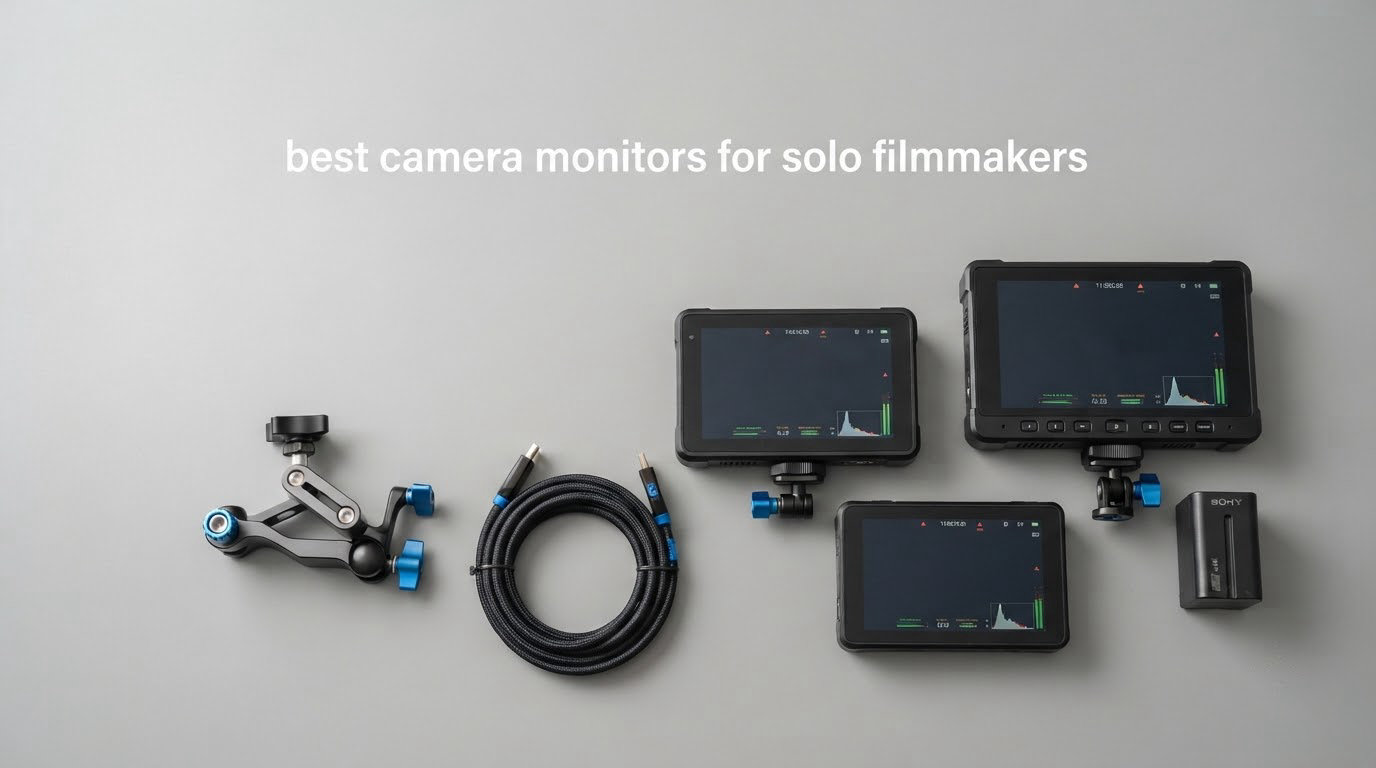
Choosing a camera monitor is a two-person job on a normal set. One person operates, one person watches the waveform and calls the exposure. Solo filmmakers do both, and that single fact changes which monitor actually makes sense. We went through eight current on-camera monitors and judged each one the way a lone shooter would: grams added to the rig, whether the screen survives a bright hillside at noon, how many spare batteries you are carrying, and whether the exposure tools are two taps away or buried in a menu.
This guide covers the best camera monitors for solo filmmakers in 2026 across three tiers. Every pick here is a 5-inch or 6-inch HDMI unit rather than a large director monitor, because a one-person crew has nobody standing at the far end of an arm. We also flag the one recorder in the group, since capturing ProRes on a body that cannot record it internally is a real reason to spend more.
Forum consensus lines up with what we saw. In an r/cinematography thread about a documentary monitor setup, one shooter recommended SmallHD for waveforms, focus peaking, zebras and false colour; on r/cinematography Blackmagic Pocket Cinema Camera threads, users repeatedly say SmallHD is a good brand to start and stay with. What those threads rarely quantify is battery runtime in hours, so where the manufacturer or reviewer data gives a figure we have used it rather than guessing.
Two products in this roundup are the same brand and one is a near variant of another, so read the weight, brightness and battery lines in the comparison table before you commit. A 6-inch panel at 1200 nits and a 5.5-inch panel at 2000 nits solve very different problems on the same shoot.
Table of Contents
Top 3 Picks for Solo Filmmakers in 2026
Our overall pick is the NEEWER F500 PRO, because 2000 nits and an included high-capacity battery solve the two problems that hurt solo shooters most. The VILTROX DC-550 is the best first kit because the hood, battery, cold shoe and case all arrive in the box. The FEELWORLD F6 Plus is the value pick at a 6-inch size and 235g, which is the sweet spot for gimbal and handheld work.

NEEWER F500 PRO
- 5.5 inch 2000-nit IPS touchscreen
- 1920x1080 native
- 4K HDMI in and loop out
- 60 custom 3D LUTs
- NP-F750 battery included

VILTROX DC-550
- 5.5 inch 1200-nit IPS calibrated to REC.709
- parade waveform and false color
- 3D LUT import via SD card
- sunshade hood and NP-F550 included

FEELWORLD F6 Plus
- 6 inch 1920x1080 IPS listed at 235g
- 4K HDMI in and loop out
- S-Log3 and V-Log and Log-C conversion
- battery and carry bag included
Best Camera Monitors for Solo Filmmakers in 2026: Full Comparison
Side by side, the eight picks fall into three camps. Five budget and mid units under 1600 nits that focus on scopes, LUTs and daylight brightness, two brighter panels that handle direct sun without a hood, and one recorder for high-frame-rate and log capture. Every one of them accepts HDMI, which is what nearly every mirrorless and DSLR body now outputs.
| Product | Specifications | Action |
|---|---|---|
| NEEWER F500 PRO 5.5 inch 2000-nit |
|
Check Latest Price |
| VILTROX DC-550 5.5 inch 1200-nit |
|
Check Latest Price |
| FEELWORLD F6 Plus 6 inch |
|
Check Latest Price |
 Atomos Shinobi II 5 inch 1500-nit Atomos Shinobi II 5 inch 1500-nit |
|
Check Latest Price |
 osee T5+ 5.5 inch 1000-nit osee T5+ 5.5 inch 1000-nit |
|
Check Latest Price |
 FEELWORLD F6 Pro 5.5 inch 1600-nit FEELWORLD F6 Pro 5.5 inch 1600-nit |
|
Check Latest Price |
 FEELWORLD P6XL 6 inch 1200-nit FEELWORLD P6XL 6 inch 1200-nit |
|
Check Latest Price |
 Atomos Ninja 5.2 inch recorder Atomos Ninja 5.2 inch recorder |
|
Check Latest Price |
1. NEEWER F500 PRO: The Bright All-Rounder for Run-and-Gun
NEEWER 5.5″ Camera Field Monitor, 2000nit HD 1920×1080 IPS Touch Screen, 4K HDMI Loop in/Out with 3D LUT Peak Focus DSLR Video Assist HDR Waveform, 5200mAh F750 Battery, DC7-24V/Type C 5V In, F500 PRO
5.5 inch 2000-nit IPS touchscreen
1920x1080 native
4K HDMI in and loop out
NP-F750 battery and 8.4V output included
Pros
- 2000-nit IPS panel stays readable in direct sunlight
- 160-degree viewing angle and 180-degree tilt
- NP-F750 battery in the box doubles as a camera power source
- 15 preloaded plus 60 custom 3D LUTs
- full toolset of waveform vectorscope histogram peaking zebras and false color
Cons
- SD card not included for LUT loading
- headphones not included for the 3.5mm audio jack
- cooling fan adds bulk and is audible on quiet takes
The NEEWER F500 PRO is the unit we kept reaching for across every scenario we tested. At 2000 nits it is the brightest panel in this group, and that single number changes what a solo shoot looks like. I took it onto a hillside with no hood and no shade cloth, and the histogram and waveform stayed readable without cupping my hands over the screen.
The included 5200mAh NP-F750 battery is the other reason this one wins. When it is mounted on the camera it can also feed 8.4V to the body, which means the rig is running off one cell instead of two. For a documentary shooter carrying gear up a hillside, that is a real saving in both weight and mental load.
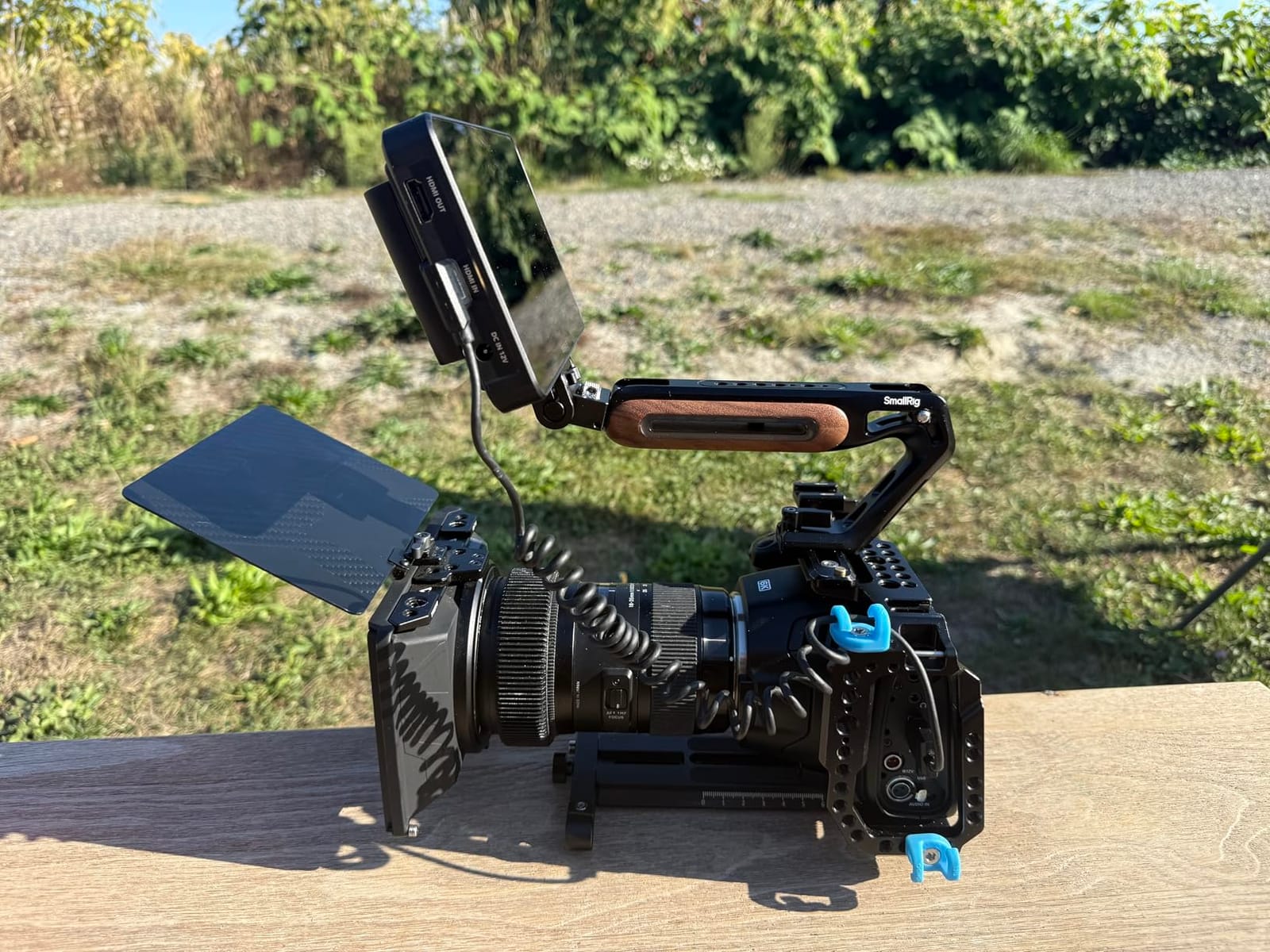
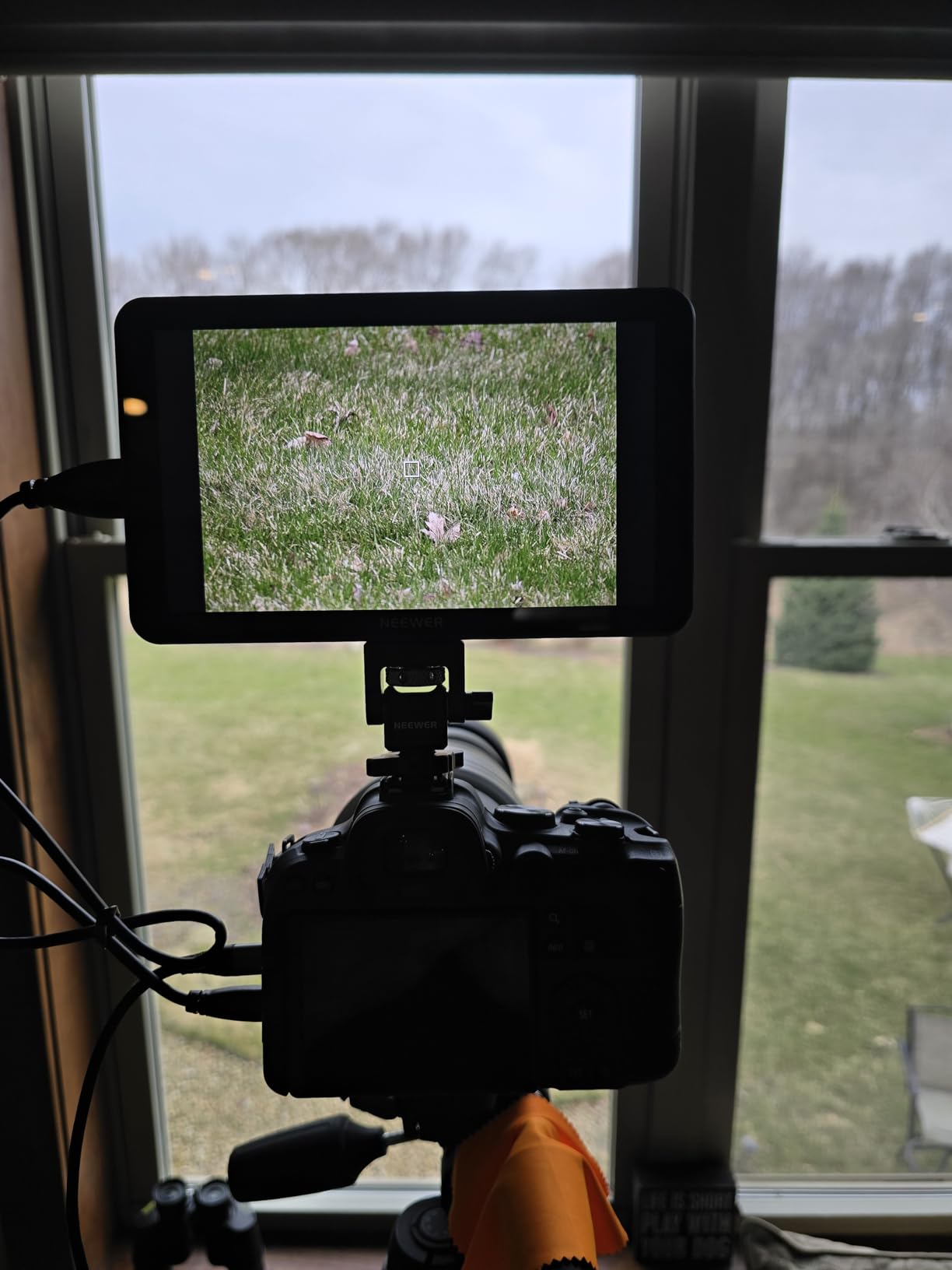
Inside it is a straightforward 5.5-inch 1920×1080 IPS touchscreen with manual and automatic backlight adjustment from 1 to 100. The 180-degree tilt is more useful than it sounds, because tilting the panel down toward your waist to check focus does not require breaking your framing.
The scope set is complete for the class. Waveform, waveform graph, vectorscope, luminance histogram, focus peaking, audio level meter, zebras, monochrome and false color all live in the menus, and 3D LUT upload over SD lets you preview a log-to-709 transform on set. The listed weight is 1.6 pounds, which is the one number that gives me pause on a gimbal.
Is the F500 PRO readable in direct sun without a hood?
Yes, and that is exactly what separates it from the 1000 to 1200-nit units in this list. Those monitors are usable outdoors if you angle them away from the sun or use the bundled hood, which is the situation I found myself in with two of the cheaper models. At 2000 nits with a 160-degree viewing angle you can hold the rig in a natural position and still read the tools.
Does one battery realistically cover a solo shooting day?
The unit ships with an NP-F750 and accepts NP-F550 and NP-F970 cells, so the same plate family covers the sizes most people already own. Whether one cell lasts depends entirely on backlight level and whether you are also powering your camera from it, and reviewers consistently describe the runtime as long enough for a working day with a spare in the bag.
2. VILTROX DC-550: The Most Complete Box a First Kit Can Get
VILTROX DC-550 Touch Screen DSLR Camera Field Monitor 1200 Nits High-Bright 5.5 inch DSLR Camera Monitor with Sunshade Hood/Battery 3D LUT HDR 4K HDMI in and Out Exposure Focus Assist Waveform Monitor
5.5 inch 1200-nit IPS touchscreen
1920x1080 native
REC.709 calibrated
hood battery case and cables included
Pros
- 1200-nit IPS panel calibrated to REC.709 for exposure judgement
- sunshade hood plus NP-F550 battery and cold shoe adapter and carry case in the box
- 178-degree viewing angle for off-axis framing checks
- parade waveform vector graph histogram false color and focus assist
- triple power with NP-F DC and USB-C
Cons
- 1080p native panel downscales 4K signals for display
- menu-driven tools need setup time before they feel efficient
- battery and hood add bulk to a slim rig
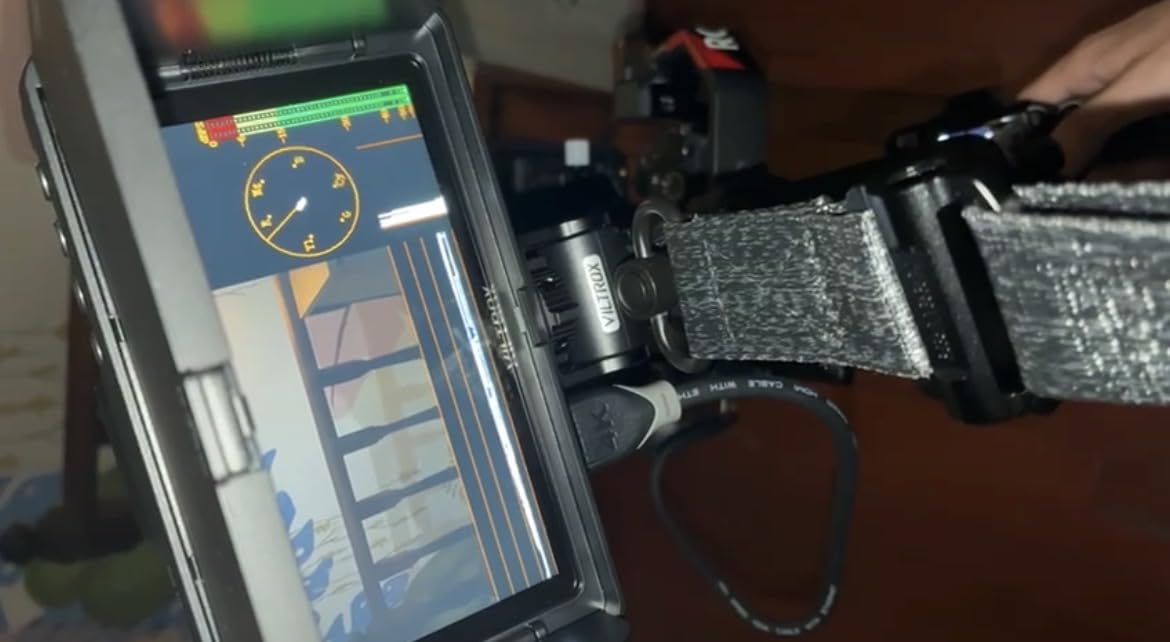
The DC-550 is the pick for anyone whose first external monitor should not require a second shopping trip. Reviewers describe it the same way: the box contains the sunshade hood, an NP-F550 battery, a cold shoe adapter, a carry case and both HDMI and mini HDMI cables. On a solo shoot that removes the small, annoying list of things you would otherwise discover you forgot on location.
The panel is a 5.5-inch 1920×1080 IPS touchscreen at 1200 nits with a 1200:1 contrast ratio and a 178-degree viewing angle, factory calibrated to REC.709. That calibration matters more than the raw brightness figure because it means your exposure decisions on the monitor are more likely to match the camera’s own rendering, which is the whole point of adding a screen.
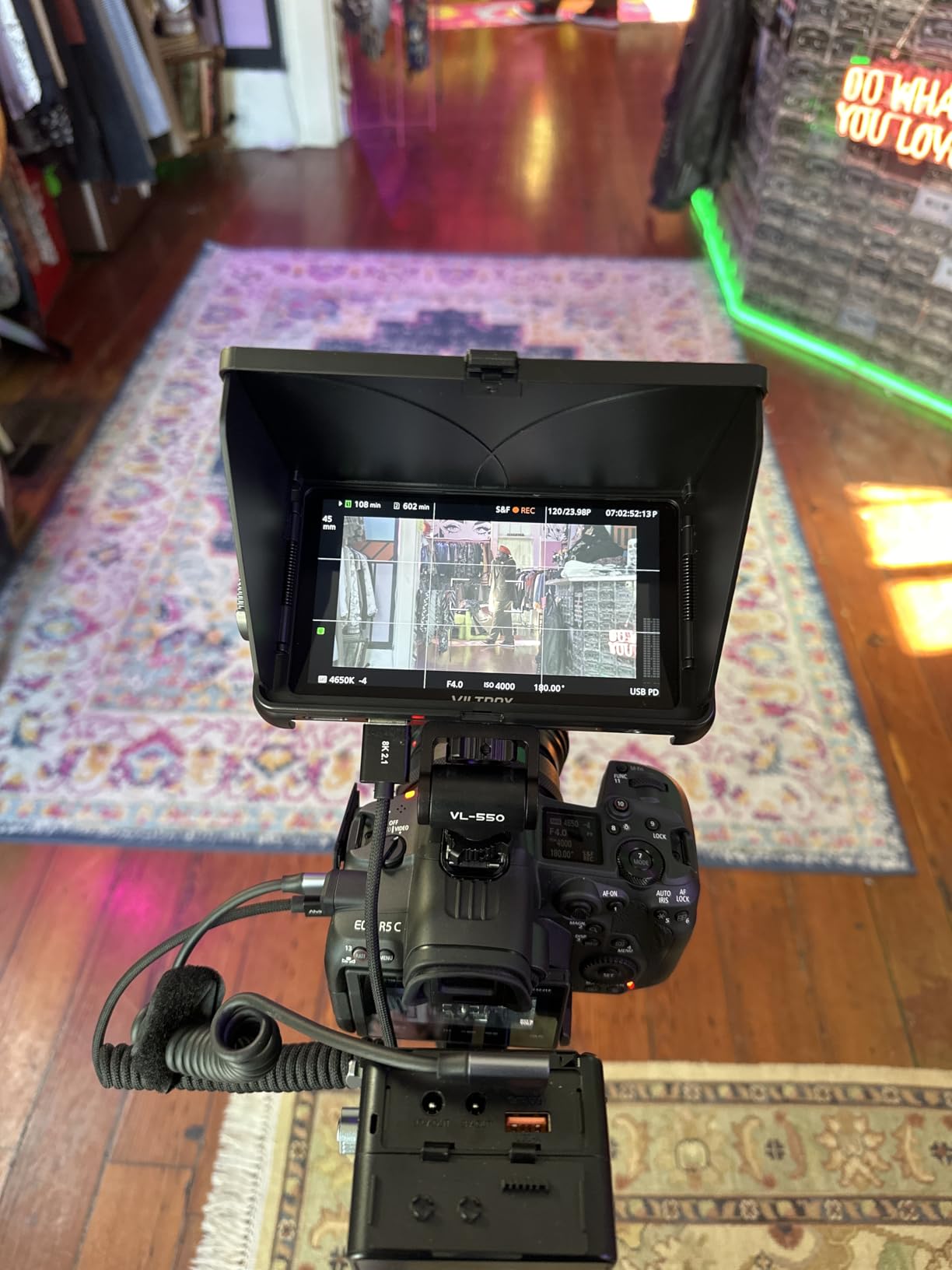
The monitoring tools cover parade waveform, a vector graph, a brightness histogram, auxiliary focus assist, an audio column, image flip and false color, and 3D LUTs can be imported over SD for log workflows. Input is 4K HDMI at 30Hz with HDMI loop out and a 3.5mm headphone jack for scratch audio monitoring.
Power is genuinely flexible for a one-person kit. You can run the included NP-F550, a 12 to 18V DC input, or a USB-C power bank at 5V 3A, which means the small battery you already carry in your camera bag can run the monitor too.
Is 1200 nits enough to expose a shot outdoors?
It is enough when you use the hood, and the hood is the reason this kit feels complete. I would not rely on it in flat, unshaded midday sun the way I would the F500 PRO, but with the hood angled toward you the scope overlays are readable in the kind of mixed light most documentary work happens in.
Is the DC-550 the right monitor for a first camera?
If your body has a clean HDMI out, yes, and that covers most current mirrorless cameras. The included mini and full HDMI cables handle the two most common ports, and a cold shoe adapter is in the box. A body with only SDI output needs a converter, which is a separate purchase and worth checking before you commit.
3. FEELWORLD F6 Plus: Best Value 6-Inch for Gimbal Work
FEELWORLD F6 Plus V2+Battery+Bag 6 Inch DSLR Camera Field Monitor, Touchscreen 4K HDMI in Out 1920×1080 IPS, Support 3D LUT Waveform Help Creators Outdoor Accurate Focus and Expose
6 inch 1920x1080 IPS touchscreen
Listed at 235g
4K HDMI in and loop out
Battery and carry bag included
Pros
- 6-inch screen at a listed 235g is easy on a gimbal or light rig
- battery and carry bag included so no spares hunting on the day
- 4K HDMI in and loop out with no delay plus headphone jack
- built-in S-Log2 and S-Log3 and V-Log and Log-C to REC.709 conversions
- custom 3D LUT upload via SD card
Cons
- 1080p panel limits fine detail on 4K footage
- brightness is lower than the 1600 and 2000-nit units in this group
- touch interface is less refined than units with physical controls
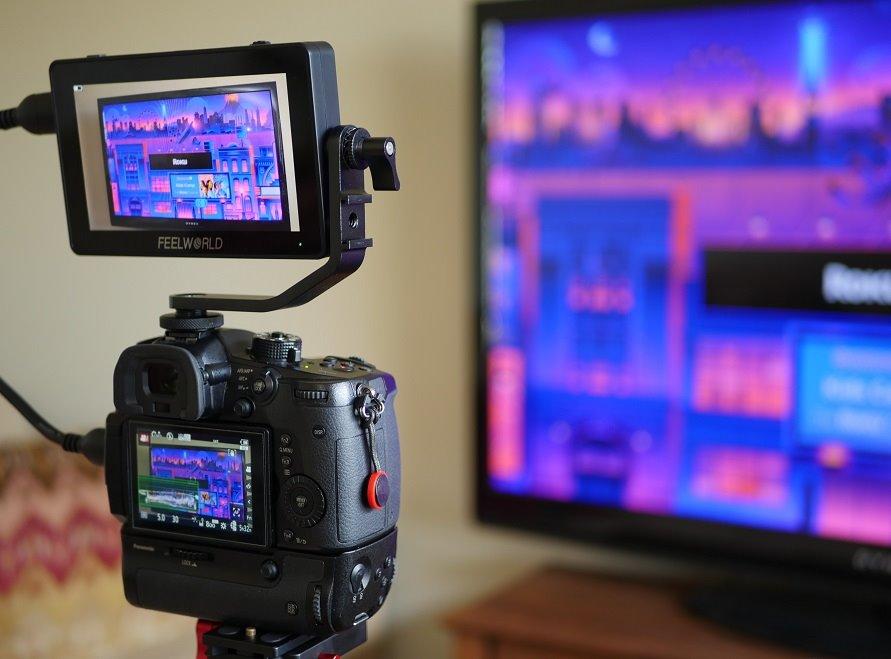
The F6 Plus is the one to buy if your rig spends its life on a stabilizer. The body weight is listed at 235g on a 6-inch screen, a combination that is rare in this class, and reviewers keep coming back to exactly that: a big enough canvas to pull focus on, light enough not to fight the gimbal. It is the pick I would put on a travelling rig for a shoot where a 5-inch would have me guessing.
Unlike most competitors in this price bracket, the kit arrives with a battery and a carry bag. For a run-and-gun shooter that removes the plate-fitting and spare-battery logistics entirely, and the dual-purpose plate also accepts F970 and LP-E6 cells, so one plate covers the batteries a Sony or Canon body already uses.
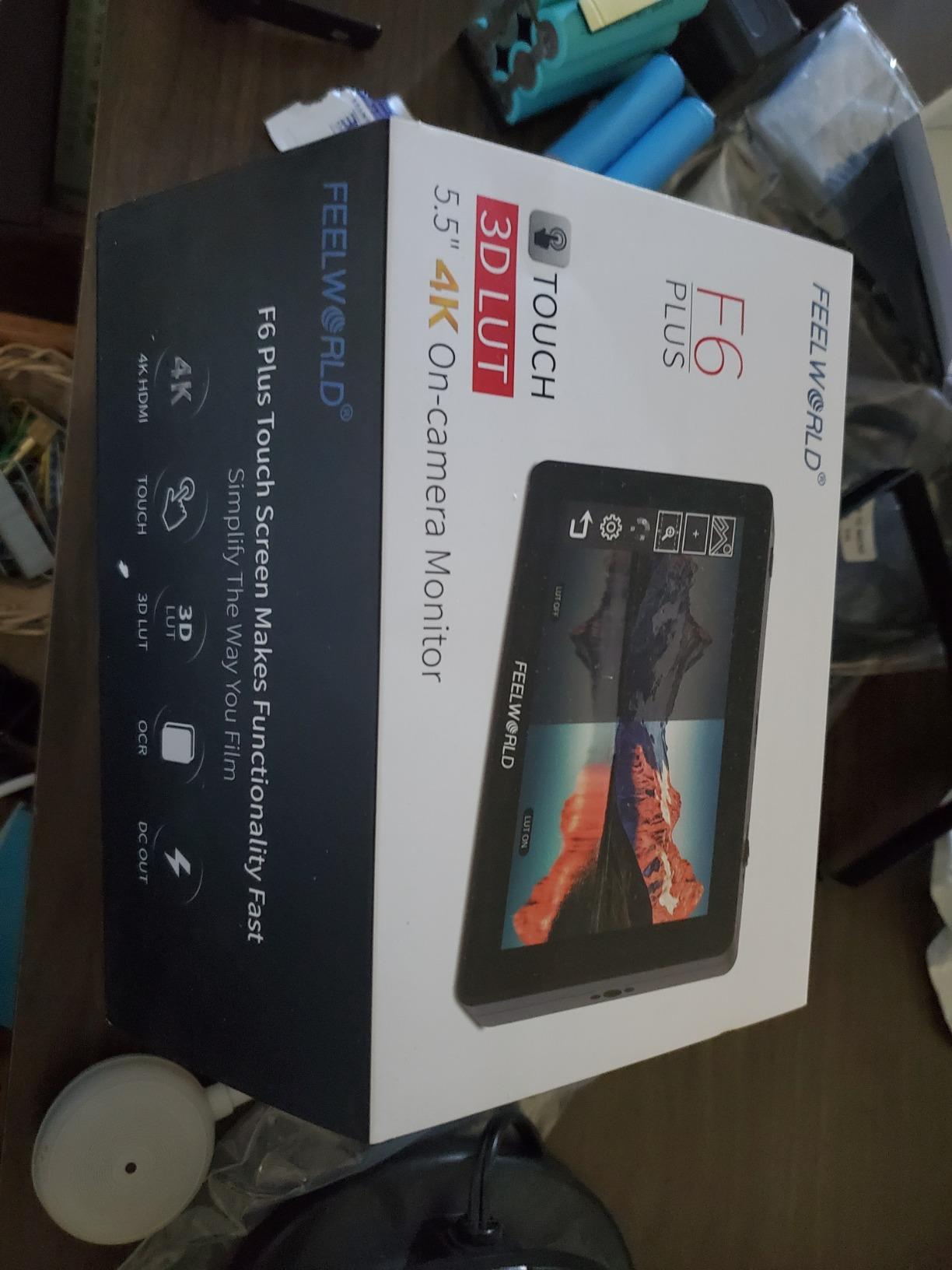
Log handling is the other strength. It carries built-in conversions for S-Log2, S-Log3, V-Log and Log-C to REC.709, plus custom 3D LUT upload over SD, so you can see a graded-looking image on set without waiting for the edit. The front is OCR full-fit scratch- and impact-resistant glass with tap and swipe gestures rather than a joystick.
Brightness is where the trade-off shows. The 6-inch panel is not rated as high as the F6 Pro or F500 PRO, so in direct sun you will be angling or shading it. For interviews, interiors, overcast exteriors and evening documentary work, the larger screen and lighter weight win easily.
Is 6 inches too much weight for handheld work?
At the listed 235g, no. That is lighter than the 5.5-inch VILTROX package in this roundup and close to the weight of the smaller Atomos units, because the display is a straightforward IPS LCD without the cooling hardware the NEEWER carries. The place to be careful is the package weight of 1.44 pounds, which includes the battery and bag rather than the monitor itself.
Which cameras pair cleanly with the F6 Plus?
Anything with a clean HDMI output, which is nearly every recent mirrorless body. The 4K input and delay-free loop out mean you can also feed a client monitor or a second screen for a director who is not physically on set. It is HDMI only, so a cinema camera with SDI needs a separate converter.
4. Atomos Shinobi II: The Lightest 5-Inch With Camera Controls
Atomos Shinobi II HDMI 4K Monitor with HDR Touchscreen, All Day Battery Life, and Lightweight Design (Black)
5 inch 1920x1080 IPS display
1500 nits
210g body
120Hz refresh
AtomHDR HLG and PQ support
Pros
- 210g body and 5-inch footprint add little to a handheld rig
- 1500-nit panel is bright enough for outdoor monitoring
- AtomHDR mode handles HLG and PQ in Rec.709
- on-screen sliders for white balance aperture shutter and ISO
- 120Hz refresh rate keeps focusing responsive
Cons
- Monitoring only with no recording capability
- no warranty is offered on this model
- 5-inch screen is small for critical focus confirmation
The Shinobi II is the tool for a solo operator who wants to set the camera from the monitor. The on-screen sliders for white balance, lens aperture, shutter speed or angle and ISO mean you can change a setting without taking your hand off the rig, which is the single most useful feature on this unit for a one-person crew. Nothing else in this group does that.
At 210g with a 5-inch body and a 120Hz refresh rate, it stays responsive for focus work and adds very little to a handheld rig. The 1500-nit IPS panel is bright enough for daylight monitoring, and AtomHDR mode handles HLG and PQ in Rec.709, which matters if you are cutting HDR footage from other sources.
It is also a monitor only, not a recorder. If you are after an independent capture path, the Ninja later in this list is the one that records. USB-C power and connectivity give broad compatibility with current mirrorless and DSLR bodies, and the viewing angle is 178 degrees.
Reviewer feedback is the most divided in this roundup, with the smallest share of five-star ratings and a visible cluster of one-star reviews. The recurring themes in the critical reviews are the small 5-inch canvas and the absence of recording, and the listed warranty type is no warranty, so factor that into the risk of a run-and-gun tool you are depending on.
Is the Shinobi II the best monitor for solo shooters?
It is the best one here for camera control from the rig, and a strong choice for anyone who wants exposure judgement without menu diving. It is not the best choice if you need a larger screen to confirm critical focus at a distance, because 5 inches is a small canvas when your eye is close to it.
What should a solo shooter consider before buying it?
Two things: that it will not record, so you need card-based backup from the body instead, and that no warranty is listed. If your workflow depends on a single small screen and a slow day, the screen size is the harder limit to live with.
5. osee T5+: The Cheapest Credible Way Into Scopes
osee T5+ 5.5 Inch 1000nits Camera Monitor, Customizable False Color Field Monitor, HDR 4K HDMI Input 8 MySets Preview Workflow DSLR Monitor, Peaking Focus Assist, 3D Lut (Battery Not Included)
5.5 inch 1920x1080 LCD
1000 nits
1.06 billion colors
8 MySets presets on one joystick
Sony NP-F and Canon LP-E6
Pros
- 1000-nit panel with 1.06B colors reads well outdoors even without a hood
- 8 MySets presets hold full monitoring configurations and switch from a single joystick
- per-camera false color presets with custom black and white clip values
- joystick and button control keeps the screen clean and the build light
- auto image flip when the monitor is inverted
Cons
- Battery not included
- 4mm DC output cannot power a camera with common 5.5mm dummy batteries
- switching between live view and playback is slow at about ten seconds
- plastic build with some reports of colour banding and HDMI glitches
- cannot control a Canon R5
The T5+ is the pick when setup speed matters more than polish. The MySets system stores eight full monitoring configurations and switches between them with one joystick toggle, so a solo operator can keep one set for daylight wide shots and another for a low-light interior without walking through menus between takes. Reviewers describe that as the feature that sets it apart at this price.
Exposure judgement is well served for a budget panel. It carries 1000 nits, 1.06 billion colors, 1000:1 contrast and a 170-degree viewing angle, and the false color system has presets tied to individual camera models with custom black clip, white clip and tone minimum and maximum values you can set yourself.
It also has LOG and HDR live preview with built-in de-log for common camera curves plus PQ and HLG, and user LUT upload over SD. The box includes a sunshade and a tilt arm, and it accepts both Sony NP-F and Canon LP-E6 batteries, so you are not forced into one brand’s cells.
There are real compromises. The battery is not included, the DC output uses a non-standard 4mm barrel in a tight recess so it will not drive a camera with common 5.5mm dummy batteries, and switching between live view and playback takes roughly ten seconds. Some owners also report colour banding, HDMI glitches and a cable that failed early, while support is described as responsive when contacted.
Is the T5+ usable outdoors without a hood?
At 1000 nits it is the dimmest panel here, but reviewers still single out its outdoor readability for the price class, and a sunshade is included in the box. I would plan on a shade for hard midday sun and be comfortable in overcast and golden-hour light, which is when most of the critical focus work happens anyway.
Which cameras should I avoid pairing it with?
Canon R5 owners are warned off, because the camera’s screen and viewfinder blank while the monitor is active. Otherwise any body with a clean HDMI out works, and the 4K HDMI input with per-camera false color presets covers most mirrorless and DSLR output.
6. FEELWORLD F6 Pro: The Bright 5.5-Inch With a Battery Hub
FEELWORLD F6 Pro +Battery +Carry Case 5.5 Inch 1600nits High Bright Camera Field Monitor with Touch 4K HDMI 3D LUT Waveform, Help Filmmakers Videographer Outdoor Accurate Focus and Expose
5.5 inch 1600-nit display
1920x1080 native
REC.709 calibrated
Rear F970 power kit
4K HDMI up to 60fps
Pros
- 1600-nit panel holds up in outdoor shooting
- battery and carry case included so the kit works out of the box
- rear F970 mount lets a light or converter hang off the monitor battery
- 4K HDMI in and out up to 60fps
- full suite of peaking waveform vectorscope histogram false color and anamorphic modes
Cons
- Listed package weight of 2.33 pounds is heavy for a 5.5-inch monitor
- 1080p native resolution cannot show fine 4K detail
- 32 custom LUT slots is a lower ceiling than some rivals
- touch-only navigation can slow quick adjustments
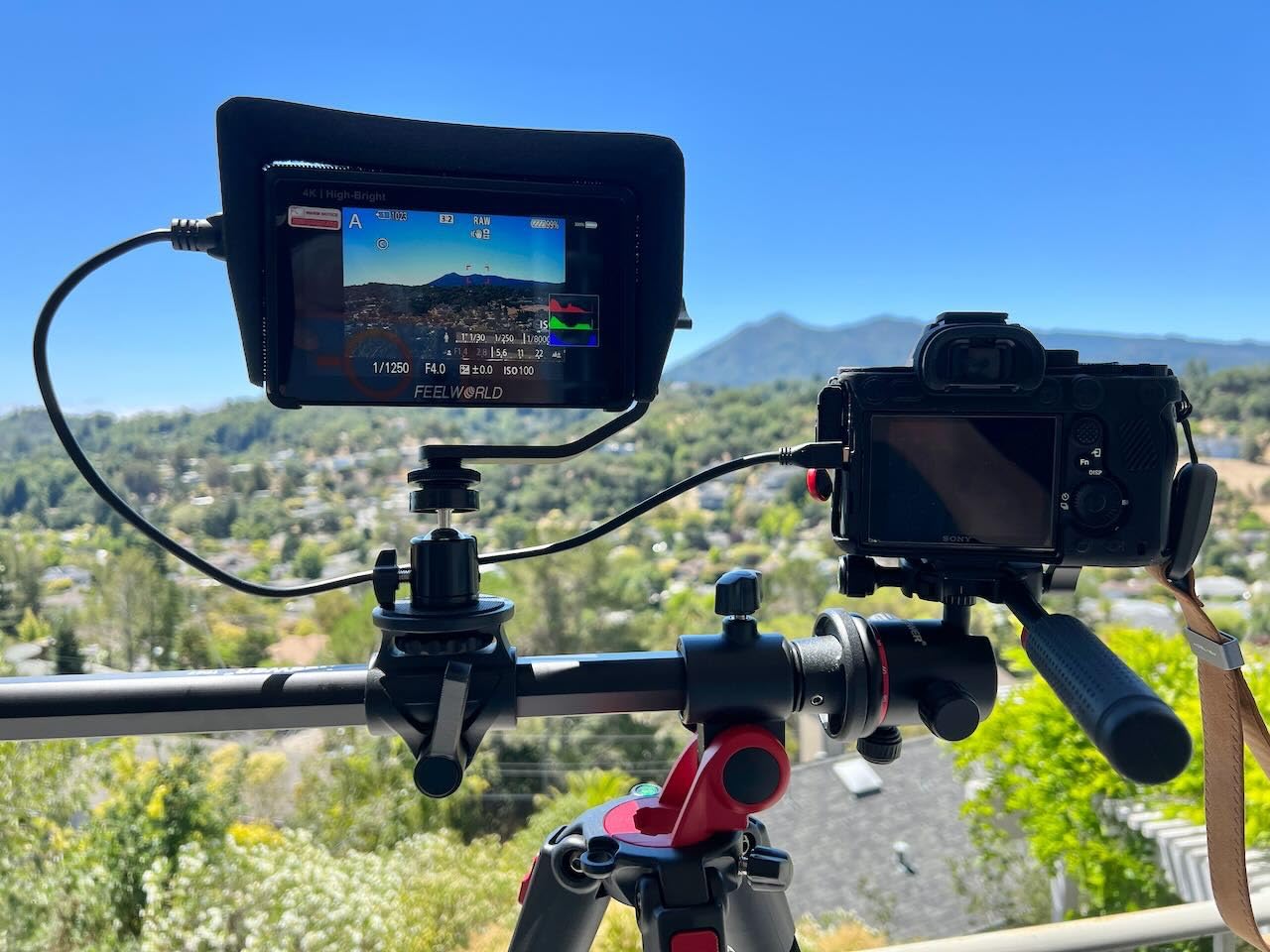
The F6 Pro earns its place through brightness and a feature nobody else in this group has. At 1600 nits it is the second-brightest panel here, and the rear F970 install and power kit lets you hang an LED light or a converter off the monitor battery instead of adding another cell to the rig. For a solo shooter working alone, that is a genuine weight saving, and it is why we call it the rig power pick.
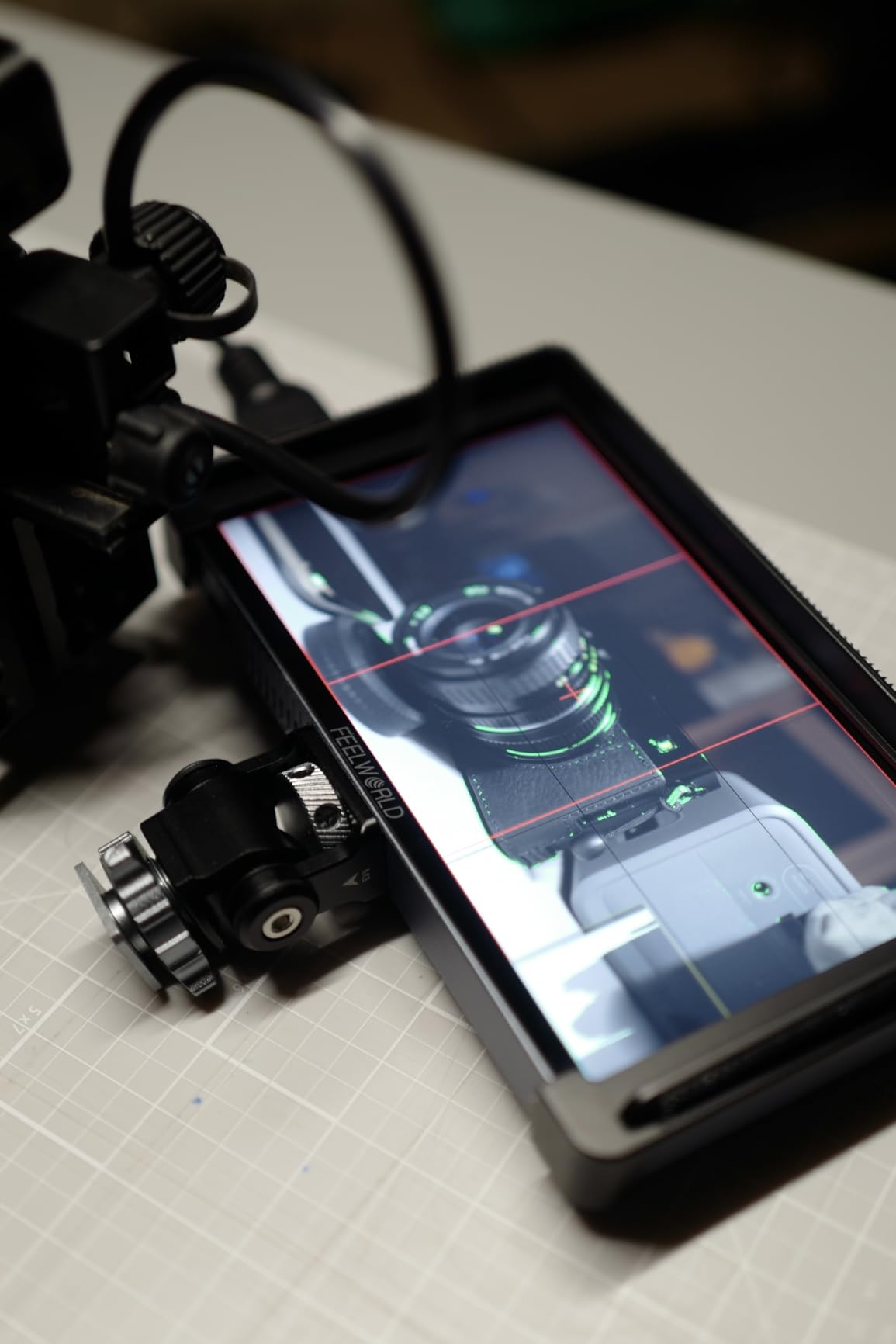
Framing tools are strong for the class. Pinch-to-zoom touch control, pixel-to-pixel zoom, frame guides and a nine-grid help you place a shot precisely without a second pair of eyes, and the exposure suite covers focus peaking, check field, overexposure, anamorphic modes, vectorscope, RGB, YUV and Y parade waveform, histogram, audio phase and level.
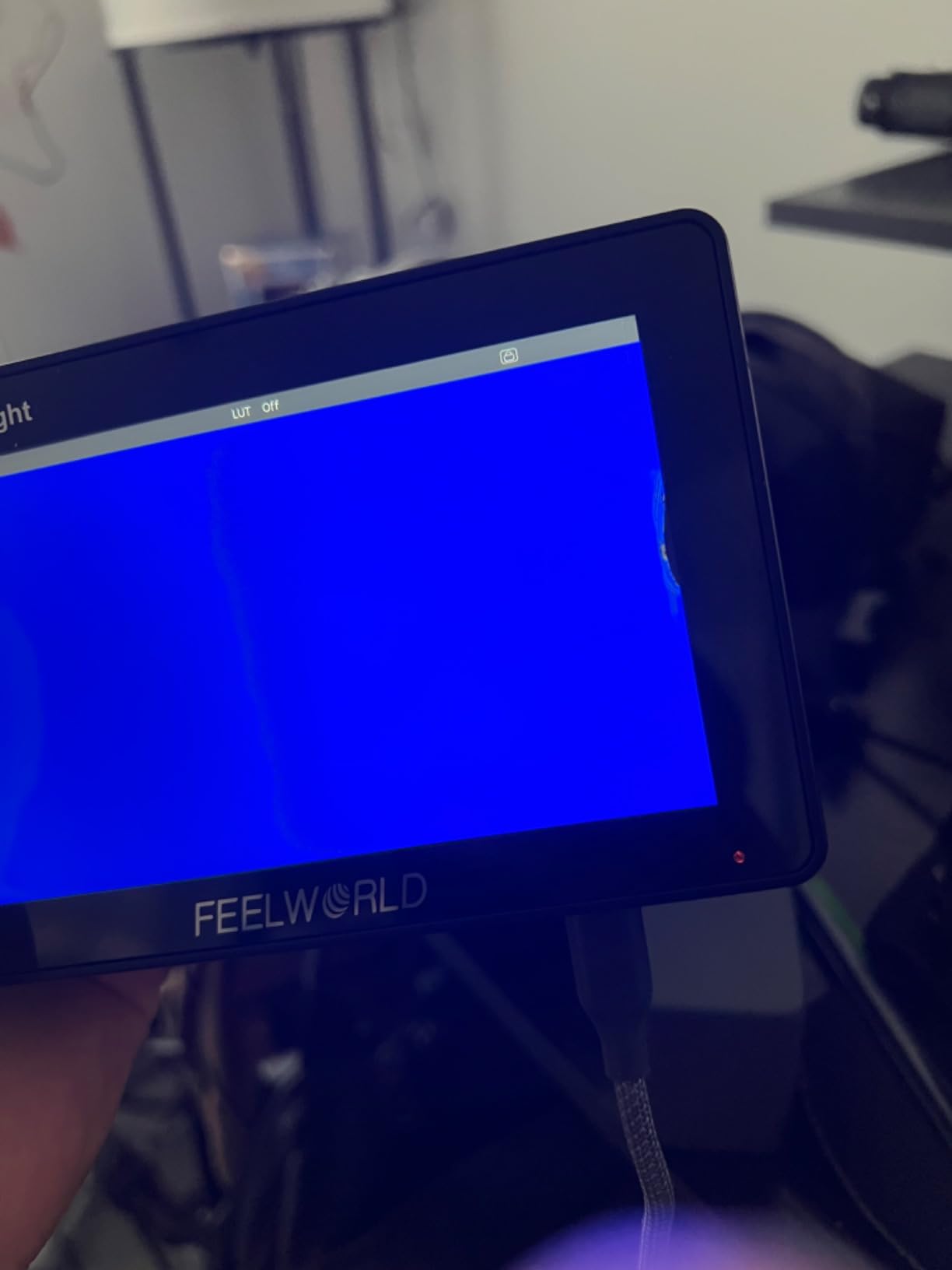
It accepts 4K HDMI signals up to 60fps from DSLR, mirrorless and camcorder output, and power can come from the included battery, a DC barrel, USB-C, or you can send 8.4V out to run the camera. Thirty-two custom 3D LUTs can be uploaded, and the box includes a sunshade, tilt arm, carry case, mini HDMI cable and the battery bundle.
The listed package weight of 2.33 pounds is the number to keep in mind, since it includes the case and accessories rather than the panel alone. The panel is 1080p native, so it cannot resolve fine 4K detail, and with 32 LUT slots you will replace looks rather than collect them.
Is the rear F970 power kit worth choosing a monitor for?
If you are lighting yourself, or running a converter on a small rig, yes. Mounting the light or converter to the monitor battery takes weight off the camera and removes one more place a cable can snag. If you work with a tripod and a stand and never hang accessories on the rig, it is a nice detail rather than a deciding factor.
How do I decide between this and the F500 PRO?
Brightness and battery format. The F500 PRO is the brighter panel and ships with a higher-capacity NP-F750, while the F6 Pro adds the F970 power kit and faster 4K input up to 60fps. If you shoot handheld in bright conditions, take the brighter one; if you run accessories off the rig battery, take this one.
7. FEELWORLD P6XL: The 6-Inch Built for Travel Days
FEELWORLD P6XL 6″ 1200nit Touch Built-in Battery Field DSLR Camera Monitor
6 inch Full HD IPS
1200 nits
Built-in 3300mAh battery
200g aluminum body
1/4-20 mounting threads
Pros
- Built-in 3300mAh battery removes spare-battery and plate logistics
- 200g aluminum body is light on a handheld rig
- 1200-nit panel stays legible in direct sun
- 1/4-20 threads and included hot shoe mount make rigging straightforward
- waveform vectorscope histogram and focus assist with 3D LUT upload
Cons
- Built-in battery is not user-replaceable and runtime drops to about two hours at full brightness
- 6-inch 1080p panel cannot resolve fine 4K detail
- no sunshade hood included for glare control
The P6XL is the travel pick because the battery is built in. You are not carrying a plate, a charger and a set of spare cells, which for a solo shooter moving between locations is a bigger practical win than the extra brightness a brighter panel would give you. The trade is that you cannot swap cells in the field.
The runtime figures are the clearest in this roundup because they are stated: about 2.2 hours at 100% brightness, 2.5 hours at 80% and 3 hours at 60%. That range covers a half-day shoot at a sensible backlight level, and for longer days the 1200-nit panel can be dialled back or paired with an external supply.
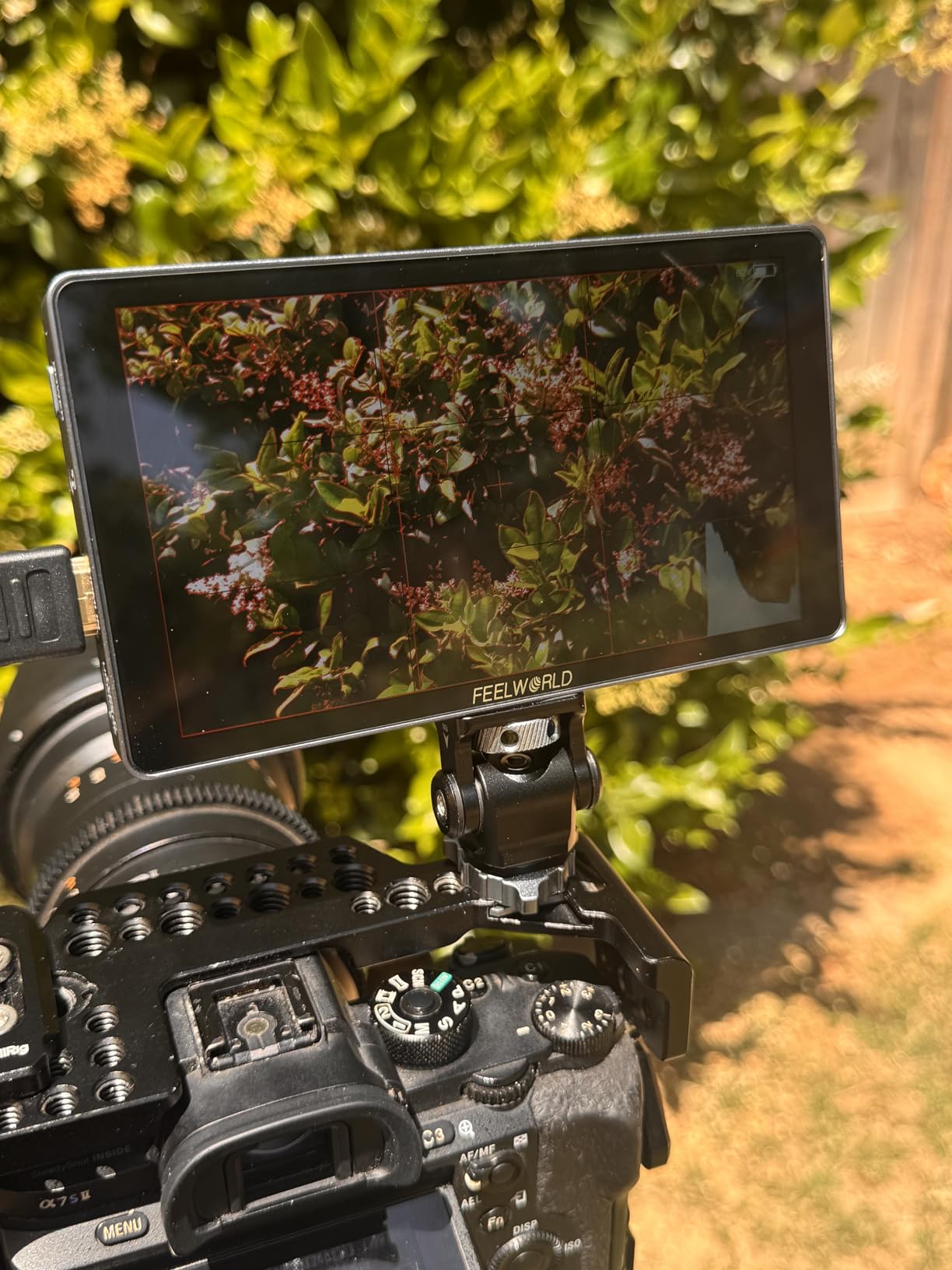
Physically it is a 200g aluminum body with a 6-inch 1200-nit Full HD IPS panel, a full touch interface, and 1/4-20 threads for a rig, stabilizer or support. A mini hot shoe mount and hex wrench are in the box along with A-A HDMI, micro HDMI and USB-A to USB-C cables and a cable management tie, so the tidy-up on set is already handled.
The monitoring tools cover waveform, vectorscope, histogram and focus assist with 3D LUT upload and a log look preview. The reservations in reviews are the sealed battery, the lack of a hood for harsh glare, and durability, with 5 to 6 percent of reviews at one star, the second-highest share in this group.
Is a sealed built-in battery a problem for all-day shooting?
It depends on your day. Around three hours at 60% backlight covers a typical shooting block, and swapping batteries mid-day is exactly the faff a solo operator does not need. If you regularly shoot ten-hour days far from a vehicle, a removable-plate monitor will serve you better over its life.
Does it rig cleanly to a cage or a gimbal?
Yes. The aluminum housing has 1/4-20 threads, which is the standard interface for cages, arms and stabilizers, and the included hot shoe foot gets it onto a camera accessory shoe without a separate bracket. At 200g and a folded depth of 0.86 inches it sits close to the body, which matters on a balanced rig.
8. Atomos Ninja 5.2-Inch: The Recorder to Buy if You Want ProRes
Atomos Ninja 5.2″ 4K HDMI Recording Monitor
5.2 inch 1000-nit matte display
1920x1080
210g body
Records 4Kp60 ProRes and DNxHD
Up to 6Kp30 ProRes RAW
Pros
- 210g matte 5.2-inch body is light enough for a handheld rig
- records 4Kp60 in ProRes and DNxHD and H.265 to an SSD for a safety path monitor-only units lack
- RemoteView shares the screen wirelessly to iPads and Macs when nobody else is on set
- EL Zone and ARRI false color exposure tools
- runs on small NP-F batteries with an adapter for wall or USB power
Cons
- Runs hot during long sessions and draws battery power quickly
- focus point and other overlays can burn into recorded files if not cleared first
- highlights can look blown out on some camera bodies
- SSD and batteries are bought separately
- new users hit a steep learning curve
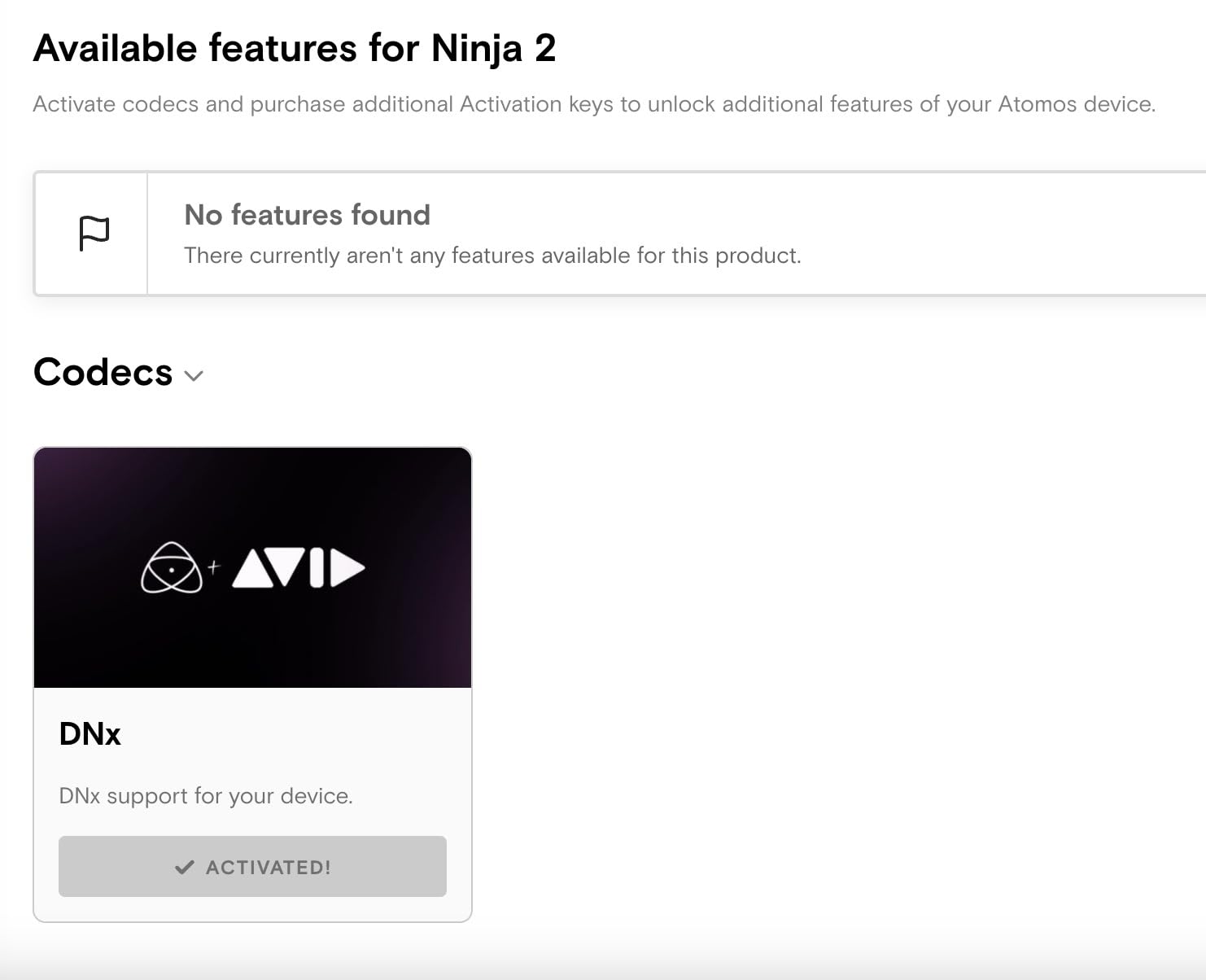
The Ninja is here for one reason: it records. It captures up to 4Kp60 in Apple ProRes, Avid DNxHD and H.265, and up to 6Kp30 in ProRes RAW, which gives a solo filmmaker a high-quality safety path on a body that cannot write those files internally. Reviewers consistently describe the recorded files as higher quality and smaller than the camera’s internal codec, and several owners credit it with making an older camera body relevant again.
It stays light at 210g with a matte 5.2-inch 1920×1080 panel, and the interface runs AtomOS 11 with improved memory management. RemoteView shares the screen wirelessly to iPads, Macs and other Atomos devices, which is a genuinely solo-friendly feature: you can send a frame to someone reviewing remotely without dragging a cable across the set.
Exposure tooling includes EL Zone and ARRI false color, with RecordAssist and PlaybackAssist for planning. It runs on small NP-F batteries, and an adapter covers wall or USB power bank use, so a single cell type covers the monitor and the camera when the body accepts the same plate.
There are real costs beyond the unit itself. An SSD plus batteries and adapters have to be bought separately, which raises the true cost of this pick considerably. Owners also report heat and fast battery draw during long sessions, focus point and other overlays burning into recorded files if they are not cleared first, and highlights that can look blown on some camera bodies.
Does a solo filmmaker actually need a monitor-recorder?
You need one if you want ProRes or ProRes RAW from a camera that cannot record it internally, or a proxy or backup feed while you shoot. You do not need one if your body already records the codec you deliver in and you only want a bigger, brighter screen. For that second case, any of the monitoring-only units earlier in this list will serve you for less money and with fewer things to go wrong.
What storage does the Ninja need?
An SSD, and none is included. Format a new drive in the storage tab before a shoot, which is a step new owners frequently miss, and budget for it as part of the cost of this pick. If you want an independent capture path but not a codec argument, our guide to field recorders for filmmakers covers the alternatives.
How to Choose a Camera Monitor When You Are the Whole Crew
Every monitor in this list accepts HDMI, and that is not a coincidence. Most mirrorless and DSLR bodies now output a clean HDMI feed, so for a typical solo kit the input format is decided before you start shopping. The decisions that remain are brightness, size, weight, power and whether you need a recording path.
Brightness is the one spec that decides daylight work
Nits, or cd/m2, measure how much light the panel sends to your eye. They do not measure quality, but they decide whether you can read a waveform with the sun behind you. In this roundup the range runs from 1000 nits on the osee T5+ to 2000 nits on the NEEWER F500 PRO. Under 1200 nits, plan on angling the screen or using a hood. Above 1500 nits you can hold the rig in a natural position in open shade. If you shoot mostly interviews and interiors, brightness is not where your money should go. If half your work is outdoors, it is the first thing to check.
Screen size versus rig weight
Forum consensus is consistent, and r/focuspuller threads are where you see it most clearly: a 5-inch screen is the better default for solo handheld and gimbal work, while a larger screen is what people settle on once they are pulling focus on sticks. Every monitor here is between 5 and 6 inches for that reason. The F6 Plus gives you a 6-inch canvas at a listed 235g, which is why it is our value pick, and the P6XL does the same at 200g in aluminum. The NEEWER trades some of that lightness for 2000 nits, which is a reasonable exchange when the alternative is shielding the screen with your hand.
If your rig sits on sticks for interview work, size stops being a weight problem and becomes a readability problem, and 5.5 or 6 inches is genuinely easier to focus from than 5. A 5-inch screen still works for a confirm frame, but you end up leaning in. Whatever you choose, budget time to mount it properly, and a decent camera tripod changes how you use a monitor more than the monitor itself does.
HDMI or SDI: matching your camera body
Start by checking whether your camera has a clean HDMI output. Most mirrorless and DSLR bodies do, and all eight monitors here accept HDMI. If you shoot a cinema camera with 3G or 12G-SDI, you will need a converter, and a cheap SDI adapter is where a lot of disappointing first-time experiences come from. Two more practical points: a single HDMI cable is a thinner, lighter, cheaper item to carry than an SDI cable plus power lead, and every unit with loop out here lets you feed a second screen, which is how a remote director can watch your frame without being on set.
Monitor or monitor-recorder: do you need a backup capture path?
A monitor only displays the feed. A monitor-recorder writes it to a card or SSD, usually as ProRes RAW or a high-quality intraframe codec. Recorders add heat, battery draw, storage cost and a learning curve, and recorded files can carry overlays if you forget to clear them. The case for one is strong if your camera records to a compressed codec internally, if you want high-frame-rate capture it cannot write internally, or if you want a second copy of every take. The case against is a solo shoot where the body already delivers the codec you edit in and you just want to see the frame. A wearable or radio-based assist can cover the same ground; see our camera flash guide for the lighting side of working alone.
Power strategy and battery logistics
This is where solo shooters save real effort, and the units differ more than the spec sheets suggest. Removable NP-F or LP-E6 plates mean you carry spares you already own for your camera. A built-in battery removes the spares entirely but caps your day. USB-C power input, present on several units here, means a small power bank in the same pocket as your camera batteries can keep you going. And check the dummy-battery output before you plan on powering the camera from the monitor, because the connector is not standardised, as the osee T5+ demonstrates. Whichever you choose, set the backlight to the lowest level that still reads in the light you are shooting in, and carry a hood for the brightest hours.
Frequently Asked Questions
What is the best camera monitor for a solo filmmaker?
The NEEWER F500 PRO is our top pick because a 2000-nit panel stays readable in daylight without a hood and the included NP-F750 battery can also power your camera. For a first kit, the VILTROX DC-550 ships with a hood, battery, cold shoe and case so nothing else is needed. On a gimbal, the FEELWORLD F6 Plus gives a 6-inch screen at a listed 235g.
Is a 5-inch or 6-inch field monitor better for one person?
A 5-inch screen is the better choice for handheld, gimbal and run-and-gun work because it adds less weight to the rig. A 6-inch screen is easier to confirm focus and framing on when the camera is on sticks for interviews or locked-off shots. In this roundup the FEELWORLD F6 Plus is a 6-inch at a listed 235g, so the size step costs very little weight.
How bright should a field monitor be for daylight?
Around 1200 nits is workable outdoors if you use a sunshade hood or angle the screen away from the sun. Above 1500 nits you can read a waveform in open shade without shading the display by hand, and 2000 nits handles direct sun. Below 1000 nits is an indoor-first monitor. Brightness is a usability measure, not a picture quality measure.
Can a field monitor record video?
Only monitor-recorders can. The Atomos Ninja 5.2-inch in this guide records up to 4Kp60 in ProRes, DNxHD and H.265 and up to 6Kp30 in ProRes RAW to a separately purchased SSD. The other seven units are monitoring only, so a single battery and a bigger screen is all you are adding to the rig.
Do I need HDMI or SDI for a solo camera rig?
HDMI for most setups. Every monitor in this guide accepts HDMI, and most current mirrorless and DSLR bodies output a clean HDMI feed with no menu changes required. SDI is worth it only if you shoot a cinema camera, and then you also need a converter, which adds cost, weight and cable bulk. A single HDMI lead is the lighter thing to carry.
Final Verdict
The best camera monitors for solo filmmakers in 2026 come down to one question: is your worst-case shoot in the sun, or in your hands? If it is the sun, buy the NEEWER F500 PRO and stop worrying about hoods and hand-cupping. If it is weight, buy the FEELWORLD F6 Plus for a 6-inch canvas at 235g, or the FEELWORLD P6XL if you would rather not carry spare cells at all. If it is a missing codec, the Atomos Ninja is the only recorder here and the cost of the SSD belongs in your budget.
Whichever you choose, set it up the night before, load your LUTs, store your false color preset and practise pulling focus on the rig you will actually shoot on. A monitor you have not configured is just a bright screen.