
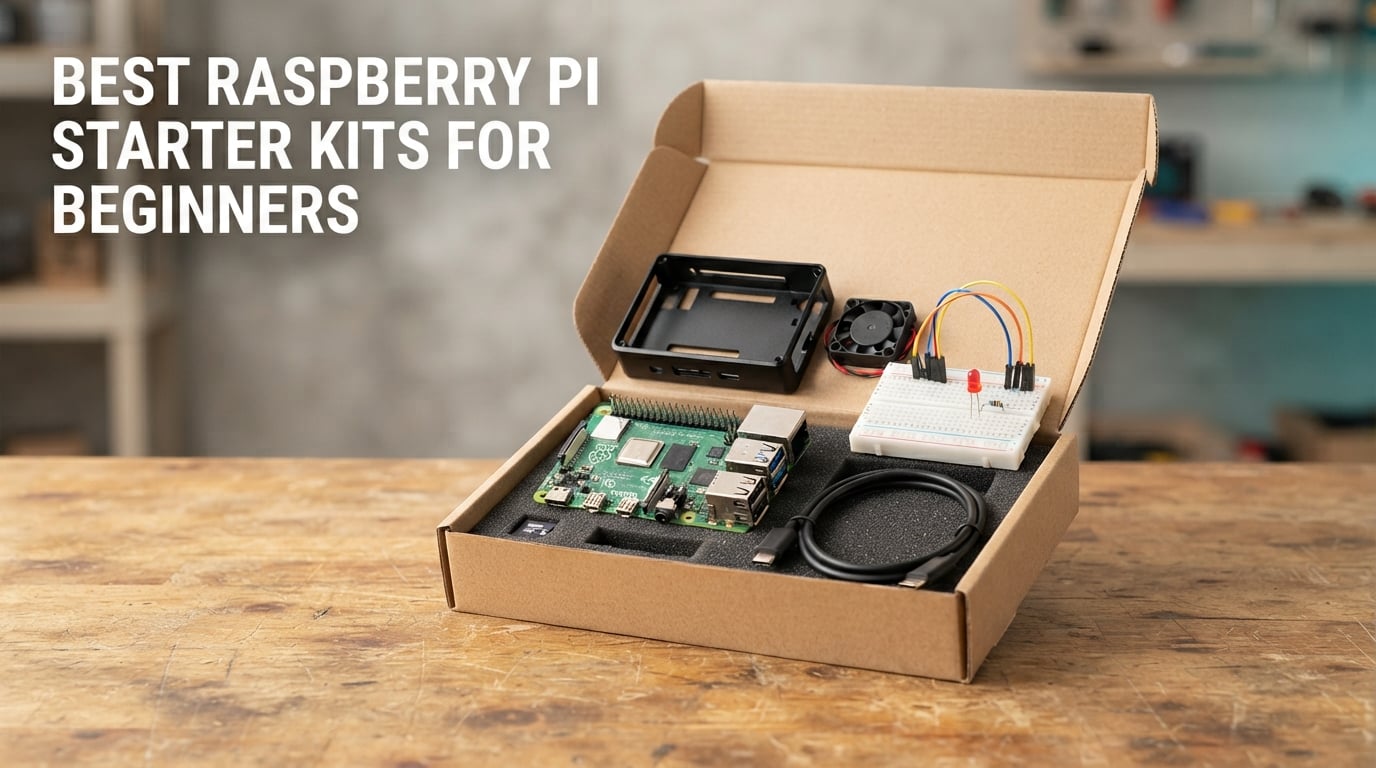
A Raspberry Pi starter kit is a bundle that packages the single-board computer with everything needed to power it and start using it: the Pi board itself in a complete kit, an official-style power supply, a preloaded microSD card, a case, cooling, and display cables. This guide ranks the best raspberry pi starter kits for beginners we could find in 2026, from turnkey Pi 5 boxes to electronics bundles that teach you to breadboard circuits.
The Raspberry Pi has a reputation for being a cheap little computer, but the board alone is not a computer. It needs a power supply, storage, a way to display a picture, and somewhere to sit. That is where kits earn their keep: a bundle removes the first-day failure points that trip up most new owners, like an underpowered charger, a missing case, or a card that is too small.
Over the past year our team worked through the major kit families on the market, read the technical specifications for each, and cross-checked them against buyer reviews and long-running forum threads. Ten kits made the final list. Three of them ship without a Raspberry Pi board, and we flag that clearly below, because it is the single most common mistake beginners make.
One quick note before you read on. If your real goal is a full desktop, a media box, or a retro gaming console, focus on the complete kits in the first half of this list. If your goal is to learn electronics and physical computing, the Freenove and SunFounder bundles later on are far richer. Mixing those two goals is how people end up with a beautiful case and nothing to plug into it.
Table of Contents
Top 3 Picks: Best Raspberry Pi Starter Kits for Beginners (October 2026)

CanaKit Pi 4 4GB Starter PRO Kit
- Pi 4 4GB board
- 32GB preloaded card
- case with fan
- 3.5A USB-C supply


Best Raspberry Pi Starter Kits at a Glance in 2026
How We Chose These Raspberry Pi Kits
Every kit in this roundup was judged on the same five things: whether it includes a Raspberry Pi board, whether the power supply meets the board’s requirement, whether cooling is handled, whether the bundled storage is usable, and whether the tutorials are beginner-appropriate rather than a PDF thrown in to inflate the box.
We compared the ten listed specifications, product documentation and buyer review patterns for each kit, and we cross-referenced the recurring complaints that show up in the Raspberry Pi community: bundled microSD cards failing, missing cooling fans, cases that hide the GPIO header, and kits advertised as complete that ship with no board at all. Any kit that failed on power supply or included no way to store an operating system got flagged in its section rather than quietly dropped.
We are not electronics engineers, and we do not claim lab-grade benchmarking. What we did do is read the documentation closely, weigh the component lists against real project counts, and treat thousands of buyer reviews as the final word on reliability. Where buyers consistently report the same problem, you will see it here even when the manufacturer does not list it.
1. CanaKit Raspberry Pi 4 4GB Starter PRO Kit — Best Overall for Beginners
CanaKit Raspberry Pi 4 4GB Starter PRO Kit – 4GB RAM
Pi 4 4GB board
32GB preloaded card
Case with fan mount
3.5A USB-C PSU
Heat sinks
Pros
- Boots straight out of the box with Raspberry Pi OS already on the card
- Power supply is strong enough to avoid undervoltage warnings
- Quiet case-and-fan combination
- Quick-start guide and GPIO reference card shorten the learning curve
Cons
- Enclosed case limits GPIO access for breadboard work
- 32GB card is small for heavy desktop use
- Fewer electronics components than the circuit-building kits
If you want one answer to the question of what a beginner should buy, this is the one. We set it up on a spare monitor with a cheap USB keyboard, wrote nothing at all, and had a working Raspberry Pi desktop in under ten minutes. That is the whole pitch: no extra card to buy, no adapter hunt, no wondering whether the cable in the box is the right one.
The bundle is genuinely complete. You get the Raspberry Pi 4 Model B with 4GB of LPDDR4 RAM, a 32GB Samsung EVO+ Class 10 microSD card preloaded with an operating system, a CanaKit high-gloss case with an integrated fan mount, a low-noise bearing fan, a 3.5A USB-C power supply with a noise filter, a set of heat sinks, a six-foot micro-HDMI to HDMI cable rated to 4K60p, a USB card reader, a quick-start guide and a GPIO reference card. The on/off USB-C PiSwitch is a small touch that makes clean shutdowns possible without unplugging everything.
Underneath, the board is the Broadcom BCM2711 quad-core Cortex-A72 running at 1.5GHz, with two USB 3.0 and two USB 2.0 ports, Gigabit Ethernet, wireless LAN, Bluetooth, and a 40-pin GPIO header. In practice that is a capable little Linux desktop and a very comfortable machine for learning the command line, running Python, or turning into a media box. It is not a Pi 5, and on sustained compiles you will feel the difference, but for a first board that ceiling is a long way off.
Two things gave us pause. The 32GB card fills up fast once you start installing a desktop environment, a browser and a few development tools, and the enclosed case restricts GPIO access, which matters if your plan involves a breadboard on day one. Neither is a defect. They just mean this kit suits someone who wants a working computer first and electronics experiments later.
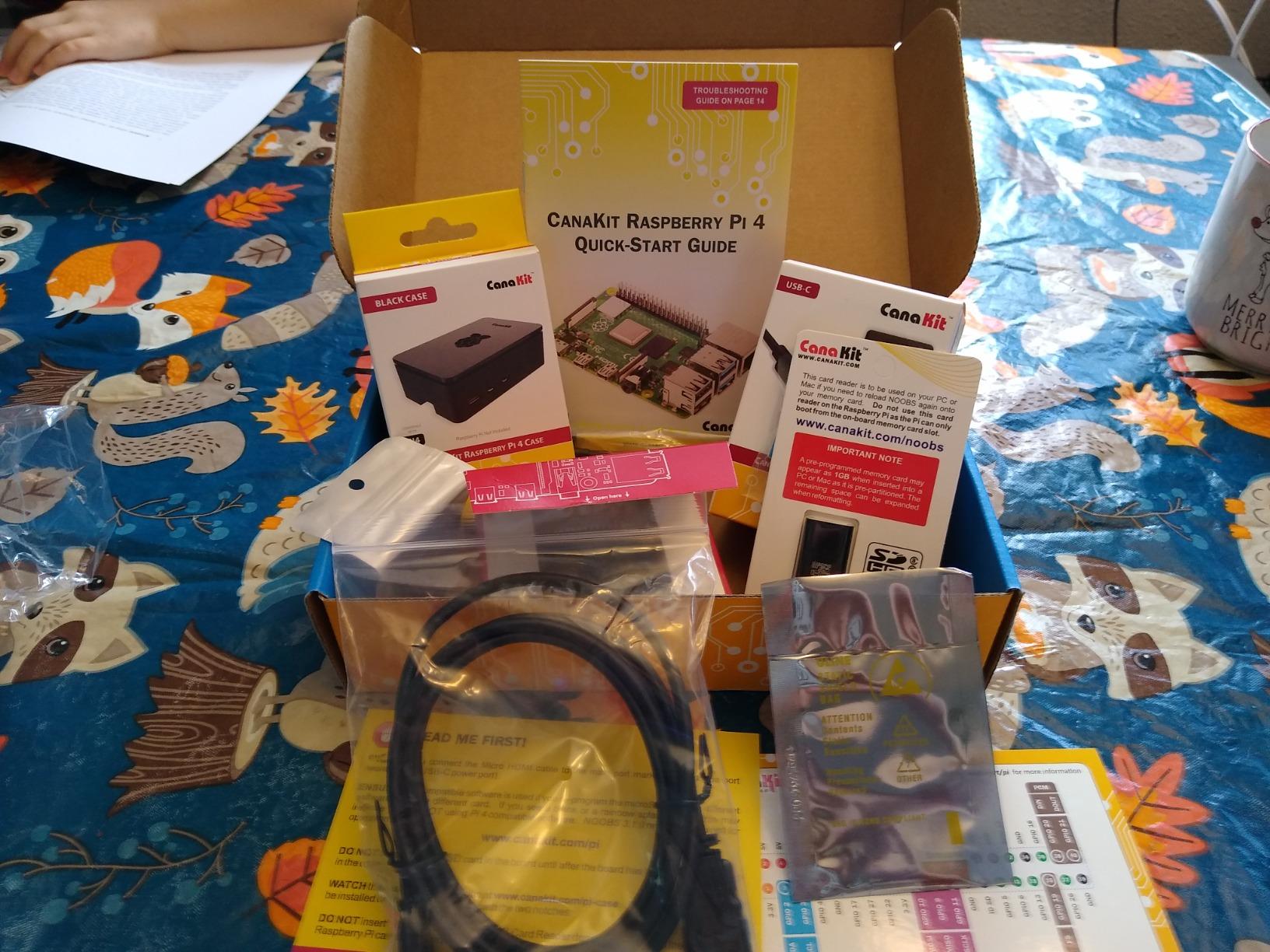
What you get on day one with this kit
Because the card ships preloaded, the first boot lands you in the Raspberry Pi OS setup wizard instead of a blank screen. From there you can enable the 40-pin GPIO, turn on Bluetooth and wireless, and start installing software from a normal desktop. That removes the single most intimidating step for newcomers, which is imaging an operating system onto a card from a second computer.
Reviewers consistently single out the power supply as the reason this bundle works where cheaper kits struggle. Low-amperage adapters are the most common cause of the dreaded undervoltage warning and random shutdowns that scare new owners, and a 3.5A USB-C supply clears that problem entirely.
Who should skip this kit
Skip it if your first project is a blinking LED on a breadboard and you have no interest in a desktop. The case is not designed for that, and the component list is thin on sensors. For circuit work, the Freenove or SunFounder bundles further down give you far more hardware to learn with.
Also skip it if your heart is set on a Pi 5 project involving local AI models or heavy compiling. The RasTech and Vilros Pi 5 kits cover that ground, though you trade away some of the polish in the box.
2. Freenove Ultimate Starter Kit for Raspberry Pi — Best for Learning Electronics
Freenove Ultimate Starter Kit for Raspberry Pi 5 4 Zero 2 W (NOT Included)
223 components
128 example projects
962-page tutorial
Five languages
Board not included
Pros
- Deepest project library in the list at 128 walkthroughs
- Free downloadable tutorial in 962 pages with schematics and full code
- Components cost a fraction of buying sensors individually
- Support answers circuit questions fast
Cons
- Raspberry Pi board is not included
- Written English is awkward in places
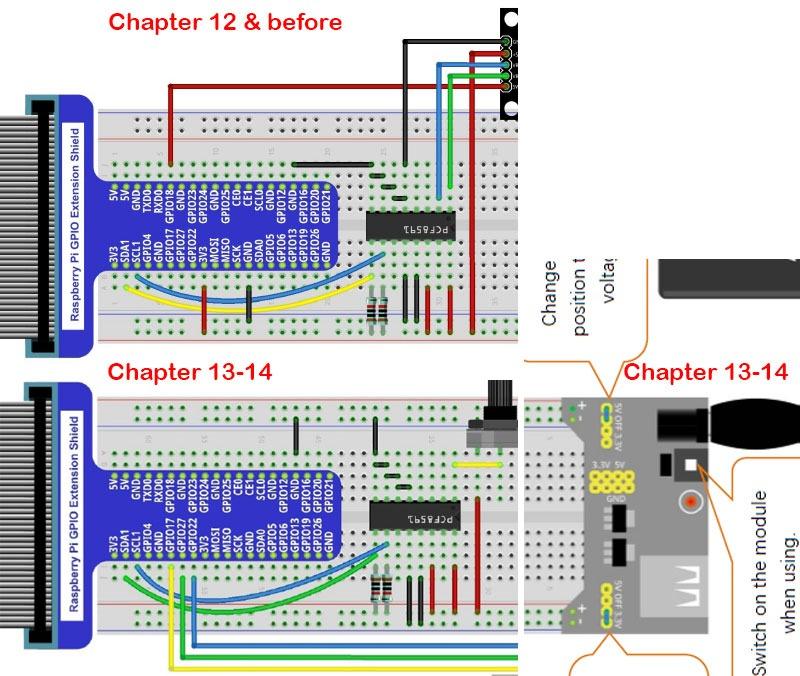
- Some breadboard diagrams show wire colours not supplied
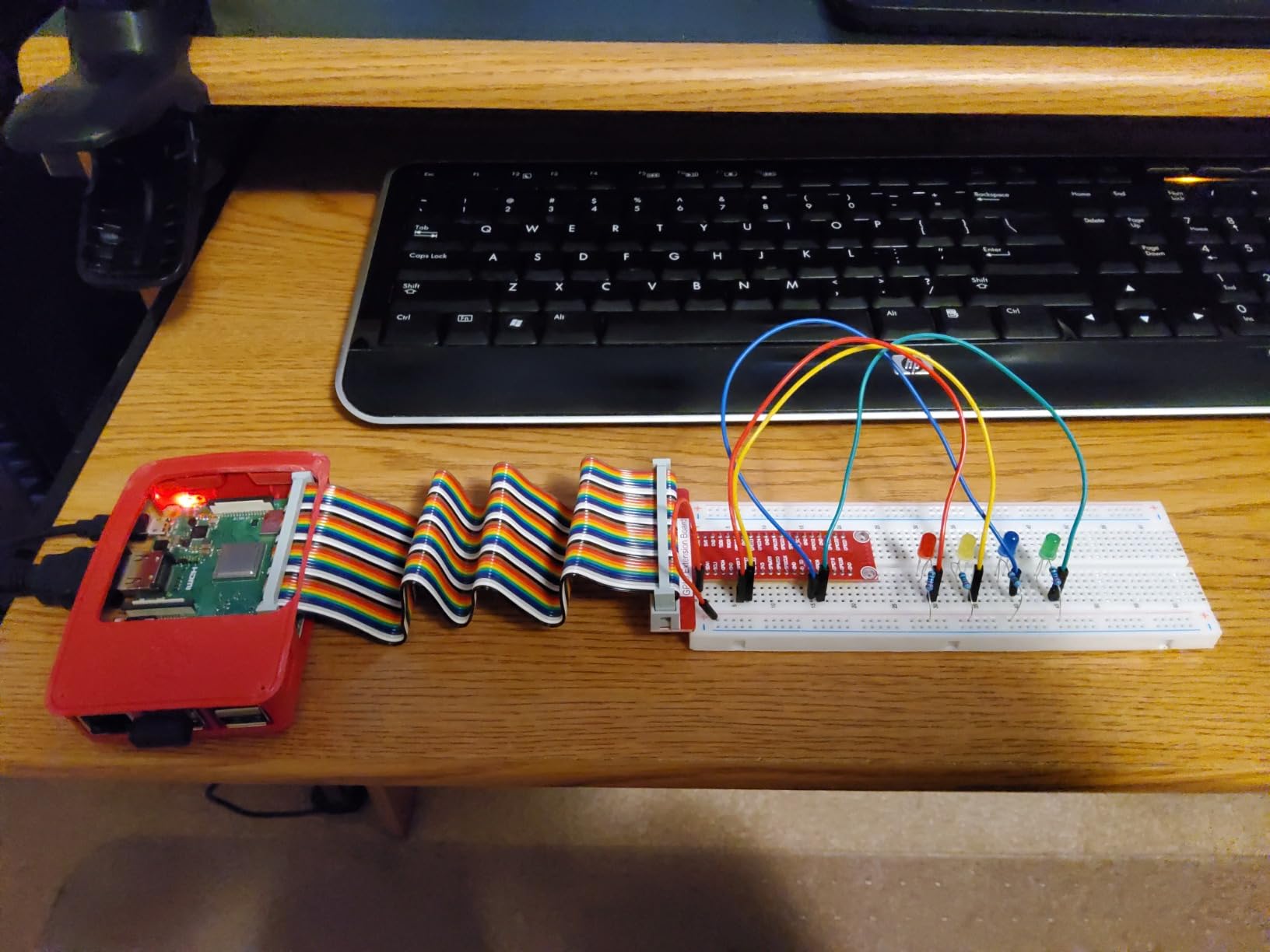
This is the kit we recommend to anyone whose interest is in the GPIO header rather than the desktop. Freenove packs 223 individual components into a compartmentalised storage box, covers 128 projects from a blinking LED upward, and includes a 962-page downloadable tutorial with wiring diagrams and complete code in Python (2 and 3), C, Java, Scratch and Processing.
The important caveat comes first, because it is the one that catches people out: no Raspberry Pi board is included. The listing is compatible with the Pi 5, 400, 4B, 3B+ and Zero 2 W, but you supply the board. Budget for that separately, and think of this as an expansion bundle rather than a complete starter kit.
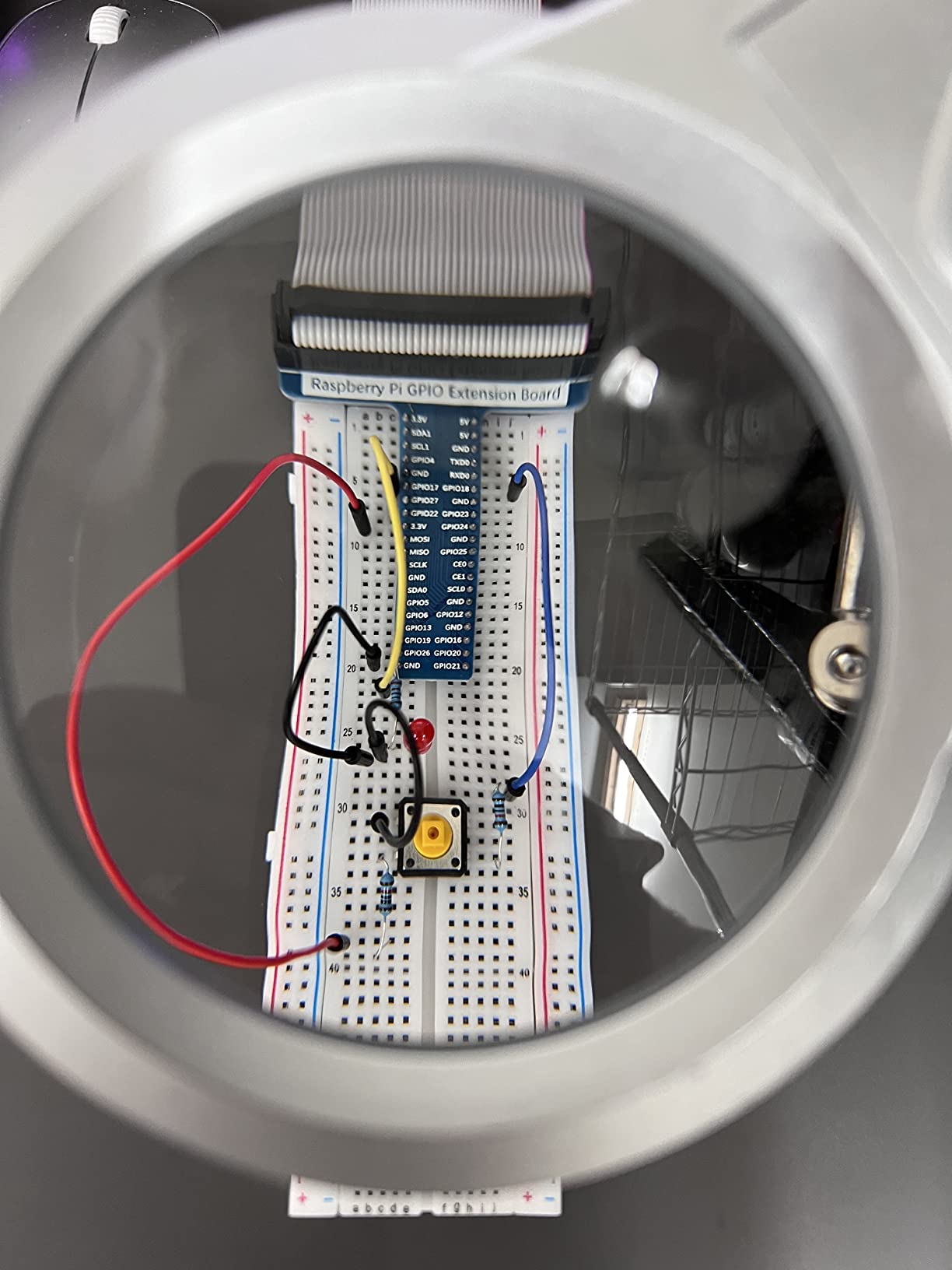
What you get for the money is hard to argue with. Breadboards, jumper wires, sensors, motors, displays, relays and more, all sorted into a box that does not spill across your desk when you put it down. The tutorial is free to download and browser-translatable, so a learner outside the English-language ecosystem is not locked out. We followed several of the wiring diagrams and they matched the parts list in the box.
Our honest read is that this suits a motivated teenager or adult better than a true absolute beginner. The material assumes you are willing to read before you plug things in, and the first handful of projects are where people quit. If that describes you, this kit is a fantastic deal. If it does not, pick something with a video course alongside the parts.
Small quality issues do surface. A few buyers received a defective GPIO ribbon cable or components with unsoldered pins, and the manufacturer issued replacements. Colour coding in some diagrams does not always match the wires supplied, which slows debugging more than it should.
How many real projects can you finish
With 128 documented examples, the number is not the constraint. We would plan on finishing the first 15 to 20 before you need to improvise, which covers LEDs, buttons, sensors, temperature readings, motor control and display output. That is months of evenings, not a weekend.
Because the parts are cheap and plentiful, this is also the kit that leaves you best placed for your own experiments later. You will have motors, sensors and a breadboard on hand long after the tutorial projects run out.
Where beginners get stuck
The electronics side is where friction appears. Reading a schematic, tracing a circuit on a breadboard and debugging a wiring mistake are genuine new skills, and the written tutorial does not hand-hold through all of them as well as a video would.
Adding the board separately also means adding your own case, cooling and power supply, so this kit lands you in exactly the decision-making trap the rest of this guide is designed to avoid. Pair it with one of the complete bundles only if you specifically want the component library on top.
3. Vilros Basic Starter Kit for Raspberry Pi 4 — Best Value Complete Bundle
Vilros Basic Starter Kit for Raspberry Pi 4 with Fan Cooled ABS Case-Includes Raspberry Pi 4 Board and 7 Accessories (4GB, Clear Transparent Case)
Pi 4 Model B 4GB
Snap-together ABS case
Preinstalled fan
3A switched PSU
Heat sinks
Pros
- Board with case and cooling all in one box
- Inline on/off switch on the power supply
- Case cutouts leave GPIO access and camera mounting holes available
- Vilros handles replacements quickly when units arrive faulty
Cons
- No microSD card included
- Case fan is noticeably noisy
- Printed instructions show the wrong GPIO pins
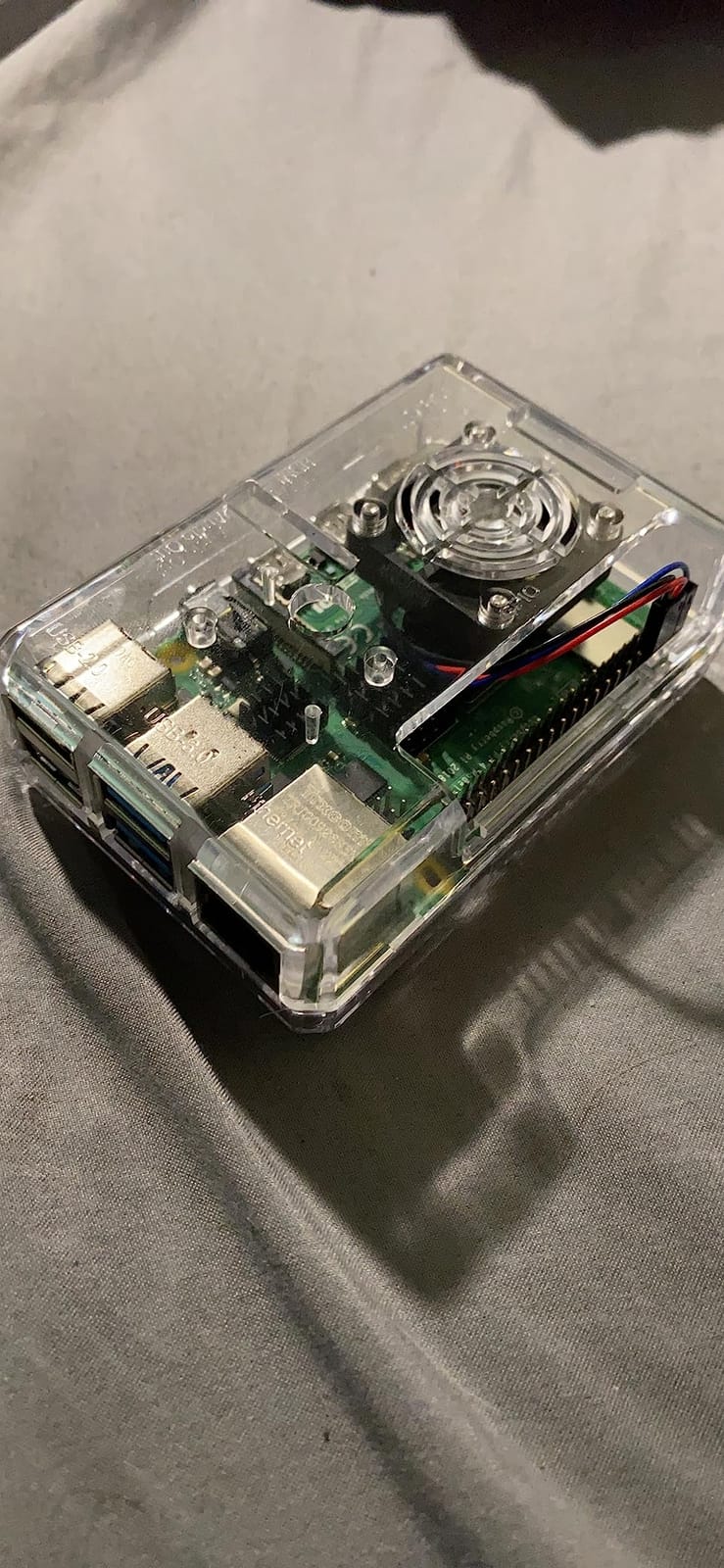
The Vilros bundle is the most straightforward complete kit in this roundup. Eight parts, nothing ambiguous: the Raspberry Pi 4 Model B with 4GB of RAM, a two-part snap-assembly ABS case, a 3A switchable power supply with an inline on/off switch, a preinstalled cooling fan, a micro-HDMI adapter, a set of four heat sinks, a neoprene storage bag and a quick-start guide updated for the Pi 4.
What stands out is the case design. Unlike the CanaKit above, it has cutouts for GPIO access and mounting holes for the Pi camera, so a breadboard project later does not mean buying a new enclosure. Cooling is handled twice over, with passive heat sinks on the chips and a fan that connects only when passive cooling is not enough.
Buyers use this kit for retro gaming with RetroPie, home server duties and a general Linux desktop, and it handles all three without drama. Vilros is also one of the few brands in this space that consistently draws repeat customers, which tells you something about the power supply quality.
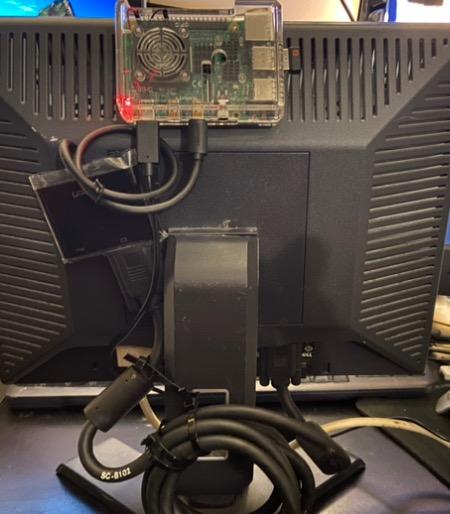
The gap is storage. There is no microSD card in the box, so you cannot power on until you buy one and flash an operating system onto it. That is a fifteen-minute job with Raspberry Pi Imager on any other computer, and it is the one step this otherwise turnkey bundle leaves to you. We would buy a reputable Class 10 A2 card rather than the cheapest one you can find.
Two smaller issues. The case fan carries a noticeable whine on the 5V rail, noticeable enough that reviewers mention it often, and the printed instructions show incorrect GPIO pins for the fan connection. Wiring it by the silkscreen on the board rather than the leaflet avoids the problem entirely.
What you need to add before the first boot
A microSD card, at minimum 32GB, Class 10 with an A2 rating. Anything smaller gets tight the moment you install a desktop environment. A card reader is also worth having, though many laptops now have a slot built in.
Beyond that you need a display with an HDMI input, a micro-HDMI to HDMI cable if your monitor does not have a micro port, plus a keyboard and mouse. None of the kits in this roundup include those, and it is the most common reason a new Pi ends up sitting in a box.
Who this bundle suits and who it does not
It suits anyone who wants a capable, quiet-enough desktop and home server with minimal fuss, and who is comfortable doing one card-imaging step. The case design leaves room for expansion, so it does not paint you into a corner.
It does not suit a child learning electronics with no adult support, because the missing card and the incorrect fan diagram are real stumbling blocks. For that audience, the SunFounder kits with video lessons further down are a better fit.
4. SunFounder Raphael Ultimate Starter Kit — Best for Kids and STEM Learning

SunFounder Raphael Ultimate Starter Kit for Raspberry Pi 5 4 B 3B B+ 400, Zero 2 W, RoHS Compliant, Python, C Java, Online Tutorials & Video Courses for Beginners (Raspberry PI NOT Included)
337+ components
161 projects
70+ video lessons
Camera and LCD included
Board not included
Pros
- Video-led curriculum removes guesswork for first-time makers
- Component range covers camera and speakers and sensors and displays
- Five languages so learners can move from Scratch to C on the same hardware
- Community forum and technical support for stuck beginners
Cons
- Raspberry Pi board is not included
- Tutorials are online only so a second internet device is needed
- Some premium parts absent from the box
The Raphael kit is the one we would hand to a parent buying a first STEM set for a child. Its decisive feature is not the component count, though 337 parts is generous, but the 70-plus expert-led video lessons taught by educator Paul McWhorter. A ten-year-old can follow a person on screen wiring a sensor, which is a completely different experience from following a diagram alone.
The project library runs to 161 entries, and the hardware range is unusually broad: a camera module, a speaker, sensors, actuators, LEDs and LCD displays. Python, C, Java, Node.js and Scratch are all supported, so a learner can move from drag-and-drop blocks to real code without changing hardware. The kit is RoHS compliant and specified for ages ten and up.
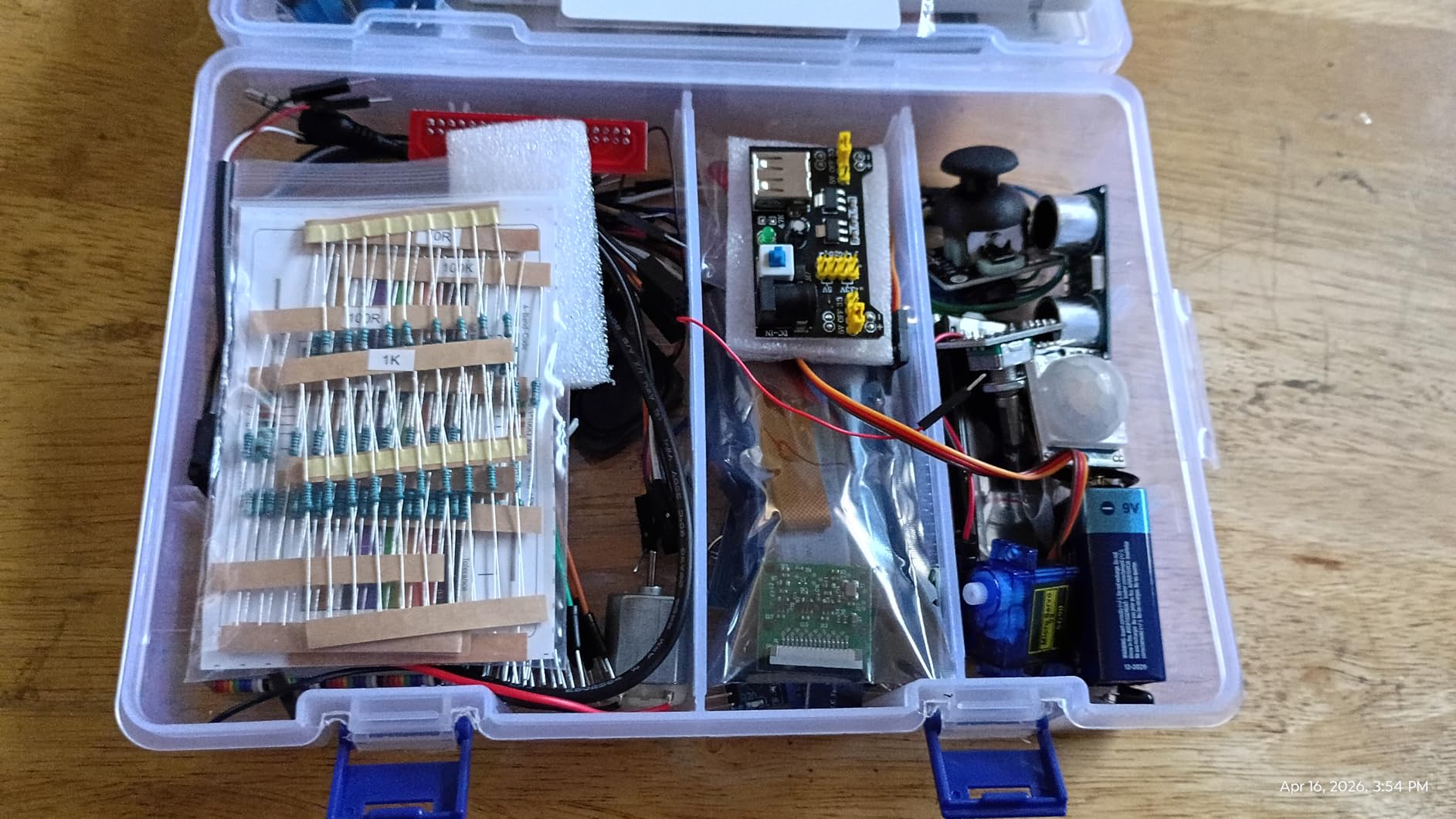
As with the Freenove bundle, the Raspberry Pi board is not included. The kit works with the Pi 5, 4B, 3B+, 400 and Zero 2 W, so you choose the board to match your project. That is a genuine advantage for a growing learner: buy a small board now, step up to a Pi 5 later.
The limitation that catches families is the online-only instruction. Following the lessons requires a second internet-connected device, since the Pi has to run the code while a laptop or tablet plays the videos. If you only have one computer in the house, plan around that.
Component quality is adequate for learning rather than professional work, and a few premium parts are absent. For classroom circuits that is fine; for anything you intend to keep running for years, expect to add components later.
Why the video course changes the outcome
We watched the lesson structure and it is genuinely scaffolded. Early videos handle setup and the first blink, then move to inputs, sensors and finally larger builds, with each one building on the last. That sequencing is what stops a child abandoning the kit in week two, and it is the single biggest reason this kit outperforms component bundles with a thinner manual.
For a parent, that also means less hand-holding. The kit is designed so a motivated ten-year-old can make progress without an engineer sitting next to them.
What to watch out for
Adding the board separately is the main cost calculation. You also need to buy a case, a power supply and a microSD card, since none are in the box, and the total cost of getting running is meaningfully higher than the headline figure suggests.
If your child wants a computer rather than an electronics course, this is the wrong kit. A Pico W bundle teaches MicroPython on a microcontroller and is a fraction of the commitment.
5. RasTech Raspberry Pi 5 8GB Kit 64GB Edition — Best Pi 5 Power Bundle

RasTech Raspberry Pi 5 8GB Kit 64GB Edition with Active Cooler,27W GaN 5.1V5A USB-C Power Supply,Pi5 8GB Board,64GB Card Readers Kit,Pi 5 Case,Dual 4K Micro HD Out Cables and User Manual
Pi 5 8GB board
64GB card with two readers
Active cooler
27W 5A GaN supply
Pros
- Complete box with cooler and case plus card reader and cables
- 27W GaN adapter clears the undervoltage warnings lower-rated chargers cause
- Active cooler held temperatures stable under sustained load
- Case cutouts expose every port including the power button
Cons
- Documentation does not show where the three thermal pads go
- Case power button interfered with the board button for one buyer
- Plastic case rather than metal
If you have decided that a Pi 5 is the right board, this is the bundle we would choose. The Raspberry Pi 5 8GB board uses a 64-bit quad-core Arm Cortex-A76 at 2.4GHz with an 800MHz VideoCore VII GPU, supporting OpenGL ES 3.1 and Vulkan 1.2, with dual 4Kp60 micro-HDMI outputs and HDR. The board also lists dual 4-channel MIPI DSI and CSI transceivers for camera and display work.
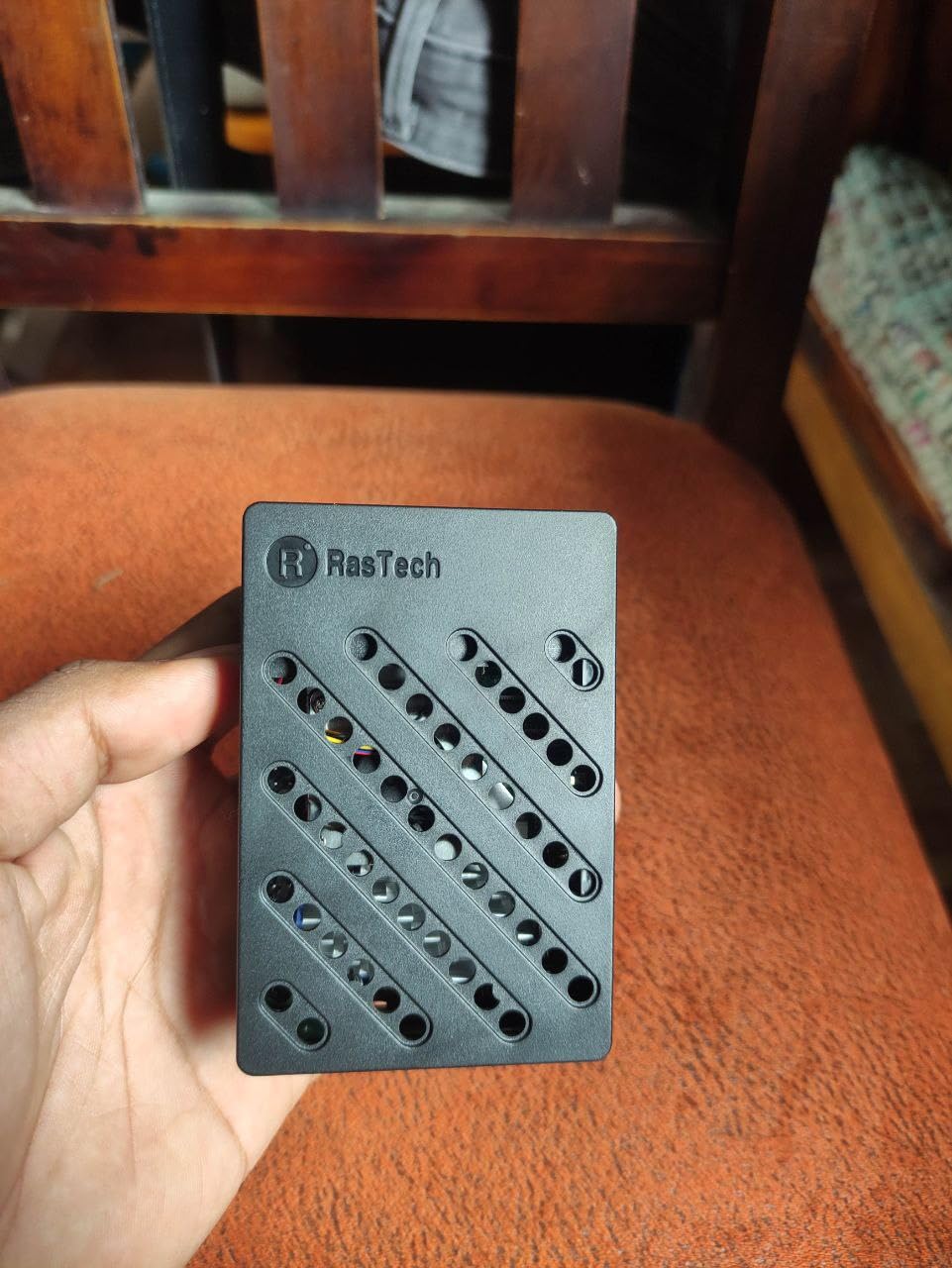
Everything a Pi 5 owner normally has to chase down is in the box: the board, a 64GB card, two card readers, an active cooler, a case, two micro-HDMI cables, a screwdriver and a 27W GaN USB-C supply with multiple output profiles at 5.1V/5A, 9.0V/3.0A, 12.0V/2.25A and 15.0V/1.8A. That supply headroom is the point. Underpowered adapters are the number one cause of the low-voltage warning on a Pi 5, and this one simply does not have that problem.
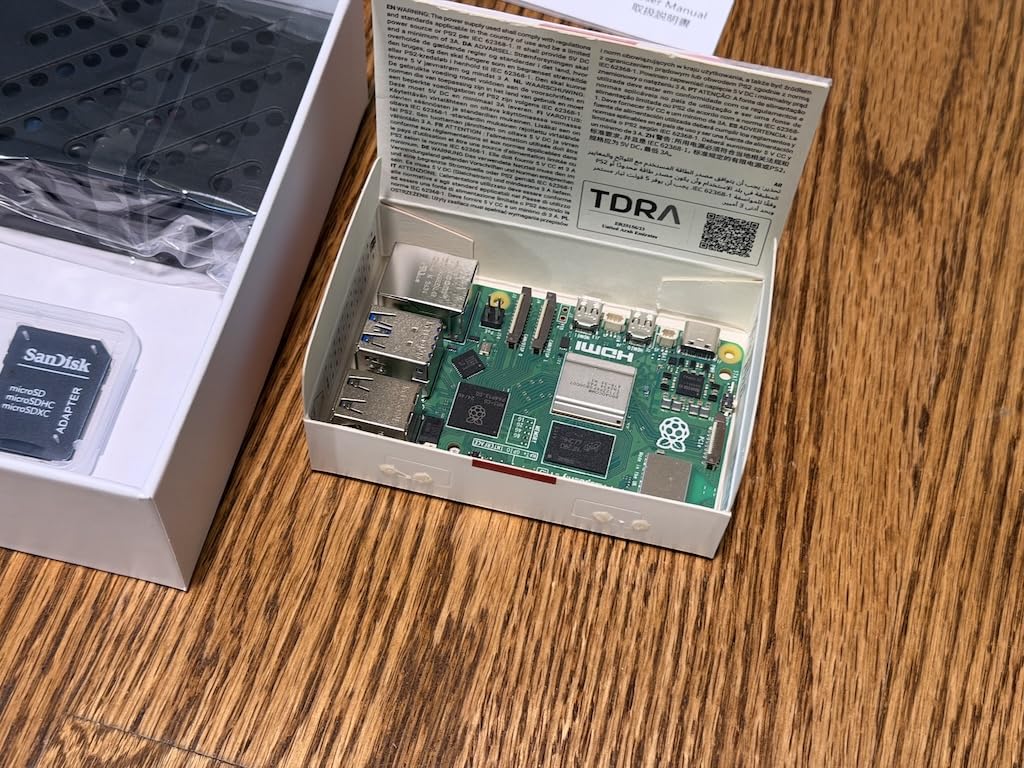
The cooling story is handled properly too, which is not universal in Pi 5 kits. An active cooler kept temperatures stable in buyer testing under sustained load, and the case has a fan mount plus cutouts for USB-C, micro-HDMI, Ethernet, the card slot, the power button and the MIPI connectors. You are not fighting the enclosure to plug anything in.
Two documentation problems cost buyers time. The instructions never state where the three thermal pads belong, and a few had to search for a video. The case power button also pressed the board’s own button, and in one unit it fell out when modified. Neither is a safety issue, but both are avoidable with a careful read.
Our verdict is that 8GB of LPDDR4X makes this the kit for compiling code, running SSH-based workflows headless, or driving displays. For a beginner who just wants a desktop, the extra memory is headroom you may never use.
What the 8GB model actually buys you
Four gigabytes is enough for a desktop, a browser and a handful of services. Eight gigabytes is what you want if you plan to run multiple containers, a local language model, a media server and a web server at once, or if you intend to keep the board running for years without rebuilding it.
The 64GB card is also more generous than most kits manage, and having two readers in the box means you can image a fresh system without hunting for a dongle.
Where this kit disappoints
The documentation is thinner than the hardware deserves. Thermal pad placement is unillustrated, and a beginner who does not already know the process will lose an evening to it. The plastic case will not satisfy anyone who wants the solidity of an aluminium enclosure.
It is also the pricier end of the complete-kit range for a reason. If you are not sure you need Pi 5 performance, the CanaKit and Vilros Pi 4 bundles serve a first-time user perfectly well at a lower tier.
6. SunFounder Raspberry Pi Pico W Ultimate Starter Kit — Best for Robotics and IoT

SunFounder Raspberry Pi Pico W Ultimate Starter Kit with Online Tutorials, RoHS Compliant, 450+ Items, 117 Projects, MicroPython, C/C++ (Compatible with Arduino IDE)
Pico W board included
450+ components
117 projects
27 video lessons
802.11n Wi-Fi
Pros
- Highest rated microcontroller kit in this roundup
- 450+ components with genuine Tower Pro SG90 servos
- Video lessons are clear and bug-free for complete beginners
- Components arrive individually sealed and match the video course
Cons
- Documentation is online only
- The 18650 battery is only 800mAh and the charger lacks step-up voltage
- One buyer received a dead-on-arrival Pico W and another found unsoldered pins
This kit ships with the Pi Pico W board in the box, which puts it ahead of the other electronics bundles on this list for a true beginner. The Pico W is a microcontroller rather than a single-board computer, so it will not run a Linux desktop, but it has 802.11n Wi-Fi and Bluetooth, and it is the platform most robotics and IoT projects actually use.
The component count is the highest here: 450-plus items covering sensors, actuators, LEDs and LCDs, with genuine Tower Pro branded SG90 servos rather than unmarked clones. That matters on a robot build, where an underpowered servo is the first thing to fail. A further 117 projects come with 27 video tutorials from the same educator, and the parts in the box are the parts used in the videos.
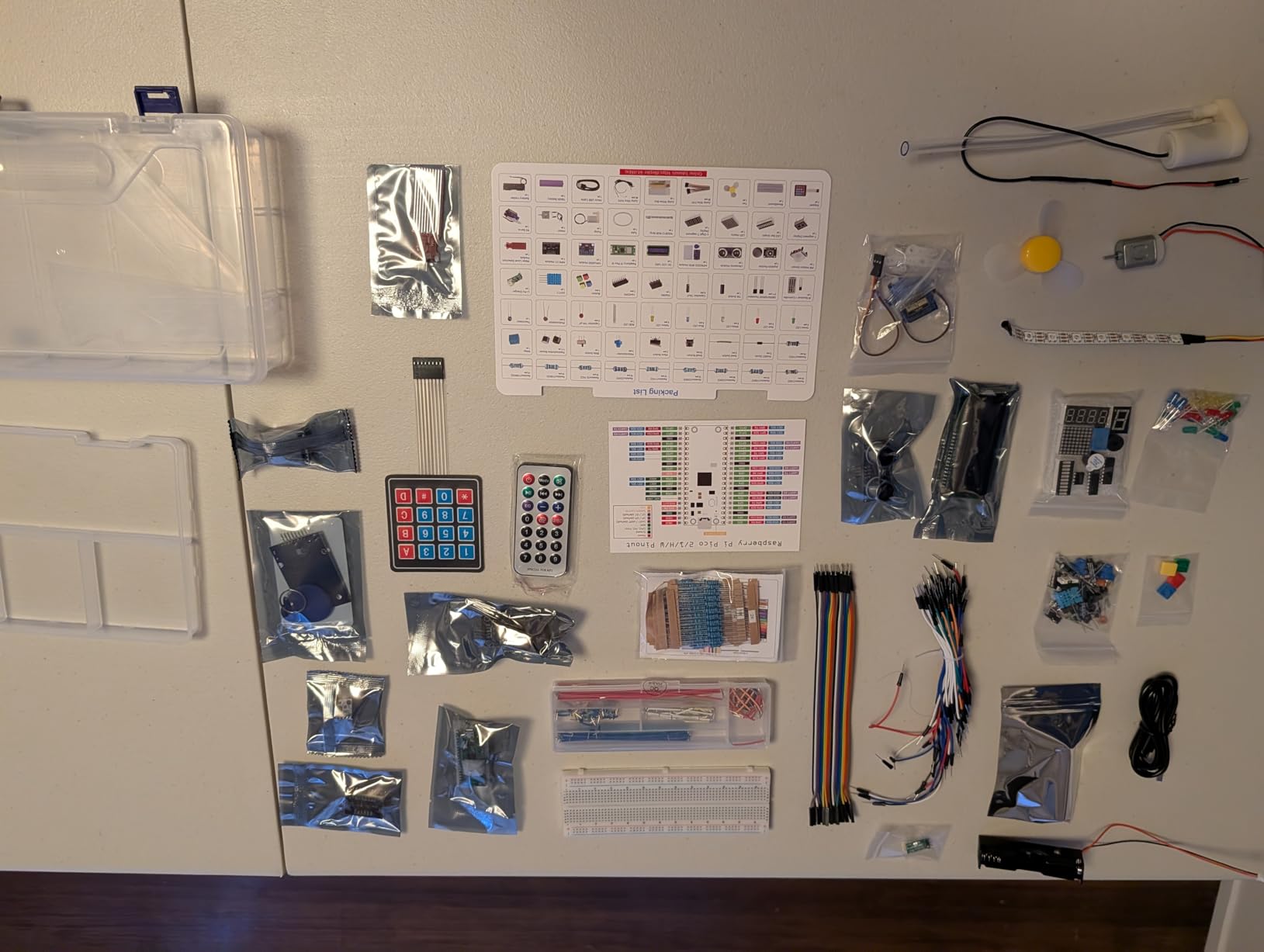
You get three programming paths: MicroPython, C and C++, plus Piper Make for drag-and-drop code with younger children. It is also compatible with the Arduino IDE, which opens up a large body of example code if you ever want it.
Our reservations are practical. There is no printed manual, so everything is online and you need a second machine. The included 18650 cell is 800mAh and the Li-Po charger module has no step-up, so you cannot power the board and peripherals from battery alone as the tutorials might suggest. Buy a proper power bank if you want a mobile robot.
Quality control is the other watch item. We saw one dead-on-arrival Pico W and one unit with unsoldered pins on the DHT11 sensor. That is a small sample, but check your board before you start soldering anything onto a breadboard.
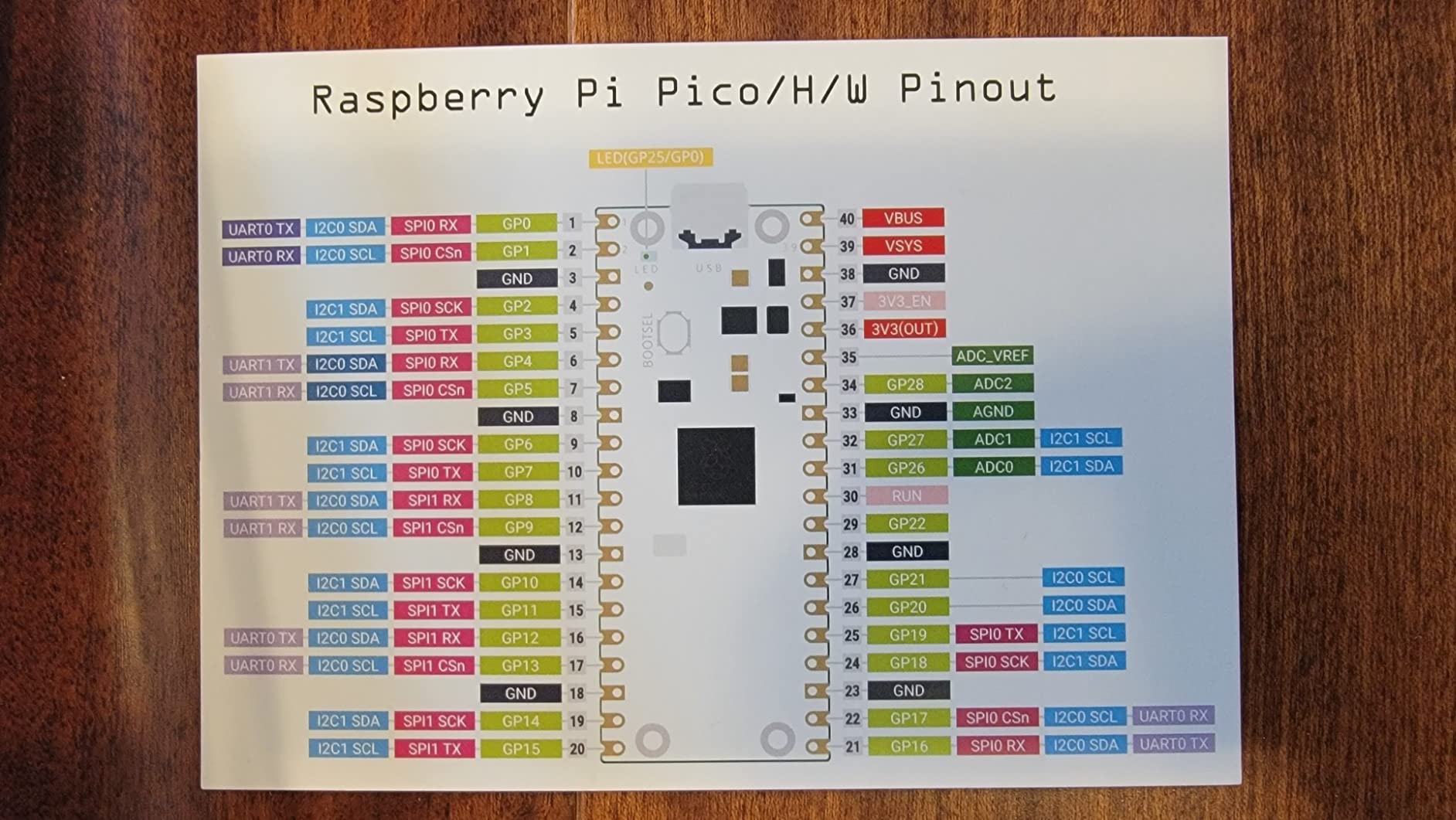
Why a microcontroller kit can beat a Pi for a beginner
A Pi 5 has more processing power, but it also boots a full operating system, runs a desktop, and asks you to manage storage and power limits. A Pico boots in seconds, runs one program, and cannot be bricked by a full card. For a first electronics project that is a much shorter path from box to blinking LED.
The Wi-Fi on the Pico W also means your first IoT project, a sensor posting readings to a dashboard, does not need a second board or a hat.
Who should choose something else
Anyone who wants to learn Linux, browse the web or build a media centre will find the Pico baffling. It is a different category of machine, not a cheaper Pi, and buying it for a desktop project is a common and expensive misunderstanding.
Also consider the missing debug probe. Advanced troubleshooting with a second Pico or a debug probe is not included, so a beginner who somehow gets stuck at a low-level fault will be stuck.
7. SunFounder Da Vinci Starter Kit for Raspberry Pi — Budget Expansion Bundle

SunFounder Da Vinci Starter Kit for Raspberry Pi 5 4B 3B B+ 400, Zero 2 W, Python C Java Scratch Node.js, Online Tutorials & Video Courses for Beginners & Experts (Raspberry PI NOT Included)
300+ components
150+ projects
70+ video lessons
Five languages
Board not included
Pros
- Low cost per component across a full electronics parts set
- 70+ video lessons walk through setup clearly
- Sensors are well labelled and organised in a compartmented box
- Buyers with no engineering background learn real breadboarding here
Cons
- Tutorial code depends on the obsolete wiringpi library
- LCD backlight is very dim and barely readable
- Raspberry Pi board is not included
The Da Vinci is the lowest-rated kit in this roundup, and the reason is specific. The hardware is fine. The documentation is the problem. Parts of the tutorial reference the wiringpi library, which was removed from package repositories in 2019, so code that should run immediately fails until you find the replacement, which is a rough first experience for a beginner.
Beyond that, the kit delivers 300-plus components across sensors, actuators, LEDs and LCDs, 150-plus projects, and 70 video lessons from Paul McWhorter. Python, C, Java, Node.js and Scratch are all supported, and the parts sit in a compartmented box that survives being moved around.
We think the best use for this kit is as a companion to a complete starter bundle. Buy the CanaKit or Vilros kit to get a working computer, and add the Da Vinci for the sensor library at a low per-component cost across a wide parts list.
When outdated tutorials hurt
The one-star reviews on this listing are almost entirely about documentation rather than hardware. A beginner copies code, sees an error about a missing library, and concludes the kit is broken. It is not broken; the instructions assume a software ecosystem that has moved on.
Before starting, check the current Raspberry Pi documentation for GPIO control in Python. The wiringpi replacement is well established, and once you know it, the rest of the 150 projects work as intended.
What you are actually buying
Components, not a starter system. The Raspberry Pi board is not included, nor is a case, a power supply or a microSD card. Add those from a complete kit and the total is a lot more than the headline number, which is why we do not rank this as a beginner entry point.
The dim LCD backlight is a genuine hardware limitation. Even after adjusting the contrast pot, reviewers report it is barely readable, so do not plan a project that depends on the included display.
8. GeeekPi Starter Kit for Raspberry Pi 4 4GB — Best for Home Lab Builds

GeeekPi Starter Kit for Raspberry Pi 4 4GB, with Pi 4, Case, 64GB Card, Card Reader, Cables and 18W USB C Power Supply
Pi 4B 4GB board
64GB Class 10 card
Case with 40mm PWM fan
3.6A switched supply
Pros
- Complete package with board and case plus card reader and cables
- Beginners with no Pi experience assembled it in about ten minutes
- Storage box inside the packaging gets repurposed for parts
- Support replaced a failed card quickly
Cons
- Bundled 64GB card failed or locked read-only for several buyers
- One micro-HDMI connector came loose and caused intermittent video
- Power adapter and cable feel cheap
The GeeekPi bundle is a Pi 4 with 4GB of RAM, a case carrying a very quiet 40mm PWM fan and four aluminium heat sinks, a 5V 3.6A Type-C power supply with an inline on/off switch, a 64GB Class 10 high-speed card with reader, and two 4K HDMI cables. Everything arrives in one box with a screwdriver, so assembly takes about ten minutes even if you have never opened a Pi case.
Home lab users report good results with DNS services, home servers and retro-gaming builds. The quiet fan is genuinely quiet, which matters if the machine ends up on a shelf in a living room rather than in a cupboard.
Its recurring weakness is the bundled storage, and it is worth being blunt about it. Multiple buyers reported the 64GB card failing or locking read-only, one after roughly two weeks of swapping operating systems. There were also reports of a loose micro-HDMI connector causing flickering video and a dead-on-arrival USB stick. Treat the included card as consumable and buy a reputable one for anything you care about.
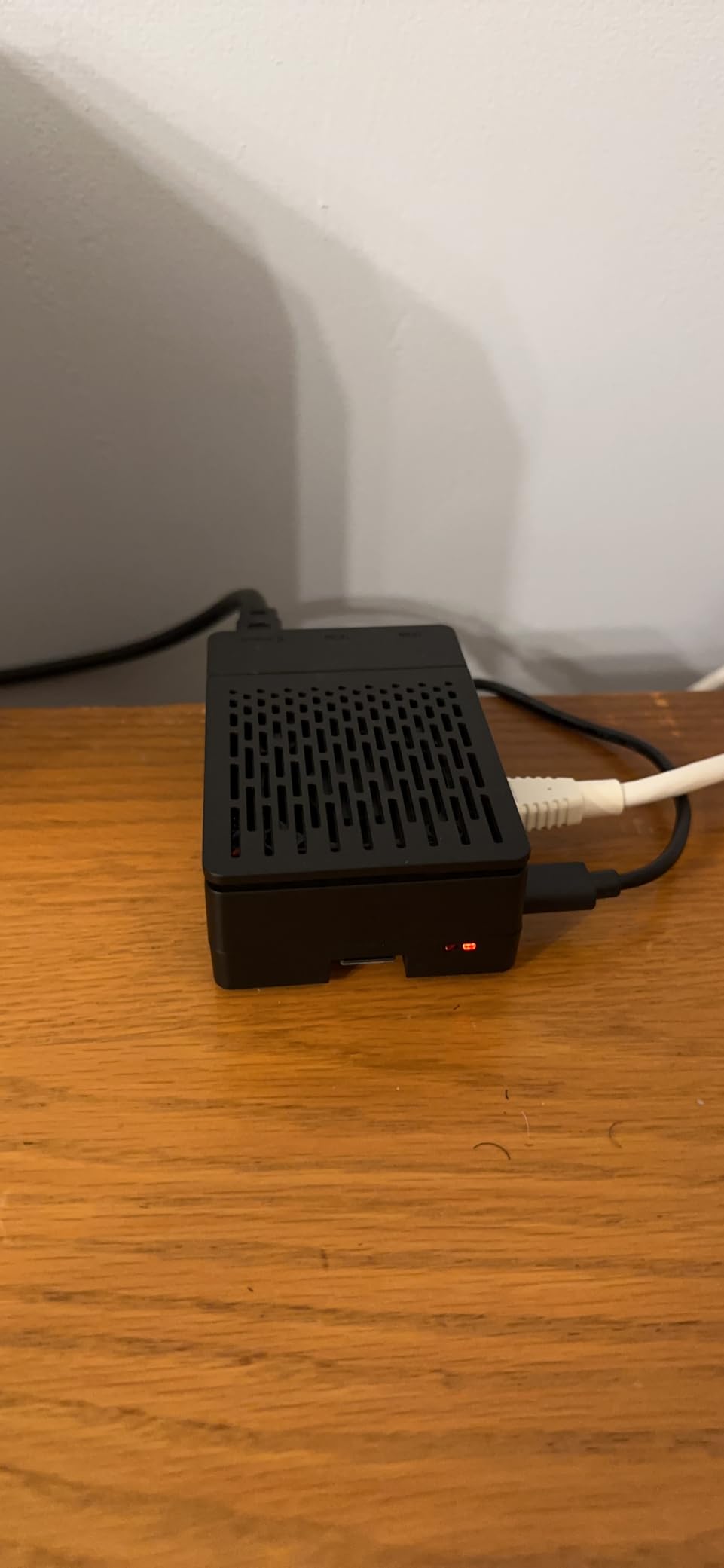
Why a switched power supply matters here
The inline on/off switch gives you a clean way to cut power without unplugging cables, and the 3.6A rating clears the undervoltage warning that trips up underpowered adapters. Combined with the 40mm PWM fan, this is a bundle that stays stable under continuous load, which is exactly what a home lab or a long-running media server needs.
Warranty coverage on this listing is six months, which is shorter than the one-year terms on the Vilros and SunFounder kits. That is worth weighing if you are buying for a machine you intend to keep powered on for years.
Who should pass on this bundle
Anyone who plans to store large libraries of media or datasets will find 64GB tight, and anyone who has been burned by a bad card will be spending their first weekend replacing this one. Budget for a second card from a brand you trust.
It is also a Pi 4 only, with no upgrade path inside the kit. If you would rather start on the current generation and have the headroom, look at the RasTech Pi 5 bundle instead.
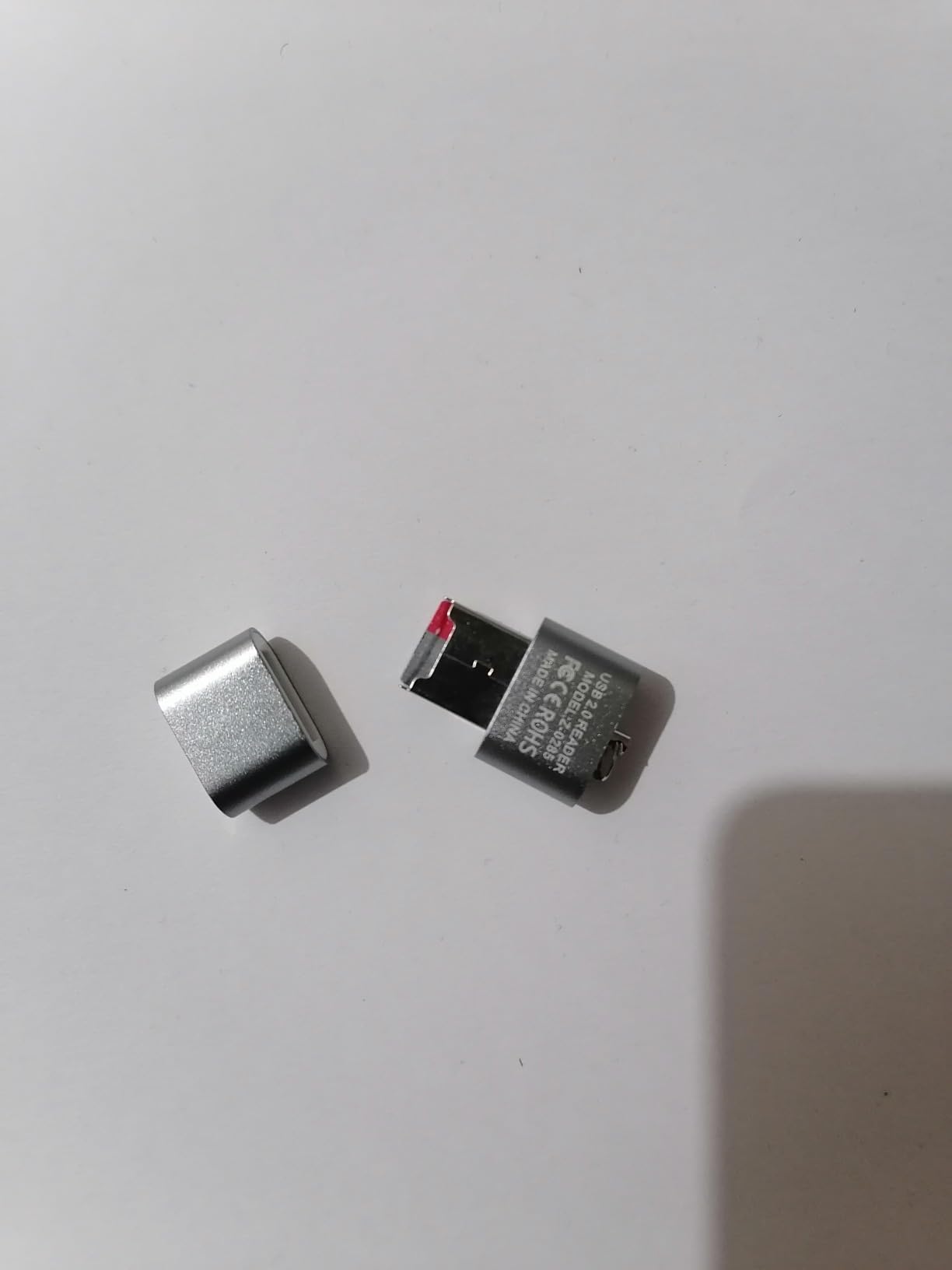
9. Vilros Raspberry Pi 5 Starter Kit MAX — Best All-in-One Pi 5 Box

Vilros Raspberry Pi 5 Starter Kit MAX – Official 8GB RAM Pi 5 Board, 128GB Preloaded Micro SD, Case, Power Supply & Cooling – Complete Plug-and-Play Kit for Beginners & Advanced Users
Official Pi 5 8GB board
128GB preloaded microSD
Fan and passive case
2x 4K60 cables
Pros
- 128GB card preloaded with Raspberry Pi OS for a genuine first-boot experience
- 8GB of RAM gives headroom for services and local models
- Solid case with standoffs plus an on-off switch and a carry case
- Runs headless over SSH without crashes
Cons
- Heat sinks are not included despite the case design
- Included fan is cheap and noisy
- Passive case blocks HAT expansion
The Kit MAX is the most thoughtfully assembled box here. You get the official Raspberry Pi 5 8GB board with a Broadcom BCM2712 quad-core Cortex-A76 at 2.4GHz, a 128GB microSD already flashed with Raspberry Pi OS, two five-foot micro-HDMI to HDMI cables supporting 4K60p, a USB card reader, a camera module adapter cable, a fan, a quick-start guide updated for the Pi 5, and Vilros’ black passive cooling case.
One buyer described the case as solid metal with standoffs, an on/off switch, thermal tape, a cable tie and a carry case, and that description matches what the box contains. Owners use this kit as a home server running Pi-hole, as a portable travel computer and as a retro-gaming box, and report silent, crash-free operation over SSH.
There is an odd gap in a bundle this thorough. Heat sinks are not included even though the case design clearly anticipates them, so chip cooling has to be added separately. The fan that is included is cheap and noisy, and at least one buyer replaced it purely for sound. The passive case also blocks HAT expansion, which matters if a later project needs a hat board on top.
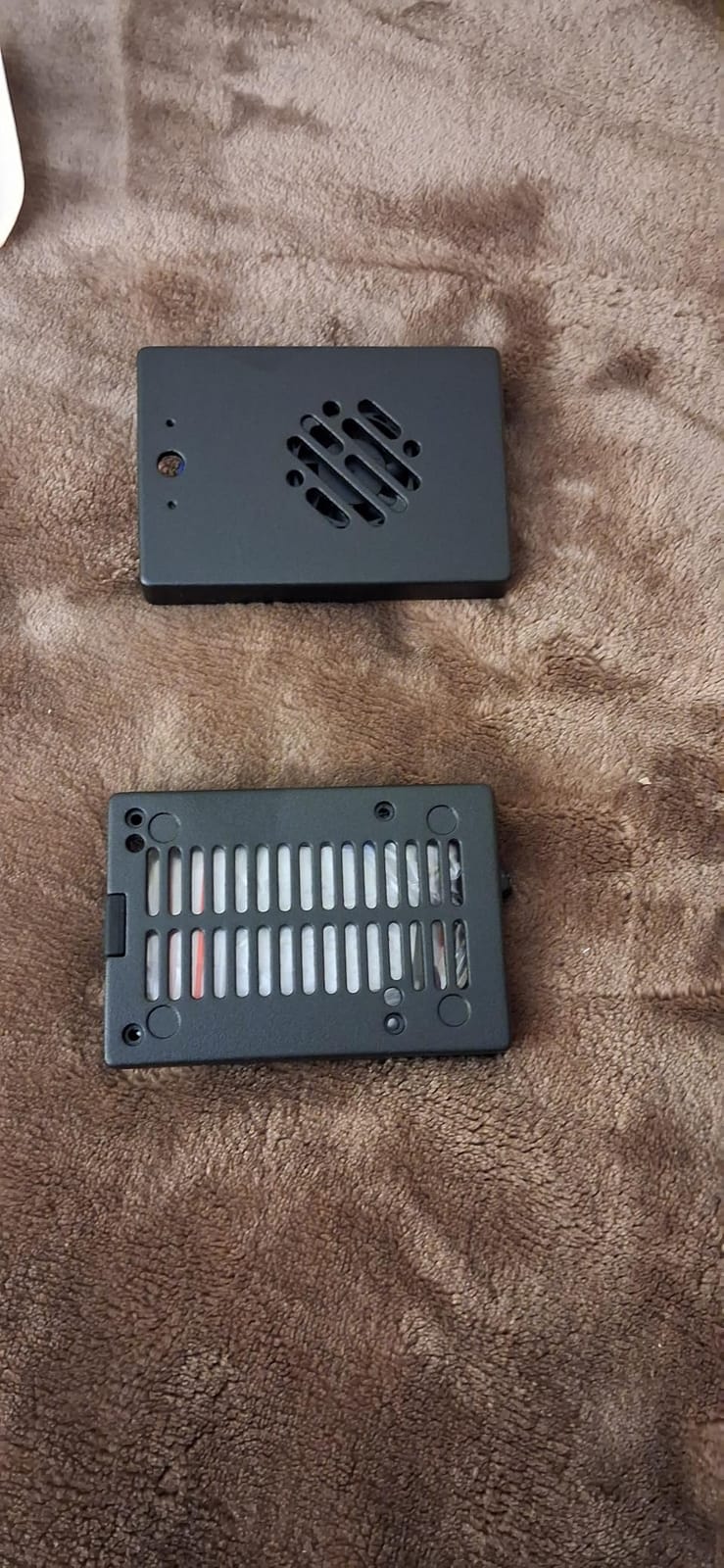
What 128GB of preloaded storage changes
Storage size aside, the preloaded card is the practical win. A 128GB card flashed with Raspberry Pi OS means the kit boots to a working system without a second computer, which removes the single most common reason a beginner gives up on day one.
The capacity itself is generous enough to run a media library, a decent Python environment and background services on one card, which is not something a 32GB card can manage comfortably.
What to add and what to skip
Add heat sinks before you do anything demanding. This is the one omission in an otherwise complete package, and buyers running a home server named it as the thing they had to fix. A silent fan replacement is a cheap upgrade if the included one bothers you.
Skip it if you plan to use HAT boards, since the passive case will not take them. For expansion work, the RasTech Pi 5 case is more accommodating.
10. LAFVIN Basic Starter Kit for Raspberry Pi Pico — Best for Classrooms

LAFVIN Basic Starter Kit for Raspberry Pi Pico, LCD1602 Display, SG90 Servo, WS2812 RGB LED, Support MicroPython & C/C++ for STEM DIY Electronic Project with Tutorial
Pico board included
LCD1602 display
SG90 servo
WS2812 RGB strip
Three programming paths
Pros
- Low cost way to own a Pico board with working example components
- RP2040 platform suits e-learning and embedded instruction
- MicroPython and C/C++ plus Piper Make graphical programming
- Covers display and input and sensing and control categories
Cons
- Much smaller component selection than the 300 to 450 item kits
- Pico cannot run a Linux desktop
- Tutorial is digital only
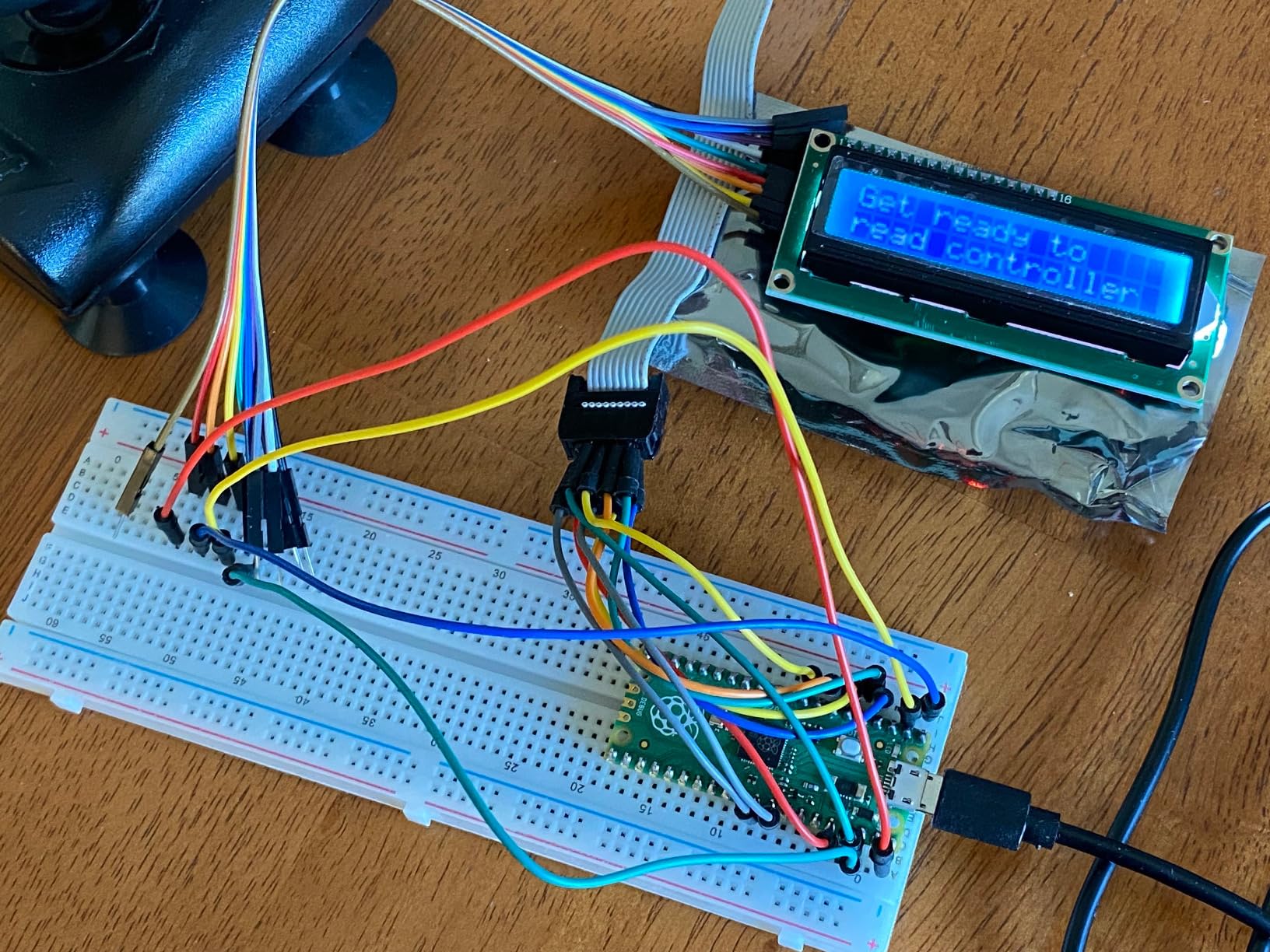
When you need several of these, this is the kit to buy. The LAFVIN bundle includes the RP2040-based Raspberry Pi Pico development board alongside an LCD1602 display, an SG90 servo, a human body sensing module, a WS2812 RGB LED strip, a buzzer and buttons. That is enough hardware to work through a full set of guided STEM exercises without buying a single extra part.
Programming options are the strength here. MicroPython for real code, C and C++ for embedded work, and Piper Make for graphical drag-and-drop programming with younger learners. Buyers rate it highly for classroom and lab use, specifically because the included components are exactly the ones the tutorial exercises need.
The scope is narrower than the big electronics kits by a wide margin, so think of it as a curriculum starter rather than a parts library. If your plan is open-ended tinkering with sensors for months, step up to the SunFounder Pico W bundle instead.
Why teachers keep coming back to this one
The combination of a low total cost, a board that boots in seconds and a display in the box means a class of students can all be running the same exercise at the same time. Nothing needs imaging, nothing needs an operating system, and the Piper Make option lets younger students produce visible results before they can read Python.
It is also forgiving. A student who wires the servo incorrectly resets in seconds rather than troubleshooting a desktop, which makes it a good first platform for a school lab.
Where it stops short
Two limitations are worth stating plainly. The Pico is a microcontroller, so it cannot run a full Linux desktop, a web browser or a media server. And the tutorial is delivered digitally, so following it needs an internet-connected device alongside the board.
At six months of warranty, this is the shortest coverage on the list, which is consistent with a classroom-oriented product where units are expected to be replaced rather than repaired.
What to Look for in a Raspberry Pi Starter Kit
Check these seven things before you buy any bundle. In order of how much they matter: the Raspberry Pi board itself, the power supply, cooling, storage, the case, the display cable and the tutorials.
1. Does it include the board? This is the number one beginner mistake, and the reason three kits in this roundup are labelled as expansion bundles. Read the listing, not the product title. A kit that works with the Pi 5 is not a kit that contains a Pi 5.
2. Is the power supply rated correctly? A Pi 4 wants a 3A USB-C supply, and a Pi 5 wants a 27W 5A USB-C supply for full headroom. Underpowered adapters cause the low-voltage warning, random shutdowns and, in the worst case, corrupted microSD cards. This is not a place to save.
3. Is cooling handled? Passive heat sinks are enough for light desktop use. Anything sustained, including compiling code or running a media server, wants an active fan. Several kits in this roundup ship one, and one notable Pi 5 bundle does not.
4. Is the microSD card included, and how big? A preloaded card means first boot with no extra steps. If you are buying your own, aim for 32GB or more, Class 10, with an A2 rating. The bundled card is also the most common first-week failure point, so consider buying a known brand separately.
5. Does the case leave GPIO access open? Snap-together plastic cases sometimes cover the 40-pin header or block camera mounting holes. If you plan breadboard work, this detail decides whether you have to buy a second case later.
6. Is a usable display cable included? Every Pi since the 3B uses micro-HDMI, and most monitors do not. Kits that include a micro-HDMI to HDMI cable save a trip, and the 4K60p-capable cables bundled here handle dual-output setups.
7. Are tutorials actually included, and are they current? Look for a downloadable document or a video course rather than a thin printed leaflet. Check the date of the sample code, because a tutorial built on removed libraries is the most common source of one-star reviews on otherwise good kits.
Two more things no kit includes: a monitor, and a keyboard and mouse. You need a display with an HDMI input, and if you do not own a spare USB keyboard and mouse, add them to the budget. We wrote about smart home starter kits separately if the Pi is going into a home project rather than a desk.
Does the Kit Include the Raspberry Pi? Check This Before You Buy
Some kits include the board. Some do not. The listing title is not a reliable guide, and assuming the wrong way is how beginners end up with a beautiful box of sensors and nothing to plug them into.
In this roundup, the CanaKit, Vilros, GeeekPi, RasTech and LAFVIN kits all include a Raspberry Pi board. The Freenove Ultimate, the SunFounder Raphael and the SunFounder Da Vinci do not. The SunFounder Pico W kit does, but it includes a Pico microcontroller rather than a single-board computer, which is a different class of device entirely.
Three signals tell you which category a kit falls into. If the title contains the words not included, it is an expansion bundle. If the product description lists a specific board model with RAM alongside the accessories, the board is in the box. And if the item count is in the hundreds, you are looking at a components package rather than a computer.
When a kit omits the board, the real total cost includes the board, a case, a power supply and a microSD card on top of the headline figure. That is the number to plan a budget around, and it is why we do not rank the Freenove or SunFounder bundles as beginner entry points despite their excellent value per component.
Pi 5 vs Pi 4 vs Zero 2 W vs Pico W: Which Board Should a Beginner Buy?
Buy a Pi 5 if you intend to run local AI models, compile code regularly, or keep the machine busy for years. Buy a Pi 4 if you want a first general-purpose computer and want the best balance of capability and cost. Buy a Zero 2 W only for a very tight budget or a tiny headless project. Buy a Pico W if you want to learn electronics, not Linux.
Pi 5: a 64-bit quad-core Arm Cortex-A76 at 2.4GHz with an 800MHz VideoCore VII GPU, dual 4Kp60 output and M.2 NVMe support. It is roughly two to three times the CPU performance of a Pi 4. A Pi 5 needs a 27W USB-C supply and active cooling for sustained work. Reach for it when you know you need the headroom.
Pi 4: a Broadcom BCM2711 quad-core Cortex-A72 at 1.5GHz with 4GB of RAM, dual micro-HDMI and Gigabit Ethernet. It runs a full desktop comfortably, handles a media centre, and is the sweet spot for most first boards. The kits above cover it well.
Pi Zero 2 W: the same RP2040-based design as the Pico, running a stripped-back Linux. It is tiny, cheap and low-powered, which makes it excellent for a headless web server, a camera or an IoT sensor node. It is a poor choice for a first computer, because there is only one USB port and no room for a case or cooling.
Pico W: a microcontroller with 802.11n Wi-Fi and Bluetooth, not a Linux machine. It runs one program at a time, boots in seconds and teaches MicroPython or C. If your interest is blinking LEDs, servos and sensors, this is the right board, and the SunFounder Pico W and LAFVIN kits include it.
Long-time owners in the Raspberry Pi community consistently steer beginners toward a Pi 5, or at minimum a Pi 4, and suggest the Zero 2 W only for very tight budgets. Our view matches: a first board should be something you can grow into rather than something you will replace in a month.
Are Raspberry Pi Starter Kits Actually Worth It?
Yes, for most beginners, because a kit costs modestly more than the same parts bought separately and removes the first-day failure points. The premium is real but small, and the time saving is larger than the money saving.
Think about what sourcing it yourself actually involves: a board, a correctly rated power supply, a reputable microSD card, a case, cooling, an HDMI adapter and a card reader. That is seven decisions before you can switch the thing on, and each one has a failure mode. Undervoltage warnings from a weak charger, a card that fills up in a week, a case that hides the GPIO header, a cooling fan you forgot and discover on a warm afternoon.
Forum experience supports this. People who assembled their own parts piece by piece often report regretting not starting with a bundle, while kit buyers rarely report regretting overpaying by a modest amount. The savings from buying components individually rarely justify the extra weekend.
The honest counterargument comes from the programming side. If you only want to learn Python and never intend to touch a GPIO pin, a free online course environment teaches the same skills with less hardware and no risk of a dead board. Buy a Pi because you want to control physical things, not because you want a small computer.
There is one more consideration. Kits bought from the brand’s own storefront or an authorised reseller carry a warranty that makes defective parts easy to replace. Several brands in this roundup replaced failed cards and faulty power supplies quickly, which is a service you lose on a generic marketplace listing.
Cooling, microSD Cards and the Peripherals No Kit Includes
Three practical details cause more first-week frustration than the hardware itself. Cooling, storage, and the fact that no kit in this roundup includes a monitor, keyboard or mouse.
Cooling. Heat sinks handle light desktop work. An active fan is needed for anything sustained, and a Pi 5 essentially requires one. Watch the fan type: cheap case fans mounted directly on the 5V rail are audible in a quiet room, and a PWM fan on a proper header is much quieter. Several bundles in this roundup include a fan, one Pi 5 kit omits heat sinks, and one bundle pairs a good fan with a case that blocks expansion.
microSD cards. Aim for 32GB or more, Class 10, with an A2 rating for random read and write performance. The bundled card is the most common first-week failure point, and reviewers across multiple listings report bundled cards locking read-only. Endurance-rated cards are worth the small extra cost if the machine will be running unattended.
Peripherals. You need a display with an HDMI input, a micro-HDMI to HDMI cable if the display lacks a micro port, and a keyboard and mouse. A Pi 5 has two micro-HDMI ports and supports dual 4K60p output, so a second cheap monitor is a legitimate way to use the hardware.
One compatibility warning applies to upgrades. Pi 4 cases do not fit Pi 5 boards, and the port layout changed, so buy the case for the board you actually have rather than planning to move up later. Buying a Pi with a case that takes HAT boards is more future-proof than buying one without, as the Vilros MAX buyers discovered the hard way.
Finally, headless setup is a legitimate option. If you have no spare monitor, you can write the operating system to a card from another computer and connect over wireless, then use a phone or tablet as a display. That path suits people building a server rather than a desktop, and it removes the biggest cost in a first build.
Your First 3 Days: 5 Beginner Projects You Can Finish This Week
Here is a plan that works with any complete kit in the first half of this list. Nothing here needs soldering, and every step produces a visible result.
Day 1, roughly 30 minutes: boot it. Connect the power supply, the HDMI cable, a keyboard and a mouse, insert the preloaded card if your kit has one, and power on. If the card needs imaging, use Raspberry Pi Imager on another computer, write Raspberry Pi OS, and boot. If your kit omits the card, buy a 32GB Class 10 A2 card first.
Day 2, roughly one hour: learn the desktop. Open the settings panel, connect to your wireless network, update the system, and enable the 40-pin GPIO interface. Then open a terminal and run a version command. This single sequence teaches you the two things every Pi project needs: how the system updates, and where commands are typed.
Day 3, roughly one hour: blink an LED. Follow a GPIO tutorial using a breadboard, a resistor and an LED from an electronics bundle. This is the project that separates a computer from a single-board computer, and it is the moment most beginners decide they want one.
Week one, two hours: a sensor reading. Add a temperature, light or motion sensor and print readings to the screen. Prompts from an electronics kit make this straightforward. The LAFVIN and Pico W bundles include sensors for exactly this step.
Week one, two hours: your first real project. Pick one from the list below that matches the kit you bought, and give yourself a weekend. The tutorials in the Freenove, Raphael and Pico W kits supply the parts and the code for this step, which is why they pair well with a beginner.
Five projects we would pair with these kits: a weather station posting readings to a dashboard, a retro gaming console running RetroPie, a Kodi media centre on a spare screen, a home assistant hub with relays and sensors, and a line-following or obstacle-avoiding robot. The last two need the electronics bundles, the middle two suit a complete Pi 4 or Pi 5 kit, and the first is comfortable on anything.
If you are building toward a smart home rather than a learning project, our smart lighting starter kit guide covers the sensor side, and how a Pi compares to other small computing platforms is worth reading if you are choosing hardware for a display rather than a project.
Frequently Asked Questions
What Raspberry Pi should I buy as a beginner?
Most beginners should buy a Pi 4 with 4GB of RAM in a complete kit. It runs a full desktop, handles a media centre and supports GPIO projects, at a fraction of Pi 5 cost. Buy a Pi 5 instead if you plan to run local AI models or compile code regularly. Buy a Pico W only if you want to learn electronics rather than Linux.
Do Raspberry Pi starter kits include the Pi board itself?
Some do and some do not. The CanaKit, Vilros, GeeekPi and RasTech bundles in this roundup include the board, while the Freenove Ultimate, SunFounder Raphael and SunFounder Da Vinci do not. Read the product description, not the title, and look for the words not included. If the board is missing, add it plus a case, power supply and microSD card to your budget.
Are Raspberry Pi starter kits worth it?
For most beginners, yes. A kit costs modestly more than sourcing the same parts separately and removes the first-day failure points, including underpowered chargers, missing cooling, a card that is too small and a case that hides the GPIO header. The exception is learners who only want to practise programming and never intend to control physical hardware, who can learn the same skills without buying a board.
What comes in a Raspberry Pi starter kit?
A complete kit typically contains the Pi board, a correctly rated USB-C power supply, a preloaded microSD card, a case, cooling, a micro-HDMI to HDMI cable and a quick-start guide. Electronics bundles add a breadboard, jumper wires, sensors, motors and displays instead of a case. No kit includes a monitor, keyboard or mouse, and several omit the board entirely.
What are good beginner Raspberry Pi projects?
Start with an LED blink on a breadboard, then a sensor reading, then a project with visible output. From there, good next builds are a weather station posting readings online, a retro gaming console running RetroPie, a Kodi media centre, a home automation hub with relays, and a line-following robot. The Freenove, SunFounder and Pico W kits include the parts for all of these.
Do I need a case and a fan for my Raspberry Pi?
You do not need a case to function, but you should use one. A bare board sits on a flat surface that blocks airflow underneath the chips. Heat sinks handle light desktop use, while an active fan is needed for sustained work such as compiling code, running a media server or driving displays, and a Pi 5 essentially always needs one. Choose a case that leaves the GPIO header accessible.
How much RAM do I need and what size microSD card?
4GB of RAM is the right amount for a first board, covering a desktop, a browser and development tools comfortably. 8GB is worth it for containers, a media server or local language models. For storage, choose at least 32GB, Class 10 with an A2 rating. The bundled card in a kit is often the first thing to fail, so consider buying a reputable card separately.
Which Raspberry Pi Starter Kit Should You Buy?
If you take one recommendation from this guide, take this: the CanaKit Raspberry Pi 4 4GB Starter PRO Kit is the best raspberry pi starter kit for beginners in 2026. It includes the board, a preloaded card, a correctly rated power supply, a case with a fan, and the display cable, and it goes from box to working desktop without a second computer. Thousands of buyers have done exactly that.
Buy the Vilros Basic Starter Kit instead if you want a case that leaves the GPIO header and camera mounts accessible, and you are willing to add a microSD card yourself. Buy the RasTech or Vilros Pi 5 bundles if you have decided you want the current board and the headroom that comes with 8GB of RAM.
If your interest is electronics rather than computing, the SunFounder Pico W Ultimate Kit is the strongest starting point because the board is included, the video course is well structured, and the component count supports a long series of real projects. The Freenove Ultimate is the best value per component, and the SunFounder Raphael is the best gift for a child, provided you buy the Raspberry Pi board separately.
One last check before you buy anything: confirm whether the board is in the box, buy a reputable microSD card if one is not included, and remember that you still need a display, a keyboard and a mouse. Miss those three items and the best raspberry pi starter kits for beginners all look equally incomplete on day one.
We keep this roundup updated as new board revisions and kit bundles appear, so bookmark it before your first build.