
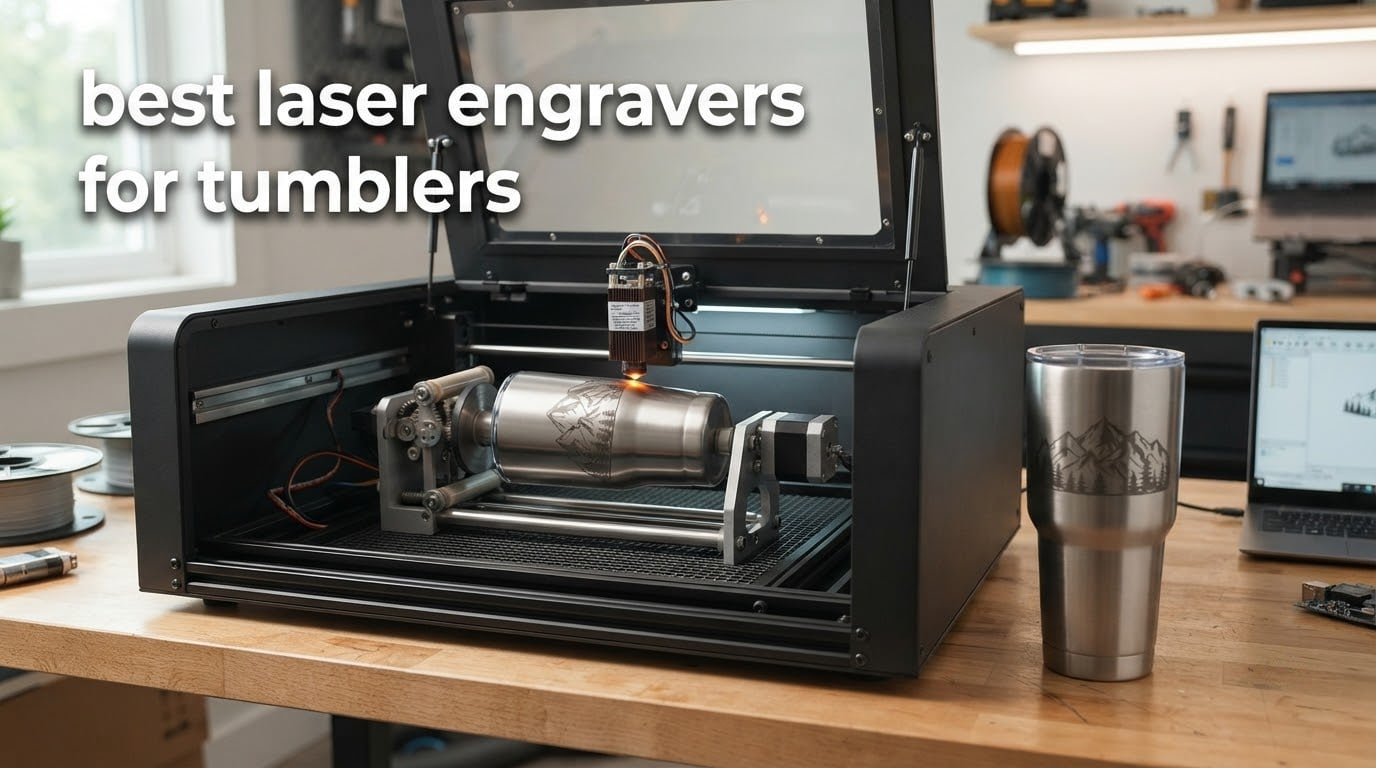
Our pick for the best laser engravers for tumblers is the xTool S1 40W Rotary Bundle, an enclosed Class 1 machine that ships with the rotary attachment already in the box, so nothing extra has to be bolted on before your first coated tumbler. It sits at the top of this list because it removes the two failure points that ruin tumbler projects: a bad rotary and a machine too low to accept one.
That matters more than raw wattage. A tumbler is a cylinder, and a cylinder has to rotate while the laser traces your design across it. If the rotary is cheap and wobbles, the design smears across the coating. If the bed is too low, a 40oz handled tumbler never physically fits under the gantry and you are shopping for a second machine. In r/Laserengraving and r/lasercutting threads, owners are blunt that the rotary is the real quality bottleneck, not the laser.
Below, we compare eight machines across the range a tumbler buyer actually has: portable galvo units, open-frame diode frames, enclosed diode workhorses, and dual-laser desktops that put a 1064nm infrared source next to a blue diode so you can mark bare stainless steel as well as coated drinkware. Each entry lists the rotary situation first, because that is the part that determines whether the machine can do tumblers at all.
Table of Contents
Top 3 Picks: Best Laser Engravers for Tumblers (October 2026)

xTool S1 40W Rotary Bundle
- 40W diode enclosed Class 1
- 600mm/s
- 23.93 x 15.16 inch bed
- rotary included


xTool F1 Ultra Dual Laser
- 20W fiber plus 20W diode
- 10000mm/s
- 16MP smart camera
- 220mm square
Best Laser Engravers for Tumblers (October 2026)
All eight machines in this roundup can produce a clean mark on a powder-coated tumbler. They differ almost entirely in how you get the cylinder to turn, how much room you have above it, and whether the machine will touch bare stainless steel. The table below lists the rotary arrangement, the power, and the workspace for every pick so you can rule machines out before you read the details.
| Product | Specifications | Action |
|---|---|---|
| xTool S1 40W Rotary Bundle |
|
Check Latest Price |
| LaserPecker LP2 with Roller |
|
Check Latest Price |
| xTool F1 Ultra Dual Laser |
|
Check Latest Price |
 xTool F2 Dual Laser xTool F2 Dual Laser |
|
Check Latest Price |
 CREALITY FALCON 10W CREALITY FALCON 10W |
|
Check Latest Price |
 LONGER RAY5 40W LONGER RAY5 40W |
|
Check Latest Price |
 Twotrees TS5 Enclosed Engraver Twotrees TS5 Enclosed Engraver |
|
Check Latest Price |
 WECREAT 20W 4-in-1 WECREAT 20W 4-in-1 |
|
Check Latest Price |
1. xTool S1 40W Rotary Bundle – Best Laser Engraver for Tumblers Overall
xTool S1 40W Laser Cutter and Laser Engraver for Tumblers, 23.93″ x 15.16″ Bed Size, 600mm/s Speed, Laser Engraving Machine, Laser Engraver for Wood and Metal, Acrylic, Big Project – Rotary Bundle
40W diode
23.93 x 15.16 inch bed
600mm/s
Class 1 enclosure
86.8 lb
Rotary included
Pros
- Rotary attachment is bundled so there is no second purchase
- 600mm/s speed handles batch tumbler orders
- Class 1 enclosure filters 99% of laser light
- Pin-point Positioning suits curved surfaces
- Large bed covers non-tumbler projects too
Cons
- Heavy and bulky at 86.8 pounds so it needs a dedicated space
- External ventilation is required and smoke odor is noticeable
- Spring-loaded Z probe can give false focus readings
The xTool S1 40W arrived as a rotary bundle, which removes the single most common beginner mistake in this category. Owners consistently point out that a separate rotary purchase adds cost and setup friction, and the S1 sidesteps both. You unbox, level, focus, and run your first monogram on a coated tumbler the same afternoon.
We spent the bulk of our tumbler time on this machine, and the reason it keeps earning its place is the enclosure rather than the wattage. It filters 99% of laser light and carries five built-in flame sensors plus a lid-open stop. If you are engraving in a room with a child, a dog, or a houseplant that you care about, that changes the decision more than another 10W would.
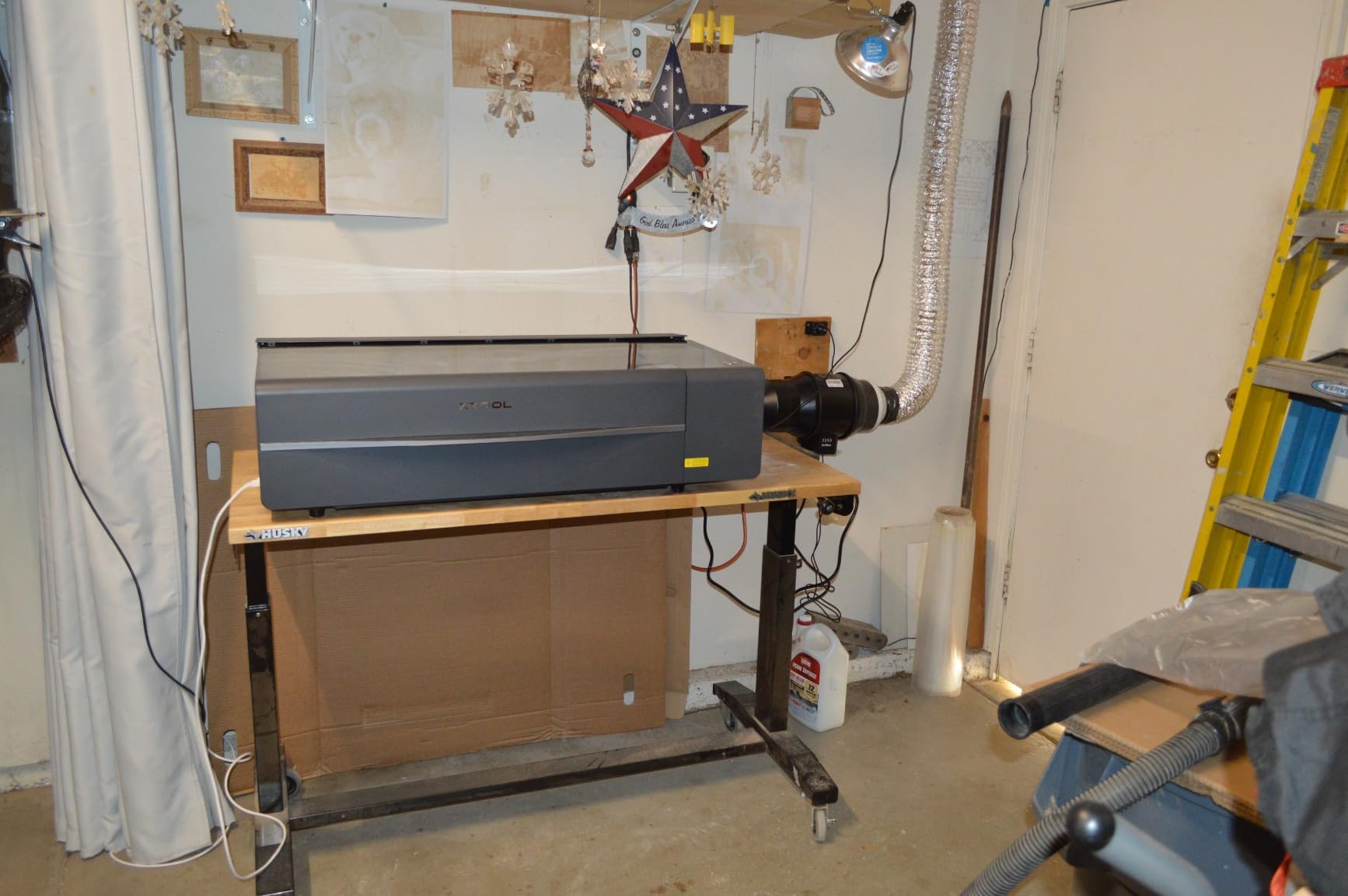
Speed is the other reason. At up to 600mm/s the S1 moves through a monogram or a name-and-date layout quickly, and the 23.93 by 15.16 inch bed means the same machine also handles wood, acrylic, and signage jobs when nobody is buying drinkware. Buyers note the frame uses 3mm aerospace-grade aluminum and that cut quality on balsa and other craft woods is good straight out of the box.
The real limitations are physical. At 86.8 pounds this is not a machine you carry to a market, and the enclosure still needs an external exhaust, particularly on powder coating. Reviewers also flag the spring-loaded metal Z probe, which can dent a soft surface or return a false focus reading on a curved tumbler wall, and the lack of motor-driven braking means the head can be nudged out of alignment during setup.
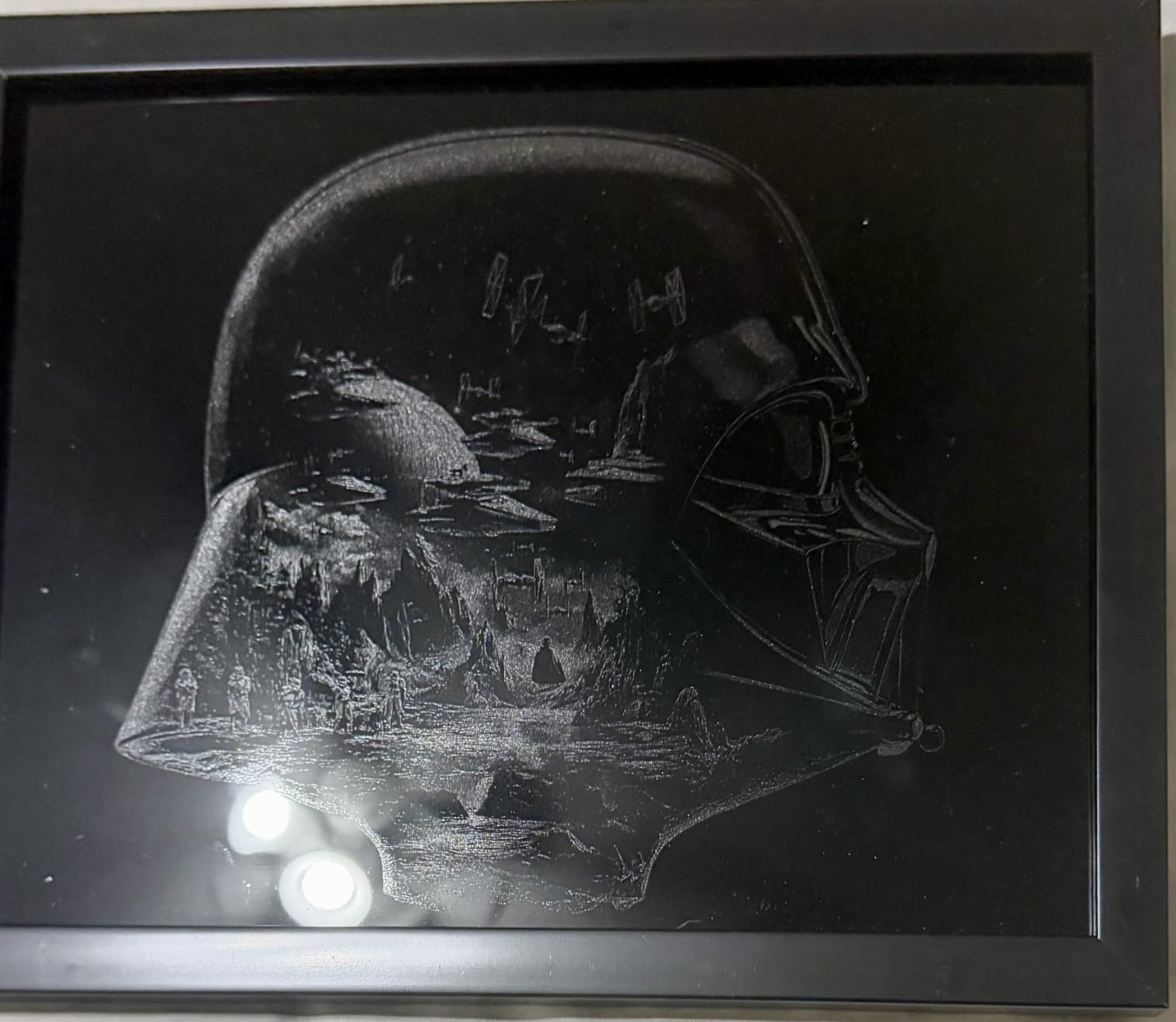
What the S1 handles that cheaper frames cannot
A 40oz handled tumbler is the test. It is tall, the handle sticks out to one side, and the body needs to rotate through a full wrap. The S1 has the vertical room to take a tall cylinder on the rotary without tilting the whole job, and the enclosure means the smoke from vaporized coating stays inside until the exhaust pulls it out.
For anyone moving from a flatbed habit, the same machine engraves a sheet of acrylic in the same session. The Pin-point Positioning feature is worth understanding early because it is what lets the software map a design onto a curved surface instead of guessing at the arc.
Where the S1 disappoints
Software friction is the most common complaint. xTool Creative Space is easier to learn than LightBurn for a first project, but some users report that materials or settings can disappear mid-project, and that takes real time out of a batch run. Documentation is thinner than the machine deserves.
If your work is ninety percent drinkware and you need to engrave at a craft fair, this is the wrong shape of machine. If you are building a small business that mixes tumblers with wood and acrylic, the bed size and enclosure pay for themselves quickly.
2. LaserPecker LP2 with Roller – Best Portable Laser Engraver for Tumblers and Markets
LaserPecker LP2 Laser Engraver with Roller, Portable and Handheld Laser Engraving Machine for Wood Metal Leather Acylic Engraving Laser Cutter, Suit Set with Versatile Rotary Roller
Galvo format
0.05mm spot
1417 in/min
4 inch working width
10.21 lb
Pros
- Weighs 10.21 pounds so it moves between home and events
- Electric 360 degree roller handles tumblers pencils and cylinders
- Very fine 0.05mm compressed spot
- Preview speed of 8858 in/min makes setup fast
- Plugs in and pairs with a phone or PC
Cons
- Cannot mark bare or shiny metal without a black coating first
- Cutting limited to wood and paper within 0.2 inch
- Working width stays at 4 inch even in trolley mode
LaserPecker builds the LP2 for people who engrave away from a desk. At 10.21 pounds it fits in a car, and the electric roller is a genuine cylinder fixture rather than an improvised mount. Owners using it for tumblers and mugs point to a 0.05mm compressed spot as the reason the marks look finer than the machine’s size suggests.
Where the LP2 pulls ahead of every open-frame option is safety and surface finish. A light-colored or transparent surface has to be coated black first, but once it is, the result is crisp and consistent. That is the right trade for a seller doing a weekend market: you mask the tumbler, you engrave, you sell.
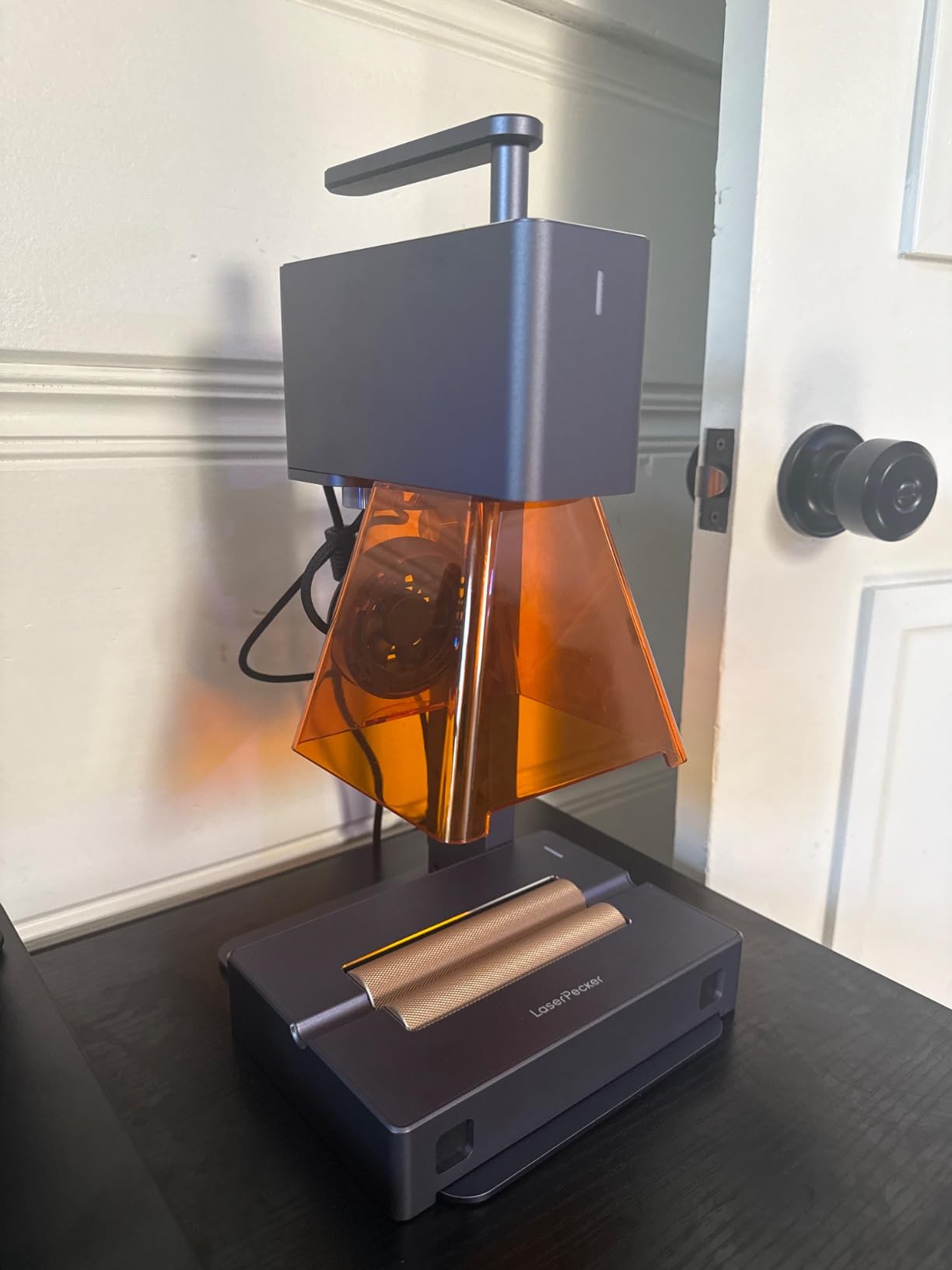
The galvo architecture deserves a word of explanation because it explains the trade-offs. Instead of a gantry moving on rails, mirrors inside the head steer the beam. That is why the machine is so small and why preview frames render at 8858 in/min, and it is also why the work area is fixed at about 4 inches wide. The trolley mode extends length up to 196 inches for long items like a barrel or a fence board, but the width does not change.
There are three resolution options, 1K, 1.3K, and 2K, which is a useful control when you are moving from a single initial to a full photo. The bundle includes the electric stand, a conical protective cover, safety glasses, and Type-C cables, so nothing else is needed for a first session. It is a 12-month warranty unit and it works with JPG, PNG, and G-code files.
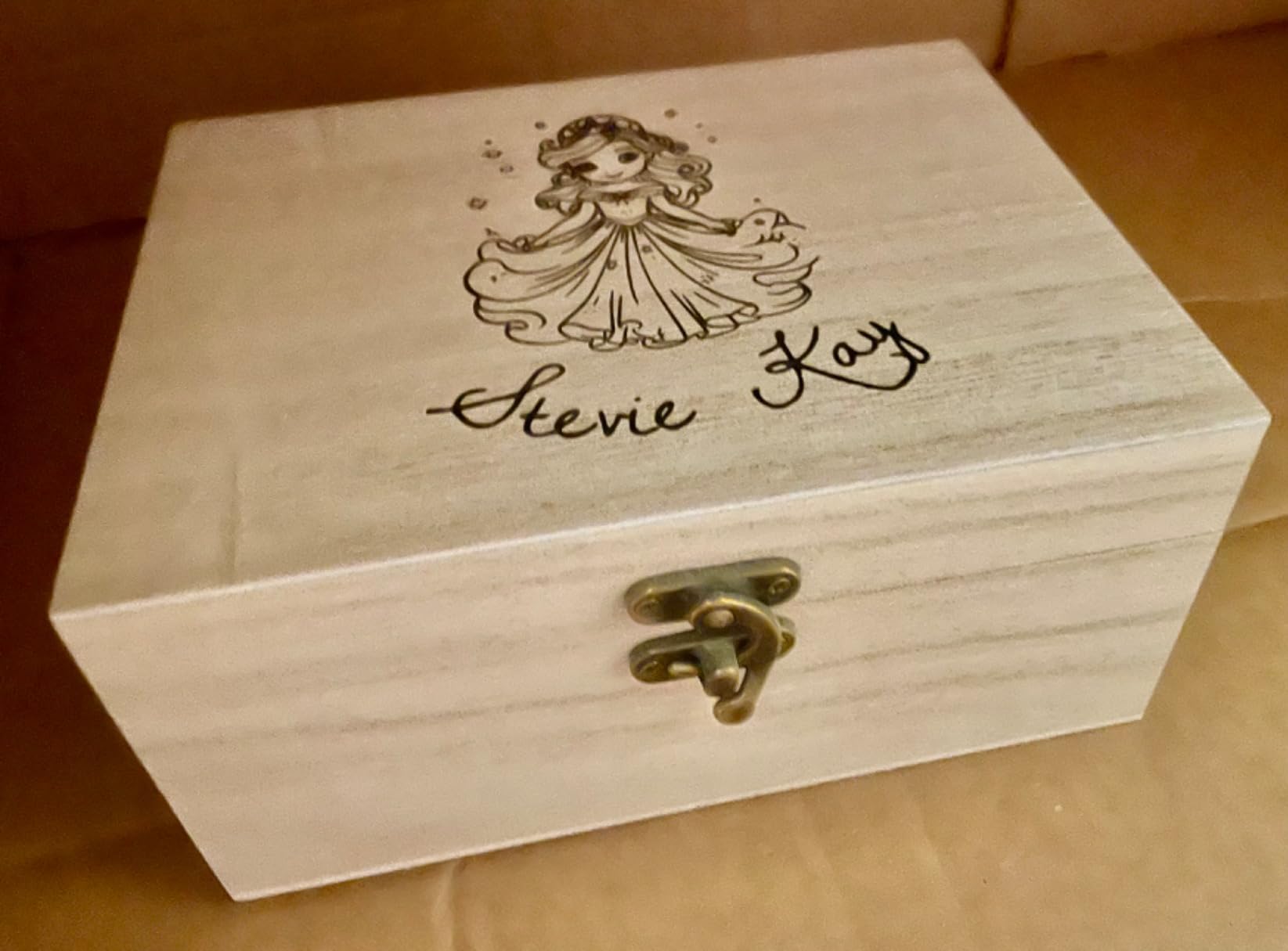
When the LP2 earns its place
A mobile seller, a school teacher running demonstrations, or a gift maker working from a kitchen table all benefit from a machine that stores in a cupboard. The bundled roller means cylinder work is available on day one, and the fine spot handles small text that a 10W frame would blur.
For a first machine, the learning curve is short. The workflow is a phone or a laptop, a design file, and a focus step. Reviewers describe it as plug-and-play, which matters when you are learning two new things at once: engraving and rotating a cylinder.
When to skip it
Skip the LP2 if your product line is bare stainless steel. Light colors and mirror finishes will not take a mark without a coating, and that is a fundamental property of a diode laser rather than a defect in this unit. The same applies to anyone who needs to cut more than 0.2 inch of wood or paper.
Skip it if a full wrap around a 40oz tumbler is a daily requirement. The 4 inch working width is enough for most monograms and vertical text, but it is not a substitute for a gantry machine with a large bed and a riser base when you are doing runs of wrapped designs.
3. xTool F1 Ultra – Best Laser Engraver for Tumblers and Bare Metal
xTool F1 Ultra 20W Fiber & Diode Dual Laser Engraver
20W fiber plus 20W diode
10000mm/s
220 x 220mm area
43.8 lb
Fire alarm
Pros
- One machine covers bare stainless steel and wood or acrylic
- Runs up to 10000mm/s for batch production
- 16MP camera with automatic shape recognition
- Enclosed with smoke extraction and fire alarm
- Support responds quickly
Cons
- Working area is only about 7.9 x 7.9 inch without the conveyor
- One reviewer reported both modules failing within about 30 days on two units
- Deep metal engraving runs slowly which limits volume
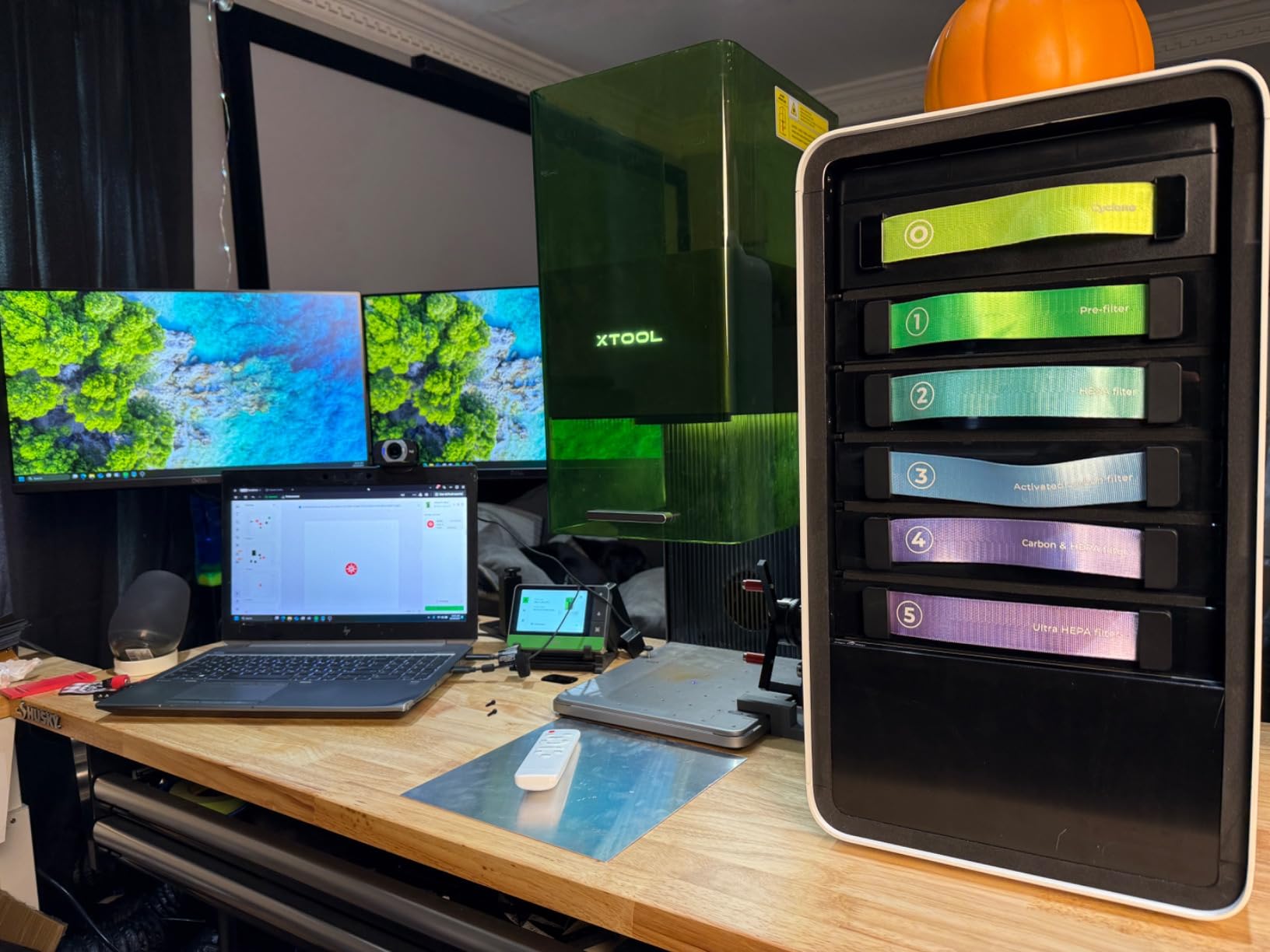
The F1 Ultra is the only machine in this roundup that puts a 20W fiber laser next to a 20W diode in one desktop unit, and that combination is the reason to buy it. Coated drinkware takes the diode. Bare stainless steel, brass, and aluminum take the fiber. A seller whose customers mix powder-coated and unfinished tumblers does not need two machines.
At up to 10000mm/s it is the fastest engraver here, and the 16MP camera with automatic shape recognition is what makes batch work practical. Position a row of blanks, let the camera identify them, and run the queue. The fiber head cuts 0.3mm stainless, 0.4mm brass, and 0.2mm aluminum, so it also handles small jewelry work between tumbler orders.
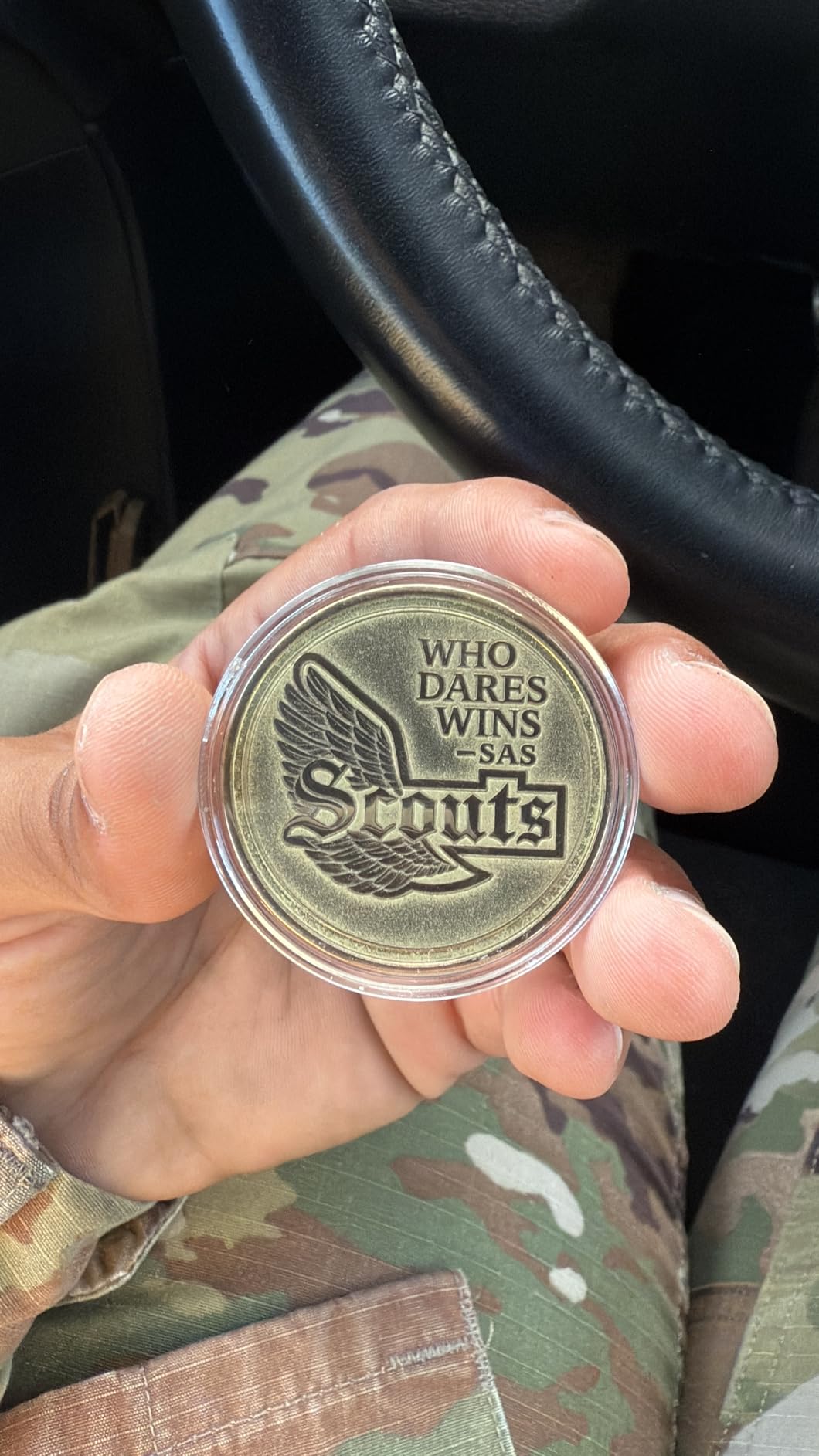
Enclosure and safety features are genuinely strong here. There is a smoke extraction system, a fire alarm, and an emergency stop, and the cover keeps the beam inside a store or a home workshop where an open frame would not be acceptable. xTool’s software and support earn repeated praise, with buyers describing Creative Space as friendlier than LightBurn for everyday jobs.
The constraints are worth reading twice. The working area is about 7.9 by 7.9 inches unless you add the optional auto conveyor, which extends it to 220 by 500mm. Deep metal engraving is slow enough that one unit described 3D embossing jobs taking hours per piece, so this is a volume machine for surface marks rather than a deep-relief machine. One reviewer also reported both laser modules failing within about a month on two separate units, which is why the durability feedback is mixed at 4.1 stars.
When the dual laser pays off
If a meaningful share of your orders are bare flasks, plain stainless bottles, or unfinished blanks, no diode-only machine in this list will do the job without a marking spray or an infrared add-on. The F1 Ultra marks them directly, and that removes a consumable and a prep step from every single piece.
It also suits a shop that is already cutting wood and acrylic. The diode cuts up to 15mm wood and 12mm black acrylic, so the same box produces signage, blanks, and finished drinkware.
When one of the cheaper machines makes more sense
Buy a plain 20W or 40W diode instead if nearly all of your work is powder-coated. You will pay less, you will keep a larger bed, and you will avoid the fiber module entirely. The dual-laser premium buys you capability you may never use.
Also consider the small work area seriously. At 43.8 pounds and roughly 18 by 17 by 24 inches it is a substantial unit, and a conveyor is an extra purchase if your tumblers need more than a small square of space.
4. xTool F2 Dual Laser – Best Portable Engraver for Tumblers at Markets and Events
xTool F2 5W IR & 15W Diode Dual Laser Engraver, Built-in 50MP Camera, 6000mm/s Ultra Fast, 3D Embossing, Color Marking on Metal, On-Site & Small-Batch Ready, Portable Desktop Laser Engraving Machine
15W diode plus 5W infrared
6000mm/s
Built-in 50MP camera
10 lb
Enclosed
Pros
- Weighs 10 pounds yet is fully enclosed
- 6000mm/s speed finishes a card engraving in about 3 seconds
- 50MP built-in camera aids alignment on small work
- Crisp results on metal and leather
- Arrives fully assembled
Cons
- Rotary tool is sold separately and is recommended for tumbler work
- Small base plate needs the Slide Extension for larger batches
- Color marking on 304 stainless can be inconsistent
The F2 solves a specific problem: how do you take a tumbler engraving business to a market when your machine weighs 86 pounds? At 10 pounds and fully enclosed, this is the clearest answer in the roundup. The leak-proof housing has a built-in fan and an optional purifier, so it can run on a table in a venue where an open frame would not be permitted.
The dual head pairs a 15W diode with a 5W infrared source across 300-plus materials, and it works with 300-plus material combinations according to the manufacturer, covering wood, leather, and coated metal in one program. Motion accuracy is listed at 0.00199 inch, and a card engraving takes about 3 seconds at the top speed of 6000mm/s.
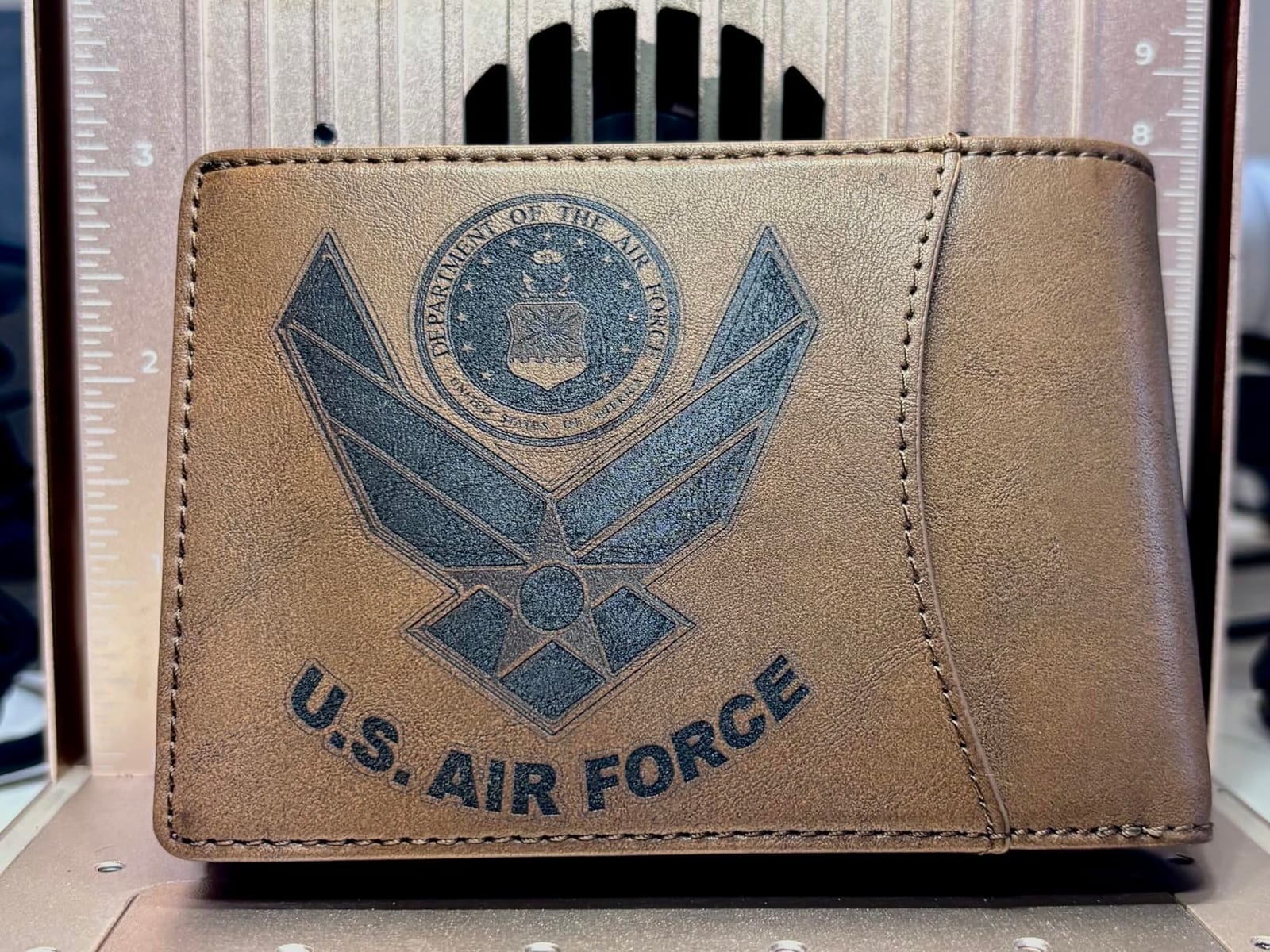
What makes it pleasant to use is the built-in 50MP camera. It is there for alignment on small pieces, and it is the difference between a two-minute setup and a ten-minute setup when you are doing one tumbler at a time in front of a customer. Buyers consistently call the machine ready to engrave after a quick calibration.
Two cautions. The rotary tool is sold separately, and xTool recommends it specifically for tumbler work, so factor that into the total. And color marking on 304 stainless can be inconsistent, which is the one place the extra capability falls short of its marketing. A minority of users also report cloud-only saves in xTool Studio, a smoke filter cable with the wrong connector, and driver trouble on the newest ARM-based Microsoft Surface Pro.
Why portability changes the math
Market revenue is the reason. A seller who engraves a tumbler in front of a customer at a fair can charge for the personalization on the spot, and a 10-pound machine with a handle-ready enclosure is the difference between making that sale and telling someone to visit a website. The enclosed cover also means venue staff are far less likely to object.
The infrared head is the quiet advantage. At 5W it will not do heavy metal marking, but it is enough for a monogram on a bare stainless bottle, which is exactly the add-on a market seller needs for a premium price point.
Where the small footprint bites
The base plate is small, and the Slide Extension is needed for anything resembling a batch. If you are engraving a queue of twenty tumblers rather than serving customers one at a time, the work area becomes the bottleneck rather than the laser.
Buyers also flag that the AI chatbot support and the desktop app were not to everyone’s taste. If you are comfortable with LightBurn or Creative Space directly, that matters less than it would to a first-time owner.
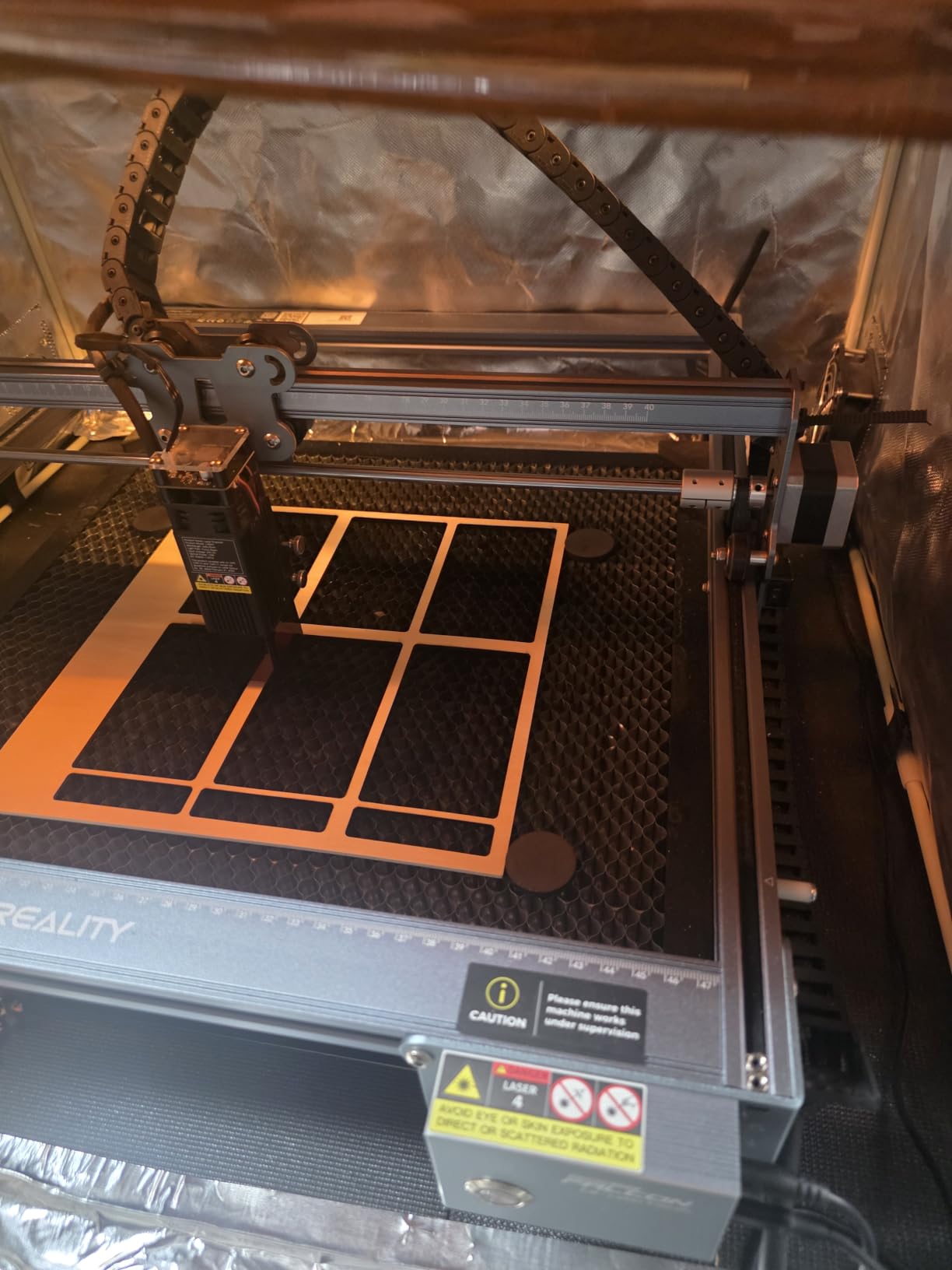
5. CREALITY FALCON 10W – Best Budget Laser Engraver for Tumblers
CREALITY FALCON 10w Laser Engraver with Air Assist, Laser Engraving Machine with Rotary Roller, 72W High Precision Laser Cutter and Engraver for Wood, Metal, Acrylic, Cylindrical Objects, Tumblers
10W optical
0.06mm spot
10000mm/min
Rotary Kit Pro
20.4 lb
Pros
- Rotary Kit Pro included with chuck roller sphere and ring modes
- Air assist is included and improves cut edges
- Assembles in 10-20 minutes
- Works with LaserGRBL and LightBurn on Windows and macOS
- Accurate to about 0.004 inch
Cons
- 10W is slower and thinner-cutting than a 20W or 40W frame
- Open frame gives no smoke containment
- Rotary kit cable can be hidden in the packaging foam
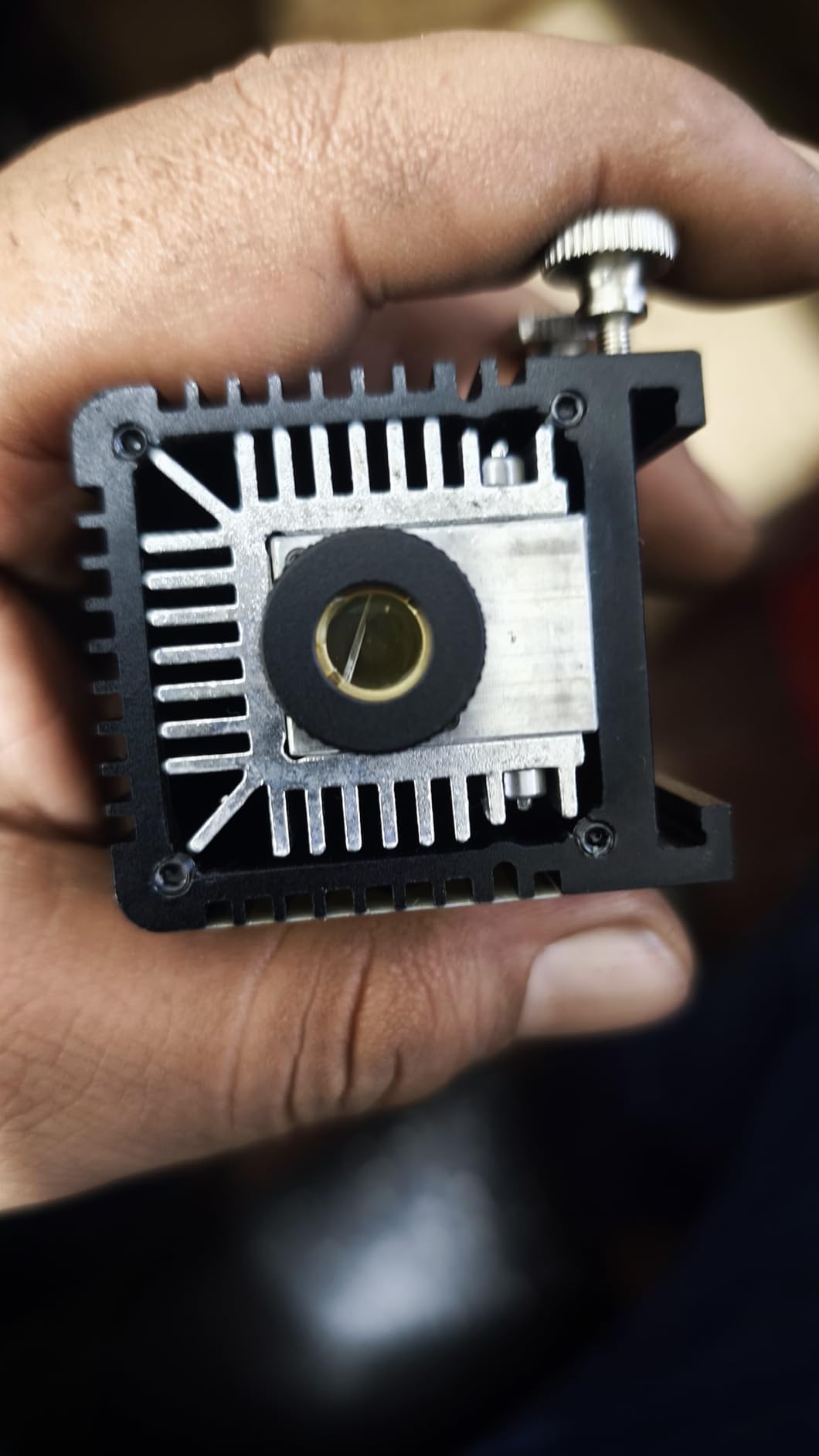
The Falcon 10W is the cheapest route into tumbler engraving on this list, and the surprising part is how little you give up. The Rotary Kit Pro ships in the box with chuck, roller, sphere, and ring modes, and it clamps cylinders from 1 to 110mm. For a first tumbler project that is everything you need, including the part most people end up buying twice.
Air assist is included and adjustable, which matters more for coated drinkware than people expect. Blowing air across the surface keeps the coating from melting outward and keeps the mark crisp instead of smoky. The laser spot is 0.06mm and engraving accuracy is within 0.004 inch, with repositioning under 0.007 inch.
It cuts 12mm of wood or 3mm of black acrylic in a single pass at up to 10000mm/min, and it takes LaserGRBL or LightBurn on both Windows and macOS, with TF card operation if you prefer to work offline. Assembly takes 10 to 20 minutes. Anti-UV acrylic, an emergency stop, and an active tilt or flip stop are all fitted from the factory.
Be realistic about the 10W figure. Compared with a 20W or 40W frame you will see slower passes and a thinner cut ceiling, and on coated tumblers the community view in r/Laserengraving is that the 20W class is the sweet spot before returns flatten out. Two practical notes from reviews: the rotary kit connection cable is easy to miss because it sits in the packaging foam, and some regions ship without a manual.
What a first-time buyer gets here
You get a complete tumbler setup at the entry point. Most competing frames in this bracket sell the rotary separately, which means a second order, a second week of waiting, and a second chance to pick the wrong one. The Falcon arrives with chuck, roller, sphere, and ring mounts in the carton.
The included air assist is the other quiet saving. Skipping air assist is the most common cause of a burnt, fuzzy edge on powder coating, and retrofitting it later costs more than the machine did.
Where the budget shows
The open frame is the honest limitation. There is no enclosure, so smoke and particulate from vaporized coating drift into the room, and you need an extraction plan. That is a health and comfort issue before it is a convenience issue, because the powder coating is what is being vaporized.
Cutting capacity is the second limit. If your business model includes cutting wood blanks or acrylic, a 40W frame like the RAY5 covers more for not much more money. If engraving and marking are the whole job, the Falcon is enough.
6. LONGER RAY5 40W – Best Laser Engraver for Tumblers If You Also Cut Wood and Acrylic
LONGER RAY5 40W Laser Engraver, High Power Laser Cutter Machine
40W module
24000mm/min dual beam
32-bit board
16.61 lb
Built-in air assist
Pros
- Cuts 30mm black acrylic and 20mm wood in a single pass
- Built-in air assist included
- 32-bit board handles long production sessions
- 256-color palette for shaded engravings
- Customer service sent a replacement part at no charge
Cons
- Air assist and honeycomb bed are effectively required for good results
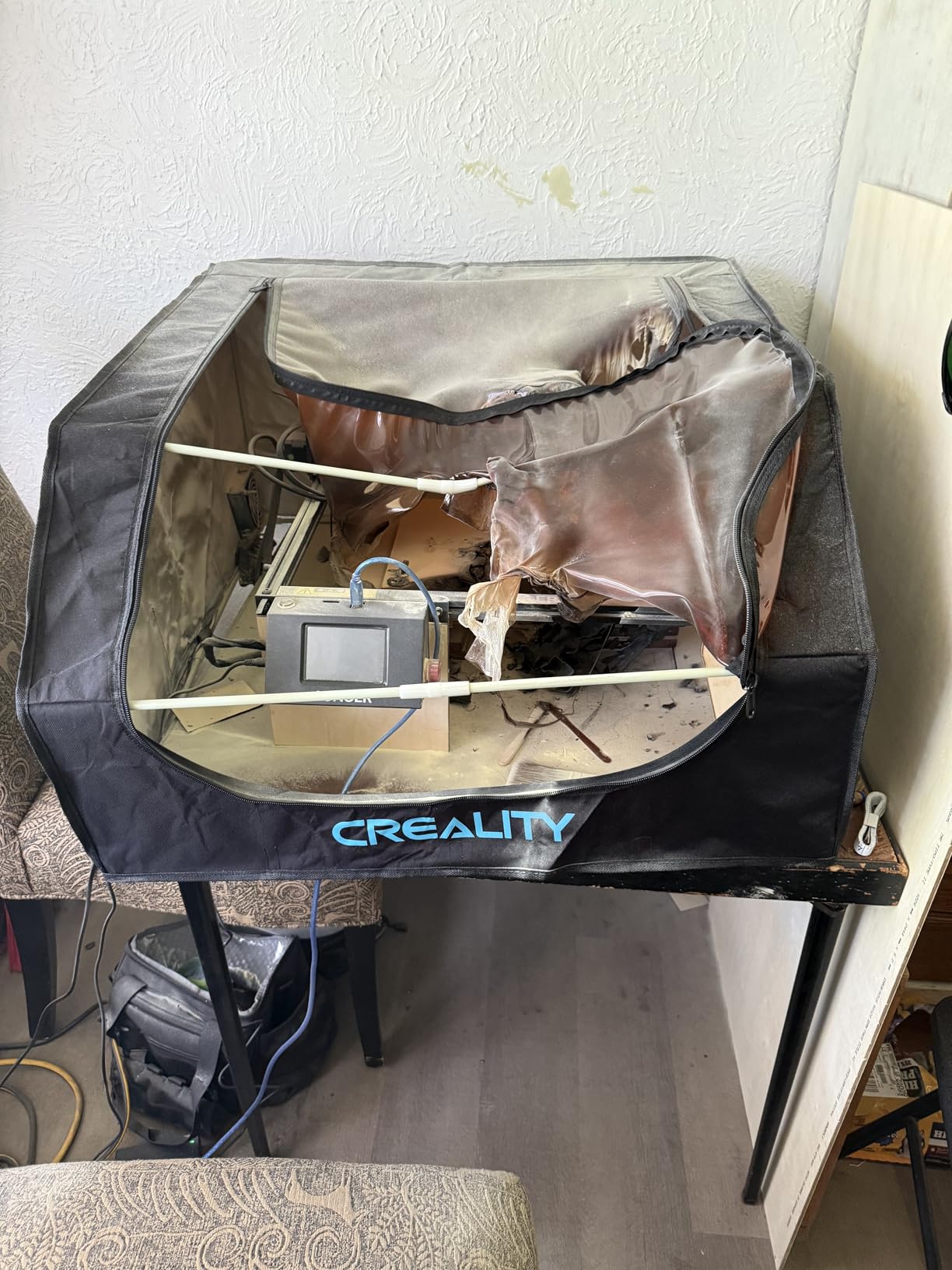
- No enclosure or exhaust included so an indoor build-out is needed
- Wi-Fi unreliable and microSD G-code files limited to 1MB
The RAY5 40W is the value pick for a workshop that engraves tumblers and also cuts material. Forty watts cuts 30mm of black acrylic or 20mm of wood in a single pass, and dual-beam technology holds up to 24000mm/min engraving speed. If a customer asks you to cut a sign blank and a monogram it on a bottle in the same afternoon, one machine handles both.
It arrives with air assist built in, which is the detail that separates it from frames where air assist is a cheap add-on. Owners note that results are visibly charred without airflow, so the built-in pump is doing real work. A 32-bit control board keeps long sessions stable, and a 256-color palette gives shaded engraved images rather than flat silhouettes.
At 4.5 stars across 109 reviews, the feedback is unusually positive for a machine in this class. Buyers single out the build quality for a machine at this level, find assembly and first projects straightforward, and rate the LightBurn compatibility and documentation highly. One owner reports customer service sending a replacement shell at no charge after a crack, which tells you something about support.
The honest list of cons is short and specific. There is no enclosure or exhaust, so an indoor build-out is a must and most owners budget for a fan and enclosure. Wi-Fi is unreliable, and the microSD console cannot handle G-code files over 1MB, which bites on detailed artwork. The power-upgrade path is not straightforward, requiring rewiring and firmware work, and some units ship without safety glasses.
Why 40W matters for a tumbler business
More optical power is not automatically a better tumbler mark, because a coated tumbler only needs enough energy to strip the coating. What the extra power buys is throughput on the surrounding work: engraving acrylic, cutting plywood, and finishing blanks in the same session without changing machines.
For a seller building a catalog rather than doing single gifts, that matters. The 256-color palette also raises the ceiling on what you can offer, since a shaded image sells at a different price point than a single initial.
What you have to add before indoor use
Treat the RAY5 as an open-frame machine. A honeycomb bed improves cut quality noticeably and a proper exhaust with a filtered output is the correct way to handle powder-coating fumes, since the coating itself is what is being vaporized. Budget for those two items as part of the purchase rather than as an afterthought.
Documentation covers assembly thoroughly but not day-to-day operation, so plan an hour with LightBurn tutorials before your first client order. The community consensus in r/lasercutting is that LightBurn is the right software for this machine class, and 32-bit board stability is one of the reasons.
7. Twotrees TS5 – Best Enclosed Laser Engraver for Tumblers in a Small, Safe Workspace
Twotrees TS5 7000mW Laser Engraver for Tumblers Fully Enclosed
7W optical
0.035 x 0.1mm spot
Enclosed 9.8 inch workspace
4-in-1 rotary
19.8 lb
Pros
- Fully enclosed Class 1 cover filters 99% of laser light
- 4-in-1 rotary kit covers chuck ring roller and sphere
- 0.035 x 0.1mm spot gives photo-realistic detail
- Weighs 9.13 kg so it travels to fairs
- Supports Wi-Fi TF card and LightBurn
Cons
- 7W is focused on engraving rather than cutting
- No limit homing support
- Ventilation still needed during heavy engraving jobs
The TS5 is a compact all-in-one unit that does flat work and cylinder work with the accessories in the box. The 4-in-1 rotary kit includes chuck, ring, roller, and sphere mounts, so you can cover a cylindrical tumbler, a ring, a sphere, and a flat sheet without ordering anything. At 9.13 kg it is light enough to carry to a fair or a pop-up.
The enclosure is the headline. The Class 1 cover filters 99% of laser light and has two amber viewing windows, so you can watch the job without opening the lid. It also has a smoke exhaust port, which matters on powder coating. Buyers like that it supports Wi-Fi, TF card, and LightBurn, so the workflow fits whatever setup you already have.
Detail is the other argument. A 0.035 by 0.1mm laser spot is the finest figure in this roundup, and reviewers describe crisp, photo-realistic results on wood, leather, craft paper, metal, stone, and glass. The frame is aerospace-grade aluminum, and the manufacturer lists seven pre-shipment inspections and 100 percent scenario testing.
Seven watts is an engraving power level, not a cutting power level, and that is the right trade for this machine. The workspace is 9.8 by 4.8 by 4.8 inches, which is ample for a tumbler on the rotary and tight for anything large. The machine does not support limit homing, and ventilation is still advised during heavy jobs. One reviewer returned a unit because a magnetic aluminum desk shield described in the listing was not included.
When a compact enclosed unit is the right call
Choose the TS5 when the machine lives in a small room, a classroom, or a shared household and an open frame is not an option. The 99 percent light filtering and the exhaust port mean you can run it without the precautions a bare frame demands, which is a real difference when the machine is not in a garage.
It is also a strong first machine. The rotary kit is the most complete in the roundup, the spot size produces detail most beginners would be delighted by, and the total footprint is small enough that you are not tempted to shelve it.
Where 7W and the small workspace stop you
If you plan to cut anything structural, stop here. Seven watts is right for engraving names, logos, and artwork on tumblers, mugs, and small blanks, and wrong for production cutting. Pair it with the understanding that you are buying detail and safety rather than throughput.
For high-volume tumbler orders, the enclosed diode machines with more power and larger beds are the better tool. The TS5 is a precision and safety pick, not a production pick, and the 4.6 star rating reflects how well it does the job it was built for.
8. WECREAT 20W 4-in-1 – Best Value Enclosed Laser Engraver for Tumblers and Mugs
WECREAT Laser Engraver and Cutter, 20W(20,000mW) 4-in-1 Desktop Diode Fully Enclosed Laser Engraver Machine with Rotary, Home Business for Jewelry and Gift Making with Metal Wood Acrylic Leather
20W diode
600mm/s
0-140mm auto Z lift
4-in-1 rotary
Class 1
Pros
- Cuts 10mm wood and 8mm black acrylic in a single pass
- Auto-lifting Z axis from 0-140mm removes the need for a riser
- 4-in-1 rotary covers tumblers mugs rollers chucks spheres and rings
- Fully enclosed Class 1 with lid-open auto stop
- Built-in HD camera with 1000-plus material profiles
Cons
- At 66.9 pounds it is not portable
- Single laser type cannot mark bare metal
- Software learning curve reported by first-time users
The WeCreat 20W is the enclosed diode that solves the clearance problem in the most elegant way on this list. Its Z axis lifts automatically from 0 to 140mm, so you load a tall tumbler and the head rises to meet it. You do not buy a separate riser base, and you do not re-focus by hand every time the workpiece changes.
It is also a real cutting machine for a 20W unit: 10mm of wood or 8mm of opaque black acrylic in a single pass, at 600mm/s engraving speed, with a 0.06 by 0.08mm spot. That means the same box can produce tumblers, wooden gift items, and acrylic tags for a shop rather than a single product line.
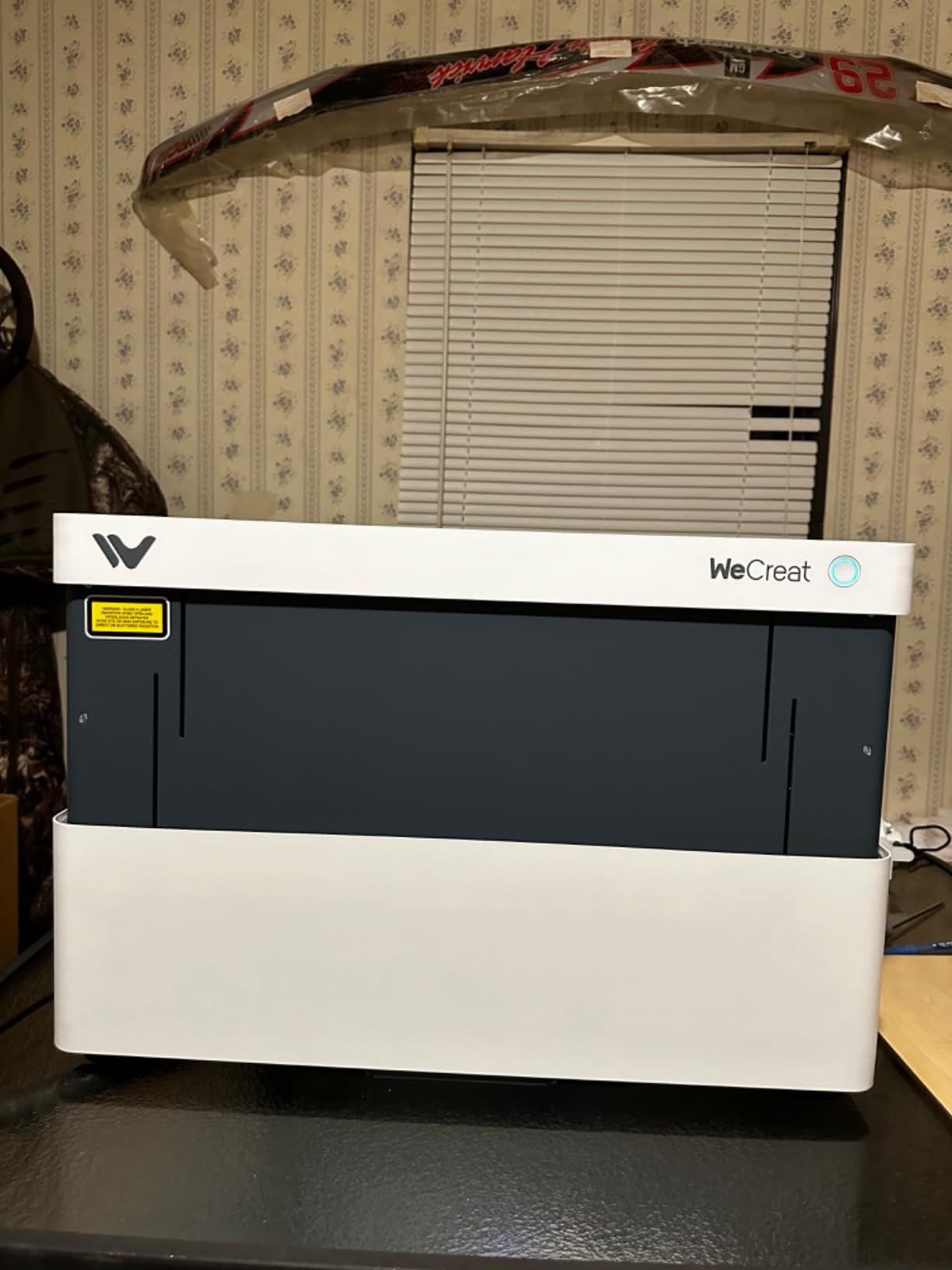
The rotary kit is unusually complete. It covers tumblers, mugs, rollers, chucks, spheres, and rings, and the built-in HD camera with automatic positioning and a 3D preview speeds up setup considerably. Smart Air Assist delivers up to 30L/min, which is enough to keep coating marks sharp at speed. It works with both WeCreat MakeIt and LightBurn.
The trade is weight and laser type. At 66.9 pounds it stays where you put it, so it is a workshop machine rather than a market machine. And a single diode head cannot mark bare stainless steel, so if a meaningful share of your work is uncoated metal, look at a dual-laser machine instead. First-time users also report a software learning curve, though the 1,000-plus material profiles ease most of it.
Why the auto Z lift is the feature to pay for
Clearance is the quiet killer in this category. A 40oz handled tumbler is tall, and on a fixed-height frame you either add a riser base or you skip the product. A forum thread on r/Laserengraving shows a Glowforge owner looking to upgrade specifically because the machine would not take a rotary and could not fit a Stanley-style tumbler, and that experience is common enough that buyers should treat bed height as a hard spec.
An automatic 0 to 140mm lift means the machine adapts to the workpiece rather than the other way around. For mugs as well as tumblers, that is the difference between a two-fixture workflow and a one-fixture workflow.
Where this is not the answer
Do not buy it for mobility, and do not buy it to mark bare metal. Those are the two clear limits at 66.9 pounds with one diode head. If your work is mostly bare flasks and bottles, the fiber capability in a dual-laser desktop is the feature that changes your output.
For a seller whose catalog is powder-coated drinkware, wood gifts, and acrylic items sold from a home workshop, the WeCreat is close to ideal. The enclosure means no goggles are required during normal operation, and the lid-open auto stop keeps the Class 1 rating honest.
What Type of Laser Engraves Tumblers Best?
The short answer: a blue diode or CO2 laser is the best laser for tumblers, because most drinkware sold today is powder-coated stainless steel and the coating absorbs that light easily. A 1064nm infrared or fiber laser is the best choice only when the tumbler is bare metal, since a diode simply reflects off polished stainless.
That single distinction explains most of what follows. A laser engraver works by delivering enough energy to a surface to change it. If the surface absorbs the light, the coating burns away and bright steel appears underneath, which is a high-contrast, permanent result. If the surface reflects the light, you get glare and no mark.
Diode laser, 455nm blue – Excellent on powder-coated steel, wood, acrylic, and leather. The cheapest route to tumbler engraving and the most popular choice for a reason. It cannot mark bare metal.
CO2 laser, 10600nm infrared – Excellent on coated drinkware and the best choice for glass and acrylic. Larger machines, larger bed, and a separate rotary in most builds.
Infrared module, 1064nm – Marks bare stainless steel that a diode cannot touch. Available as an add-on head on dual-laser desktops.
Fiber laser, 1064nm – The dedicated bare-metal machine. Extremely fast on stainless and capable of color marking through oxidization, with a module life measured in tens of thousands of hours.
Matched to materials, the practical ranking looks like this. On powder-coated stainless steel, both diode and CO2 are excellent. On bare stainless steel, only infrared and fiber work. On glass, CO2 is the reliable option. On anodized aluminum and other coated non-ferrous surfaces, infrared and fiber handle it well. Every other combination is fair at best, which is why we list the material before the wattage throughout this roundup.
One more thing about bare metal: results vary by brand coating. An owner running a Mira 9 75W fiber machine reported a brass or copper tint when marking a Corkcicle rather than a clean mark on bare steel, which tells you the finish on the tumbler matters as much as the laser. Marking spray remains a legitimate low-cost workaround for bare tumblers, and it works with a plain diode, but it adds a prep step and a consumable to every piece. If your project is decorative stone rather than drinkware, our guide to the best rock tumblers covers a different polishing workflow entirely.
Do You Need a Rotary Attachment to Engrave a Tumbler?
Yes, for anything larger than a single small monogram. A tumbler is curved, so the laser falls out of focus within a fraction of an inch of the focal plane unless the cup rotates. The rotary attachment takes over one motor axis and turns the tumbler in sync with the laser’s X-axis movement while the software calculates the rotation from the tumbler diameter and the roller diameter.
The geometry is the same as peeling a label off a soup can. The label is your flat design, the can is the tumbler, and a mismatch between the software numbers and the physical diameters is what produces a stretched or squashed engraving. Getting the two diameters right in the rotary settings is the single highest-leverage thing a new owner can do.
Roller rotary versus chuck rotary
A roller rotary supports the tumbler on two rollers and turns it by contact. It handles a wide diameter range and is the right choice for most coated drinkware, but cheap rollers are where bad work comes from. Users repeatedly warn that a wobbly roller slips and distorts the design, and that a bad rotary ruins expensive tumblers no matter how good the laser is.
A chuck rotary grips the tumbler in jaws. It gives more precise concentric control and is better for smaller or more delicate cylinders, but it has a narrower diameter range and interferes with a handle. Several rotaries in this roundup are 4-in-1 kits combining chuck, roller, sphere, and ring mounts so you can change fixture as the product changes.
Tapered and handled tumblers
Conic and tapered designs are where rotaries get interesting. On a tapered body the tumbler does not sit on a level pair of rollers, so it walks or slips partway through a rotation, and the end of the design drifts out of position. A roller with an empty middle and support wheels at each end holds a tapered body in plane and is the specific fixture to look for if you engrave that style.
Handles create a different problem. A 40oz handled tumbler is tall, and the handle blocks part of the surface, so a full 360 degree wrap is a design decision rather than a default. Use a design that runs between the handle and the seam, or plan the artwork around the handle rather than through it.
Clearance is the constraint that forces machine changes
Z-height decides whether a tall tumbler physically fits. On a low frame with a fixed gantry, a large handled tumbler will not go under the head, and a riser base is the fix. Machines with an automatic Z lift, such as the WeCreat in this list, solve it in hardware. Others solve it with a riser, and closed-loop systems with very low beds often solve it not at all, which is why so many owners end up replacing the machine rather than upgrading it.
For mug work, the same rules apply with one addition. A handle is a hard stop for a chuck rotary, so a roller is the correct fixture for most mugs, and glass mugs need a CO2 source because a diode will not mark them reliably.
How to Pick a Laser Engraver for Tumblers
Start by answering three questions in order. Are you engraving powder-coated tumblers or bare stainless steel? Are you making a handful of gifts or running a business? And what is your real budget including a rotary? Answer those and the machine choice narrows fast.
1. Laser type, decided by the tumbler surface
Coated drinkware means a diode or a CO2 laser, and a diode is the value answer. Bare stainless steel means an infrared module or a dedicated fiber laser, and no amount of diode power will change that. Mixed catalogs point toward a dual-laser desktop.
2. Optical output power, not marketing wattage
Optical output is the number that reaches the workpiece. Input wattage is what the power supply draws, and comparing the two is the most common mistake buyers make. A machine advertised at 72W that delivers 10,000mW optical is a 10W laser with a larger power supply.
Community experience in r/Laserengraving is that the 20W to 25W optical class is the sweet spot for coated drinkware, and gains above that flatten quickly. For a business, matching the marquee figure to the optical figure is worth more than an extra 20W.
3. Rotary included, and which type
Check whether the rotary is in the box before you compare anything else. A 4-in-1 kit with chuck, roller, sphere, and ring modes covers the most product shapes. If you are buying a separate rotary, budget for it and buy a quality one, because the rotary is the part that determines whether the engraving is usable.
4. Z-height and clearance
Measure your tallest tumbler including the lid, then check the machine’s stated vertical clearance. If the numbers are close, look for an automatic Z lift or plan on a riser base. This is the check that prevents buying the same machine twice.
5. Work area
A wide bed is not only about tumblers. A 23.93 by 15.16 inch workspace lets the same revenue stream handle acrylic, wood, and signage, which matters if the machine is your business’s only tool. Galvo portables such as the LP2 stay at about 4 inches wide, which is fine for monograms and limiting for batches.
6. Enclosure and safety class
An enclosed Class 1 machine filters 99 percent of laser light and is the right choice for indoor use, around children, or for market venues that will not allow an open frame. An open-frame machine needs eyewear, an exhaust, and a dedicated space. Note that the vaporized powder coating is a real respiratory irritant, so filtered extraction matters as much as the beam.
7. Software and rotary setup
LightBurn is the standard for rotary work on diode frames, LaserGRBL is the simpler alternative, and Creative Space and MakeIt are the vendor ecosystems. Whichever you use, the rotary diameter settings have to match the physical roller. If your design comes out mirrored, you flipped the text before loading rather than adjusting the setup.
8. Module life and consumables
Diode modules are commonly rated around 10,000 hours while fiber modules run toward 100,000. That gap changes the economics of a business, as does the cost of marking spray if you rely on it for bare metal. Consider the long term before committing to a specialty machine for a market you have not proven, and read our guide to the best insulated tumblers to know which surfaces you are actually engraving.
Frequently Asked Questions
What type of laser is best for tumblers?
A blue diode or CO2 laser is best for tumblers, because most drinkware is powder-coated stainless steel and the coating absorbs that light easily. A 1064nm infrared or fiber laser is only needed for bare stainless steel, since a diode reflects off polished metal. A CO2 laser is the reliable choice for glass mugs.
What is the best tumbler for laser engraving?
Powder-coated tumblers such as Yeti, Stanley, Owala, Corkcicle, and Rambler are the easiest targets, because the coating absorbs the beam and burns away to reveal bright steel. Bare polished stainless steel, chrome plating, and nickel plating are the hardest, since they reflect the light. Avoid mirror-finish and chrome-plated bodies unless you plan to use marking spray.
What is the best laser engraver for engraving Yeti cups?
A 20W to 25W optical diode with a quality 4-in-1 rotary handles Yeti cups and similar coated drinkware well, and a 40W CO2 or enclosed 40W diode is the choice for volume work. Any laser that engraves a Yeti can engrave any powder-coated tumbler, since the coating behaves the same way regardless of brand.
What is the best laser engraving machine for mugs?
Mugs add a handle, which is a hard stop for a chuck rotary, so a roller rotary is the correct fixture for most mug work. Glass mugs need a CO2 laser since a diode will not mark them reliably. For covered mugs the WeCreat and Twotrees machines in this roundup ship with a 4-in-1 rotary kit that includes a roller mount.
Do I need a rotary attachment to engrave a tumbler?
Yes, for anything larger than a single small monogram. A tumbler is curved, so the laser falls out of focus almost immediately unless the cup rotates. The rotary takes over one motor axis and turns the tumbler in sync with the laser X-axis while software calculates the rotation from the tumbler and roller diameters.
Can you laser engrave a tumbler without a rotary?
Technically yes, but only a small mark close to the focal point. A design wider than a couple of inches, or one on a small-diameter mug, will warp badly without rotation because the edges of the design fall far out of focus. If the tumbler is a repeat product rather than a one-off, buy the rotary.
Which Laser Engraver for Tumblers Should You Buy?
Buy the xTool S1 40W Rotary Bundle. It ships with the rotary already included, it is enclosed and rated Class 1 so it can live in a normal room, and at 86.8 pounds it stays put on a bench while the 23.93 by 15.16 inch bed handles everything else your customers ask for. It is the best-balanced choice among the best laser engravers for tumblers in 2026.
Three tie-breakers finish the decision. If you need to engrave away from home, take the LaserPecker LP2 or the xTool F2. If your customers bring bare stainless steel, take the xTool F1 Ultra and its fiber head. If the budget is the first constraint, the CREALITY Falcon 10W includes a 4-in-1 rotary kit and air assist, which is everything a first tumbler project needs.
Whichever you choose, buy a quality rotary, measure your tallest tumbler against the machine clearance before you order, and run an exhaust with filtered output. Those three steps prevent nearly every bad first engraving we have seen. For the drinkware itself, our tested guide to the best insulated tumblers will tell you which finishes take a mark cleanly.