
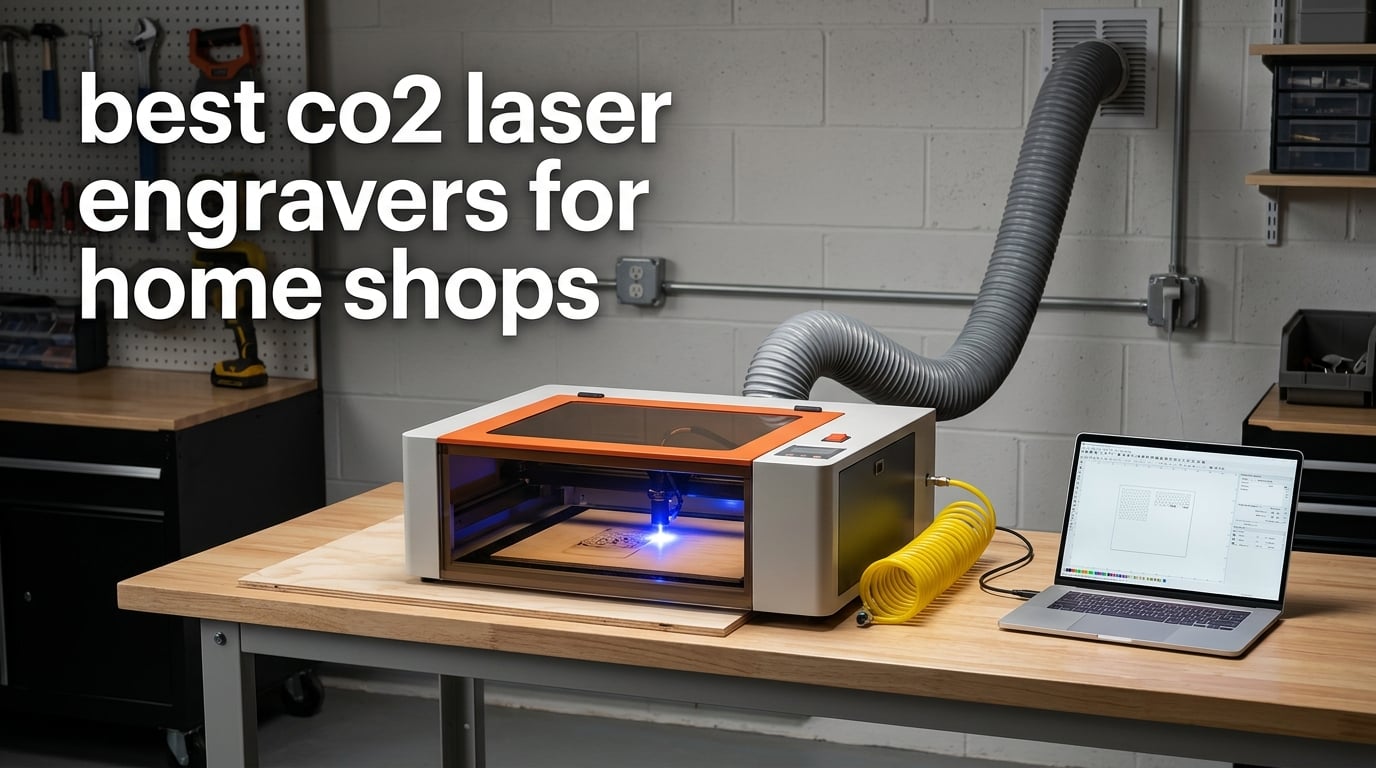
The best CO2 laser engravers for home shops are enclosed, Class 1 machines with between 40W and 60W of tube power and a working area of at least 16 by 24 inches. Our top pick is the xTool S1 40W, which pairs a 23.93 by 15.16 inch bed with a 600mm/s engraving speed and a fully enclosed Class 1 housing. Every pick below is judged the way a home shop actually has to judge one: how much of it fits on a spare-room bench, how loud the extraction is, and what happens when the exhaust duct has nowhere to go.
That last question matters more than wattage, and almost no roundup in this space asks it. A CO2 laser engraver turns solid wood, acrylic and leather into smoke and gas, and in a basement that plume does not politely disappear. A machine that engraves beautifully in a ventilated shop can be unusable in a converted office, no matter how many marketing claims sit on the product page.
So here is our approach. We took eight machines that span the whole range a home shop might consider, from a compact enclosed unit that fits on a desk to a 249-pound floor-standing 60W engraver with four-way pass-through doors. For each one we looked at the same list: real wattage against stated cut depth, bed size, whether the enclosure is genuinely Class 1, what the air assist does, and what software you are locked into. We also flag the failure modes that show up in owner reviews, because a machine that needs a technician in week one is not a home-shop machine.
Several of the machines here carry very few owner reviews. We say so plainly in those sections rather than presenting a thin rating as a verdict. If you want a second opinion on the workspace side of the build, our guides to plasma cutters for home shops and large format 3D printers for home shops cover the same space-and-power questions from different angles.
Table of Contents
Top 3 Picks: Best CO2 Laser Engravers for Home Shops in 2026


Our best overall pick, the xTool S1 40W, has the largest owner base in this group and a fully enclosed Class 1 housing that filters 99% of the laser light. The P2S 55W is the pick if you are already producing and need throughput plus serious air handling, and the OMTech K40+ 45W is the one to buy if the total cost of the setup matters more than the badge on the frame.
Best CO2 Laser Engravers for Home Shops in 2026
| Product | Specifications | Action |
|---|---|---|
| xTool S1 40W |
|
Check Latest Price |
 xTool P2S 55W xTool P2S 55W |
|
Check Latest Price |
| OMTech K40+ 45W |
|
Check Latest Price |
 Orion Motor Tech 50W Orion Motor Tech 50W |
|
Check Latest Price |
 TOOCAA 40W TOOCAA 40W |
|
Check Latest Price |
 OMTech Maker 60W OMTech Maker 60W |
|
Check Latest Price |
 Monport 60W Monport 60W |
|
Check Latest Price |
 CO2 Laser Engraver 50W 16×16 CO2 Laser Engraver 50W 16×16 |
|
Check Latest Price |
A note on the numbers in that table before you read the reviews. Stated wattage is a tube rating, not a promise of cut depth, and every manufacturer measures thickness in a slightly different species and pass count. Compare cut claims only between machines that use the same material and pass count. A 40W that slices 18mm pine in one pass is a genuinely different machine from a 40W that needs three passes on the same material.
Working area is the other number worth reading twice. A larger bed does not make every job faster, but it does decide whether you can lay out a batch in one pass or run the same job twice. For a home shop producing a hundred identical tags a month, bed area is a batch-size decision.
1. xTool S1 40W – Best Overall for a Home Shop
xTool S1 40W Laser Cutter and Laser Engraver for Tumblers, 23.93″ x 15.16″ Bed Size, 600mm/s Speed, Laser Engraving Machine, Laser Engraver for Wood and Metal, Acrylic, Big Project – Rotary Bundle
40W CO2 tube
23.93 x 15.16 inch bed
Enclosed Class 1
600mm/s
Pros
- Cuts 18mm cherry wood in a single pass
- Large bed handles high-volume batch jobs
- Enclosed Class 1 design contains smoke and light
- Auto-focus with beginner-friendly software
- Responsive replacement support
Cons
- Head is easy to bump and shift the origin by hand
- Spring-loaded Z probe can give false focus readings
- Bundled software less flexible than LightBurn
We spent the most time on the S1 because it is the machine most home shops will actually consider, and it kept earning it. Setup is close to genuinely out-of-box: auto-focus handles the Z axis, and the bundled xTool Creative Space software ships with a large catalogue of pre-tested material settings. That last part matters more than any wattage number when you are producing for customers, because you are not re-deriving parameters at eleven at night for a job you need to ship.
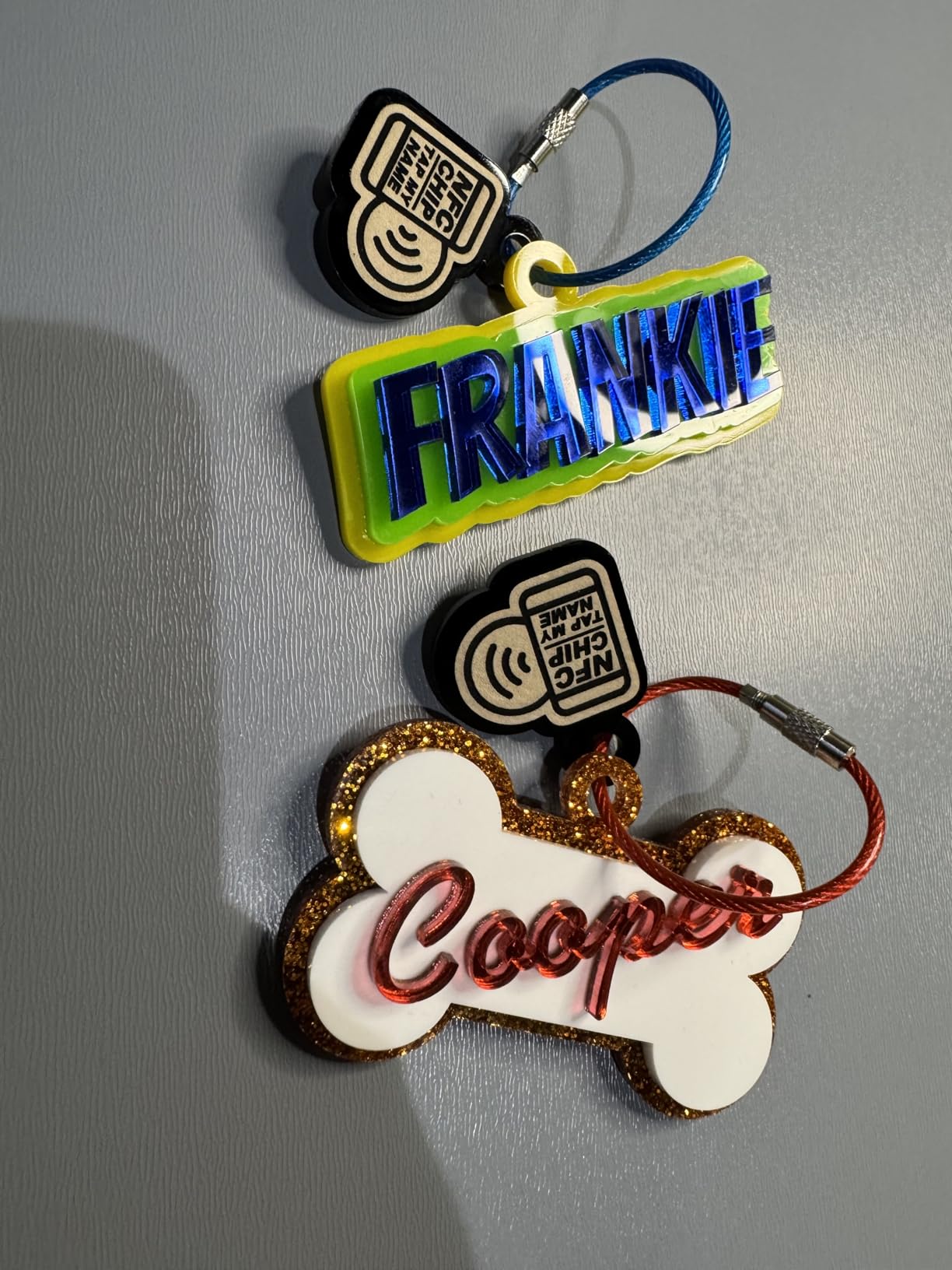
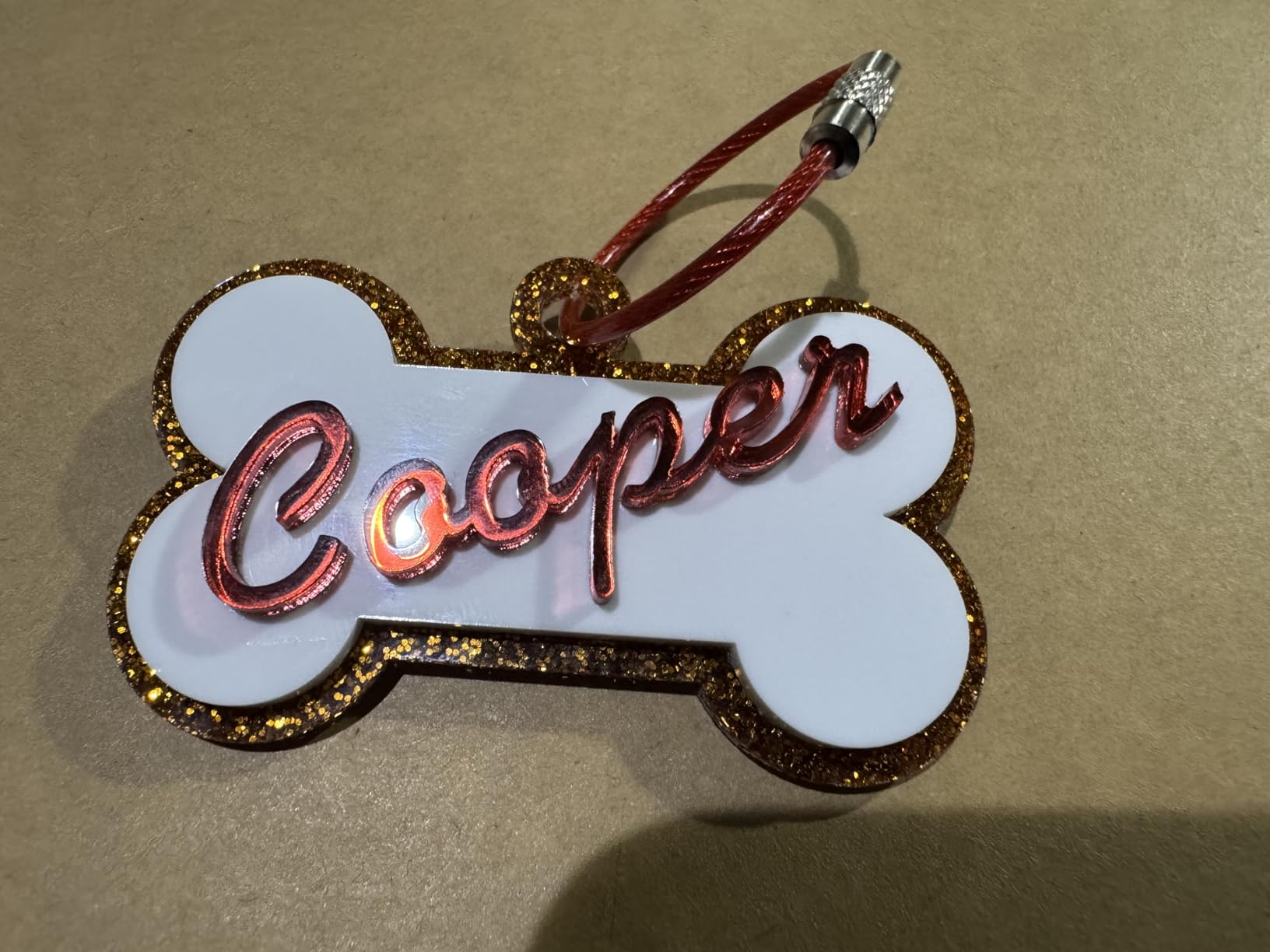
The 23.93 by 15.16 inch bed is the quiet advantage. Owners report fitting more than a hundred dog tags in a single layout, which turns a production day from a batch of pieces into one long run. With engraving speeds up to 600mm/s and a 40W tube that cuts 18mm cherry wood in a single pass, this is genuinely more machine than the compact enclosed category usually offers.
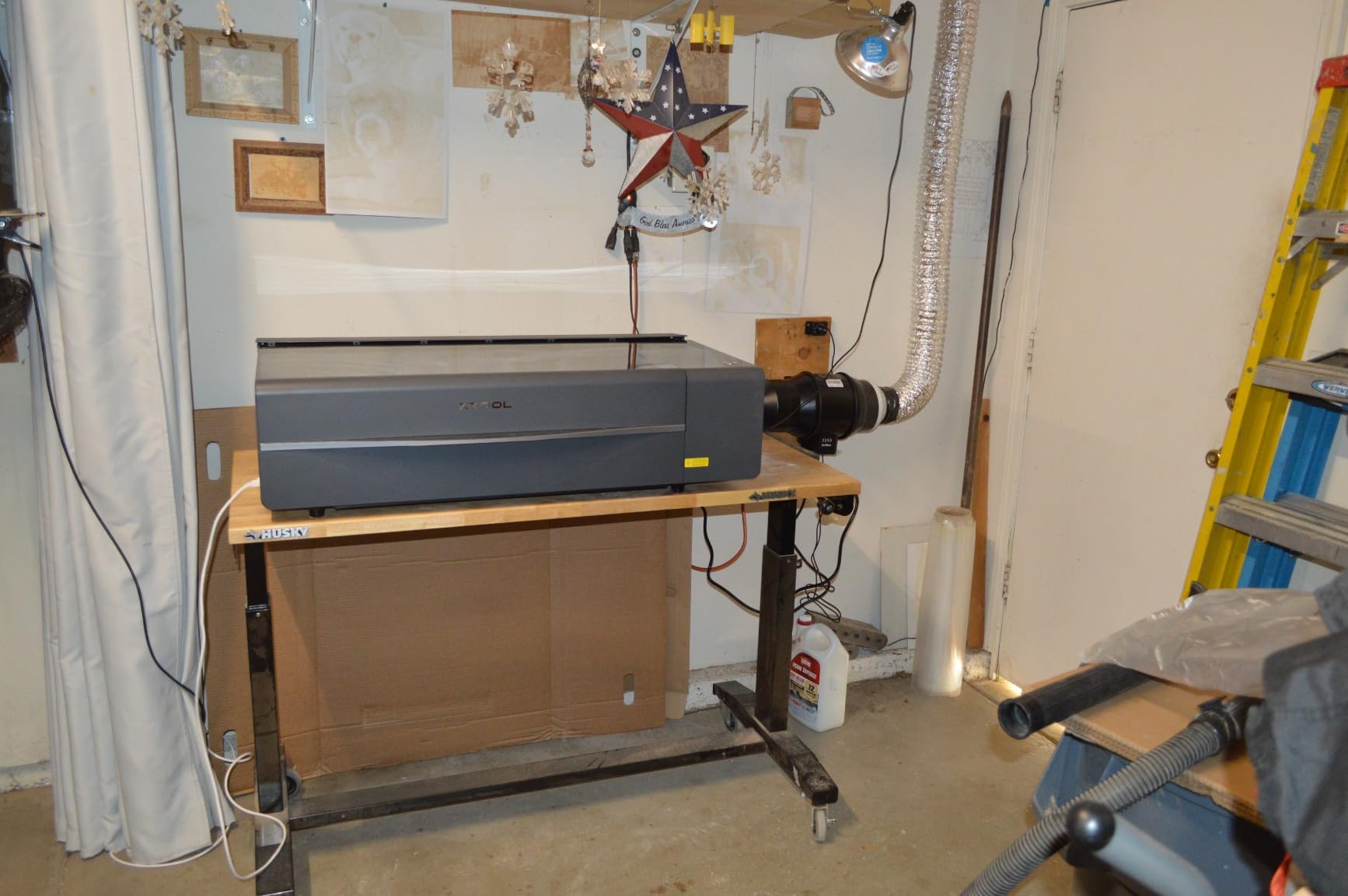
Safety is where the enclosure earns its keep in a home. The housing filters 99% of the laser light, there are five flame sensors, an emergency stop and a lid-open stop. In a house with children or pets that interlock is not a marketing line, it is the reason the machine is usable in a room that is also a playroom. The frame is 3mm aerospace-grade aluminum, and the spec sheet cites over 71,830 hours of testing and seven pre-shipment inspections.
The AutoPassthrough feature extends the working area to projects up to 118 inches by feeding material through the back of the machine, which is how a home shop can take on a long sign without a second machine. xTool’s patented pin-point positioning also handles three-dimensional engraving on curved surfaces, so tumblers and bottles are within reach rather than a stretch goal.
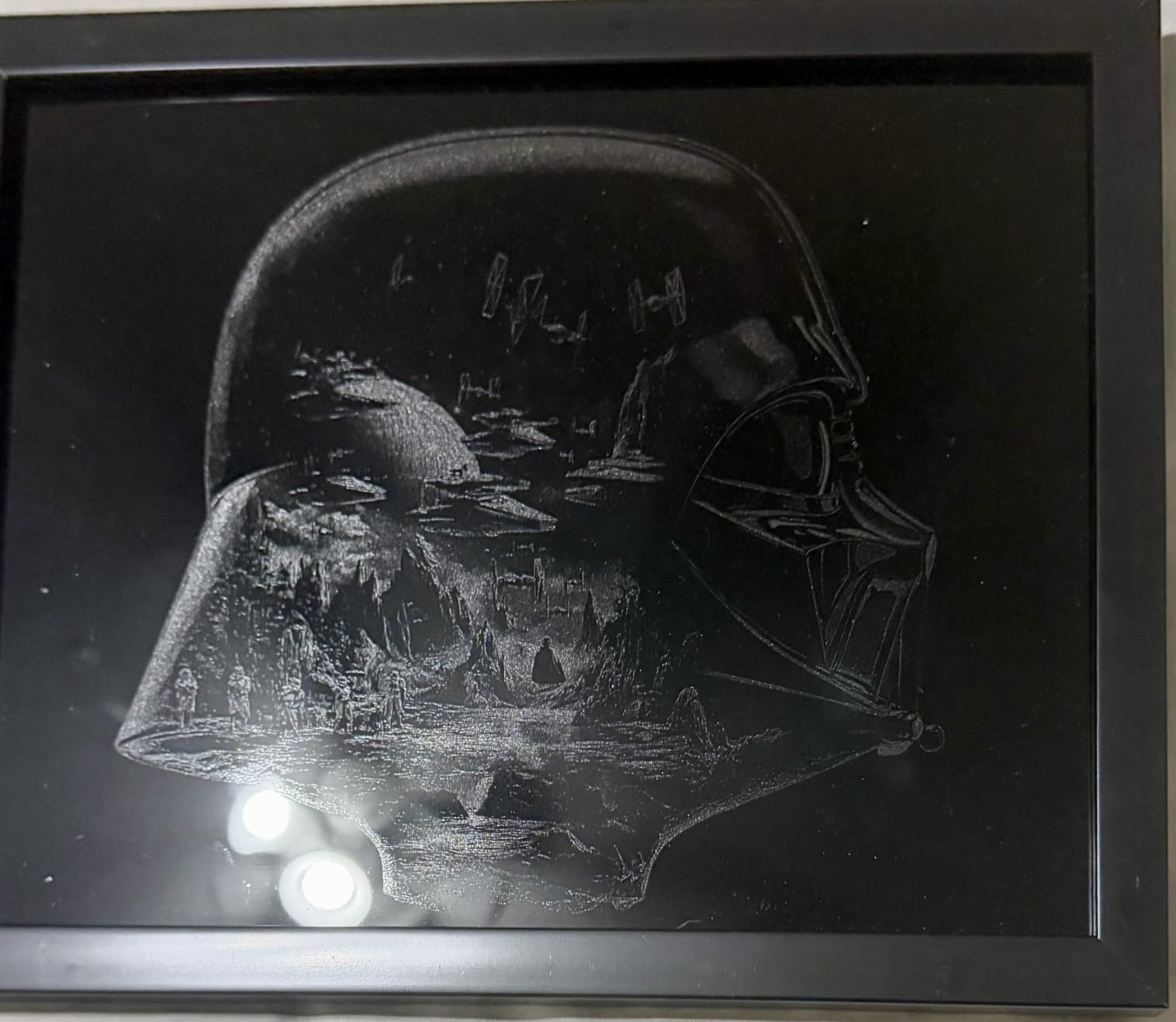
Where the S1 earns its place in a small shop
The enclosed Class 1 design does two things at once for a home shop. It contains the beam so you are not managing a Class 4 open-frame machine in a space with pets, and it contains most of the smoke and odor so your exhaust requirements are gentler than a bare open frame would demand. Owners still report needing extraction when cutting indoors, which is exactly why the S1 pairs well with a filtered unit rather than replacing one.
That combination of bed size, speed and a beginner-friendly workflow is why we rated it first overall. It handles wood, acrylic, leather, paper and cardboard in one enclosure, and the batch capacity is what turns a hobby into output. For a seller with a steady queue of custom orders, this is the machine that stops you from turning work away.
Where the S1 will frustrate you
The most repeated complaint is the head. It lacks motorized braking, so a bumped head shifts the X and Y origin and your next job is misaligned until you recalibrate. The spring-loaded metal Z probe can also be dented and return false focus readings, which is annoying in a different way because the machine looks like it is working.
The bundled software is a real limitation for anyone who already knows LightBurn. It is easy to learn and less flexible for complex multi-layer work, and owners note that the app navigation can be inconsistent and that material settings sometimes disappear. If you are coming from a diode laser and a mature LightBurn workflow, that transition is the hardest part of ownership.
Finally, at 86.8 pounds it is heavy and it needs dedicated bench space, and the rotary bundle adds more. Budget for a stable table with a dedicated outlet, not a corner of a desk it has outgrown in six months.
2. xTool P2S 55W – Best Premium Enclosed Workhorse
xTool P2S 55W CO2 Laser Cutter, Smart Desktop CO2 Laser Engraver and Cutter
55W CO2 output
26 x 14 inch bed
Dual 16MP cameras
233.3 CFM exhaust
Pros
- Cuts acrylic to 20mm and walnut to 18mm in one pass
- Dual 16MP cameras give highly accurate alignment
- 233.3 CFM exhaust fan is a genuine home-shop asset
- Built-in material test grid saves setup time
- AI fire detection and automatic lock
Cons
- Premium cost for the ecosystem
- Gantry engraving cannot skip blank areas so jobs run slower
- Adding the rotary means partially disassembling the machine
- Plastic retaining clips on the rear cover can break
The P2S is what we would recommend to a home shop that has already validated demand and is now outgrowing a 40W. At 55W with a 26 by 14 inch bed, it cuts all colors of acrylic up to 20mm and black walnut up to 18mm in a single pass, and the enclosed housing means you can run it in a workshop rather than a garage corner without rethinking the whole safety plan.
Owners coming from diode machines or from a cloud-based platform describe it as a step up in build quality, speed and software polish. Setup reportedly takes about half an hour, which is remarkable for a machine this size, and the built-in material test array removes most of the guesswork from first jobs.
The cameras are the feature we would not give up. Dual 16MP sensors with a real-time preview make alignment on small parts close to automatic, and the LiDAR ranging system focuses to 0.001 inch. For someone engraving a batch of small components where a wasted pass is a wasted part, that is worth more than another 10W of tube power.
Air handling is the other headline. A 233.3 CFM exhaust fan and a dual-cylinder air pump give a much stronger extraction and assist package than the desktop class, and AI fire detection with an automatic lock is a meaningful addition in a space where a neighbour is twelve feet away. Auto-passthrough takes projects to 118 inches and a riser base handles objects up to 8.4 inches tall.
What the P2S does that a 40W cannot
Throughput. The single-pass cutting depth on acrylic and hardwood means fewer passes, which means less time per piece and less distortion on the back of the cut. The 26 by 14 inch bed is also larger than most machines in its class, so a production day is fewer reloads. Auto-passthrough then handles the odd long job without a second table.
For cylinder work, the 3D Curve Engraving mode and compatibility with the RA2 Pro rotary open up tumblers, bottles and glasses. That is a product category a lot of home sellers enter within a year of starting, and having the machine ready for it avoids a second purchase.
What you give up for it
The ecosystem carries a premium, and the honest cost is the accessories. Rotary and other add-ons require taking the machine apart and reassembling it, and the first-time coolant fill requires removing the rear lid section, which confuses a lot of new owners. Plan an hour before the first cut, not before the first job.
There is a real software tradeoff too. Rotary support is lost when you run LightBurn, and gantry operation cannot skip blank areas while engraving, so a large plate with wide spacing takes longer than it should. One report describes a brand-new machine failing during initial startup with a difficult replacement process, so if you are risk-averse about early reliability, ask about support terms before you commit.
3. OMTech K40+ 45W – Best Budget Starter for a Home Shop
OMTech K40+ 45W Desktop CO2 Laser Engraver & Cutter
45W CO2 tube
12 x 8 inch work area
LightBurn and LaserGRBL
81.8 pounds
Pros
- Strong cutting power for the price point
- Engravings come out clean
- Supports both LightBurn and LaserGRBL
- 24/7 support with live video alignment help
- Compact footprint suits a small workbench
Cons
- Out-of-box quality control is inconsistent on some units
- Safety switch may need adjusting out of the box
- Water hose connections are easy to hook up backwards
- Bundled USB cable has been reported faulty
The K40+ is the machine we would tell someone who has a garage bench, a part-time product idea and no interest in a platform subscription. It runs both LightBurn and LaserGRBL, so nothing you learn here locks you into one vendor, and at 45W it cuts 0.4 inch acrylic and 0.31 inch wood. That is real product-making power, not a token spec.
Support is unusually good for a machine at this level. Owners report technicians doing live video consultations for mirror alignment, which is the single most common early frustration with a first CO2 laser. OMTech lists 24/7 global support with local demonstrations and two years of service coverage, and a detachable base plus an optional rotary axis cover cylinders and taller objects later.
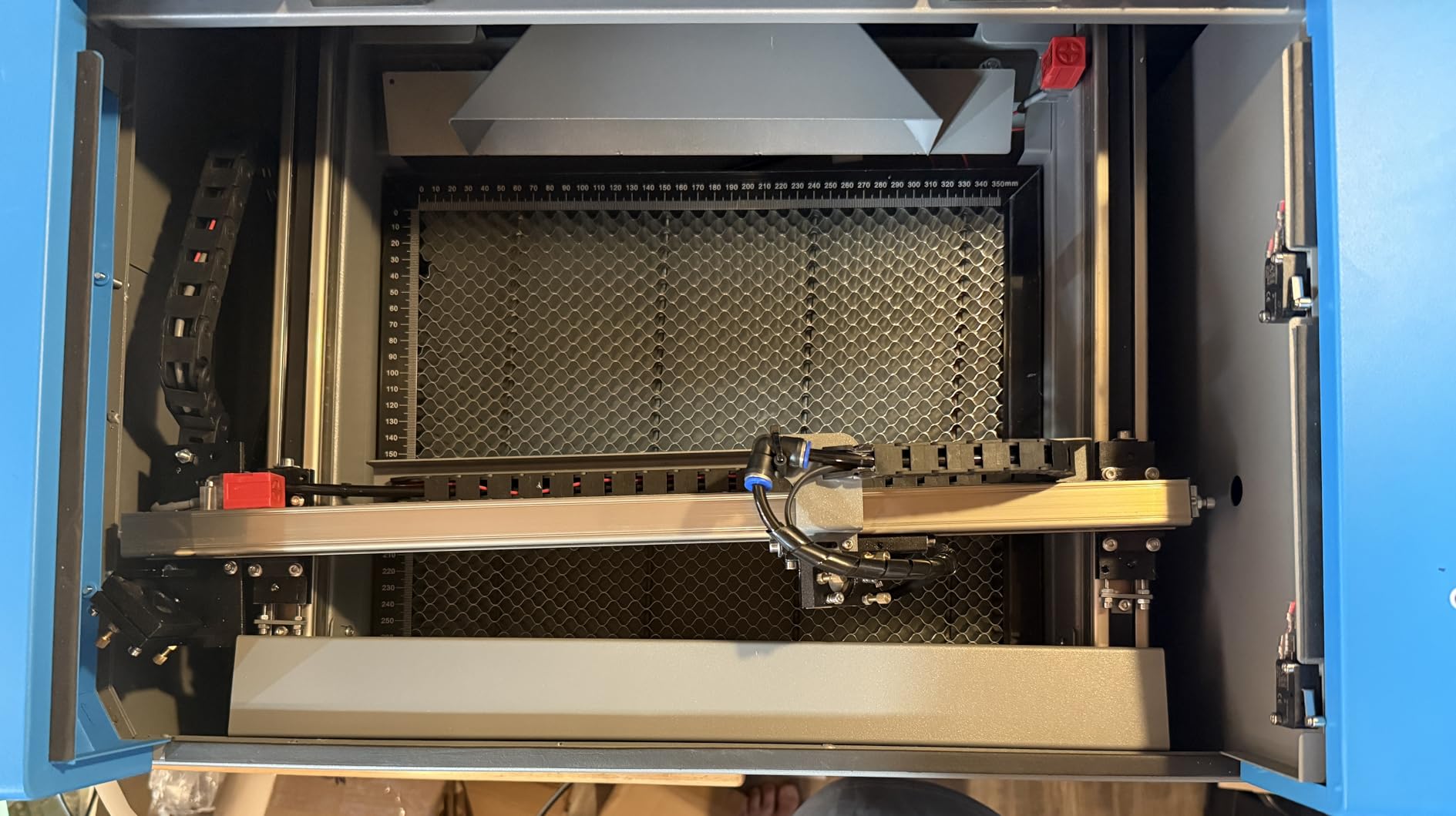
The 12 by 8 inch honeycomb bed is smaller than the machines above it, and that is the whole point. At 81.8 pounds and 31.9 by 19.7 by 9.8 inches it fits a small table, and the detachable base means the laser head can be repositioned for a tall object. The built-in 45-degree auto-adjusting air assist clears smoke off the surface and protects the lens, which most owners underrate until they have run one without.
Engraving speeds reach 300mm/s, and reviewers describe a satisfying upgrade from a diode machine. Cut depth is 15-20% deeper and 1.5-2x faster than the previous generation at the same settings, so a first CO2 machine will not feel like a lateral move from what you had.
Why this is the value pick
It is the lowest total commitment in this list that still gives you a genuine CO2 tube rather than a diode. That distinction matters if your product plan includes anything thicker than thin plywood, because a diode laser with an enclosure can prototype a range of products but will not cleanly cut the acrylic and hardwood that most of the profitable product lines depend on.
The open software support is the other reason. LightBurn skills transfer between machines, and most forum users treat that transferability as the real reason to buy one machine over another. Learning LightBurn here means the next machine is cheaper to adopt.
What to check on delivery
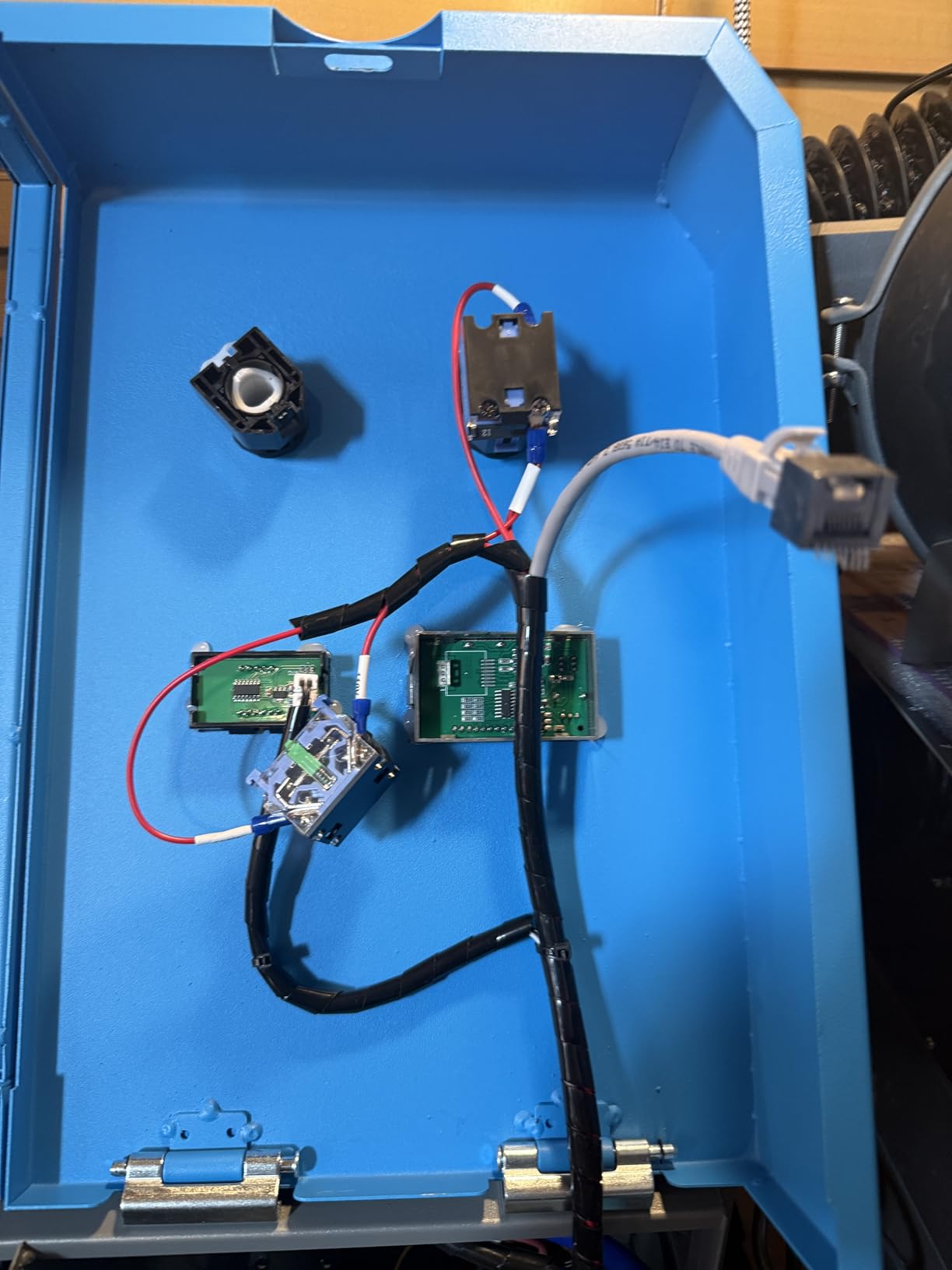
Quality control is the consistent criticism. Some units arrive with a dented frame, loose nuts on the power supply, a gantry out of alignment, an unsoldered data cable port and loose internal parts. Budget an afternoon with a technician, or use OMTech’s video support, before the first job rather than after a bad cut.
Three smaller things catch first-timers: the safety switch may need adjusting out of the box, the water hose connections are easy to hook up backwards so the machine can appear completely dead, and the bundled USB cable has been reported faulty. None of these are serious, all of them are confusing.
4. Orion Motor Tech 50W – Best for a Large Open Bed
Orion Motor Tech 50W CO2 Laser Engraver Cutter with 12 x 20in Work Area, Laser Engraving Machine with Ruida Digital LCD Control Real-Time Power Data, USB Port, Air Pump, Red Dot Pointer
50W laser tube
12 x 20 inch bed
Ruida LCD control
USB operation
Pros
- Large bed for a 50W machine in this class
- Real-time power readout on the Ruida display
- Works with LightBurn AutoCAD and CorelDRAW
- Runs files from a USB drive without a PC
- Built-in air compressor simplifies setup
Cons
- Very heavy at 165 pounds and bulky at 40 by 26 by 25 inches
- Laser tube carries only a 6-month warranty
- Bundled RDWorks software is Windows PC only
The Orion is the odd one out in this group and that is exactly why it is here. It is a Ruida-controlled, open-platform 50W machine with a 12 by 20 inch cutting surface, over 2.5 square feet of working area, and a physical control display that shows real-time power data while it runs. For a home shop that wants the freedom of LightBurn and the visibility of on-machine controls, the software story is genuinely good.
Material range is another strength. It handles wood, rubber, plastic, paper, glass, leather, ceramics, tile, fabric, fiberglass, marble, cork, jade, acrylic, veneer, corian, coated metals, anodized aluminum, mylar, delrin and melamine. That list is the kind of breadth that matters when a seller keeps asking whether they can make a product from a material a customer brought in.
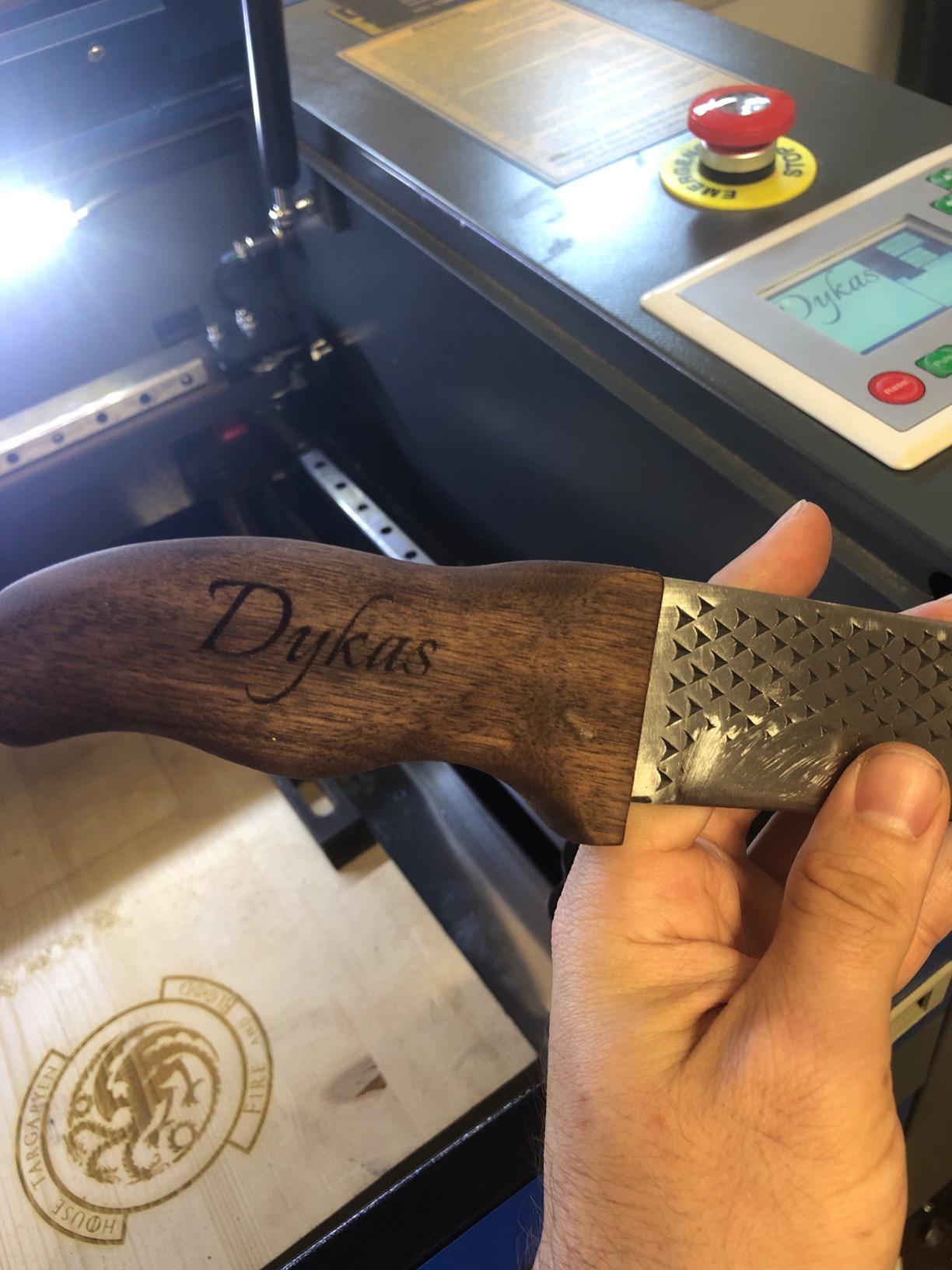
It also runs without a computer. A Ruida controller that accepts a file straight from a USB drive means you can queue a batch and walk away, which is how a home shop uses evenings and weekends productively. A built-in air compressor and red dot pointer simplify setup, and the auto-shutdown safety sensor triggers when the cover door opens. Engraving speed runs 0-500 mm/s with cutting at 0-80 mm/s and adjustable resolution up to 4500 dpi.
The controller accepts the usual file formats, from AI, SVG and DXF through to PLT and NC, so design workflow is not the constraint. LightBurn, AutoCAD and CorelDRAW all work.
When the big open bed is the right answer
Batch production on flat sheet. A 12 by 20 inch bed is 2.5 times the area of the compact class, and for a shop cutting dozens of identical flat pieces from acrylic or plywood the extra area is directly convertible into fewer setups. The visible power readout on the Ruida display is a real workflow advantage when you are tuning a new material and want to see what is actually being commanded.
It is also the right machine for someone who already knows LightBurn and wants zero cloud dependency. Everything runs locally, and nothing about the workflow requires a vendor account.
Where it does not suit a home space
Size and weight are the honest problems. At 165 pounds and 40 by 26 by 25 inches, this is a floor-standing machine that needs a dedicated corner, a dedicated circuit and at least two people for a move. For a spare room, that footprint alone disqualifies it.
Warranty structure is the other watch point. The one-year limited warranty covers only six months on wear-and-tear parts including the laser tube, and that is the component most likely to need replacing. Review volume is also thin at 36 ratings, so treat the spec sheet as the deciding factor rather than the star average.
5. TOOCAA 40W – Best All-in-One Bundle with Rotary and Extractor
TOOCAA 40W Lazer Engraving Machines with 5 in 1 Rotary Roller Set, Fume Extractor, Smart HD Camera, Air Assist, Honeycomb Panel, Laser Cutter and Engraver Machine for Tumblers Wood Metal Acrylic
40W CO2 module
16.34 x 15.55 inch engraving area
5-in-1 rotary set
Fume extractor included
Pros
- Rotary roller and fume extractor included in one bundle
- Enclosed Class 1 lid filters 99% of emissions
- Clean cuts and engraving quality
- Switchable 10W 20W 40W and 2W IR modules
Cons
- Only 4 ratings so long-term reliability is unproven
- One unit reportedly stopped working after a weekend of use
- Support was initially unresponsive until contacted multiple times
- Many accessories are sold separately outside the bundle
The reason the TOOCAA is on this list is the bundle, not the tube. It comes with a 5-in-1 laser rotary roller assembly, a fume extractor and a smart HD camera, which together are the three accessories a home shop would otherwise buy separately after discovering they need them. If your plan includes tumblers and you are working indoors, that packaging decision may matter more than the 40W rating.
It is a fully enclosed Class 1 machine with a 360-degree lid that filters 99% of laser emissions, a safety interlock that deactivates instantly on lid open, a USB child lock and patented flame and tilt detection. The nitrogen gas spring design assists the lid and prevents the cover detaching, which is a small detail that tells you the enclosure was designed rather than adapted.
On paper the machine is competitive. A 40W module cuts 18mm pinewood in one pass, the engraving area is 16.34 by 15.55 inches on a 22.05 by 21.65 inch bed, engraving speed is quoted at 40,000mm/min, and cutting precision is 0.01mm. The modular design accepts 10W, 20W, 40W and 2W IR laser modules, so you are not locked into one power level forever.
Software is TOOCAA Studio plus LightBurn and LaserGRBL compatibility, which is the right structure. The bundled software is friendly and the standard tools are there when you outgrow it.
Who this bundle suits
Someone setting up a product line that includes tumblers, rings and bottles, in a room where odor control is the first objection. Reviewers note that with the filter and air assist there is very little odor while cutting, and that cut quality came out cleaner than a previous CO2 laser they owned. If your biggest unanswered question is what to make first, this package answers it.
The switchable laser modules are also a genuine money saver over time. A 20W module for detail engraving and a 40W for cutting means you are not running full power, and therefore not accelerating tube wear, on every small job.
Why the rating needs a caution
Four ratings is not a track record. The 4.7 average is encouraging and every review is four or five stars, but one owner reports a unit that stopped working after a single weekend of use, and support was unresponsive until they followed up by email and text. That is a support process question worth resolving in writing before you buy.
Also verify what is in the box. Multiple owners note that accessories are frequently sold separately, so confirm the rotary, extractor and camera are included rather than assumed. One further item: the listing is titled in a way that does not match the machine, so check the model number before you commit.
6. OMTech Maker 60W – Best for Production Throughput
OMTech Maker 60W CO2 Laser Engraver with LightBurn & Water Chiller
60W CO2 output
20 x 28 inch work area
Four-way pass-through
Water chiller included
Pros
- Water chiller and LightBurn bundled and ready to run
- Preinstalled autofocus on a motorized Z axis
- Four-way pass-through handles oversized material
- Built-in air assist protects lenses and mirrors
Cons
- Weighs 249 pounds and needs two people to move
- Review base of only 6 ratings leaves reliability unproven
- Requires a dedicated floor space rather than a bench
The Maker 60W is the one we would put in a workshop that is already a workshop. A 60W tube in a 20 by 28 inch enclosure with four-way pass-through doors and honeycomb and aluminum blade beds is a machine built for sheet material and long jobs, not for a desk. It comes with a water chiller and LightBurn, and the autofocus is preinstalled on a motorized Z axis, the three things that most often delay a first job are handled already.
At 60W it sits in the band that forum users consistently call the sweet spot for home product production. Combined with a 20 by 28 inch bed, that is a lot of work per setup, and the four-way pass-through means oversized or longer material can feed through any side instead of forcing a single awkward orientation.
The widened flame-retardant viewing window and built-in air assist are the home-shop-relevant details. Air assist clears smoke and dust off the surface and off the optics, which is what protects the mirrors and lens and keeps cut edges clean over a long production day.
What production throughput looks like here
Two beds means you can set up one material and switch. The aluminum blade bed supports material that would warp a honeycomb bed, which is useful for thin plywood and veneer. The pass-through doors remove the most common cause of wasted time in a shop: reorienting a large piece to fit the frame.
If your orders are large-format signs, panels or repeated flat material rather than small engraved pieces, this machine pays for itself in setup time alone. The bundled software is LightBurn, the ecosystem most long-term makers in the forums treat as transferable, so the skills are not locked in.
Why this is a shop machine, not a spare-room machine
It weighs 249 pounds and measures 47.2 by 34.3 by 36.6 inches. That is a floor footprint, a two-person move, and a dedicated circuit. In a basement with a low ceiling or a rented room you need to keep clear, that is a real constraint, not a nitpick.
Reliability is unproven in either direction with six ratings. The 4.7 average comes with 73% five-star and 27% four-star, nothing below four, but that is a small sample. For a purchase at this level, ask about parts availability and service response in writing rather than relying on review volume.
7. Monport 60W – Best for the Highest Stated Speeds
Monport 60W Auto Focus CO2 Laser Engraver with Lighburn,16″x 24″ Laser Engraving Cutting Machine with 2 Way Pass Air Assist Digital Control Panel RDWorks,Commercial Laser Cutter
60W Class 4 output
16 x 24 inch work area
800 mm/s engrave
400 mm/s cut
Pros
- Highest stated engraving and cutting speeds in this group
- Auto-focus at the touch of a button
- Fireproof viewing window with an iron frame
- Works with LightBurn RDWorks AutoCAD and CorelDRAW
Cons
- Only one review so there is little owner feedback on reliability
- Listed item dimensions do not match the stated work area
- Class 4 designation means real laser safety obligations
The Monport 60W is the fastest machine on paper in this group and the one we would be most careful about buying blind. Stated engraving speed is up to 800 mm/s with cutting up to 400 mm/s, resolution up to 4500 dpi at a 2.0 inch focal distance, and a 16 by 24 inch work area in an enclosed aeronautical aluminum rail with X and Y stepper motors. That is a genuine performance class above the desktop units.
Auto-focus is triggered from the digital control panel, and a safety shutdown sensor stops the machine even with the window cover closed over. The fireproof viewing window is polyester in an iron frame with a melting point of 432 to 488 degrees Celsius and an ignition temperature over 1000 degrees, which is a more meaningful specification than most manufacturers bother to publish.
Software is a Ruida digital controller supporting LightBurn, RDWorks, AutoCAD and CorelDRAW. Built-in two-way pass air assist through the head nozzle displaces debris, heat and combustible gases from the engraving surface, and red dot guidance shows head position, work path and project size before you commit.
What the spec sheet promises
Throughput per hour is the story. At 800 mm/s engraving, the stated speed is roughly two and a half times the 300 mm/s class, so a run that fills an evening on a desktop machine compresses sharply here. The 16 by 24 inch bed is also larger than the two desktop enclosed machines in this list.
The enclosed rail is a serviceability feature as much as a precision feature. Keeping smoke and debris off the rail extends service life, and for a machine expected to run daily that is a meaningful difference over an open gantry.
Why the verification matters before purchase
There is one review, so we have almost no independent owner data on whether these numbers hold in normal use. Paper specifications are the only evidence available here, and we would weight them accordingly.
There is also a listing conflict worth resolving: the item dimensions are given as 11.8 by 11.8 inches while the stated work area is 16 by 24 inches. Confirm the real machine size before you plan the bench. And note the Class 4 designation in the specifications. A closed housing does not automatically make a high-output CO2 laser a Class 1 product, so read the safety documentation rather than assuming the enclosure handles the classification.
8. CO2 Laser Engraver 50W 16×16 – Best Square Bed with Rotary Support
CO2 Laser Engraver Machine, Ruida Control System, 50W, 16 x 16 inches Working Area
50W CO2 tube
16 x 16 inch work area
Ruida control system
143 pounds
Pros
- Only long-term owner report describes years of reliable use and multiple tube replacements
- Generous square 16 by 16 inch bed for a 50W machine
- Ruida control is a widely supported industry standard
- Rotary attachment for cylindrical and irregular parts
Cons
- Listed as Generic brand with a Newlin Tech manufacturer so support may be unclear
- Single five-star rating means little evidence for new buyers
- Owner regrets not buying more power and found calibration took real learning
This one earned its place for a reason that is easy to miss. Its single five-star review comes from an owner who has had the machine about five years, has replaced the laser tube three times and reports no regrets. That is a durability signal rather than a first-impression signal, and for a machine at this level it is the most useful kind of evidence available.
The spec sheet is straightforward. A 50W CO2 tube on a 16 by 16 inch square engraving surface, a Ruida control system, and an advanced motion control system for accurate pattern reproduction. The square bed is the interesting dimension: most 50W machines in this list are rectangular with a long, narrow ratio, while a square gives you more usable layout freedom for mixed-size projects and better batch packing for square products like coasters.
Rotary attachment can be configured for cylindrical or irregular-shaped parts, and the machine is compatible with multiple file formats and design software. At 143 pounds and 35.5 by 30 by 16.5 inches, it is smaller and considerably lighter than the 60W floor-standing machines but larger than the desktop units.
Where longevity data beats review counts
Knowing that an owner has been through three tube replacements tells you two useful things. First, tube replacement is a normal part of owning a CO2 laser rather than a failure event, which changes how you plan a maintenance budget. Second, the machine can be serviced rather than discarded, and a Ruida controller is a widely supported standard with plenty of available knowledge.
For a home shop that values serviceability over brand polish, a machine with a documented five-year life is arguably a safer bet than a newer platform with a large review count and a closed software ecosystem.
Where the risk sits
The branding is the concern. It is listed as a generic brand with a Newlin Tech manufacturer, so warranty terms, documentation and support responsiveness are less predictable than a machine from a company that answers its own support line. Confirm the warranty length and parts availability in writing before purchasing, and confirm the tube and controller part numbers so you can source replacements later.
The owner also notes regretting not buying more power, and found calibration took a real learning curve for a first CO2 machine. If your product roadmap includes thick plywood, plan for a future upgrade. A 50W machine with a square bed is a strong second machine or a strong first machine for thin-to-medium materials, but it is not where your product range ends.
Setting Up a CO2 Laser Safely in a Garage or Spare Room
The single most important home-shop decision is not which machine you buy. It is whether the space can handle the exhaust. A CO2 laser engraver produces fine particulate, carbon monoxide and a surprising amount of odor, and a room without extraction will fill within a few minutes of cutting acrylic. Here is the setup we would put in place before the first cut.
1. Vent the exhaust outside. A filtered unit recirculating air back into the room is not ventilation. It reduces odor, which is different. For a garage, run a duct from the machine through a window or a wall penetration to the outside. For an interior room, the duct has to travel to an exterior wall, and a basement means a vertical run to a first-floor or roof penetration.
2. Match the machine to the extraction. The xTool P2S specifies a 233.3 CFM exhaust fan, which is a fair benchmark for what a 55W machine moves. Sizing a fan to the machine rather than to the room is the difference between clearing fumes in three minutes and having a cloud in the workspace for an hour.
3. Use air assist, every single time. Air assist blows debris, heat and combustible gases off the surface and out of the kerf. It improves cut quality, it reduces flare on the back of the cut, and it is one of your better defences against a fire starting at the cut line. A small dedicated compressor is a real cost line that buyers routinely forget.
4. Keep the right extinguisher. An ABC dry chemical extinguisher is the right default for a workshop containing wood, paper, plastics and electronics. A water extinguisher on a live electrical machine is dangerous. Keep one within reach of the machine, and keep it serviced so it works when you need it.
5. Give it a dedicated circuit. A 60W CO2 laser plus air assist compressor and chiller is a meaningful load. Sharing a circuit with a space heater, welder or kettle is how you trip a breaker mid-job. If your electrical panel has no spare capacity, that constrains the machine you should buy.
6. Plan for noise and neighbours. Air assist compressors and exhaust fans are continuous mechanical noise. A garage is ideal. A shared apartment wall is not. If noise is a constraint, a machine with a built-in filtered exhaust that runs at lower volume beats a quiet machine bolted to a loud external compressor.
7. Supervise, always. Flame sensors and lid interlocks are backups, not plans. A CO2 laser in an enclosed machine is far safer than an open frame, but no enclosure makes it safe to leave running while you go upstairs.
Materials You Should Never Put in a CO2 Laser
This is the list that keeps a home shop from making a serious mistake. The rule is simple: if you cannot identify the material with certainty, do not put it in the machine. The three categories below are the ones that cause the worst outcomes.
PVC and vinyl. Polyvinyl chloride releases chlorine gas when it burns, and the smoke contains hydrogen chloride. This is the most common cause of a genuinely dangerous exposure in a home shop, because PVC is everywhere in scrap material and many people cannot identify it by sight. Flooring, vinyl siding, some plastics and some laminates all fall in this category.
Unknown plastics and laminated board. Anything without a known material identification, and anything with a laminate, foil layer or adhesive you cannot account for. A thin coating on a board can release something completely different from the board itself.
Anodized aluminum and mirror finishes. Highly reflective surfaces reflect the beam back toward the machine, which is a hazard and a maintenance problem at once. Anodized aluminum is the common home-shop version of this. If you need to mark anodized surfaces, fiber is the right tool.
Beyond those, treat with suspicion any painted, coated or glued wood, any paper with a shiny or metallic finish, and any material you picked up from an estate sale or a skip. The habit worth building is a material log: what it is, where it came from, and what settings worked. It is the cheapest fire prevention in the shop.
When a Home Shop Should Skip CO2 and Buy Diode or Fibre
Some home shops should not buy a CO2 machine at all, and telling you so is more useful than another recommendation. The decision comes down to one question: what is the product made of?
Choose a diode laser if you are engraving thin wood, leather, paper and cardboard, and your budget is genuinely tight. A hobby-grade 20W diode with an enclosure is a legitimate starting point, and experienced makers often recommend exactly that route: learn LightBurn, prototype a few products, prove they sell, then commit capital. A diode with an enclosure costs a small fraction of what a CO2 machine does, and the skills you build transfer directly to any machine you buy next.
Choose CO2 if you need to cut plywood at a quarter inch or thicker, cut clear acrylic, or work with any thickness of material a diode cannot touch. If cutting a quarter inch of wood is the goal, a CO2 is the right call and the power is not the only reason. It is the right call because a diode physically will not do it cleanly.
Choose fibre if metal is central to your products. Fibre lasers mark steel and aluminum quickly and permanently, and no amount of CO2 wattage will get you there. They are a different machine in a different price bracket, and a sign or engraving shop that serves industrial customers is usually better served by fibre plus a small CO2 for wood and acrylic.
Worth knowing: real buyers in the forums recommend the enthusiast and professional brands that never appear in editorial roundups, naming Epilog, Trotec, Thunder Laser, Aeon and Rudia as the ones to look at when the budget stretches. If your shop outgrows this list, that is where to look next.
What a Home Laser Shop Really Costs to Run
Machine price is the line everybody calculates and the one that matters least to whether the business works. The lines that decide it are consumables, replacement parts, and your time per piece.
The consumable you will not avoid is air. Air assist pressure and the compressor that delivers it. A dedicated compressor is a purchase, not an accessory, and the machines in this list that include built-in pumps have effectively bundled that cost.
Replacement parts are a budget line, not an emergency. The long-term owner in this group has replaced the laser tube three times over roughly five years, which tells you a CO2 laser is a maintained machine. Mirrors, lenses and filters are consumable items that affect both cut quality and safety. Budget for them annually rather than treating a tube failure as a surprise.
Waste and filters are running costs. Filtered extraction units need replacement filters on a schedule. Skipping them to save money moves the particulate back into your room, which makes the machine a liability rather than a tool.
Time per piece is the real economics. A batch layout that fits a hundred dog tags on one bed is a fundamentally different business from a machine that does twelve at a time. Bed area, cut speed and how often you have to re-zero all show up in cost per piece, and the difference across the machines in this list is often a factor of several.
Which is why we would tell a first-time seller to prove demand before buying. A machine that earns its keep in a year of consistent orders is a straightforward purchase. A machine bought in a burst of enthusiasm that sits for a year is the expensive kind of mistake, whatever the specification sheet said.
On the workshop side, the same thinking applies to the rest of your setup. Our guides to LED tube lights for shops and color laser printers for home offices cover the other two things a production space needs: light and paperwork.
Pre-Owned CO2 Laser Buying Checklist
Used CO2 machines appear constantly in the market, and a pre-owned 60W can be a genuinely good value if you know what to look at. Run this checklist before you commit, and walk away if the seller will not answer all of it.
1. Confirm the tube hours and power. Run a power test and a test grid on known material. A tired tube produces clean-looking cuts that are simply slower or shallower than the spec sheet claims.
2. Check the mirrors and lens. These are consumables and the most common reason cut quality degrades. Look for pitting or burn marks. Replacement cost is small; a machine sold as needing none may not be telling the truth.
3. Test the rails and motors. Move the gantry by hand through a full traverse. Any binding, backlash or a stepper that stutters is a rail or belt problem, and it gets worse under load.
4. Ask for the controller model. A Ruida or similar widely supported controller keeps your options open. A proprietary cloud-only platform is a different proposition entirely, and the ecosystem lock-in matters more for a second-hand machine.
5. Verify the safety systems. Test the lid interlock, the emergency stop, the flame sensors and the water-cooling system. Do not take a seller who skips this step seriously about anything else.
6. Ask where it has been running. A machine that has been in a dusty workshop needs rails, mirrors and a full service. A machine from a clean home studio is in better shape than its age suggests.
7. Get the warranty position in writing. On a used machine you are often buying the parts more than the machine. Confirm what is included, what is not, and where replacement parts come from.
Frequently Asked Questions
What is the best CO2 laser for home use?
The best CO2 laser for home use is an enclosed Class 1 machine with 40W to 60W of tube power and a working area of at least 16 by 24 inches. Our top pick is the xTool S1 40W, which combines a 23.93 by 15.16 inch bed, 600mm/s engraving speed and a housing that filters 99% of laser light. Choose the 40W to 50W band for a garage or spare room, and 60W only if you run production batches.
What materials should you never use in a CO2 laser cutter?
Never laser PVC or vinyl, because burning them releases chlorine gas and hydrogen chloride fumes. Also avoid unknown plastics, laminated board, and anodized aluminum or mirror finishes, which reflect the beam. If you cannot identify a material with certainty, do not put it in the machine. Keep an ABC dry chemical extinguisher nearby, never water on a live machine.
Is a 40W CO2 laser enough to cut 1/4 inch plywood?
A 40W CO2 laser can cut a quarter inch of thin plywood, but it is not comfortable doing so and more passes are often needed. The 50W to 60W band is the common recommendation for home product work because a single pass becomes routine. If cutting a quarter inch of wood is central to your product line, plan on 50W or more rather than 40W.
What ventilation does a CO2 laser cutter need at home?
A home CO2 laser needs exhaust ducted to the outside, not a filter recirculating air back into the room. Recirculating filters reduce odor but do not clear the air. Size the fan to the machine, and the xTool P2S 233.3 CFM fan is a fair benchmark for a 55W machine. A garage is ideal; an interior room needs a duct run to an exterior wall or window.
Is a CO2 laser engraver worth it for a small business?
A CO2 laser engraver is worth it for a small business once you have orders that justify it, because batch layouts and cut speed drive cost per piece. It is not worth it as a first purchase if you have not validated demand. Many experienced makers start with a 20W diode laser to prototype products and learn the workflow, then upgrade once sales are real.
Which CO2 Laser Engraver Should You Buy in 2026?
The xTool S1 40W is the best co2 laser engraver for home shops in 2026. It pairs a large 23.93 by 15.16 inch bed with a fully enclosed Class 1 housing, a 40W tube that cuts 18mm cherry wood in a single pass, and by far the largest body of owner feedback in the group. If your workspace is a spare room rather than a garage, the enclosure is not a luxury, it is the reason the machine is usable there at all.
Pick the OMTech K40+ 45W if setup cost and software freedom matter most. Pick the TOOCAA 40W if tumblers are in your product plan and you would rather have the rotary and extraction hardware in one box. Pick the xTool P2S 55W once you are producing daily and need the cutting depth and air handling that a 55W machine brings.
For larger flat production, the Orion 50W and the OMTech Maker 60W give you the bed area to batch properly, at the cost of floor space. The Monport 60W has the highest stated speeds, and the 50W 16×16 Ruida machine is the one with a documented five-year service history. Whatever you choose, resolve the exhaust question before the machine arrives, and check the tool inventory and electrical panel at the same time.