
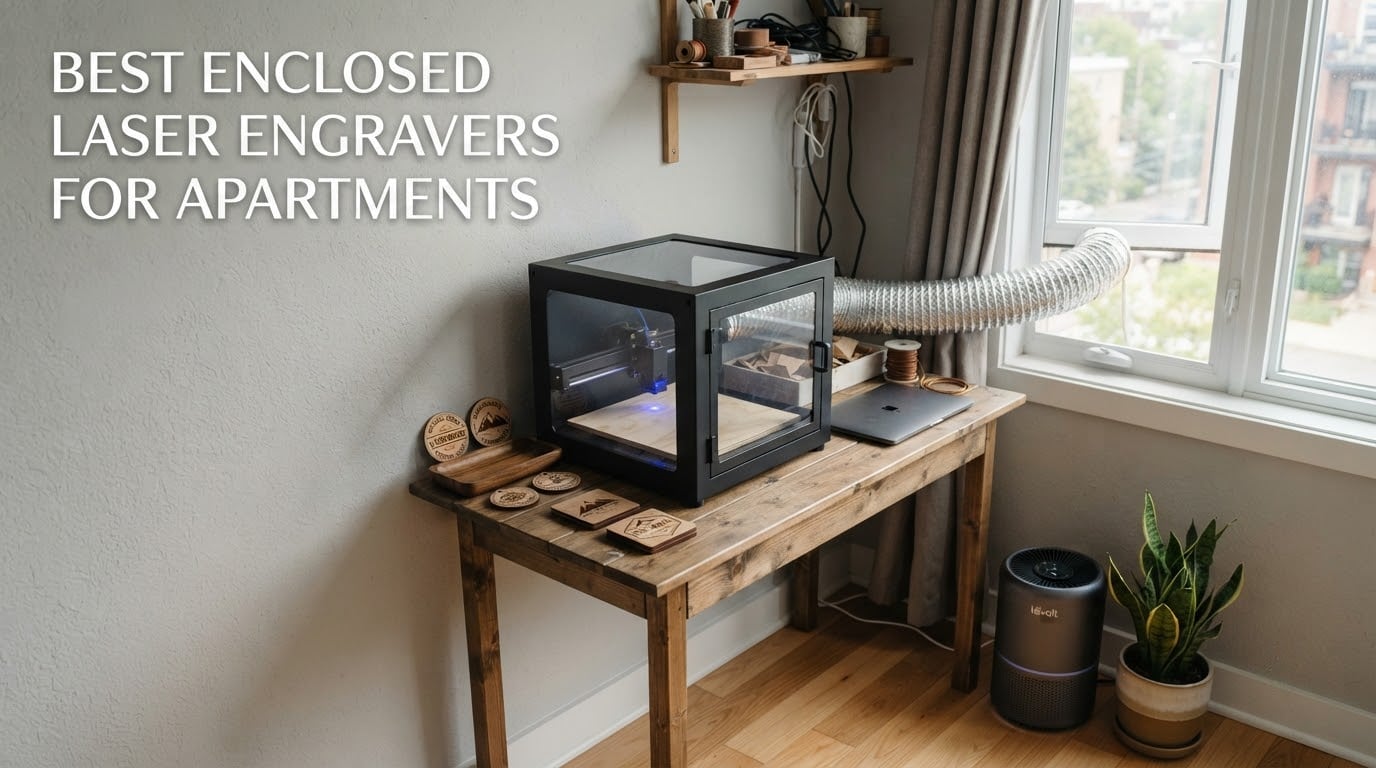
Yes, you can run a laser engraver inside an apartment, but only if the machine is fully enclosed and you deal with the smoke deliberately. An open-frame cutter releases both a hazardous beam and fine particulate into the room, which is not something you want in a building with shared walls and a landlord down the hall. A sealed Class 1 unit keeps the beam, the dust and most of the odour inside a cabinet, and a small extraction fan or purifier deals with the rest.
That answer takes you most of the way there, but not all the way. The best enclosed laser engravers for apartments are chosen less on wattage than on three things almost every roundup skips: how loud the machine is and at what hours you can run it, whether its footprint actually fits your furniture, and whether you have a legal way to get fumes out of the building. A 40W enclosed cutter that is quiet but demands a dedicated table and an exterior vent is the wrong machine for a studio flat, and a 5W unit that a child can carry up three flights of stairs may be exactly right.
We compared eight enclosed machines across those three constraints plus build quality, software and materials, and read through the review data on each. Our evaluation basis is manufacturer specifications and aggregated owner reviews, not our own bench testing, so treat our noise judgments as qualitative rather than measured in decibels. No manufacturer on the search page results reviewed its own machine for us, and none of them paid for a mention. Where we could not verify something, we say so.
If you are furnishing the rest of your place at the same time, our guides to indoor grills for apartments and smart locks for apartments cover the same rental constraints from different angles.
Table of Contents
Top 3 Picks for Apartments in 2026
Best Enclosed Laser Engravers for Apartments (October 2026)
| Product | Specifications | Action |
|---|---|---|
 xTool S1 40W xTool S1 40W |
|
Check Latest Price |
 Creality Falcon A1 10W Creality Falcon A1 10W |
|
Check Latest Price |
 xTool M1 10W xTool M1 10W |
|
Check Latest Price |
 Genmitsu L8 20W Genmitsu L8 20W |
|
Check Latest Price |
 WAINLUXPRO K10 5W WAINLUXPRO K10 5W |
|
Check Latest Price |
 WECREAT LC2320 20W WECREAT LC2320 20W |
|
Check Latest Price |
 Woxcker L2 MAX 10W Woxcker L2 MAX 10W |
|
Check Latest Price |
 Creality Falcon A1 Pro 20W Creality Falcon A1 Pro 20W |
|
Check Latest Price |
1. xTool S1 40W – the enclosed laser engraver that can do real production work
xTool S1 40W Laser Cutter and Laser Engraver for Tumblers, 23.93″ x 15.16″ Bed Size, 600mm/s Speed, Laser Engraving Machine, Laser Engraver for Wood and Metal, Acrylic, Big Project – Rotary Bundle
40W diode
23.93 x 15.16 inch bed
600mm/s
Class 1 enclosure
86.8 lb
Pros
- Fast clean cuts out of the box
- Enclosed Class 1 body contains light smoke and noise
- Software ships with 400+ pre-tested material profiles
- Large bed handles batch work like 119 dog tags
- Pin-point Positioning for curved surfaces
Cons
- Needs a vent hose and a real exhaust solution
- No motor braking so the head is easy to knock out of alignment
- Metal Z probe can dent and give false focus readings
- Heavy at 86.8 lb and needs a dedicated surface
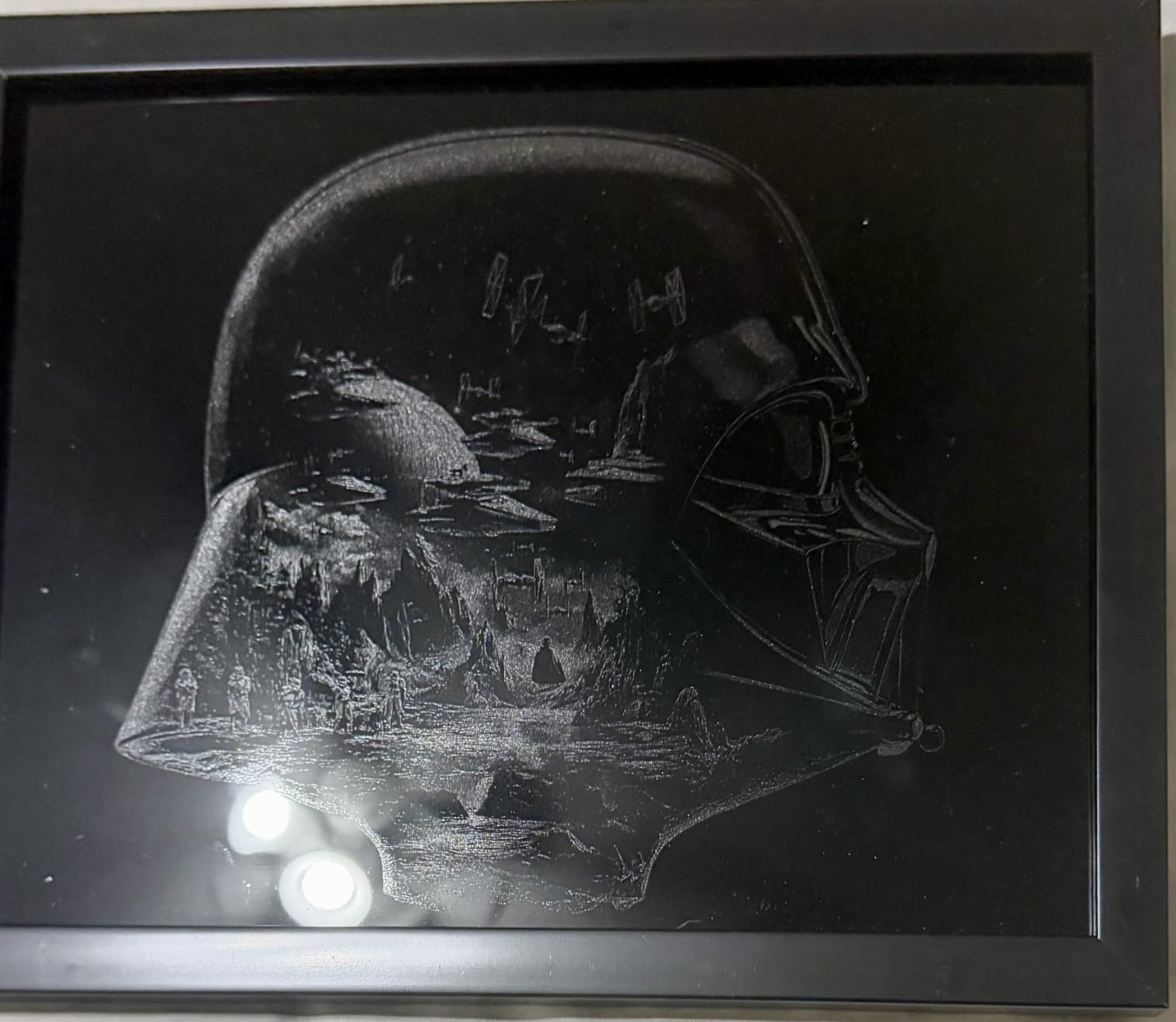
The xTool S1 40W is the machine I keep coming back to for an apartment maker who has a real job to do, because the bed and the power are closer to a small production unit than anything else in a sealed desktop cabinet. It runs a 40W diode at up to 600mm/s, cuts 18mm cherry wood in a single pass, and ships in a bundle that includes the rotary attachment for tumblers and mugs. That rotary capability is what separates it from the small engravers that can only handle flat stock.
Owners consistently report fast, clean cuts once set up, and several mention that xTool customer service resolved hardware problems with replacements rather than excuses. The Class 1 protective cover filters 99% of the laser light, and the safety package includes five flame sensors, an emergency stop button and a lid-open stop, which is a meaningful combination in a unit with a wood fire path in it.
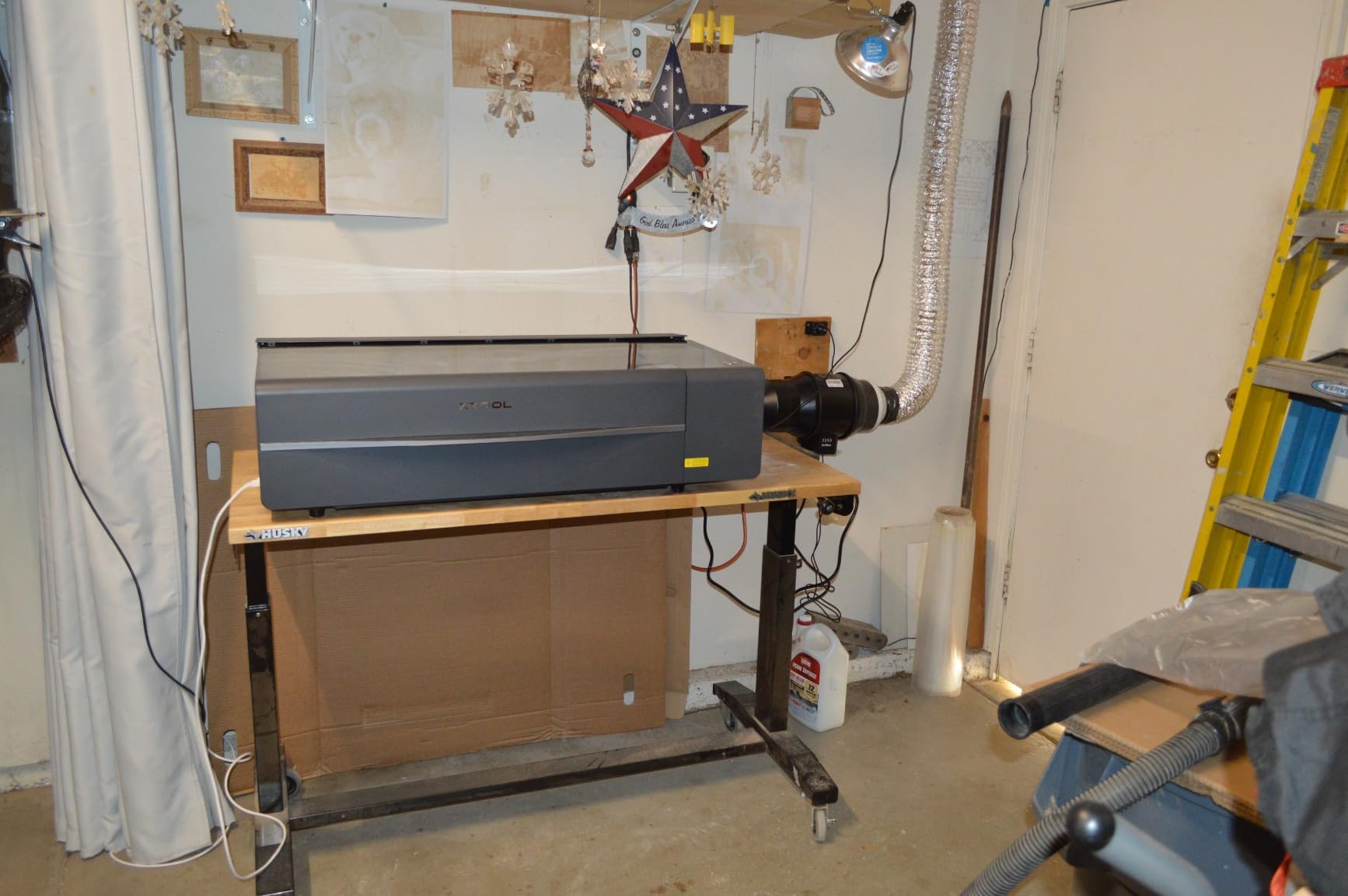
Two things stand out for apartment use. The first is heat and exhaust: reviewers are explicit that the enclosure alone does not remove smell indoors, and a vent hose plus an external exhaust solution is part of normal ownership rather than an accessory. The second is physical reality. At 86.8 pounds with a 23.93 by 15.16 inch work area, this is a machine that wants a console table or a sturdy shelving unit, not a lap desk.
A second detail worth knowing before you buy: there is no motor braking, so the laser head is easy to bump during manual origin setup and knock out of alignment. The spring-loaded metal Z probe is also the part reviewers flag as fragile. It can dent and then return false focus readings, which shows up as cuts that vary in depth for no obvious reason.
Where this machine fits in a rental
This is a good fit for a one-bedroom or a house with a basement, garage or spare room, and a poor fit for a studio where the machine must live in the living space. Plan for a 4 foot wide surface at a comfortable working height, a nearby outlet on a circuit nothing else heavy shares, and a vent path to a window or an exterior wall. Budget separately for the exhaust hardware, because it is not in the box.
The upside is that the enclosure genuinely does dampen noise compared with open-frame machines of similar power. What you hear during a cut is mostly the gantry and the extraction, which is a very different sound profile from an open frame cutting in the same room. It is still a machine you would not run at 11pm against a bedroom wall, and no enclosed machine is.
Who should skip it
Skip the S1 if your space is a small studio with no place to vent and no room for a machine weighing 86.8 pounds, or if your projects are all under three inches. At 10W or 5W you give up very little for those jobs, and the S1 does not gain much in usefulness. It is also the wrong first machine if you are still deciding whether laser work is for you, because the total cost including exhaust hardware is a real commitment.
Owners do like the xTool Creative Space software, which is approachable for beginners and ships with 400+ pre-tested material settings, so you rarely have to guess power and speed. Navigation can be disorienting, and some users report material settings disappearing mid-edit, which is annoying rather than disqualifying.
2. Creality Falcon A1 10W – camera positioning makes this the easy one to learn
CREALITY FALCON A1 10W Laser Engraver, 80W Enclosed Laser Cutter and Engraver Machine with Air Assist, Smart Camera Positioning, 600mm/s Speed, Smart Material Recognition, Ideal for Wood & Metal
10W Class 1
381 x 305mm bed
600mm/s
HD camera
43.6 lb
Pros
- Ready to use with pre-set material parameters
- Integrated camera removes manual focusing guesswork
- 600mm/s is among the fastest in this class
- Dual-door enclosure filters 99% of laser radiation
- Works with LightBurn and LaserGRBL
Cons
- 10W cannot handle reflective metals or acrylic cutting
- 500x500mm honeycomb panel does not fit the 381x305mm work area
- Falcon Design Space has a learning curve
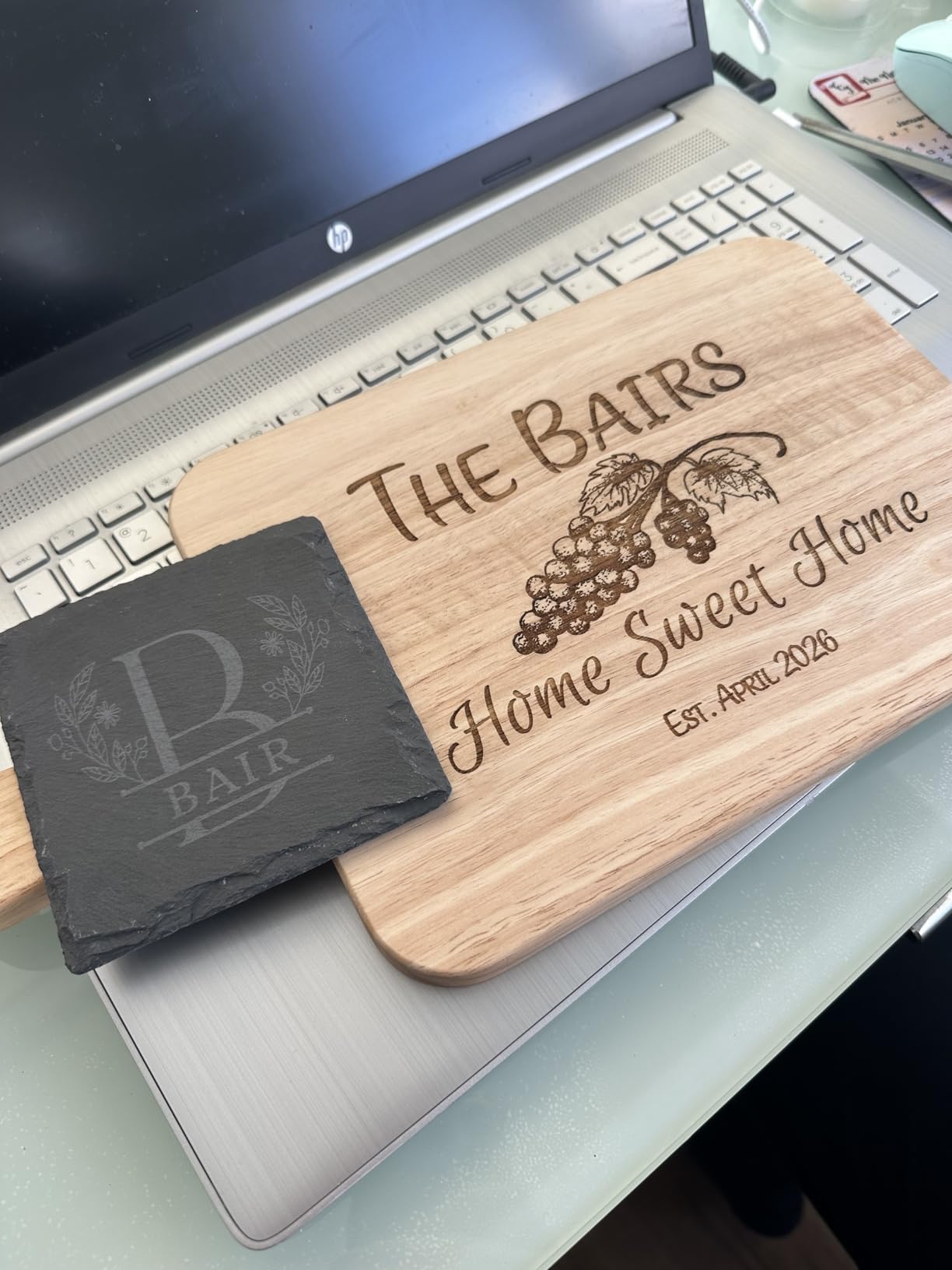
The Creality Falcon A1 10W is the easiest enclosed machine here to learn because of its pre-calibrated HD camera, which gives you full-frame positioning and takes most of the guesswork out of laying out a job. If you have never used a laser before and you are working in a small room where wasted material and trial runs are annoying, camera framing solves a real problem rather than being a gimmick.
It also runs fast. The CoreXY motion system with dual motors hits up to 600mm/s, which is at the top of the enclosed desktop class. The dual-door enclosure filters 99% of laser radiation, blocks smoke and damps noise, and includes an auto-lock, an emergency stop and smoke control. That combination makes it a credible candidate for a shared-wall apartment, provided you restrict materials.
Understand what 10W means before you commit. This machine engraves well and will do light cutting, but it cannot engrave highly reflective materials and it does not cut acrylic. A noticeable share of one-star and three-star reviews trace directly back to the 80W headline in the product title versus the 10W actual output, so read past the marketing. If your project list is full of acrylic, this is the wrong machine no matter how good the camera is.
There is a second practical snag: the 500 by 500mm honeycomb panel that ships with the machine is not compatible with the 381 by 305mm working area. That confuses first-time users during setup, and reviewers mention it often. Software support is wide, covering LightBurn, LaserGRBL and Cutlabx alongside Creality’s own Falcon Design Space, which has a learning curve but does not lock you in.
Where this machine fits in a rental
At 43.6 pounds and 25 by 22 by 10.5 inches, it is a two-person lift and it fits on a solid desk or a console in a living room corner. The dual-door design means you can load from the front without a wide swing, which matters in tight rooms. The 600mm/s speed also means short jobs finish fast, and short jobs are what you want to run when neighbours are home.
Ventilation is the deciding factor, not noise. The enclosure keeps smoke in long enough for the internal handling to deal with it, but for wood work you will still want a purifier or an extraction unit in the room. An air purifier next to the machine does more for a rental than any acoustic modification.
Who should skip it
Skip the A1 if you cut acrylic regularly or need to mark bare or coated metal, because 10W will frustrate you on both. It is also a poor fit if you want to grow into production and expect to need more power within a year. The camera, the speed and the software support are the reasons to buy it, and none of them compensate for insufficient power on thick stock.
3. xTool M1 10W – the most flexible small machine for a small room
xTool M1 10W Laser Engraver with RA2, Class I Laser Engraver, 3-in-1 Laser Engraving Cutting, Blade Cutting, Supports Processing Glass, Cylindrical Objects
10W dual head
3-in-1 laser blade cutting
250mm/s
17.6 x 21.9 x 9.1 inch
Camera autofocus
Pros
- Genuinely 3-in-1 with laser engraving cutting and blade cutting
- Camera autofocus simplifies batch work on identical items
- Small footprint suits an apartment craft space
- Built-in fan and exhaust handle smoke and debris
- xTool support praised for step-by-step help
Cons
- 10W limits you to small projects vinyl and HTV
- Does not support LightBurn or Laserbox Basic
- Exhaust fan stops when the job ends leaving residual smoke
- Air assist sold separately on some configurations
The xTool M1 10W earns its place here because it is the only machine in this group that cuts vinyl and fabric with a blade as well as running a laser, all in a box that measures 17.6 by 21.9 by 9.1 inches. That is small enough to disappear into a corner of a desk when you are not using it, and the built-in high-resolution camera handles autofocus, image capture and material detection so a batch of identical items lines up without manual nudging.
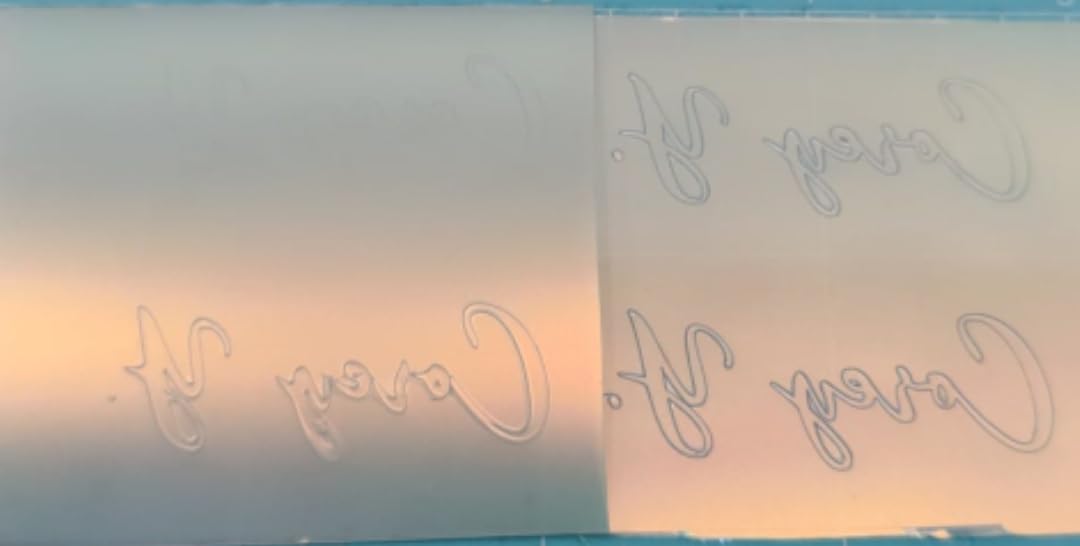
It cuts 10mm wood in a single pass, engraves at 250mm/s and quotes 0.01mm engraving accuracy from FAC lens compression. The removable bottom plate and the RA2 rotary attachment extend it to cylindrical objects. For a small apartment operation selling personalised gifts, that versatility in one enclosure is worth more than raw wattage.

Two limitations deserve a plain paragraph. The 10W head is not enough for larger cutting jobs, so this is a small-project machine rather than a production one. And it does not support LightBurn or Laserbox Basic. You are locked into xTool Creative Space, which reviewers generally find approachable and which also runs on a mobile device, but it removes the option to move to the software most of the hobby community uses.
A smaller annoyance for shared walls: the exhaust fan switches off when a job finishes, so residual smoke can still be in the chamber when you open the door. Leave the lid closed for a minute after a cut. Air assist is sold separately on some configurations, which matters because air assist improves both cut quality and how much particulate leaves the work area.
Where this machine fits in a rental
This is the easiest of the larger machines to place. It is a desktop unit that fits beside a monitor, and the enclosure blocks blue light and auto-powers-off when the cover opens, so a curious child is a much smaller concern than with an open frame. The visible protective cover is the main eye-safety feature and it stays on.
Because it is light and compact, it also suits a shared office or a spare room you use only on weekends. Where it struggles is heat: a machine running near a monitor in a small room with poor circulation needs an extraction unit, because the enclosure contains smoke but does not eliminate it.
Who should skip it
Skip the M1 if your work needs LightBurn specifically, or if you are planning to cut thick wood regularly. It is also not the machine for you if you want one software to run every machine you might buy later, because the ecosystem lock-in is real. Within those limits, reviewers treat it as an ideal first machine and a capable side-business tool.
4. Genmitsu L8 20W – the strongest safety hardware in an acrylic cabinet
Genmitsu L8 Laser Engraver, 20W 20000mW Laser Cutter with Acrylic Enclosure
20W+ optical diode
40000mm/min
30L/min air assist included
Class 1
Acrylic enclosure
Pros
- Arrives fully assembled and cutting within minutes
- Strong safety package with flame monitor tilt stop e-stop and child lock
- 30L/min air assist pump included
- Relatively quiet during operation
- SainSmart and Genmitsu support described as fast and helpful
Cons
- Included 3 inch exhaust fan is weak and owners add a purifier
- Documentation is thin on focus power and speed settings
- Wood results can be less crisp than metal or plastic
- Some quality control reports including loose hardware and sensor faults
The Genmitsu L8 20W is the machine I would point at if your biggest worry is a fire in a small room, because its safety package is the most complete in this group. You get a door sensor, a tilted auto stop, an active flame monitor with a buzzer, position limit switches, an emergency stop and a child safety lock, all inside a 360-degree acrylic shield certified to Laser Safety Class 1. That flame monitor is the feature that matters most in an apartment with wooden furniture and a lot of paper around.
On capability it delivers more than 20W of optical power at up to 40000mm/min, cuts 12mm pinewood and 8mm black acrylic in one pass, and even marks 0.05mm stainless steel. A 30L/min smart air assist pump and a large honeycomb bed are included, and it arrives fully assembled, so there is no build to schedule around a weekend.
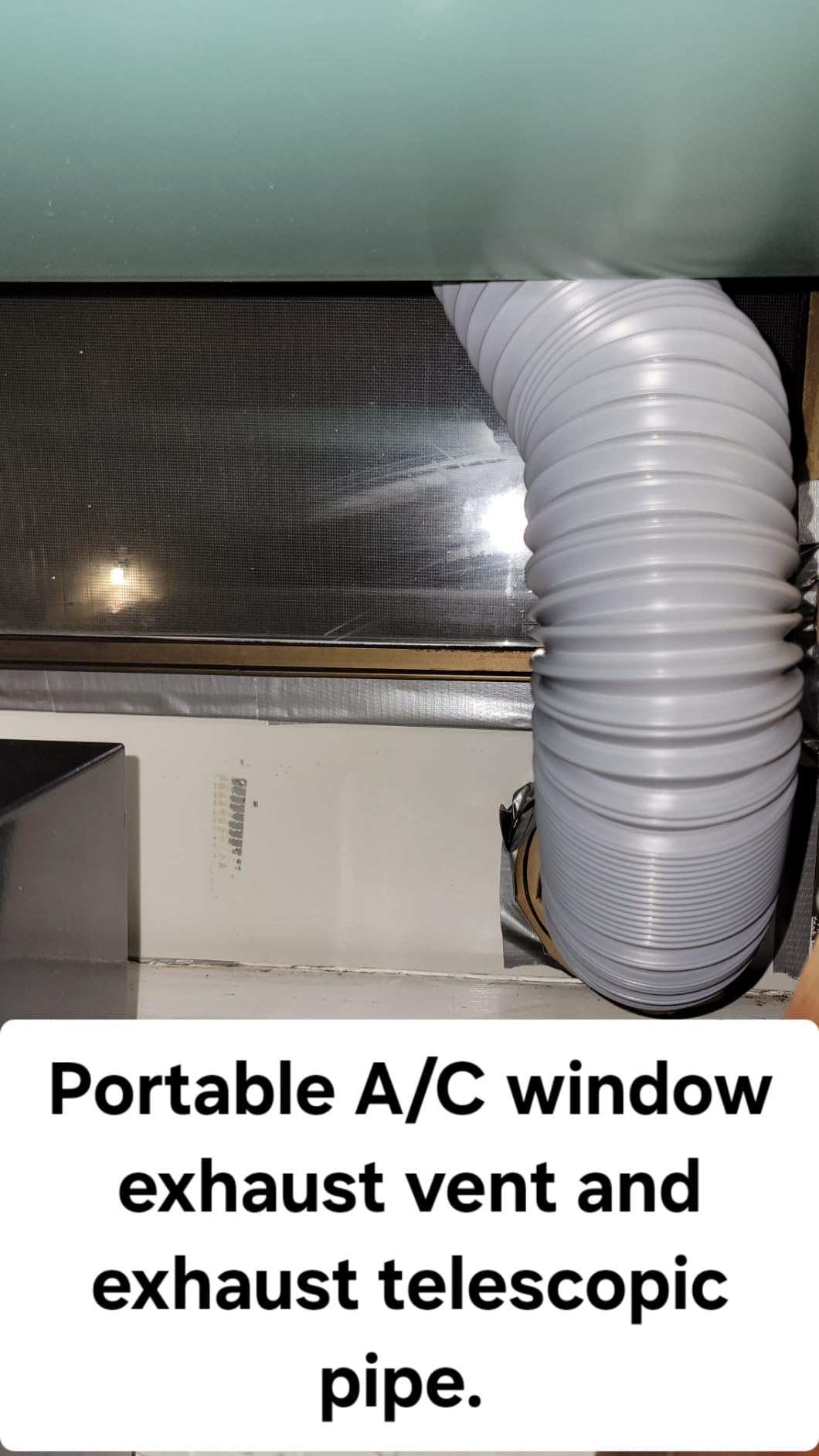
Owners report it cutting 5mm plywood cleanly and engraving aluminum, plastic and steel well, and describe it as relatively quiet during operation. The 1-year manufacturer warranty and the support responsiveness come up repeatedly in reviews, which is worth something on a machine with this many moving safety systems.
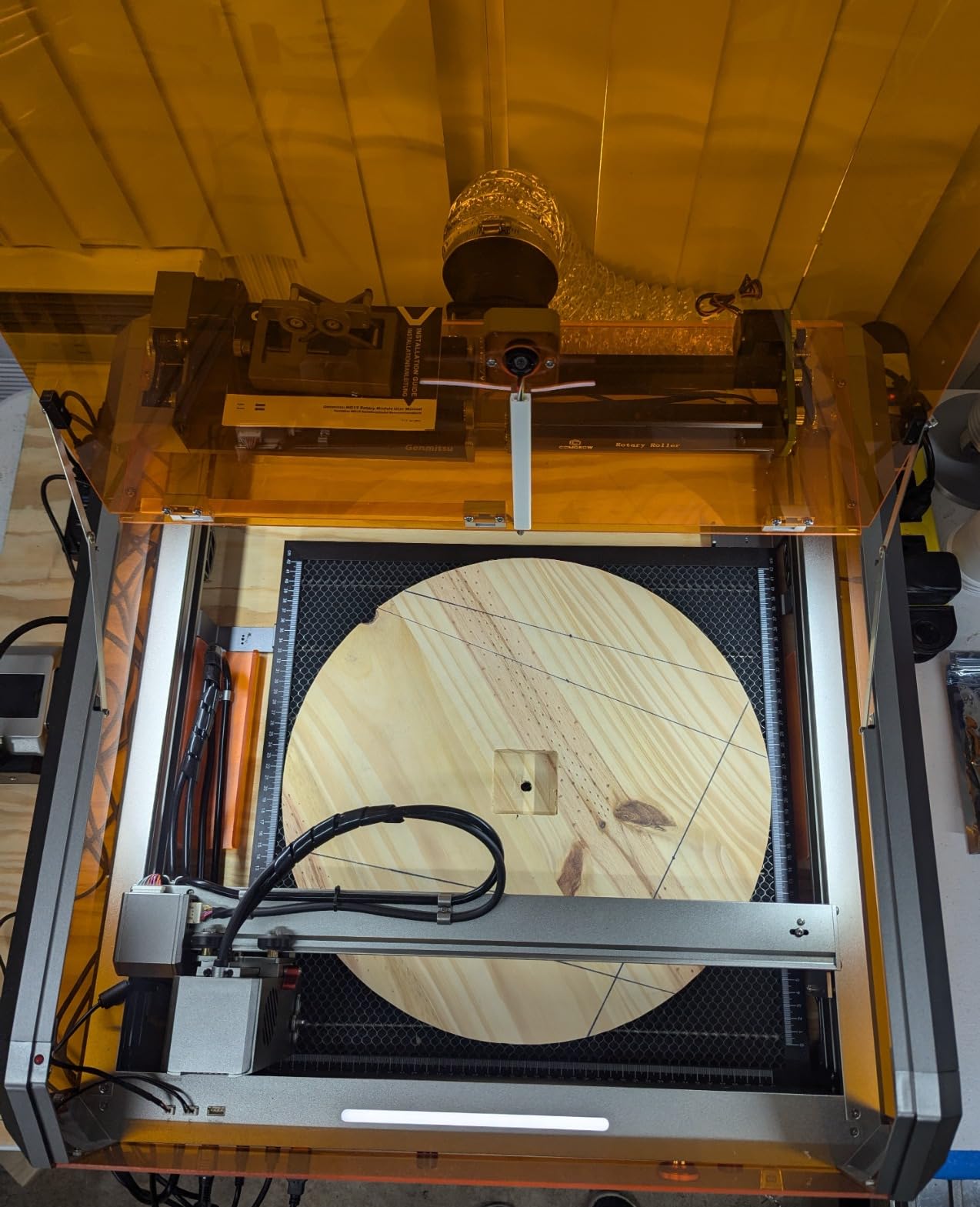
The apartment catch is extraction, and owners are blunt about it: the included 3-inch exhaust fan is weak, and many people exhaust to a window or add a purifier. Documentation is also thin on focus, power and speed settings, so expect to spend your first afternoon learning the settings rather than following a manual. There is no internal light dimmer, which gets in the way of using the camera overlay.
Where this machine fits in a rental
Because it ships fully assembled, the L8 suits a renter who wants a working machine the same day it arrives, without a workbench or tools. The included air assist pump reduces how much of the smoke and particulate you need to catch downstream, which is a meaningful advantage when your only extraction option is a purifier in the corner.
For a studio flat, the honest version is that you need a stronger exhaust unit and a spot near an openable window. The flame monitor does not replace ventilation. Keep the machine on a non-combustible surface and away from curtains if you have them.
Who should skip it
Skip the L8 if documentation quality matters more to you than the safety hardware, or if you are not willing to add external extraction. It is also a weaker choice than it could be for fine wood detail, since reviewers note wood results can be less crisp than metal or plastic. Budget for a second extraction unit before you unbox it, not after the first wood job.
5. WAINLUXPRO K10 5W – the only machine here you can carry with one hand
WAINLUXPRO K10 5W Laser Engraver, Class 1 Enclosed Engraving Machine
5W diode
80 x 80mm work area
4.36 lb
8.03 x 7.36 x 8.85 inch
WiFi USB and TF card
Pros
- Weighs 1.9kg so it stores away easily in a small space
- Zero setup and engraving within minutes of unboxing
- Sharp consistent engraving on wood and leather
- Class 1 enclosure with tilt and cover safety stops
- Offline TF card mode allows batch runs without a computer
Cons
- 80x80mm work area is very small and home limits cut it further
- Cutlabx software reduces image quality and lacks full preview
- Cannot engrave bare reflective metal like stainless or brass
- Interface and instructions are basic
The WAINLUXPRO K10 5W solves a problem none of the other machines here address: where to put it when you are not using it. It weighs 4.36 pounds and measures 8.03 by 7.36 by 8.85 inches, so it lives on a shelf, a windowsill or a desk corner and comes out when you have a job. In a one-bedroom apartment that is often the difference between owning a laser and not owning one.
It is also genuinely zero-setup. Unbox and engrave within minutes, using WiFi, USB or an offline TF card with no computer or phone required. The 5W head cuts 3mm basswood and works on wood, leather, glass, acrylic, cardboard and fabric, and the 1-year warranty comes with tutorial-based support. Reviewers consistently call it good value and praise how the company follows up after purchase.
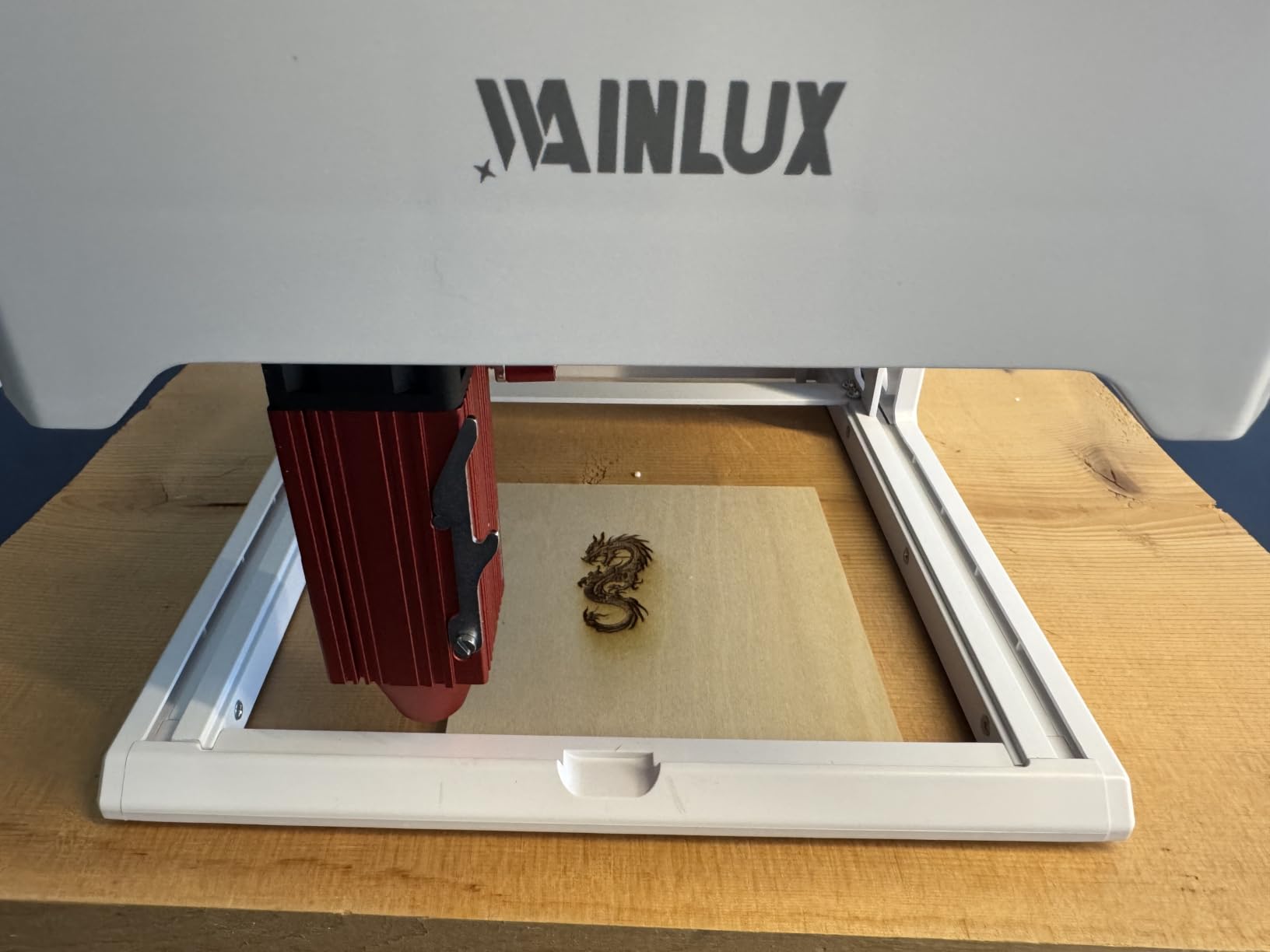
The compromise is scale. The 80 by 80mm work area is very small, and homing limits the usable region further, so you are working on tags, pendants, small plaques and craft blanks rather than anything you would call a panel. It is a marker with a laser attached, and treating it that way is how people get the most out of it.
The bundled Cutlabx software can reduce image quality during processing and does not give a full image preview. The machine is also compatible with LightBurn and LaserGRBL, which is the better path for anyone who wants finer control. Bare or uncoated reflective metal such as stainless steel, brass and copper is out of reach at 5W.
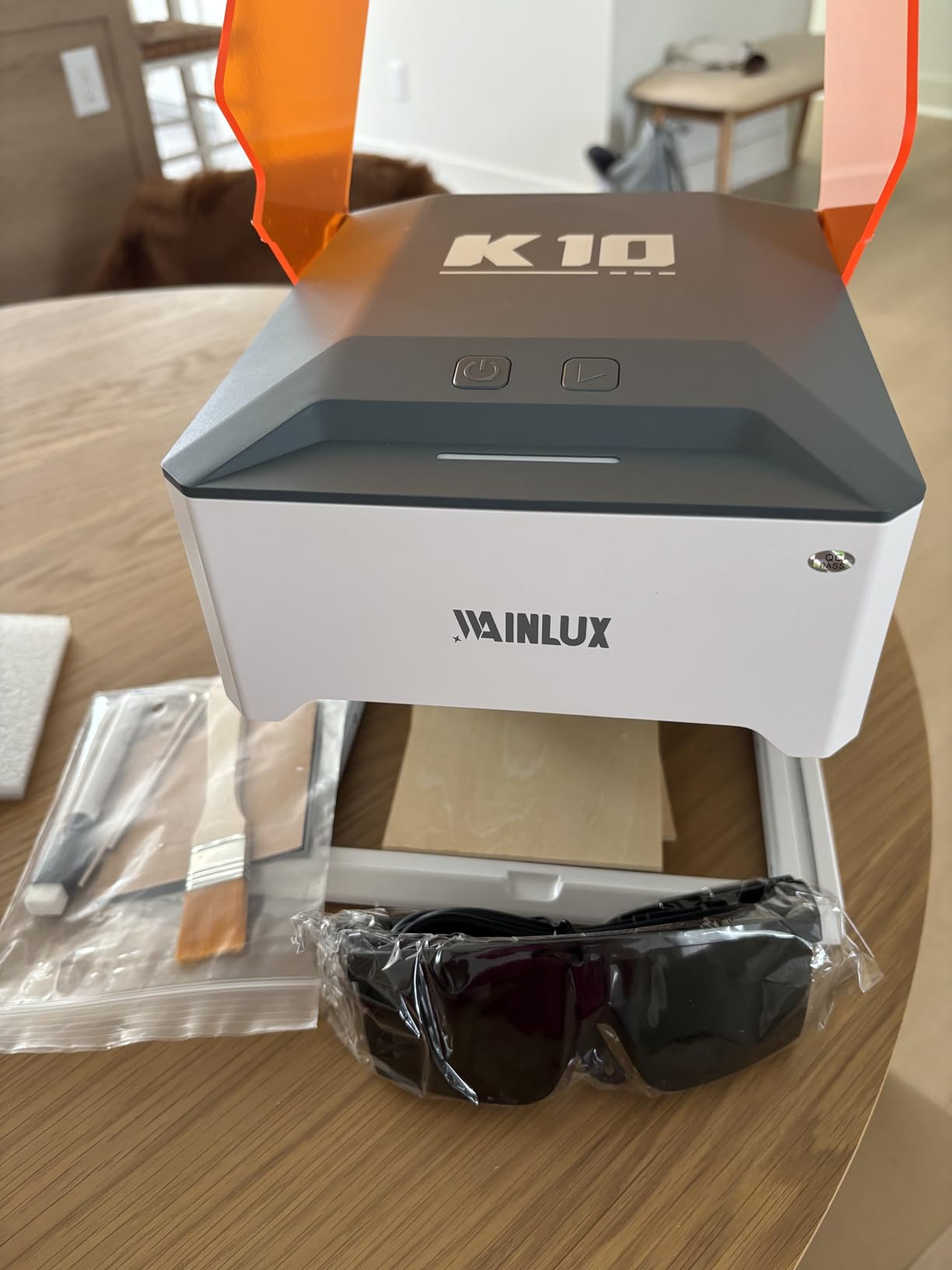
Where this machine fits in a rental
This is the only machine on the list I would put in a shared flat with a roommate and thin walls. The Class 1 enclosure, the tilt stop and the cover safety stop handle the safety side, and at this size you can put a purifier right next to it on the same surface. Electrical load is trivial, so any reasonable outlet works.
The trade is throughput. You will not be running batches, you will be making a few pieces at a time, and the small bed means several runs for one project. If you mostly make personalised gifts rather than signs or panels, that is a perfectly good way to work.
Who should skip it
Skip the K10 if you need to engrave anything larger than a coaster, if metal marking is central to your work, or if you want to produce in quantity. It is also the wrong tool if you already own a decent machine and want a second, faster unit. For a first laser in a small home, it is hard to argue with.
6. WECREAT LC2320 20W – auto Z-lift removes the most common beginner mistake
WECREAT Laser Engraver and Cutter, 20W(20,000mW) 4-in-1 Desktop Diode Fully Enclosed Laser Engraver Machine with Rotary, Home Business for Jewelry and Gift Making with Metal Wood Acrylic Leather
20W diode
600mm/s
0-140mm auto Z lift
Class 1 enclosed
66.9 lb
Pros
- 20W delivers single-pass cuts of 10mm wood and 8mm black acrylic
- Automatic 0-140mm Z lift removes the need for a riser base
- Enclosed Class 1 body with lid-open auto stop so no goggles needed
- HD camera and 3D preview reduce waste
- Works with WeCreat MakeIt and LightBurn
Cons
- Heavy and large at 66.9 lb and 24 x 21 x 10 inches
- Enclosure helps but an extraction or filtration solution is still advisable
- Needs a dedicated table and floor space
The WECREAT LC2320 20W is interesting for one specific reason in a small apartment: the automatic 0-140mm Z-axis lift. Thickness changes are where beginners lose jobs, because a stack of different-height blanks means repeated manual height adjustment and repeated focus errors. This machine raises itself, which removes an entire category of frustration from a small work surface.
It runs a 20W diode at 600mm/s, cuts 10mm wood or 8mm opaque black acrylic in a single pass, and has a 0.06 by 0.08mm spot for fine detail. The fully enclosed FDA Class 1 body auto-stops when the lid opens and the eye-protection cover filters 99% of the laser light, so you are not wearing goggles. It arrives pre-assembled.
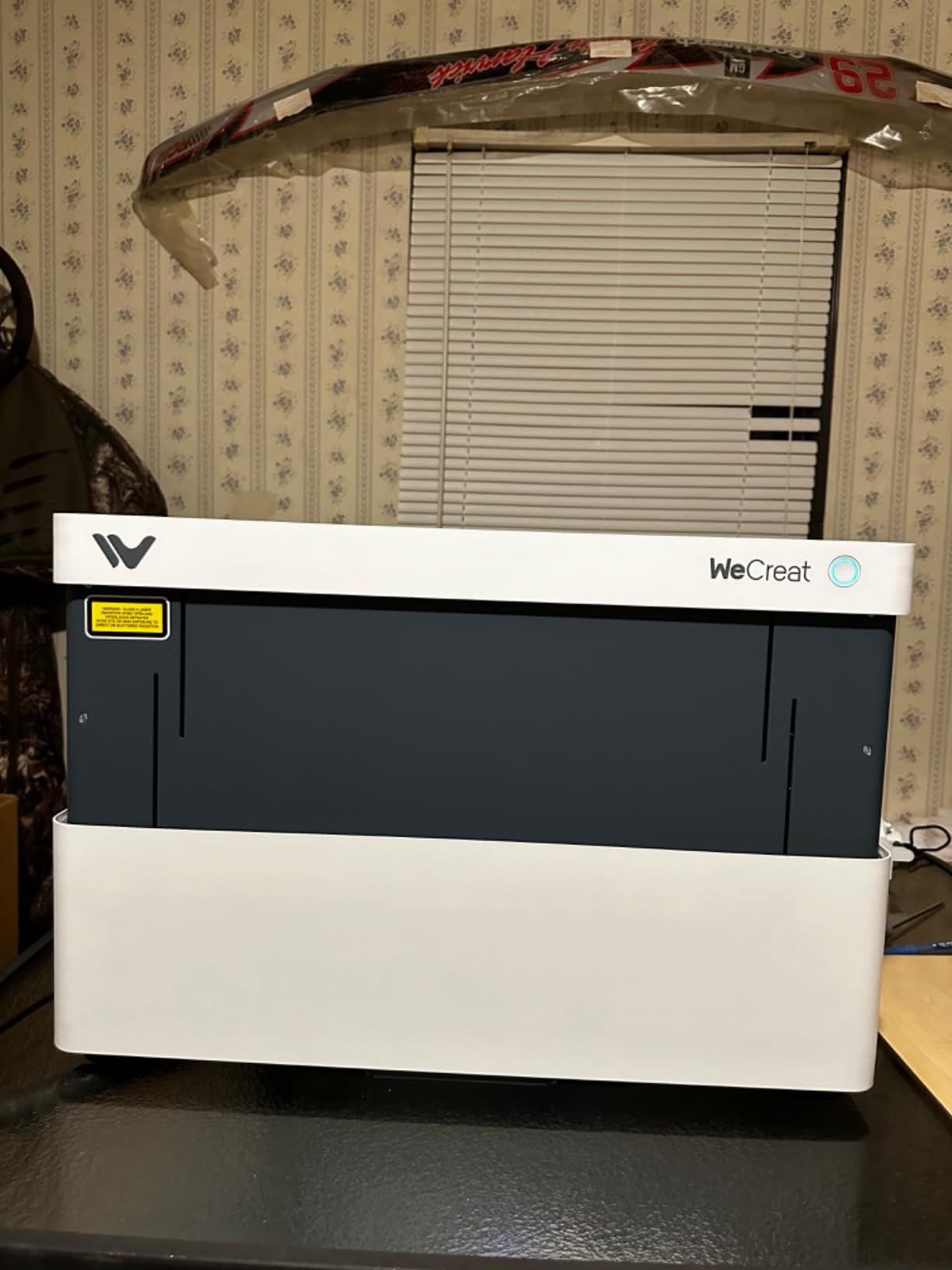
The built-in HD camera with 3D preview and a quick-view matrix covering more than 1,000 materials cuts down on test cuts, and Smart Air Assist moves up to 30L/min. The rotary kit handles tumblers, mugs, rollers, spheres and rings, so the gift side of the market is covered. It works with both WeCreat MakeIt and LightBurn, which means you are not locked out of the standard software.
Now the honest part. At 66.9 pounds and 24 by 21 by 10 inches, this is one of the two largest machines here, and it needs a dedicated table plus floor space. Reviewers name size and weight as the main practical constraint for home users. The enclosure contains fumes but an extraction or filtration solution is still advisable indoors, which is the same requirement as everything else in this class.
Where this machine fits in a rental
It fits in a home with a room you can dedicate to making things, a basement, or a garage conversion. Because it comes pre-assembled and Class 1 enclosed, it is one of the friendlier enclosed machines to start with despite its size. The auto Z-lift means you spend less time leaning over it, which matters less in a large room and more in a small one.
The circuit question is the one to check first. A 20W laser plus air assist plus chiller draw is a real load, so put it on a circuit that is not shared with a space heater or a microwave, and add surge protection. Older apartment wiring is where this class of machine causes problems.
Who should skip it
Skip the LC2320 if your only free surface is a desk. It is a machine for a room, not a desk, and no amount of clever furniture placement changes 66.9 pounds. It is also overkill if your projects are all small, because the auto Z-lift and the camera are features you would not use on tags and pendants.
7. Woxcker L2 MAX 10W – a 300mm bed without the 300mm machine
Laser Engraver 10W for DIY Maker, Small Business, 300×300mm Large Area, 20,000mm/min High-Speed Engraving Machine, 0.01mm Ultra-Precision for Wood, Metal, Leather, 360° Enclosure, Class 1 10000mW
10W diode
300 x 300mm work area
20000mm/min
WiFi USB app TF card
360 degree enclosure
Pros
- 360 degree enclosure contains fumes dust and noise for indoor use
- Five-part modular assembly saves roughly 30-40 minutes of setup
- 300x300mm area handles larger designs or several small items
- Generous safety suite including flame detection e-stop and tilt stop
- WiFi USB app and TF card operation means no dedicated PC needed
Cons
- 10W suited to engraving and light cutting rather than thick material
- Enclosure contains fumes but an air assist or purifier is still advisable
- Air assist and rotary roller are optional extras
The Woxcker L2 MAX 10W offers a 300 by 300mm work area, which is larger than several higher-priced machines here, in a 21.57 by 18.78 by 8.43 inch body weighing 9.1 kg. If your constraint is a shallow shelf or a narrow console rather than a floor area, that combination is the argument for it: a bigger bed without the bulk.
It engraves at up to 20000mm/min with a 0.01mm square focus spot, and the safety suite is long for the class: lid-open auto stop, flame detection, emergency stop, safety lock and 15-degree tilt stop. That flame detection and the child-safe lock are both genuinely useful with a wooden enclosure in a flat.
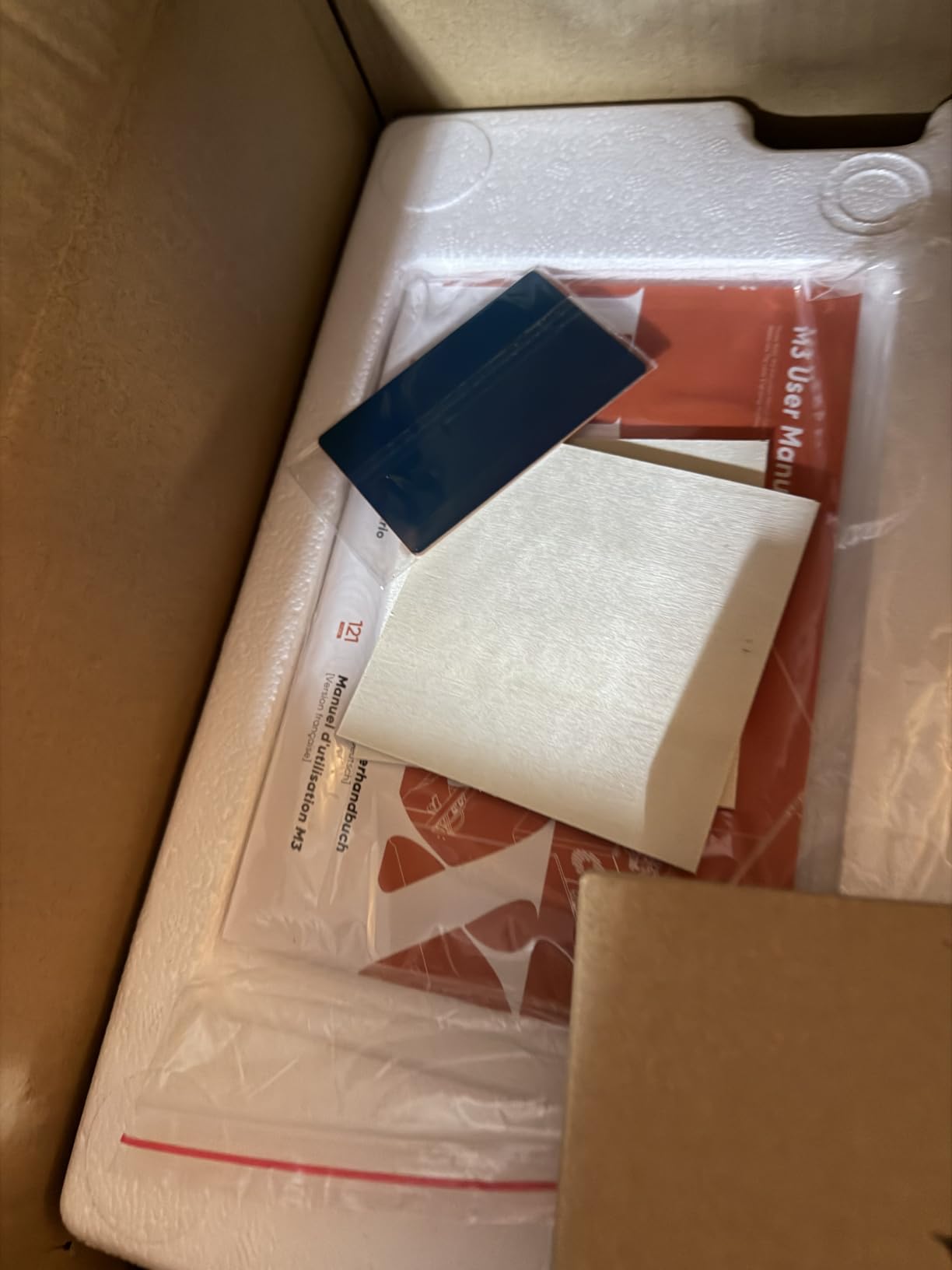
Setup is where it earns goodwill. The five-part modular assembly saves roughly 30 to 40 minutes compared with a belt-tensioned frame, and it supports LightBurn, LaserGRBL and CutLabX over WiFi, USB, app or TF card, so no dedicated computer is required. Reviewers are positive across the board, with 72% five-star ratings, and the recurring caveats are power rather than quality.
At 10W, that caveat is real. It is suited to engraving and light cutting rather than thick material. Air assist and the rotary roller are optional extras, so if you plan to cut or to engrave mugs, budget for them. An enclosure that contains fumes still leaves you wanting extraction in the room.

Where this machine fits in a rental
This is a good fit for a two-bedroom place or a house where you have a console table and a wall outlet within reach of an openable window. The 360-degree enclosure damps the gantry and fan noise enough that normal conversation in the same room is workable during a job.
It is also one of the easier machines here to relocate, which matters if you store it between sessions. Plan on adding an air assist unit or running a purifier alongside, because the enclosure handles containment and the air assist handles clearance.
Who should skip it
Skip the L2 MAX if you need to cut thick wood or acrylic on a schedule, because 10W will not keep pace. Skip it if you want every accessory in the box, since the two things you are most likely to want are optional. For engraving-heavy work on a modest bed in a modest room, it is hard to beat.
8. Creality Falcon A1 Pro 20W – touchscreen control without a computer
Creality Falcon A1 Pro 20W Laser Engraver, Full Enclosed 180W Output Laser Engraver Machine, Touch Screen, Auto Focus, APP Control, Pre-Assembled, Ideal for Wood and Metal, Class 1 Safety
20W blue laser
600mm/s
touchscreen and app control
Class 1 enclosed
37.4 lb
Pros
- Fully enclosed dual-door Class 1 body with built-in lights and internal fan
- Touchscreen plus app control allows cable-free remote monitoring
- HD camera with AI vision and 3-second Z autofocus
- 80% pre-assembled so setup is minimal
- Reported to fit a 2 foot storage shelf
Cons
- Weak air assist and underpowered exhaust fan and it gets noisy with a purifier running
- Honeycomb bed is a separate purchase and alignment is tricky
- Camera integration with LightBurn is weak and autofocus struggles above 3/8 inch with the honeycomb
- Some units arrive without an owner's manual
The Creality Falcon A1 Pro 20W is the machine to consider if you do not want a computer anywhere near your laser. The smartphone-style touchscreen plus app control lets you send jobs, monitor them in real time and change settings from your phone, which is unusually practical in a small flat where desk space is already spoken for.
It runs a 20W blue laser at up to 600mm/s, cuts 10mm basswood and 8mm black acrylic, and has an optional 2W 1064nm IR module with a 0.03mm spot for fine detail, sold separately. The dual protective covers filter 99% of light, the internal fan handles smoke, and there is an emergency stop and a lid-open halt. Focusing is handled by an HD camera with AI vision and a red-dot ranging laser, with Z-axis auto-lift that focuses in 3 seconds within 0.012 inches.

It arrives 80% pre-assembled, and reviewers describe it as a capable, compact, fully enclosed entry-level machine that suits a side hustle. At 37.4 pounds it is lighter than most 20W enclosed units, and buyers report it fitting a 2 foot storage shelf, which is the single most apartment-relevant line in any of these reviews.
Now the complaints, which cluster in one place. The air assist is weak and the exhaust fan underpowered, and it gets noticeably noisy when you pair it with an air purifier, which is exactly the setup a renter needs. The honeycomb bed is a separate purchase, the actual work area is smaller than the honeycomb area, and that combination makes alignment tricky. Camera integration with LightBurn is weak, and autofocus struggles above roughly 3/8 inch with the honeycomb installed.

Where this machine fits in a rental
This is the one I would look at first for a smaller home, because the weight, the shelf footprint and the absence of a required computer all point the same way. The 32 by 27 by 15 inch package dimensions include packing, so check the machine body against your shelf before ordering. A 20W unit plus air assist still wants a circuit with headroom.
The noise caveat is real but manageable. The internal fan is the main sound source, and if you add a purifier for air quality, run the purifier on a lower setting during jobs. Nobody outside your unit will hear a 20W diode through a sealed cabinet and a door.
Who should skip it
Skip the A1 Pro if you need the IR module included rather than bought separately, or if you rely on LightBurn camera features. It is also a weaker choice than the xTool S1 if you plan to grow into real cutting work, because 20W against 40W is a different class of machine once you are producing in batches. Some buyers report inconsistent results and returns, so check the honeycomb compatibility note before you commit.
Noise in an Apartment Is an Hours-of-Day Problem, Not Just a Volume Problem
Here is the thing almost every roundup gets wrong: an enclosed laser engraver is genuinely much quieter than an open-frame machine of the same power, and nobody outside your unit hears it. A recent post in a maker forum described the noise from an enclosed diode running on wood as a fan and a faint whine, which matches what the review data on these machines shows. That is a completely different sound profile from an open frame cutting in the same room.
The problem is that the fan and the whine are broadband, continuous, and easily audible through a thin partition. Most of the complaint threads we found frame it as an hours-of-day issue rather than a loudness issue, and the practical rule is simple: run long or power-intensive jobs while you are out, and keep quiet-hour work to short engravings on leather or metal that finish in a few minutes.
What actually drives the noise in this class:
The extraction fan dominates. The stronger the extraction, the louder the machine, which is why several of the machines here are praised as capable and criticised as noisy at the same time.
The air assist pump adds a second steady sound. The Genmitsu L8 includes a 30L/min pump, and the WECREAT includes Smart Air Assist, so the machines with the best cut quality are the ones you will hear most.
Stepper motor movement during a cut is the part that travels. It is brief, but a 600mm/s pass on the xTool S1 or the Creality units is a fast, mechanical sound that carries further than its volume suggests.
Mounting matters more than most people expect. A machine on a hollow-core desk shelf with a subwoofer-adjacent vibe transfers noise through the floor to the unit below. If you are setting up on furniture, our guide to laser levels covers the levelling step that keeps a gantry consistent, and a solid surface under the machine is the cheapest acoustic fix there is.
Ventilation When You Cannot Drill a Window
Every machine on this list contains smoke. None of them removes it, and the owner reviews make that clear across the board. The Genmitsu L8 ships a 3-inch fan that owners describe as weak, the Creality Falcon A1 Pro has an exhaust fan buyers call underpowered, and the WECREAT owners are advised to add filtration. Plan your extraction before you buy, because the right answer depends entirely on what your lease allows.
Three options, ranked for renters:
A HEPA plus carbon recirculating unit is the default for a rental. It needs no drilling, no window port and no landlord conversation, it handles particulate and the bulk of the odour, and it is the compromise almost every owner in the review data ends up making. Its weakness is that it recycles rather than exhausts, so a sealed room eventually saturates.
A window port or exhaust hose to an openable window is better air quality and a worse negotiation. It is usually permitted, it does not require drilling if you use a fitted port, and it works. It does mean airflow through your home, which matters in winter and in a building with strict rules on open windows.
An inline fan ducted to an exterior wall is the best answer and the least available one. It needs landlord approval, sometimes a fire-rated sleeve, and a place on an exterior wall that may not exist in a building that faces another building. If you have a basement or a ground-floor exterior wall, this is worth the conversation.
The rule that matters if you cannot vent: restrict materials. Wood, cardboard, paper and leather are the everyday problems. PVC, vinyl, unknown plastics and anything containing chlorine produce hydrogen chloride gas, which is the reason a lot of people buy an air purifier alongside a laser rather than trusting integrated filtration. If you are stuck with recirculating extraction only, keep synthetic plastics off the bed entirely.
Lease, HOA and Building Rules to Check First
Almost nobody asks this question before buying, and almost everybody asks it afterwards. Running a laser in a rental is not usually prohibited outright, but the specifics depend on your building, and the most common friction points are electrical load, ventilation modifications and nuisance noise rather than the machine itself.
Five things to check before you order:
Whether your lease or HOA rules restrict high-heat or spark-producing equipment. Some buildings have a general clause about open flames and hot work, and a laser with a flame sensor is close enough to trigger a cautious property manager’s question.
Whether you may modify a window or exterior wall for an exhaust port. This is the one that most often turns into a problem, and it is the reason the recirculating option above exists.
Your building’s electrical capacity, particularly if the unit has older wiring or shared circuits. Ask what is on the circuit you plan to use.
Quiet hours. Some buildings have enforced quiet hours, and a machine that runs for 40 minutes at a low hum sits awkwardly against a rule written for parties and music.
Fire safety rules for shared corridors and storage. A machine you plan to store in a hallway closet may breach a fire-retardancy or obstruction rule even though the machine itself is fine.
How to talk to your landlord: lead with the safety case, not the hobby case. A Class 1 enclosed machine with a lid-open auto stop, a flame monitor and no wall modification is an easy yes. An open frame machine with a window duct is a hard no. If you approach it that way, the answer is usually positive, and you can put the written permission somewhere sensible before you unbox.
We cover the wider pattern of apartment permissions in our smart lock guide for apartments, which goes into how building rules tend to be enforced and what documentation tends to help.
Fire Safety and Older Apartment Wiring
Fire risk in an apartment is not about the laser light, which Class 1 enclosures handle, and it is not about electricity, which is modest. It is about a concentrated heat source sitting on a wooden desk in a room with curtains, upholstery and paper. Every machine here has a flame monitor or flame sensor, and you should treat that as a backup rather than a licence.
Practical rules: put the machine on a non-combustible surface, keep a metre of clear space around the enclosure, and keep a suitable fire extinguisher in the room. A CO2 or water-charged extinguisher is the right type for a wood fire path. Never leave a job running unattended, and do not engrave unknown plastics, because chlorine-bearing materials are the ones that produce corrosive gas and a nasty residue on the lens.
On the electrical side, a 5W machine is a non-event. A 20W unit with air assist is a real load, and the 40W xTool S1 with a chiller and a vent hose is closer to a small appliance than a hobby tool. In older apartment wiring, the practical advice is to use a circuit that is not shared with a space heater, a microwave or a dishwasher, and to add surge protection.
If your unit has a known electrical issue, resolve it before you unbox the machine rather than after the first power cut.
How to Choose an Apartment-Friendly Enclosed Laser Engraver
Seven questions, in the order they actually matter for a renter.
Is it fully enclosed and Class 1 certified? A partial acrylic shield is not an enclosure. You want a sealed cabinet with a lid-open auto stop, and you want the certification on the specification sheet rather than implied by a product photo.
Where does the smoke go? Decide your extraction route before you choose the machine, then pick a machine that works with it. A strong machine with a weak fan in a room you cannot vent is a worse combination than a modest machine with good airflow.
Does the footprint match your furniture? Take the machine dimensions, not the package dimensions, and measure the surface and the clearance above it for a lid that opens upward. The xTool M1 at 17.6 by 21.9 by 9.1 inches and the WAINLUXPRO K10 at 8.03 by 7.36 by 8.85 inches are the two ends of this range, and the difference determines whether you can put the machine away when you are done.
How much material do you actually need? A 300 by 300mm bed covers pendants, tags and coasters. A 23.93 by 15.16 inch bed covers signs, door plaques and batch work. Buying a large bed for small jobs is the most common self-inflicted apartment problem, because the machine becomes furniture you cannot move.
What software will you use? LightBurn and LaserGRBL compatibility keeps your options open. Locked-in ecosystems are fine for beginners but annoying later, and the xTool M1 is the clearest example of what that constraint feels like in practice.
What can your circuit handle? Check what else shares the outlet and whether your building’s wiring is old. Add surge protection either way.
When will you run it? Decide your hours before you buy. A machine you can only use while out of the home is a hobby machine. A machine you can use at 9pm on leather and metal is a machine you will use often enough to justify.
Two honest notes on things you will pay for later: replacement filters and lenses are consumables, and enclosed diode machines have a finite diode life. Both are cheaper than people expect, but both belong in a first-year budget. On enclosure lighting, a dimmable or low-heat source matters for camera work; our guide to LED bulbs in enclosed fixtures explains why some bulbs fail in a hot sealed cabinet and which to fit instead.
Finally, a paragraph for the people an apartment rules out. If you have no exterior wall, no free surface, a landlord who objects, or a building where a laser is genuinely unwelcome, a makerspace or a friend’s studio will serve you better than compromising your lease. Renting machine time is cheaper than an argument, and none of these eight machines needs you to own it to learn the craft.
Frequently Asked Questions
Can a laser engraver be used indoors?
Yes, provided the machine is fully enclosed and rated Class 1. An open-frame cutter releases both a hazardous beam and fine smoke into the room, which is not acceptable in a shared building. A sealed enclosure keeps the beam, dust and most of the odour inside the cabinet, and you still need extraction or a HEPA plus carbon purifier to clear the air. Restrict materials and never leave a job running unattended.
Are laser cutters allowed in apartments?
Usually, but check four things first. Whether your lease or HOA restricts spark-producing or high-heat equipment. Whether you may install a window port or exterior exhaust, which is the modification most likely to need written permission. Which electrical circuit you plan to use, especially in older buildings. And whether quiet hours make your job schedule impractical. Lead any conversation with your landlord with the safety case: a Class 1 enclosed machine with a lid-open stop and flame monitor is an easy yes.
How noisy is a laser cutter inside an enclosure?
Much quieter than an open-frame machine of the same power, and effectively inaudible outside your unit. Inside, the sound is a fan and a faint whine rather than a roar, with the extraction fan usually the loudest component and stepper movement carrying furthest. The practical problem in an apartment is hours of day rather than volume, so run long jobs while you are out and keep quiet-hour work to short jobs.
What is the best mini laser engraver?
The WAINLUXPRO K10 5W is the strongest option for a very small space, weighing 4.36 pounds at 8.03 by 7.36 by 8.85 inches so it can be stored away between sessions. Its 80 by 80mm work area limits you to tags, pendants and small blanks. For a 300 by 300mm bed in a shallow footprint, the Woxcker L2 MAX 10W is the better pick.
What materials should you never laser engrave?
PVC and vinyl, which release hydrogen chloride gas that is corrosive and damages the lens. Also avoid ABS and any unknown plastic, because you cannot know what is in it. Do not engrave reflective bare metals like stainless steel, brass or copper on a low-power diode module, since the beam reflects rather than marks. If you are limited to recirculating filtration rather than exterior exhaust, keep synthetic plastics off the bed entirely.
Conclusion
If you have a dedicated surface, a circuit with headroom and any kind of exhaust route, the xTool S1 40W is the strongest of the best enclosed laser engravers for apartments because it combines a genuinely large bed with a sealed Class 1 body and the fastest production capability in this group. If your space is tighter, the Creality Falcon A1 Pro 20W gives you most of the workflow at a fraction of the weight, and the xTool M1 10W fits on an actual desk. Whatever you choose in 2026, decide your extraction route and your running hours before the machine arrives, because those two decisions do more for apartment harmony than the wattage does.