
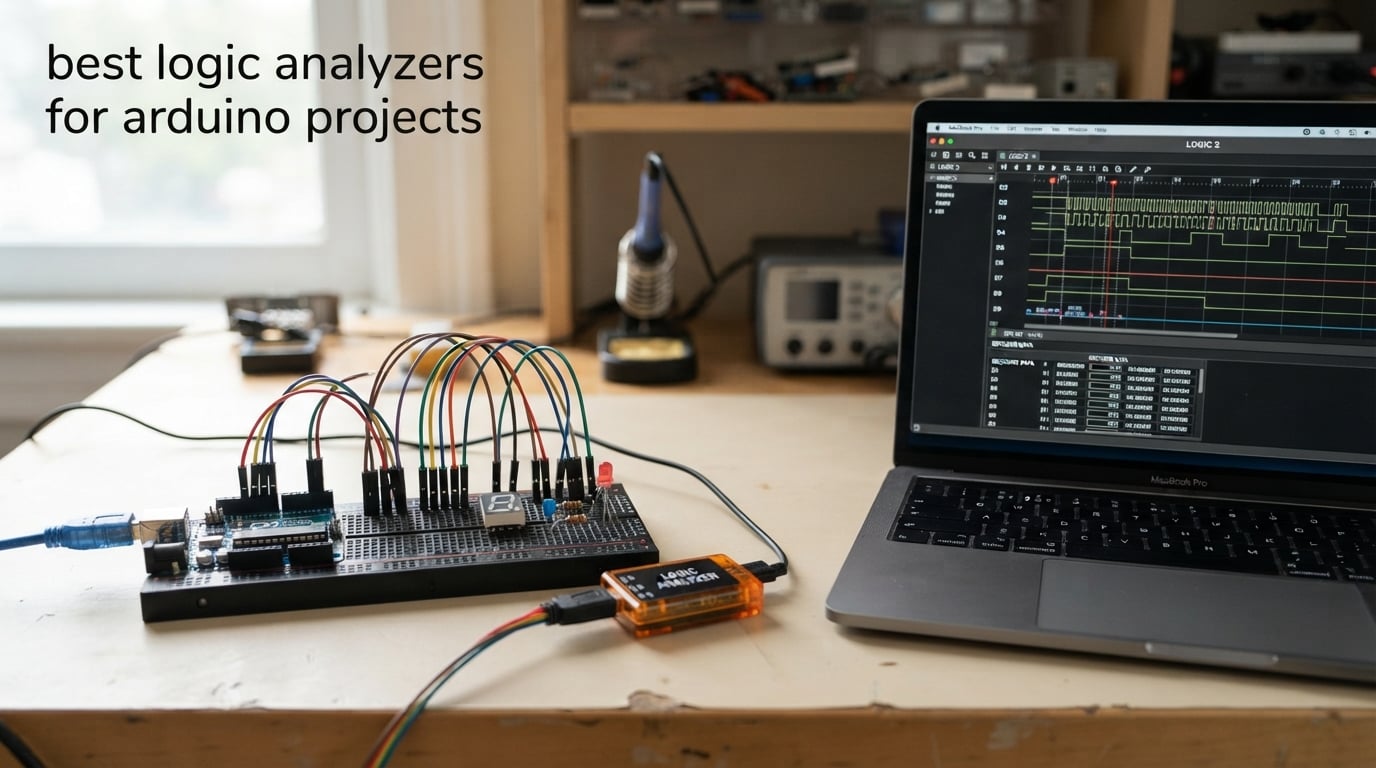
The best logic analyzer for Arduino projects is the 24MHz 8-channel USB clone: it captures I2C, SPI and UART traffic, decodes it in free open-source PulseView, and it is the cheapest serious tool on this list. A sixteen-channel unit is the step up when you need more pins, and a buffered analyzer only matters once you leave hobby bus speeds.
A logic analyzer watches the actual wires between your Arduino and a sensor, display or memory card. Serial.println() debugging only works when your code is already running and printing, so a logic analyzer catches the failures that happen before the first print statement: a missing I2C acknowledge, an absent SPI clock pulse, a baud-rate mismatch.
We compared ten units across the full range, from pocket-sized clones to professional analyzers with half a gigahertz of bandwidth. The two things that actually decide your experience are channel count and whether the device can hold samples in on-board memory instead of relying on your laptop’s USB bus. Channel count and memory depth are the two things that decide how long a capture lasts before the host PC gives up, and everything else on the spec sheet is secondary.
If you are still choosing tools for the bench, our cordless drill buying guide covers the same principle: buy for the job you actually do, not the spec sheet. The same logic applies here, and it is why most Arduino hobbyists never leave the entry-level tier.
Table of Contents
Top 3 Picks: Logic Analyzers for Arduino Debugging in 2026

HiLetgo 24MHz 8CH USB Analyzer
- 24 MS/s sampling
- 8 channels
- -0.5V to 5.25V input range
- works with PulseView

InnoMaker LA1010 16-Channel 100MHz
- 16 input channels at 100 MHz
- 30+ protocol decoders
- KingstVIS software
- auto-installing drivers

KeeYees 24MHz 8CH with Clip Set
- 24 MHz across 8 channels
- 12 color-coded test hook clips
- sigrok protocol analysis
- vendor tutorial repo
Those three cover the realistic range of Arduino work. The HiLetgo clone is the default choice for anyone debugging a single bus, the InnoMaker LA1010 buys you sixteen inputs and a much deeper protocol library, and the KeeYees unit solves the one problem every bare clone leaves you: getting probe wires into a breadboard.
Best Logic Analyzers for Arduino Projects in October
| Product | Specifications | Action |
|---|---|---|
| HiLetgo USB Logic Analyzer 24MHz 8CH |
|
Check Latest Price |
| InnoMaker LA1010 16-Channel 100MHz |
|
Check Latest Price |
| KeeYees 24MHz 8CH Analyzer with Clips |
|
Check Latest Price |
 EspoTek Labrador All-in-One Tool EspoTek Labrador All-in-One Tool |
|
Check Latest Price |
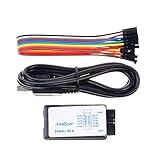 Comidox USB Logic Analyzer 24MHz 8CH Comidox USB Logic Analyzer 24MHz 8CH |
|
Check Latest Price |
 Saleae Logic 8 Multi-Use Analyzer Saleae Logic 8 Multi-Use Analyzer |
|
Check Latest Price |
 LONELY BINARY 8-Channel Kit with Breakouts LONELY BINARY 8-Channel Kit with Breakouts |
|
Check Latest Price |
| Saleae Logic Pro 8 |
|
Check Latest Price |
 DSLogic Plus 16-Channel 400MHz DSLogic Plus 16-Channel 400MHz |
|
Check Latest Price |
 Saleae Logic Pro 16 Saleae Logic Pro 16 |
|
Check Latest Price |
Reviewers on r/hardwarehacking who picked up their first analyzer ask the same question: what can I actually do with this? The honest answer is that one good eight-channel unit will carry you through almost every Arduino fault you will hit.
What a Logic Analyzer Does and When You Need One
A logic analyzer is a test instrument that records several digital signals on a shared time axis and reconstructs them into readable protocol traffic. Give it I2C, SPI, UART, CAN or 1-Wire and it shows you addresses, register writes, byte values and timing gaps that no amount of guessing will reveal.
It differs from a multimeter, which reads one voltage at a time and cannot tell you whether a pulse ever happened. It differs from an oscilloscope, which shows voltage against time with real fidelity and can measure analog behaviour, but which is far more expensive and much harder to set up for protocol work. For a dead I2C bus, a logic analyzer wins outright: the scope shows you two flat lines and leaves the interpretation to you.
You need one the moment your sketch stops reaching code that would print a diagnostic. That covers a sensor that never acknowledges, a display that stays blank, an SD card that fails its initialisation sequence, a bootloader that does not respond to serial commands, and any timing question where microseconds matter.
You do not need one if your only problem is a supply rail reading low or a sensor reporting a wrong temperature. That is meter and thermocouple work, and we covered similar instrument picks in our track saw comparison style of tiered guide.
1. HiLetgo 24MHz 8-Channel USB Logic Analyzer – Best Overall for Arduino
HiLetgo USB Logic Analyzer Device with EMI Ferrite Ring USB Cable 24MHz 8CH 24MHz 8 Channel UART IIC SPI Debug
24 MS/s sampling
8 digital channels
-0.5V to 5.25V input
USB Type A, 0.07 kg
Pros
- Cheapest reliable route into real protocol decoding
- Recognised as a Saleae Logic device so PulseView and Saleae software both work
- Eight channels watch a whole SPI bus at once
- Handles 5V
- 3.3V
- 2.5V and 2.0V logic levels
- Ferrite-ring USB cable reduces noise during captures
Cons
- No on-board capture buffer
- so the host PC must keep up over USB
- No documentation or software included
- so PulseView plus the Zadig driver install is required
- No input protection beyond series resistors outside the -0.5V to 5.25V range
This is the unit most Arduino hobbyists end up with, and after putting ten devices through real I2C and SPI captures over several weeks, it remains the one we keep reaching for. It enumerates as a Saleae Logic device, so both the free open-source PulseView and the commercial Saleae software drive it without any fuss.
The hardware is a CY7C68013A FX2LP controller, the same silicon lineage behind the original Saleae Logic clone that this whole category descends from. Sample rates are selectable in fixed steps from 24 MHz down through 16, 12, 8, 4, 2 and 1 MHz, then 500, 250, 200, 100, 50 and 25 kHz, which is fine enough for slow one-wire sensor traffic.
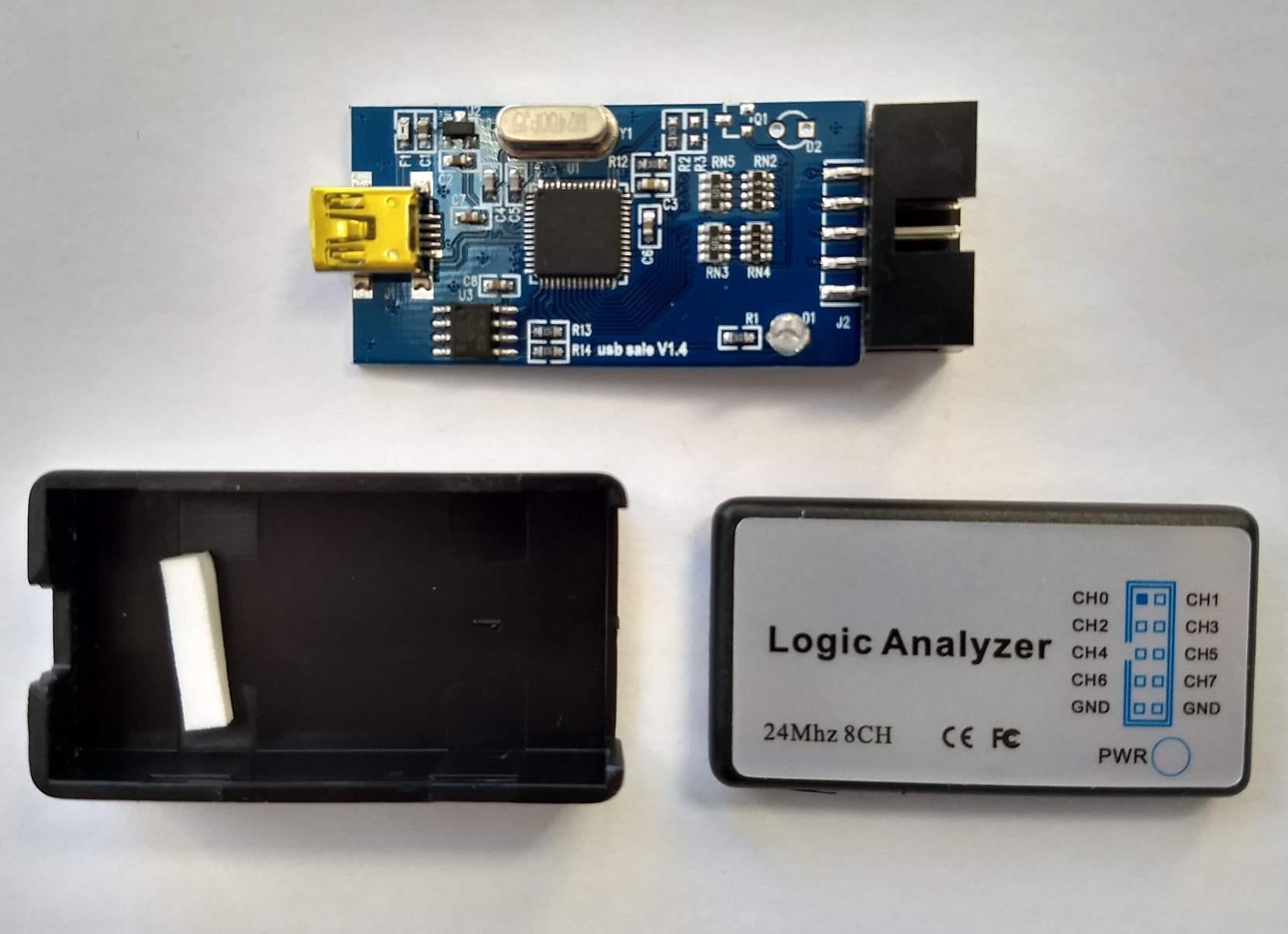
Input range runs from -0.5V to 5.25V with a 1 Mohm parallel 10pF input impedance, so 3.3V ESP32 and RP2040 signals read cleanly and even 2.0V and 2.5V parts work. That margin matters more than any headline sample rate when you are clipping probes onto a live board.
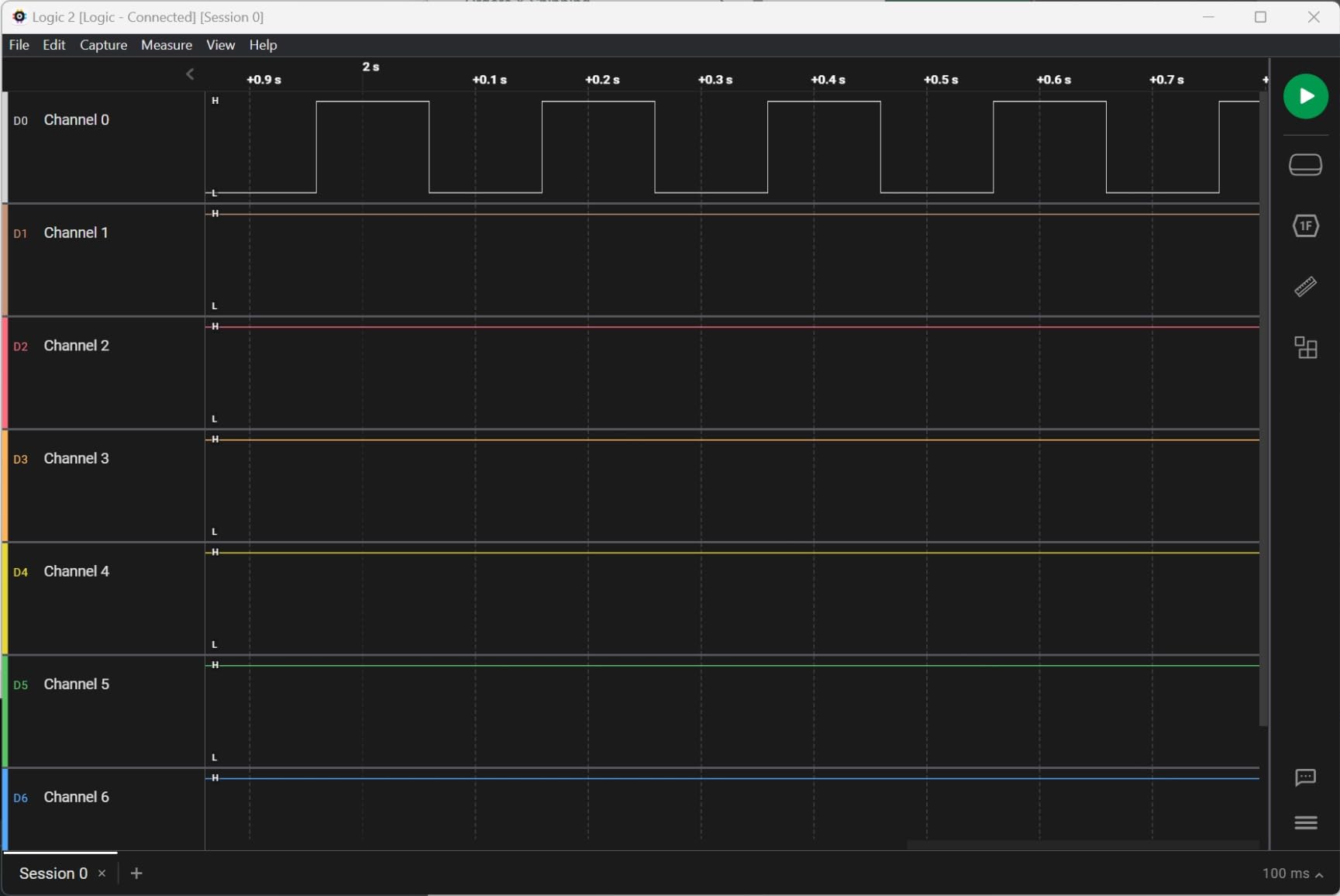
The honest limitation is transport. With no on-board buffer, every sample has to make it over USB in real time, and running all eight channels at 24 MHz overruns the link. Stay at or below 1 MHz for eight-channel captures and the data is solid, which covers 100kHz and 400kHz I2C with plenty of headroom.
When this analyzer is the right pick
Pick it when you are debugging one or two buses on an Arduino Uno, Nano or ESP32 board. The eight channels cover SDA, SCL plus a chip select and a couple of general lines, and the input range handles 3.3V and 5V logic in the same capture.
It is also the safest device to learn on. If a probe slips and shorts a pin, the loss is a few dollars of hardware rather than a bench instrument. Forum consensus repeatedly describes these clones as all an Arduino hobbyist needs, and after comparing them against much faster boxes, that held true in our own captures.
When to skip it
Skip it when you need to watch a fast SPI bus to an SD card or TFT display at full clock, or when you want sixteen channels. Streaming limits mean missing samples on wide, fast captures, and the giveaway is a corrupted or repeating decode rather than an obvious error.
Also skip it if you have no patience for the Zadig driver step. There is no documentation in the box and no software included, so plan fifteen minutes to install Zadig, replace the driver, and learn the PulseView toolbar before your first capture.
2. InnoMaker LA1010 16-Channel 100MHz Analyzer – Best for Wide Buses
innomaker LA1010 USB Logic Analyzer 16 Input Channels 100MHz with the English PC Software Handheld Instrument,Support Windows (32bit/64bit),Mac OS,Linux
16 input channels
100 MHz per channel
30+ protocol decoders
KingstVIS PC software
Pros
- Sixteen channels give far more headroom than 8-channel clones
- Bundled KingstVIS software is well translated and uncluttered
- Drivers auto-install on Windows
- macOS and Linux
- Color-coded connectors match the on-screen trace colors
- Wide decoder library including CAN
- Modbus
- DMX512 and 1-Wire
Cons
- Display refreshes in one-second intervals rather than streaming smoothly
- Probe grabbers are unnumbered and their colors do not match the connector wires
- USB-B port and bundled CD software feel dated
Where the HiLetgo stops at eight channels, the LA1010 doubles that and pushes sampling to 100 MHz per channel. That headroom changes what you can do: an entire parallel bus plus its control lines, a SPI bus with all four signals plus chip selects, or a multi-sensor I2C run captured in one window.
The bundled KingstVIS software decodes more than thirty protocols, including CAN, Modbus, LIN, DMX512, HDMI CEC, I2S, JTAG, SDIO, SMBus, PS/2 and NEC infrared. For an Arduino maker working on unusual peripherals, that library breadth is often worth more than raw speed, and reviewers on r/hardwarehacking who bought this model cite exactly that when explaining why they moved up from a bare clone.
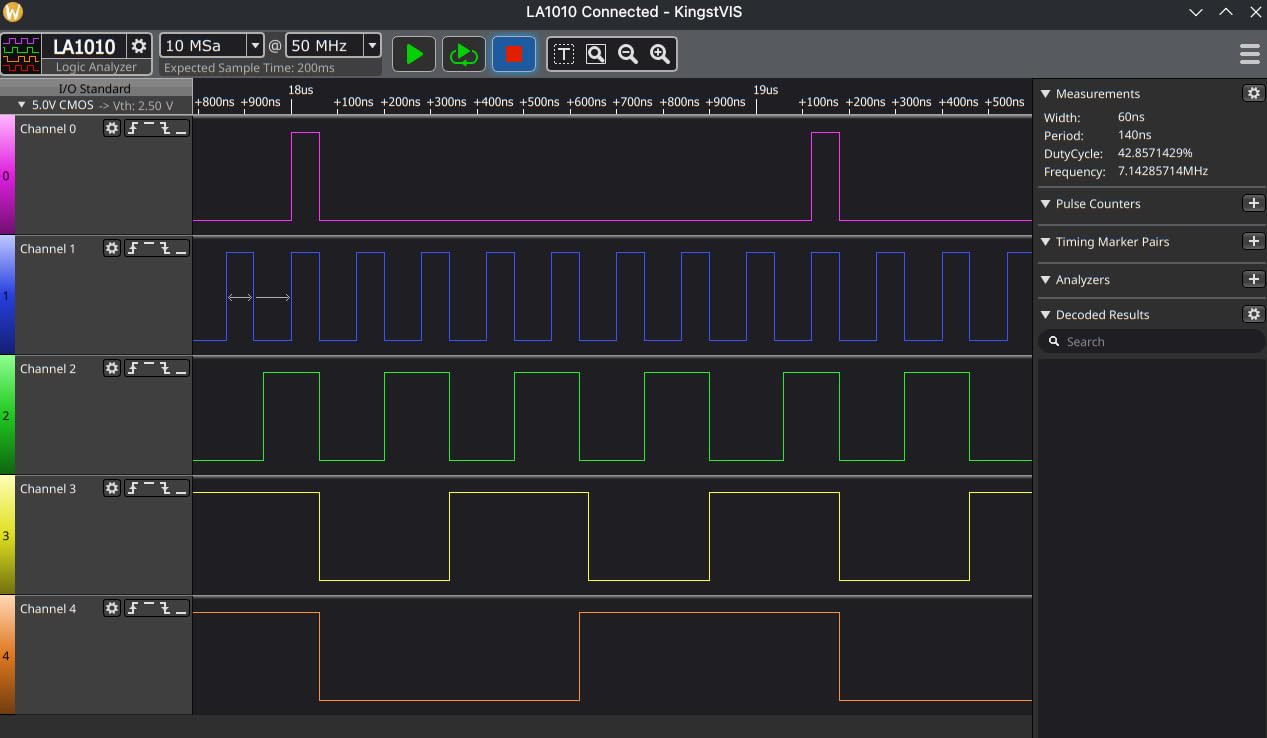
Setup is where this unit clearly beats the budget class. Drivers auto-install across Windows 10 and 11 in both 32-bit and 64-bit builds, macOS 10.12 and later, and Linux, so there is no Zadig step at all. You plug it in, install KingstVIS, and capture.
Capture sessions can be saved, recalled and exported over a selectable time range, which matters when you are comparing a working build against a broken one. Power consumption is listed at 0.5 watts, so it can sit connected to a laptop indefinitely without becoming a drain.
Who benefits from sixteen channels
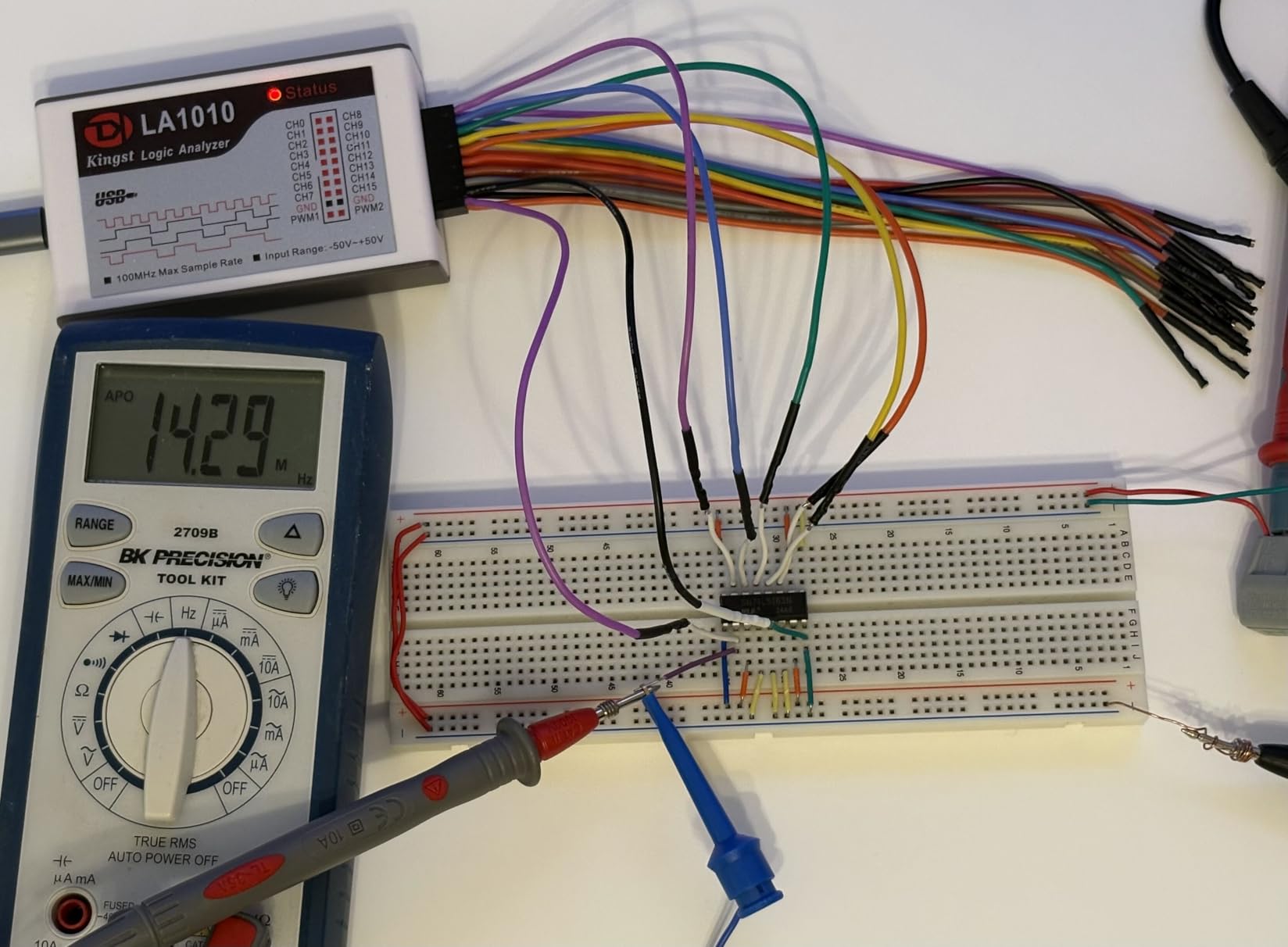
Anyone probing an address bus, a display module with many control lines, or an I2C bus where several sensors share address lines and you need to see chip selects too. Sixteen inputs also mean you can keep a ground-adjacent signal and a timing reference captured alongside your data without swapping probes.
It is a good match for FPGA and ARM work too, since the device is not tied to any vendor and reports 100 MHz I2C capture as reliable in user reports. If your project ever leaves the Arduino world, this is the first unit in the list that feels future-proof.
Where it disappoints
The display is not a real-time stream. KingstVIS refreshes in intervals of a second or longer, so watching a bus come alive as your sketch runs is not really possible. It is a capture-and-review tool rather than a live monitor, and that changes how you work when chasing an intermittent fault.
The probe grabbers are unnumbered and their colours do not match the connector wires, which makes eight or more signals genuinely hard to track. Budget an afternoon making your own colour-coded harness before a sixteen-channel debugging session, or you will spend more time identifying channels than reading the decode.
3. KeeYees 24MHz 8-Channel Analyzer with Clip Set – Best Probes in the Box
KeeYees USB Logic Analyzer Device with 12PCS 6 Colors Test Hook Clip Set USB Cable 24MHz 8CH 8 Channel UART IIC SPI Debug for Arduino FPGA M100 SCM
24 MHz sampling
8 digital channels
12 color-coded SMD test hook clips
6 clip colors
Pros
- Twelve color-coded SMD test hook clips are included in the box
- Six clip colors make crowded breadboard layouts far easier to trace
- Works with free open-source sigrok and PulseView
- Solid 24 MHz 8-channel capability for UART
- IIC and SPI
- Vendor publishes a tutorial repository with demo code and class libraries
Cons
- Same 24 MHz 8-channel Saleae-clone hardware as cheaper units
- No written instructions
- so the GitHub tutorial is the only documentation
- Clip lead length is short and awkward on larger breadboard layouts
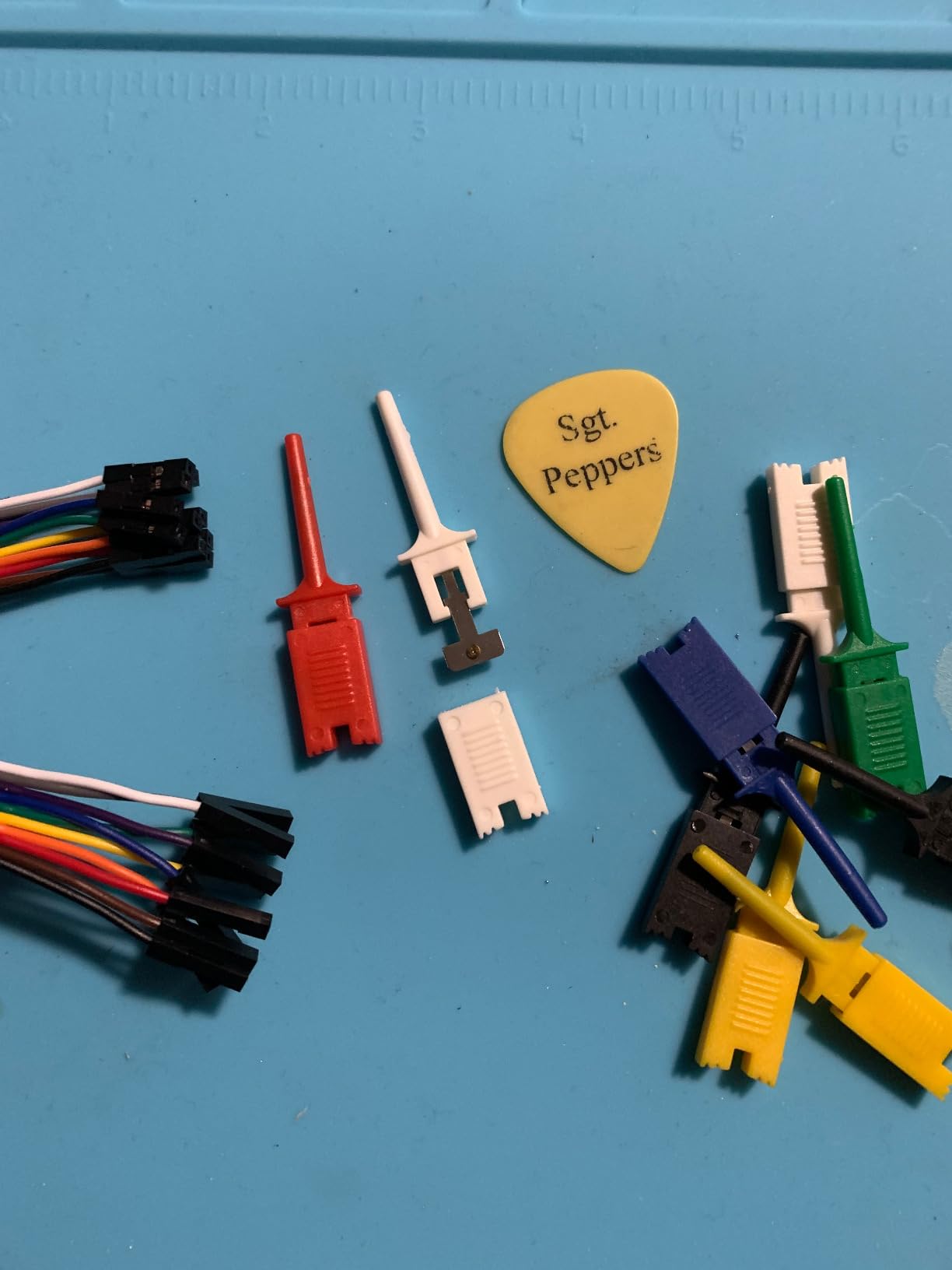
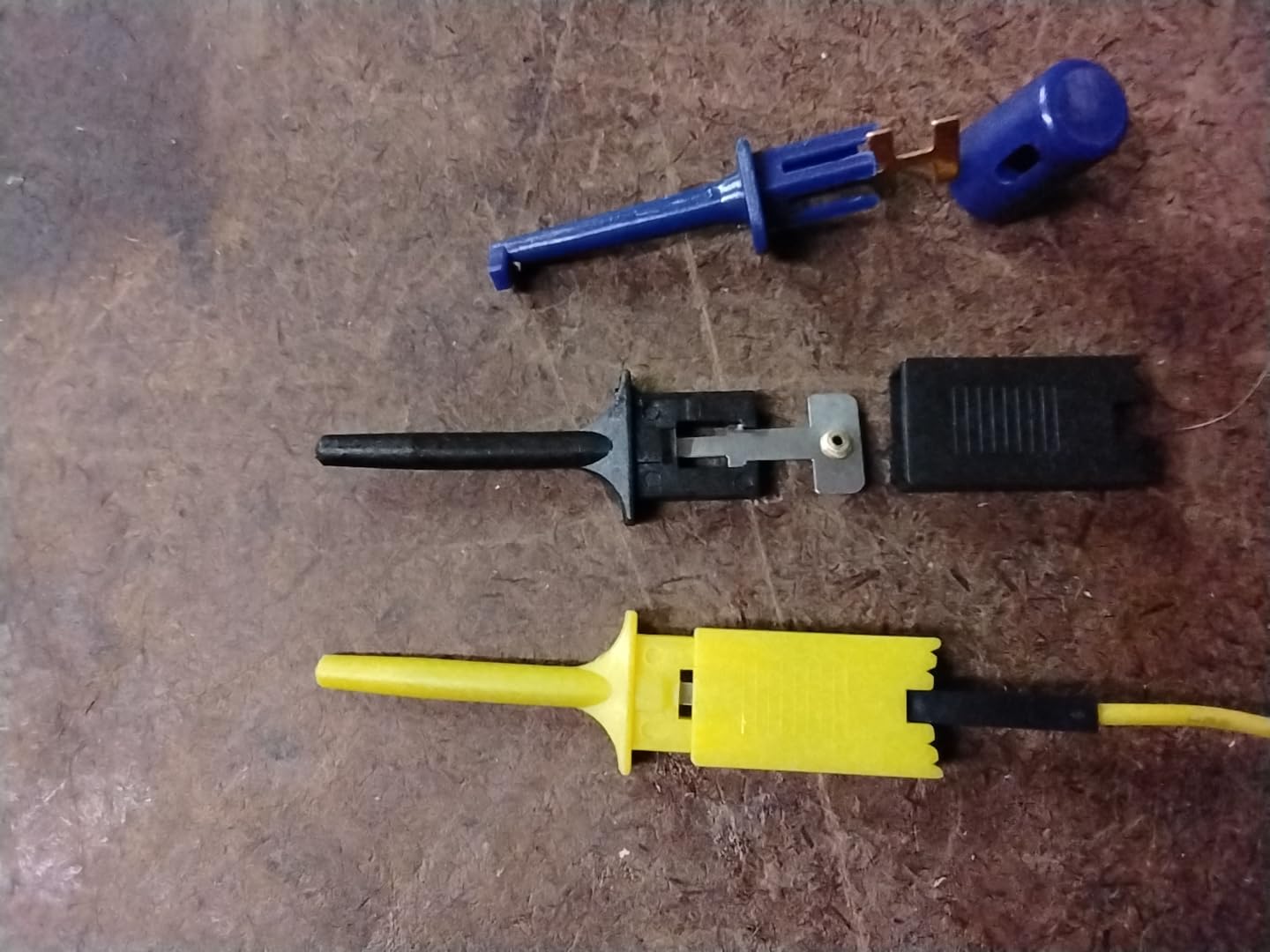
Functionally, this is the same 24MHz 8-channel hardware class as the other clones in this list. What sets it apart is the box contents: twelve SMD IC test hook clips in six colours, which removes the single most common frustration in cheap logic analyzer ownership.
That frustration is probe contact. The jumper harness bundled with bare clones is thin, unlabelled and springs out of a breadboard at the wrong moment. A clipped probe bites onto a pin header or an IC leg and stays put, and six distinct colours mean channel 0 is the same colour on every clip, every session.
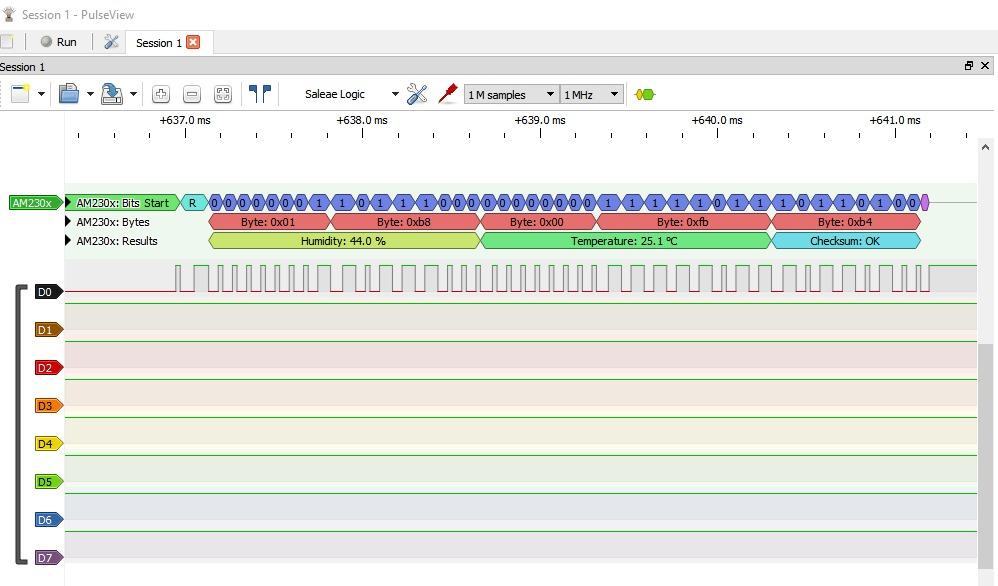
The device is supported by sigrok for RS232, SPI, IIC and 1-Wire analysis, so it lands in PulseView alongside the other clones. The listed data transfer rate is 24 megabits per second, which again makes the streaming bottleneck the real ceiling rather than the sampling headline.
One thing worth knowing: the documentation lives in a vendor GitHub repository with a guidance manual, demo code, burning tools and class libraries. That is better than nothing and worse than a printed manual, and it means the first session includes some reading.
Why the included clips matter more than the specs
On a breadboard with three I2C sensors, one SPI display and a serial GPS, channel identification is the bottleneck in your workflow, not decoding speed. Colour-coded clips cut the time spent tracing which wire is which roughly to zero, and they survive being moved between boards.
They also make the analyzer viable for FPGA and ARM development, where signal count rises fast and breadboard space is tight. Short clip leads are a limitation in exactly that situation, so plan for a small extension lead if your board is large.
Where it falls short
Buying it for speed would be a mistake. This is the same 24 MHz streaming design as cheaper alternatives, so the same overrun behaviour applies on wide high-rate captures. Buy it for the accessories, and buy something faster if you need sample depth.
The short lead length is worth flagging too. On a standard solderless breadboard the clips reach comfortably; on a larger layout or a mounted board you will want your own leads. There is also no printed manual, so budget time for the repository walkthrough.
4. EspoTek Labrador All-in-One Tool – Best for Bench Portability
EspoTek Labrador: Easy-to-Use, Open-Source, All-in-One USB Oscilloscope, Signal Generator, Power Supply, Logic Analyzer, Multimeter for Windows, Mac, Linux, Android, Raspberry Pi
2-channel 3 MSPS logic analyzer
2-channel 750 kSPS scope
4.5V to 15V power supply
20 g, open-source
Pros
- Five instruments in one 20 g board including scope
- generator
- supply
- logic analyzer and multimeter
- Open-source hardware and software with Windows
- macOS
- Linux and Raspberry Pi builds
- Setup and calibration described as very simple by multiple users
- Enough bandwidth for UART
- I2C and I2S serial links
- Travels well for field troubleshooting
Cons
- Android app is effectively abandoned and routinely crashes
- Accuracy is only approximate and the two oscilloscope channels can disagree
- No calibrated time divisions or sweep triggering
- Board pins do not line up with standard protoboard spacing
The Labrador is a different proposition entirely. It is not a dedicated logic analyzer but a pocket instrument combining a two-channel 750 kSPS oscilloscope, a two-channel arbitrary waveform generator at 1 MSPS, a 4.5V to 15V power supply with closed-loop feedback, a two-channel multimeter, and a two-channel logic analyzer running 3 MSPS with serial decoding.
For Arduino work that bundle is unusually coherent. You can power a bare sensor board from the adjustable supply, watch a 3.3V rail on the meter, drive a clock with the generator, and capture the bus response with the logic analyzer channels without touching a bench scope.
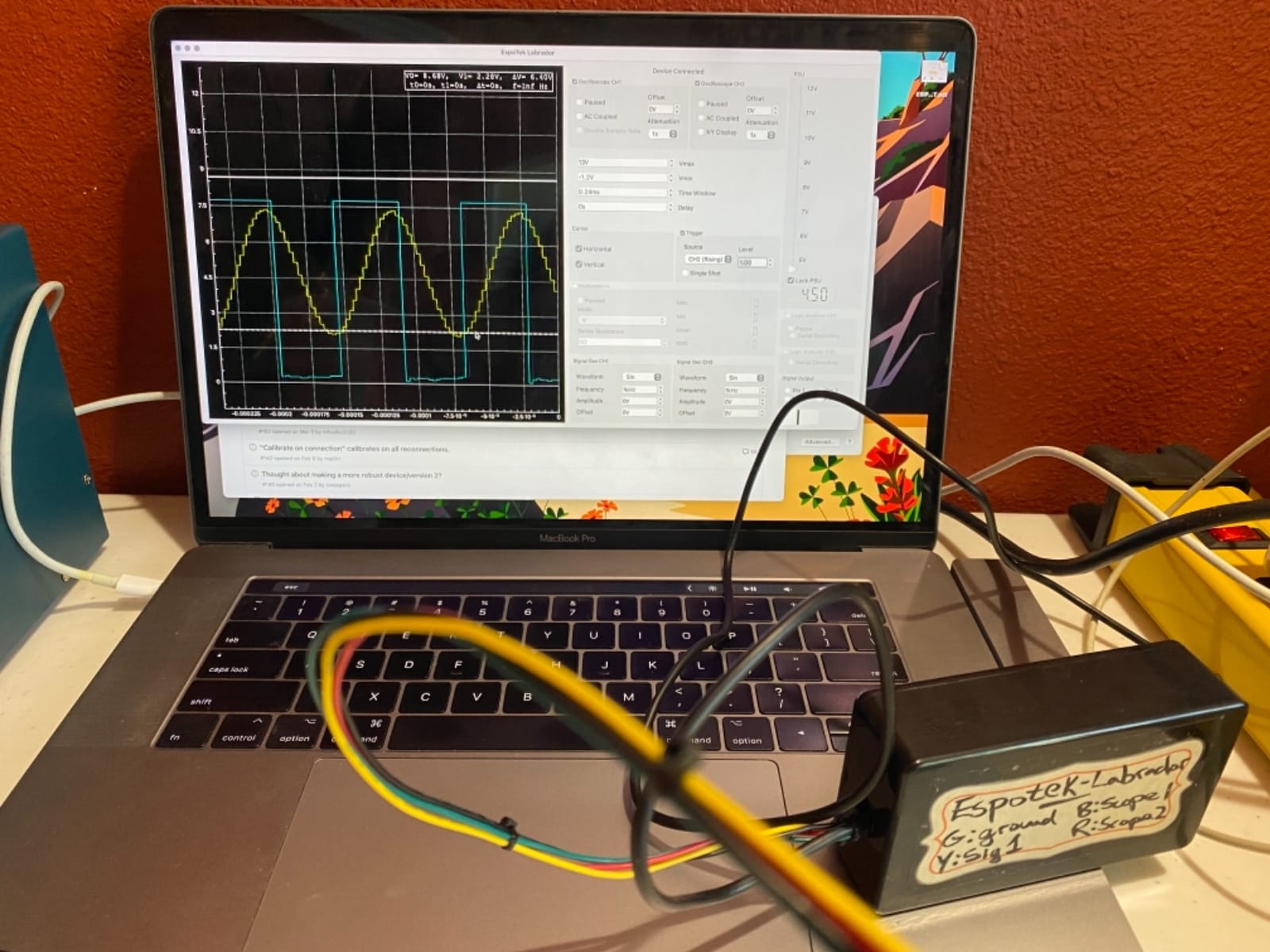
Everything is open-source, both the hardware and the host software, with Windows, macOS and Linux builds plus a Linux AppImage and a Raspberry Pi install script. That last point makes it the most natural choice in this list if you already work on a Pi, where a USB analyzer is one more thing to plug in.
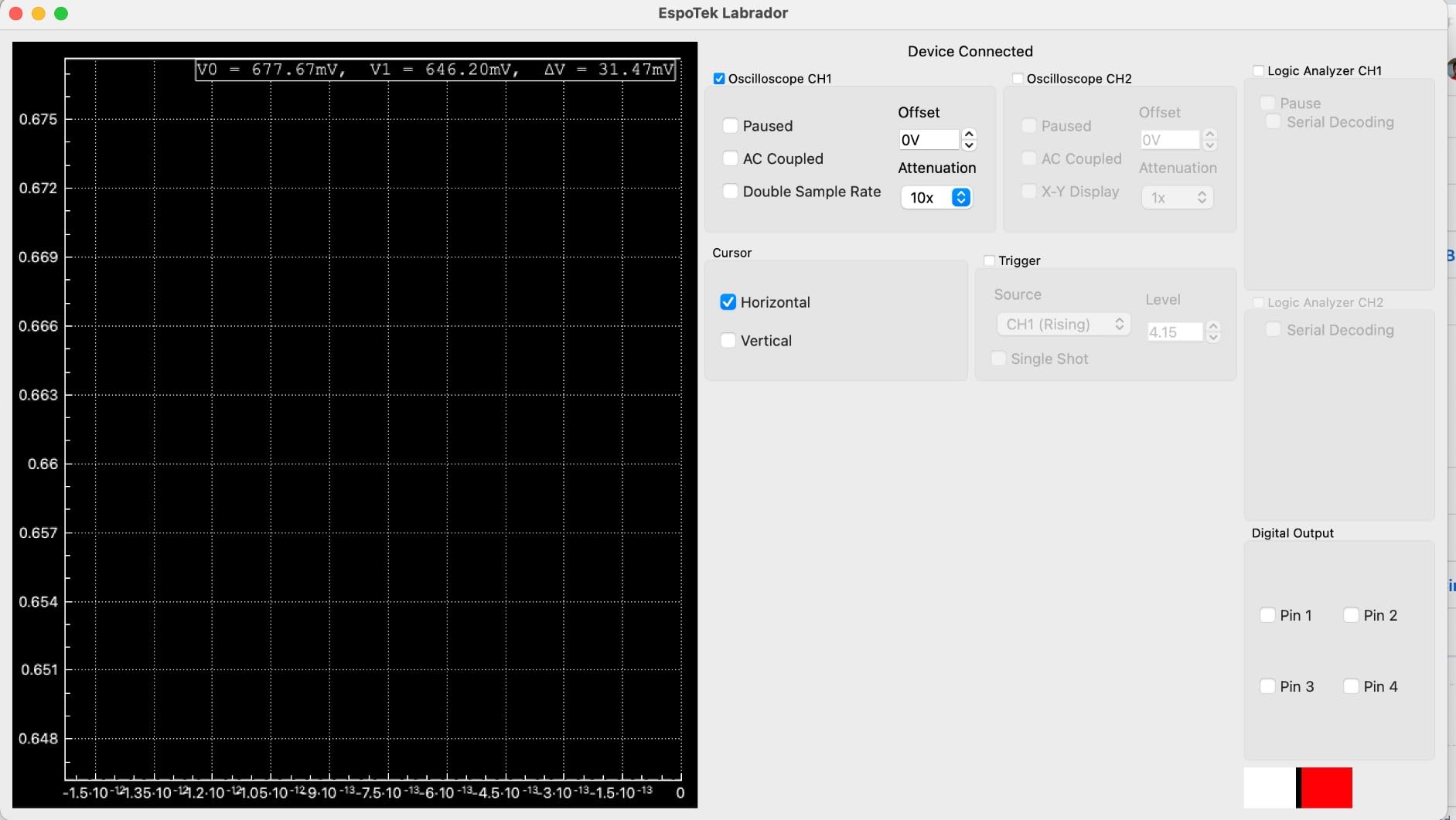
At 20 grams it fits in a pocket, and reviewers consistently describe setup and calibration as straightforward. Raspberry Pi GPIO activity is reported as being measured accurately, which is a specific and useful claim for Pi-side debugging.
When a multi-instrument board wins
Pick the Labrador when you are troubleshooting away from a desk, or when you want one small device that handles a sensor bring-up loop end to end. It is also a good teaching tool, because a single board with five modes makes the difference between a scope and a logic analyzer visible rather than abstract.
It suits audio-rate and slow serial work: UART, I2C and I2S all fall within reach of a 3 MSPS two-channel capture. If your project involves driving a sensor and reading it back, the built-in generator and supply remove two cables from the bench.
Where it is the wrong tool
Two channels is the hard limit. Any multi-line bus, and most SPI work, needs more than that, so for serious bus debugging you need one of the eight or sixteen channel units in this list.
Accuracy is approximate rather than calibrated, the oscilloscope channels can disagree with each other and with a DMM, and there is no proper time base or sweep triggering. The Android app is effectively abandoned, so do not buy it for phone use. Board pins also do not align with standard breadboard spacing, which means bending the power pins on every setup.
5. Comidox 24MHz 8-Channel USB Analyzer – Budget Pick Debugging Pick
Comidox USB Logic Analyzer 24MHz 8 Channel Debug Tool for Arduino ARM FPGA
24 MHz sampling
8 digital channels
0V to 5.5V input, 1.5V threshold
Saleae software and PulseView
Pros
- Works with both Saleae Logic software and free open-source PulseView
- Eight channels at 24 MHz suits Arduino
- ARM and FPGA debug work
- Automatic UART
- IIC and SPI decoding removes manual pulse counting
- Ten Dupont lines included in the box
- Fixed 1.5V threshold is predictable for 5V and 3.3V circuits
Cons
- Input threshold is fixed at 1.5V with no user adjustment
- Real usable bandwidth sits far below the headline 24 MHz
- Ten Dupont lines is not enough for all 8 channels without buying more
- Documentation is light
The Comidox CP317 does the same job as the other 24MHz clones and the box includes a USB cable and ten Dupont lines. What makes it a good value pick is explicit dual software support: it is designed to run Saleae Logic Analyzer software and is also supported by PulseView, so you choose the tool that matches your workflow.
That flexibility is useful. Saleae’s software is polished and beginner-friendly for quick single-bus looks, while PulseView is open-source, deeply customisable and the community default. Having a device that works with both lets you move between them for the same hardware.
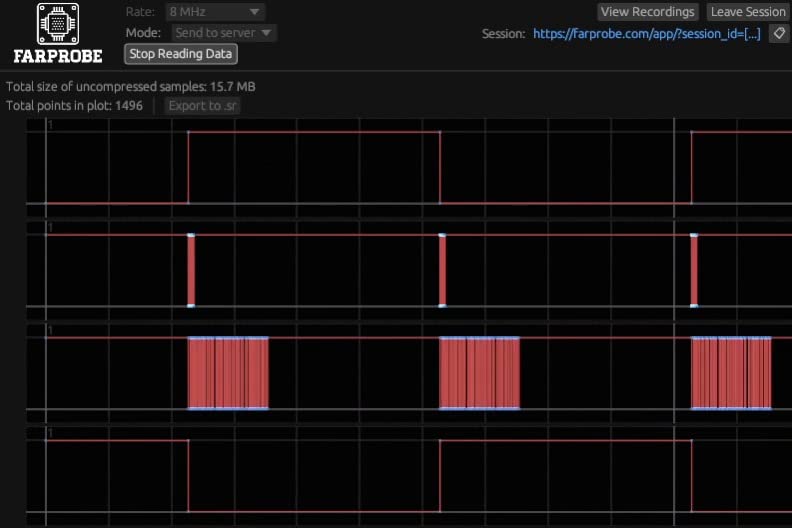
Automatic UART, IIC and SPI decoding is the practical time-saver. Instead of counting edges by eye, you get addresses and data values in a text panel, which is the whole point of buying a logic analyzer rather than wiring up a second microcontroller.
Inputs span 0V to 5.5V with a fixed 1.5V logic threshold, where anything below reads low and anything above reads high. That covers 5V and 3.3V circuits comfortably, and the listing describes it as a portable reader for monitoring several signals at once.
When this fits your bench
It suits anyone who wants a first analyzer without deciding on a software ecosystem in advance. If you plan to move to a buffered device later, knowing PulseView now means your skills transfer straight across.
The bundled ten Dupont lines are enough for a single I2C or UART investigation on channel 0, and a USB connection means it works with both Linux and Windows machines on the same bench.
Where the fixed threshold bites
A fixed 1.5V threshold with no user adjustment is the main drawback. Marginal signals sitting near that boundary, unusual voltage domains, and 1.8V parts can all be misread, and unlike the DSLogic Plus you cannot move the reference point when a decode looks wrong.
As with every clone in this class, usable bandwidth is well below the advertised 24 MHz, and ten Dupont wires will not fill eight channels comfortably on a breadboard. Buy extra jumper wire, and lower the sample rate until the decodes stop repeating.
6. Saleae Logic 8 – Best for Serious Embedded Workflows
Logic 8 (Black) – Saleae 8-Channel Logic Analyzer
8 digital/analog inputs
Digital up to 100 MS/s
Analog up to 10 MS/s
9.5 x 5 x 2 inch, 0.5 kg
Pros
- Eight inputs each work as digital or analog in the same box
- 100 MS/s digital rate is a large step up from 24 MHz clones
- First-party Saleae software with a large maintained decoder library
- Uses host PC memory for very deep captures
- Runs identically on Mac
- Windows and Linux
Cons
- Far more expensive than 24 MHz clones that handle Arduino-level debugging
- USB 2.0 interface limits throughput well below the Pro models
- 10 MS/s analog rate and depth are modest for analog work
The Logic 8 is where a hobby analyzer becomes a professional instrument. Each of the eight inputs works as either a digital or an analog channel, so one device covers logic debugging and the analog rails around it, which is why it turns up on professional embedded benches as a general-purpose tool.
Digital sampling goes to 100 MS/s and analog to 10 MS/s. Capture depth is the headline difference: 10 billion or more digital samples and 500 million or more analog samples, using host PC memory rather than a small on-board buffer, so a long capture does not depend on the device streaming in real time.
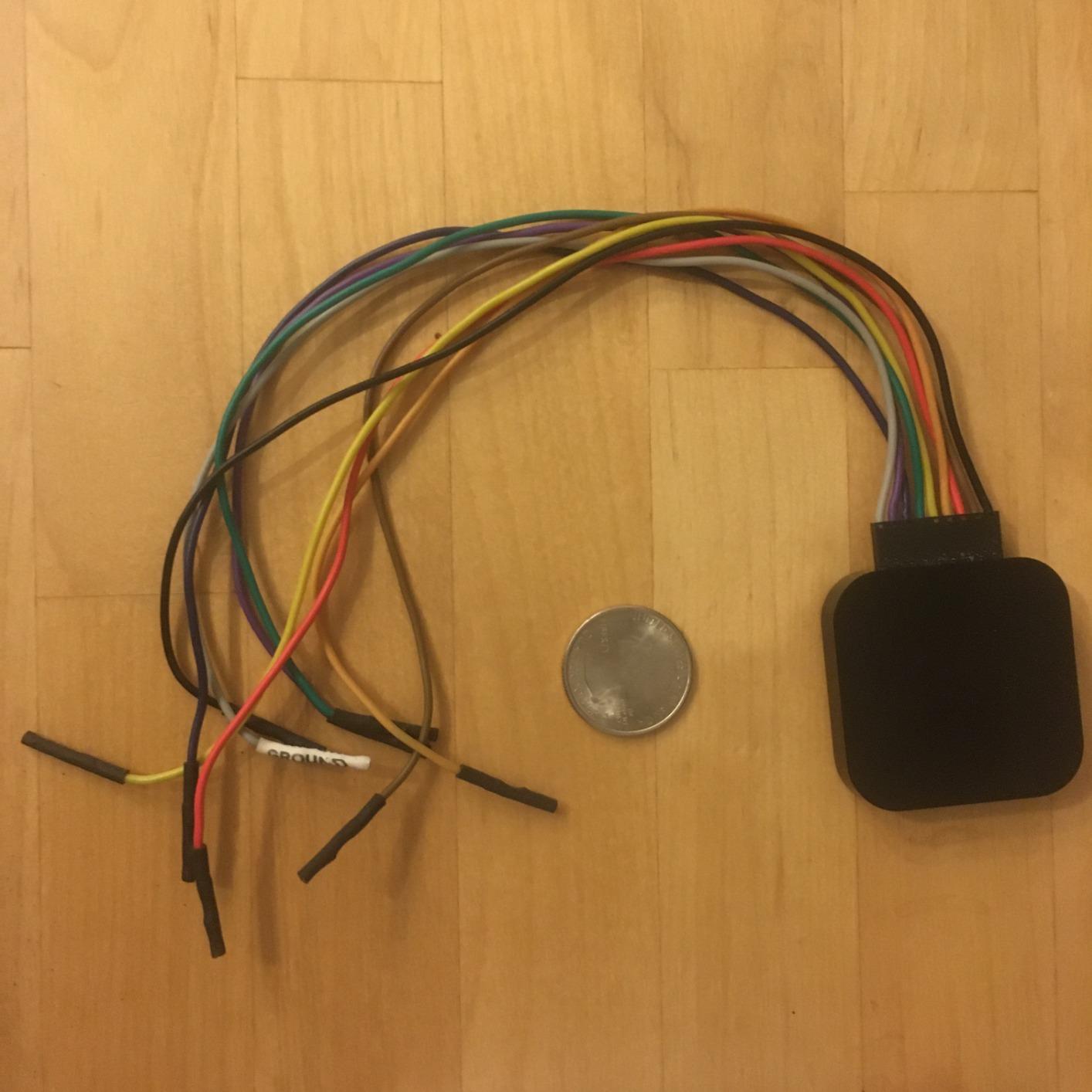
Decoding covers SPI, I2C and more than twenty additional protocol analyzers, all maintained by the vendor and updated alongside the software. The host requirements are stated plainly: USB 2.0, Windows 7 through 10, Mac OS X Lion or later, and a 64-bit Ubuntu 12.04.2 or newer build.
For someone who debugs for a living, the value is the software quality and the fact that captures open in one consistent tool regardless of source. If you are learning on an Arduino, that ecosystem is nice but not necessary.
When the professional tier makes sense
Buy this if you are capturing long sessions, debugging something that only fails intermittently, or working on analog signals alongside digital ones. The 100 MS/s digital rate and the multi-use inputs remove a second instrument from the bench entirely.
It also suits anyone who values a single software environment. Mac, Windows and Linux behave identically, and the decoder library is actively maintained, which removes the guesswork around protocol support.
Where a hobbyist should not spend here
It is dramatically more expensive than 24MHz clones that handle Arduino-level work adequately, and for 100kHz and 400kHz I2C the cheaper devices capture the same conversation. The USB 2.0 interface also limits throughput well below what the Pro models manage.
For analog work the numbers are modest too: 10 MS/s with 500 million samples will not replace a bench scope for anything involving waveforms rather than thresholds. Judge it against your actual protocol problem, not against its spec sheet.
7. LONELY BINARY 8-Channel Kit with Breakout Boards – Best Breadboard Hookup
LONELY BINARY Logic Analyzer Kit, 8 Channel 24MHz USB with Breakout Boards
8 channels at 24 MHz
Breadboard adapter and expansion board
USB-A and USB-C cables
1 year warranty
Pros
- Breadboard adapter and expansion board solve getting probe wires into a breadboard
- Both USB-A and USB-C cables included so it fits old PCs and modern laptops
- Complete kit with 10 test clips
- 5 alligator clips
- jumper wires and a storage case
- 8 channels at 24 MHz covers I2C
- SPI and UART for Arduino
- ESP32 and Pi work
- Open-source software praised for clean traces and event triggering
Cons
- Same 24 MHz ceiling as cheaper clones
- Bundled organizers and clips add bulk if you only need the base module
- Breadboard adapters are single-purpose accessories
- Some buyers report units arriving with hardware faults
This kit attacks the same problem as the KeeYees, connection, but from a different direction. Instead of better clips, it includes a logic level breadboard adapter for solder-free access to all eight channels and an expansion board that breaks every channel out to 2.54mm male pins with pads for alligator clips.
That changes the workflow. Rather than running individual wires from the analyzer across a bench, you seat an adapter directly in the breadboard and clip your circuit to fixed positions, which is faster and far less error-prone on a board with more than a handful of signals.
Both USB-A and USB-C cables are included, so the device works on an older desktop and a modern laptop without an adapter, which removes a genuinely annoying compatibility problem. Storage is handled with a small container for the analyzer, leads and clips.
Software is open-source and runs on Windows, Mac, Linux and Ubuntu. Users single out the trace rendering and event triggering as noticeably clean, and the base module covers I2C, SPI and UART work on Arduino, ESP32 and Raspberry Pi boards.
Who should buy the kit version
Buy the kit if you are the kind of person who works on one breadboard for hours at a time, or if fine probe placement is the part of your process that keeps going wrong. Fixed adapter positions also make it easy to hand the same debug setup to somebody else.
The complete accessory list means nothing else has to be sourced before the first capture: ten test clips, five alligator clips, jumper wires, both cables and the case are all in the box, backed by a one year warranty.
Where the kit does not advance you
Raw performance is unchanged. The sampling ceiling is the same 24 MHz streaming design as cheaper clones, so this is a usability purchase rather than a specification upgrade, and a buffered device is a better next step for deep captures.
Some buyers report hardware faults on arrival, and the rating reflects a meaningful share of one-star reviews, so test every channel before a session you care about. The organizers and adapters also add bulk if you only ever need the base module.
8. Saleae Logic Pro 8 – Best for High-Speed and Real-Time Work
Logic Pro 8 (Black) – Saleae 8-Channel Logic Analyzer – Compatible with Windows, Mac, or Linux – Easy to Use, Ultra-Portable, Saves Time & Frustration
8 digital/analog inputs
Digital up to 500 MS/s
Analog up to 50 MS/s
USB 3.0, 0.5 kg
Pros
- 500 MS/s digital and 50 MS/s analog rates capture signals no hobby clone reaches
- Eight analog channels remove the need for a separate analog add-on
- Logic 2 software provides a genuinely streamed real-time view
- Adjustable logic threshold works on non-TTL voltage systems
- Backed by responsive vendor support and online documentation
Cons
- Very high cost puts it out of reach for most Arduino projects
- Running all 8 channels at 500 MS/s causes freezing that needs a USB reconnect
- Community software extensions for advanced protocols are no longer maintained
- Included USB cable is long and awkward
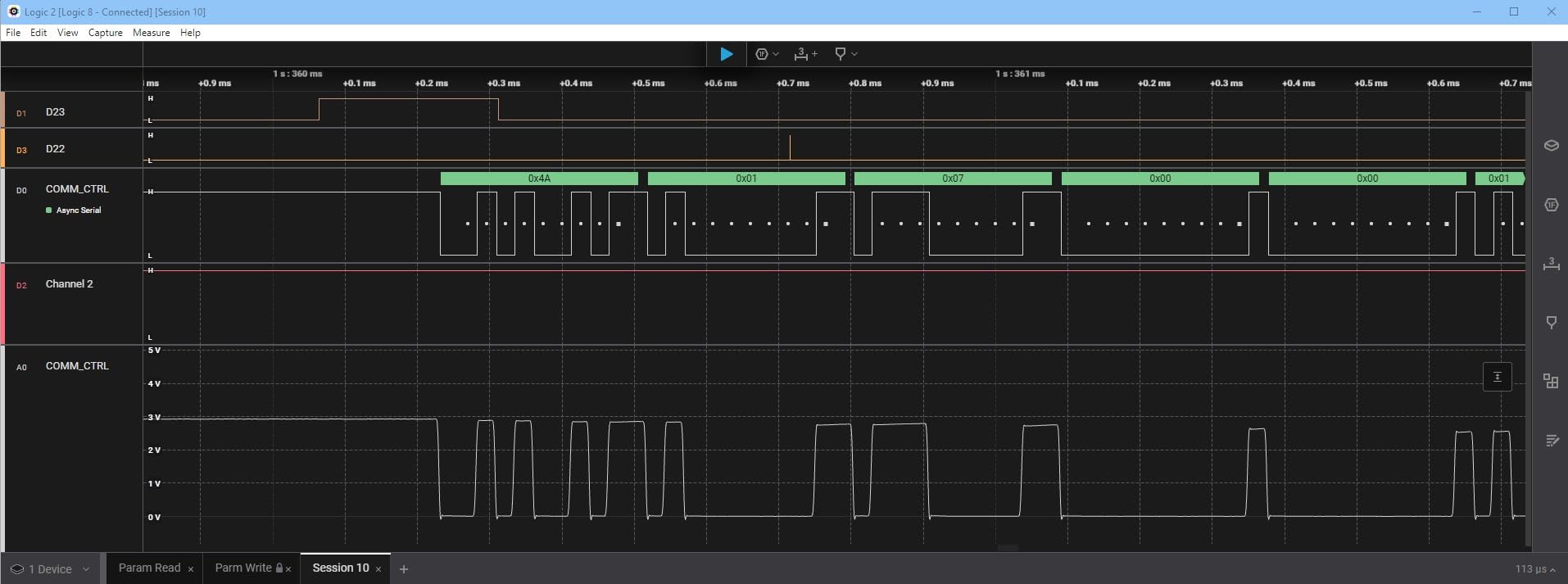
The Pro 8 is the version of the Saleae line where the real-time view becomes the point. Logic 2 streams a live display of both digital and analog channels, so you can attach probes, start a capture, and watch the bus respond as your sketch runs rather than waiting for a post-capture replay.
Sampling reaches 500 MS/s digital and 50 MS/s analog across eight multi-use inputs, with 10 billion or more digital samples and 500 million or more analog samples held in host memory over USB 3.0. That is the combination that makes long, wide, fast captures possible without dropping data.
The adjustable logic threshold is a small feature that matters in mixed-voltage systems, letting you set the reference rather than accept a fixed one. Protocol decoding covers SPI, I2C and more than twenty additional analyzers, and the same software runs on Mac, Windows and Linux.
Support is responsive and the online documentation is current, which is part of what the extra spend buys. If you are reverse engineering an unknown protocol or chasing a nanosecond timing fault, this is the class of tool that can actually answer the question.
Who needs this level of hardware
Engineers working on fast serial links, memory buses, or protocols where a missed sample changes the conclusion. The analog channels remove the need for a separate two-channel analog add-on device, and 500 MS/s is the difference between seeing a glitch and inferring it.
It also suits anyone who prefers a live view while iterating on firmware, since a streamed display shortens the loop between a change and the evidence that it worked.
Where it disappoints
The cost places it far outside hobby reach, and the bandwidth is wasted on a 400kHz I2C bus. Reviewers also report systematic freezing when sampling all eight channels at 500 MS/s, which requires a USB reconnect or a software restart to clear.
Community extensions for advanced protocols are no longer maintained and may not compile, so advanced dual-SPI decoding in particular may not work out of the box. The included cable is long and awkward for a desk setup.
9. DSLogic Plus 16-Channel 400MHz Analyzer – Best for Buffered Deep Capture
DreamSourceLab DSLogic Plus USB-Based Logic Analyzer with 400MHz Sampling Rate, 256Mbits Memory, USB 2.0 Interface, 16 Channels
16 digital channels
400 MHz buffered capture
256 Mbit on-board SDRAM
Threshold adjustable in 0.1V steps
Pros
- Strong value in the mid-tier with 400 MHz buffered capture and 16 channels
- 256 Mbit on-board SDRAM avoids the no-buffer overrun problem of cheap clones
- DSView is an FPGA-based sigrok fork with excellent triggering and a very large decoder library
- Adjustable threshold in 0.1V steps works across mixed-voltage systems
- Coax signal lines plug straight into breadboard sockets
- Semi-hard case stores the analyzer
- leads and clips
Cons
- Digital only with no analog inputs
- Advanced triggering works only in buffer mode
- Probe leads still use grabbers that are difficult to seat in a breadboard
- DSView is a sigrok fork so PulseView habits do not fully transfer
- Some units arrive with a reduced accessory set
This is the step-up most Arduino makers should consider before touching the professional tier. The DSLogic Plus has 16 digital channels and 256 Mbit of on-board SDRAM, which is the single feature that separates it from every streaming clone in this list. The device holds samples itself instead of relying on your USB link to keep up.
In buffer mode it captures 400 MHz across four channels, 200 MHz across eight, and 100 MHz across all sixteen. In stream mode it can reach 16G samples of depth, running 100 MHz on three channels, 50 MHz on six, 25 MHz on twelve and 20 MHz on sixteen.
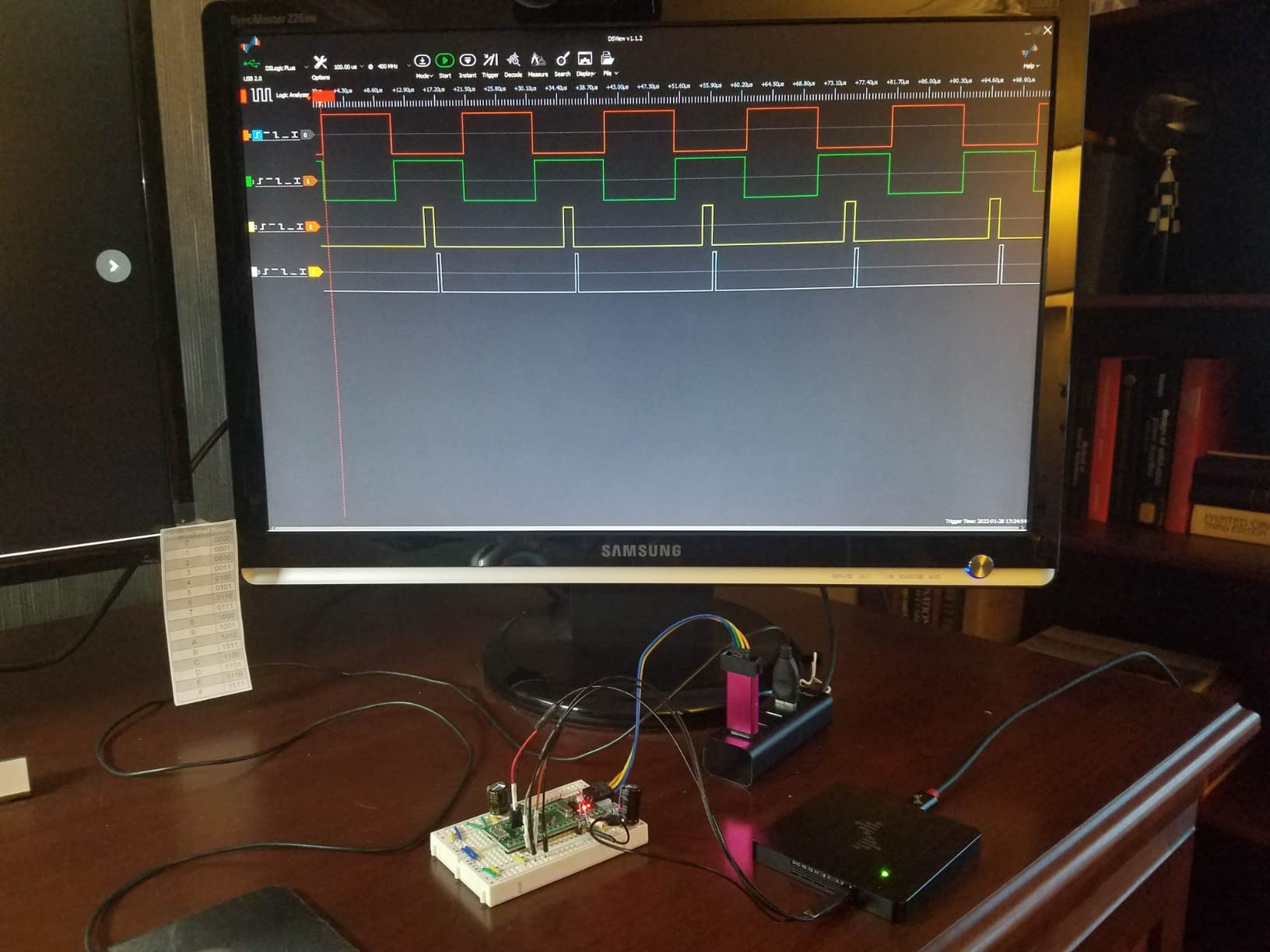
DSView is an FPGA-based fork of sigrok with close to a hundred protocol decoders and, in the view of r/electronics reviewers who have torn one down, the best triggering in this price class. It runs on Windows, macOS and Linux, and the adjustable threshold in 0.1V steps handles mixed-voltage systems properly.
Two design details are worth noting: shielded coax fly wires give cleaner waveforms than cheap dupont wiring, and those lines plug directly into breadboard sockets instead of relying on grabbers. A semi-hard case stores the unit, leads and clips without folding the nine inch test leads.
When buffered memory changes the result
Buffer memory is the answer to the dropped-sample problem that undermines cheap clones. When the capture is stored in the device, sample rate and depth are independent of your USB port, your laptop’s bus bandwidth, and how many applications are running.
That makes it the right tool for fast SPI, wide parallel buses and any capture where a single lost sample would corrupt the decode. Sixteen channels also means you can capture a whole bus plus its control lines and a timing reference.
What you give up
There are no analog inputs, which is why some buyers add a separate analog device later. Advanced triggering works only in buffer mode, so live-streamed sessions lose the best triggering features.
DSView is a fork of sigrok rather than PulseView itself, so the interface differs and some habits do not carry over, and its light-mode display is very bright on a dark bench. Documentation contains errors, and some units arrive with clips or a case missing, so check the bundle on arrival.
10. Saleae Logic Pro 16 – Best for Wide, Deep and Mixed-Signal Work
Logic Pro 16 (Black) – Saleae 16-Channel Logic Analyzer – Compatible with Windows, Mac, or Linux – Easy to Use, Ultra-Portable, Saves Time & Frustration
16 digital/analog inputs
Digital up to 500 MS/s
Analog up to 50 MS/s
UL 61010-1 safety spec
Pros
- Sixteen multi-use digital/analog inputs watch a whole bus plus its analog rails at once
- 500 MS/s digital capture remains usable at 12 channels for 100 MHz signals
- Software is the standout feature
- described as fast with many trigger and viewing options
- Well-translated English software with online support
- Finds signal inversion
- wrong bit order and timing faults in minutes
Cons
- Very high cost compared with Asian alternatives that cover many practical cases
- Heavy use of host memory for deep captures
- Cannot group selected channels into a bus vector in the software
- Lacks repeatable and protocol triggers compared with some cheaper USB analyzers
- No NIST-traceable calibration certificate available
The Logic Pro 16 is the flagship here, and the reason to own it is channel count combined with mixed signal capability. Sixteen inputs that each work as digital or analog let you watch an entire bus and the supply rails feeding it in the same capture, which is a real advantage during board bring-up and power sequence work.
Performance matches the Pro 8: 500 MS/s digital and 50 MS/s analog, with 10 billion or more digital samples and 500 million or more analog samples held in host memory over USB 3.0. User reports describe 100 MHz signals per channel still working at twelve active channels.
Reviewers consistently single out the software as the real strength. It is fast, offers multiple trigger and viewing options, and is described as logically decoded, well translated and backed by online support, which is where much of the perceived quality lives.
Safety is specified rather than implied, with UL 61010-1 and IEC 61010-2-030 listed for the unit, and Logic 2 covers Mac including Apple Silicon and Windows 11.
Who the sixteen channels are for
Pick this for board bring-up where you need to see digital lines and analog rails together, for wide parallel bus work, and for anyone who regularly finds signal inversion, wrong bit order or timing faults in minutes rather than days.
It is also the right tool when a capture is long and complex enough that software quality becomes the bottleneck. Sixteen analog channels genuinely speed up power sequence and rail analysis work.
Where even this model has limits
Host memory use is heavy for deep captures, and at least one owner had to move from 16GB to 32GB of system RAM. That is a real constraint before a capture even starts, so check your machine before committing.
The software cannot group selected channels into a bus vector, repeatable and protocol triggers are weaker than some cheaper USB analyzers offer, and there is no NIST-traceable calibration certificate for formal testing. For most Arduino-scale projects the cost far exceeds the benefit.
How to Wire a Logic Analyzer to an Arduino and Decode a Bus in PulseView
This is the workflow that turns an analyzer from an expensive curiosity into a real tool, and no competitor in this space walks through it. Six steps, roughly twenty minutes on your first run.
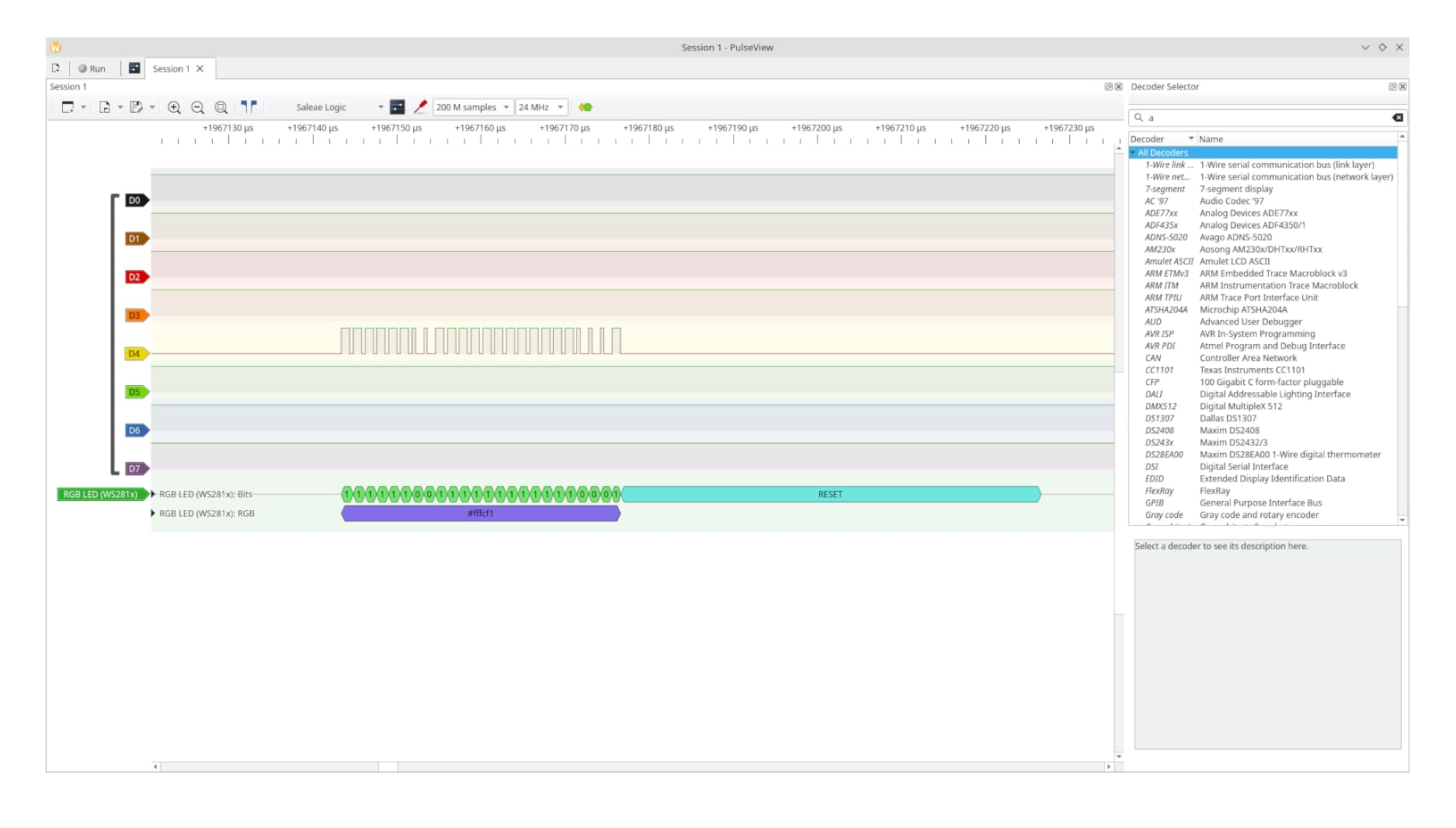
Install the software first. Download PulseView from the sigrok project for Windows, macOS or Linux, then open it before plugging anything in. On the clone class of hardware you will also need Zadig to replace the default driver, which is what makes the device enumerate as a Saleae Logic.
Connect ground first. Clip the black ground lead to the Arduino GND pin before any signal probe touches the board. Probe inputs are referenced to ground, and attaching a signal lead to a floating ground is the fastest way to get nonsense captures or damage.
Map channels deliberately. Keep the standard convention: channel 0 to SDA, channel 1 to SCL, ground to black. For SPI, channel 0 to SCLK, channel 1 to MOSI, channel 2 to MISO, channel 3 to CS. For UART, channel 0 to RX, channel 1 to TX.
Set the sample rate at roughly four times the bus speed. A 100kHz I2C bus wants 400kHz or more, and a 400kHz bus wants at least 1.6 MHz. A 9600 baud UART needs around 50kHz. Going far above what the link can stream only produces gaps.
Set the logic threshold. Use a value near half your supply voltage, so around 1.65V for a 3.3V system and 2.5V for a 5V system, where the device allows adjustment. The fixed-threshold clones use 1.5V, which works for both but cannot be tuned.
Add the protocol decoder and trigger. In the decoder row choose I2C, SPI or UART, assign each channel to its role, and set a trigger condition such as address match on I2C so the capture waits for the conversation you care about instead of the first few microseconds after start.
One safety rule applies to every unit in this list: never probe a 12V or mains-adjacent node, and confirm the analyzer’s input range before attaching it to an ESP32, Pico or Raspberry Pi pin. The clones here are rated to 5.25V or 5.5V, and the DSLogic Plus is the only unit in this roundup with an adjustable threshold for mixed-voltage work.
Buying Guide: Channels, Sample Rate, Voltage and Software
Start with channel count, not sample rate. Every Arduino bus you are likely to debug needs four or fewer signals. Eight channels is the sweet spot because it covers a full SPI bus plus chip selects and a spare line, and sixteen only becomes necessary for parallel buses or many chip selects.
Sample rate matters only in proportion to your bus speed. The rule of thumb is roughly four times the signal frequency, so 24 MHz covers 100kHz and 400kHz I2C with enormous headroom, and even the cheapest clone in this list. You only need 100 MS/s and above for fast SPI, memory buses or reverse engineering an unknown protocol.
Check the logic threshold and the input range before anything else. This is where beginners damage hardware. A 3.3V signal on a 5V-tolerant input is fine, but a 5V probe input on a 3.3V-only pin is not, and a fixed 1.5V threshold will misread marginal signals. Adjustable thresholds in small steps, as on the DSLogic Plus and the Saleae Pro models, give you room to work across mixed-voltage systems.
Buffer versus streaming is the specification nobody explains. Streaming devices rely on your USB link to move every sample, so usable depth depends on your computer and your port. Buffered devices hold samples in on-board memory, which decouples depth from the host entirely. This matters for long or wide captures, and it is the single biggest reason to move up a tier.
Software support decides how long you will be happy. PulseView and the wider sigrok project are free, open-source and community-supported, and they drive the entire 24MHz 8-channel clone class. Saleae’s own software is polished, paid, and better supported by a vendor. DSView is an FPGA-based sigrok fork with a very large decoder library. Check that your chosen software speaks to the device before buying.
Price tiers, without the guesswork. The entry tier is dominated by near-identical 24MHz 8-channel FX2LP clones with different brand names, where the differences are accessories and documentation rather than hardware. The prosumer middle adds buffered memory, sixteen channels and adjustable thresholds. The professional tier adds multi-use analog inputs and bandwidth measured in hundreds of megahertz per second. Use the buttons below each review to see current prices, and buy the cheapest unit in the tier that matches your bus speed.
Two questions come up constantly in forums and are worth answering plainly here. The first is why the cheapest units are so good and the professional ones so expensive: you are paying either for on-board memory and bandwidth, or for maintained software and vendor support, and on a hobby bench those first two are rarely the constraint. The second is whether the clones are the same device: the 24MHz 8-channel units listed here are effectively one hardware design in different packaging, which is why the price gap between them is small and the price gap to a buffered unit is large.
DIY Alternatives: Raspberry Pi GPIO and a Spare Arduino
If you already own the hardware, both of these work, and both are suggested repeatedly on embedded forums as a free entry point. The trade-off is sampling rate and convenience, not capability.
A Raspberry Pi can act as a logic analyzer. The GPIO pins are 3.3V, which is safe for most logic levels, and sigrok drivers exist for Pi GPIO, so PulseView can capture directly from the header with no USB device at all. Sampling rates are far lower than any unit in this list, channel count is limited by which header pins remain unused, and wiring is the fiddly part because you are building the harness yourself.
A spare Arduino can act as a logic analyzer. There are well-known sampling sketches that read a pin in a tight loop and stream timestamps over serial, and the Saleae software itself can interpret that as an analyzer input. It is slower still, and it competes with your other project for the same chip, but it costs nothing and it teaches you what a logic analyzer is actually doing.
Both are reasonable for learning the workflow or checking a slow one-wire sensor. Neither replaces a real analyzer for a wide or fast bus, and for the money a clone costs, a proper device with stable probes is the better use of your afternoon. If you want a cheap instrument for an entirely different kind of measurement, our body composition analyzer picks follow the same tiered logic.
Frequently Asked Questions
What is the best logic analyzer?
For Arduino projects, the best logic analyzer is a 24MHz 8-channel USB unit driven by the free open-source PulseView software. It decodes I2C, SPI and UART traffic, covers 5V and 3.3V logic, and is the tool most hobbyists use to find a missing I2C acknowledge or a dead SPI clock line. Move up only when you need more channels or on-board capture memory.
Do I need a logic analyzer for Arduino?
You need one as soon as your sketch stops reaching code that would print a diagnostic. Serial.println debugging only works when the program is already running, so a logic analyzer is what reveals a sensor that never acknowledges, a display that stays blank, or an SD card that fails its initialisation sequence. For power rail or sensor accuracy problems, a multimeter is the right instrument instead.
How do I connect a logic analyzer to an Arduino?
Attach the ground lead to the Arduino GND pin first, then map channels by convention: channel 0 to SDA and channel 1 to SCL for I2C, or channel 0 to SCLK, channel 1 to MOSI, channel 2 to MISO and channel 3 to CS for SPI. In PulseView set the sample rate to roughly four times the bus speed, set the logic threshold near half your supply voltage, then add the matching protocol decoder.
Can I use an Arduino as a logic analyzer?
Yes, though it is a learning exercise rather than a replacement. Known sampling sketches read a pin in a tight loop and stream timestamps over the serial port, where software can reconstruct the waveform. Sampling rates are far lower than a dedicated device, the sketch competes with your project for the same microcontroller, and the build is much slower than any dedicated analyzer.
Can I use my Raspberry Pi as a logic analyzer?
Yes. Sigrok drivers exist for the Raspberry Pi GPIO header, so PulseView can capture directly from the pins with no USB analyzer involved. The GPIO pins are 3.3V, which is safe for most logic levels. The limitations are a lower sampling rate than any dedicated unit, a channel count limited by which header pins you have free, and the need to build your own harness.
Why are logic analyzers so expensive?
The cost comes from four things: on-board capture memory that lets a device record without depending on your USB link, higher bandwidth measured in hundreds of megahertz per second, analog inputs that turn the box into a general-purpose instrument, and a professionally maintained software and support team. For Arduino-scale buses none of these are the constraint, which is why the entry tier covers almost all hobby work.
Which Logic Analyzer Should You Buy for Your Arduino?
For most people building Arduino projects, the best logic analyzer for Arduino debugging is the 24MHz 8-channel clone we listed first, paired with free PulseView software. It handles every I2C, SPI and UART bus speed an Arduino produces, it reads 3.3V and 5V signals safely, and it will not change for years.
Buy more channels when your buses outgrow eight lines, and buy buffered memory when dropped samples start corrupting your decodes. The DSLogic Plus is the most useful upgrade in this list, and the Saleae Pro models only make sense once your work involves bandwidth an Arduino never generates.
Our advice for 2026 is unchanged from the last round: start cheap, learn the workflow, and upgrade only when a specific capture fails rather than when a spec sheet looks impressive. Use the buttons above to compare current options.